
Introduction
This manual provides detailed instructions for the safe and proper installation, operation, and maintenance of your Mounting Dream Full Motion TV Mounts, models MD2413-MX and MD2617-24K. Please read all instructions carefully before beginning installation to ensure a secure and optimal viewing experience.
Product Overview & Compatibility
The Mounting Dream Full Motion TV Mounts offer versatile viewing angles and space-saving solutions for your television. This package includes two models:
- MD2413-MX: Designed for most 26-55 inch TVs, supporting up to 77 lbs (35 kg). Compatible with VESA mounting patterns from 75x75mm to 400x400mm.
- MD2617-24K: Designed for most 42-70 inch LCD/LED/Plasma TVs, supporting up to 100 lbs (45 kg). Compatible with VESA mounting patterns up to 600x400mm and suitable for wood studs spacing up to 24 inches.
Both models feature full motion capabilities, including tilt, swivel, extension, and retraction, allowing you to achieve optimal viewing from various positions.

Image: Components of the MD2413-MX TV mount, including the wall plate, TV plate, and articulating arm.

Image: Components of the MD2617-24K TV mount, showing the larger wall plate and dual articulating arms.
Setup and Installation
Proper installation is crucial for the safety and performance of your TV mount. Follow these steps carefully. It is recommended to have two people for installation.
1. Prepare for Installation
- Check Wall Type: Ensure your wall can support the weight of the mount and your TV. This mount is designed for wood stud or concrete/brick walls. Do NOT install into drywall alone.
- Locate Studs (for wood stud installation): Use a stud finder to locate the center of your wood studs. Mark the stud locations.
- Determine TV Height: Decide on the desired height for your TV.
2. Attach TV Plate to TV
- Carefully place your TV face-down on a soft, clean surface to prevent scratches.
- Select the appropriate screws, washers, and spacers from the provided hardware kit that fit your TV's VESA mounting holes.
- Attach the TV plate (the part that connects to the TV) to the back of your TV. Ensure it is centered and securely fastened. Do not overtighten.
Video: This video demonstrates the general installation process for a Mounting Dream full motion TV mount (MD2393-MX model shown). It illustrates how the mount attaches to the wall and the TV, and how the articulating arm allows for movement.
3. Attach Wall Plate to Wall
- Hold the wall plate against the wall at your desired height and level it. Mark the pilot hole locations.
- Drill pilot holes at the marked locations. For wood studs, use a 7/32 inch (5.5mm) drill bit. For concrete/brick, use a 3/8 inch (10mm) drill bit and insert concrete anchors.
- Secure the wall plate to the wall using the provided lag bolts and washers. Tighten firmly, but do not overtighten.
4. Hang TV on Wall Plate
- With assistance, carefully lift the TV with the attached TV plate and hook it onto the wall plate's articulating arm.
- Ensure the TV is securely seated on the arm.
- Tighten the security screws located at the bottom of the TV plate to prevent accidental dislodging.
Operating the TV Mount
Your Mounting Dream Full Motion TV Mount allows for various adjustments to achieve the perfect viewing angle.
Extension and Retraction
Gently pull the TV away from the wall to extend the arm, or push it towards the wall to retract it. The MD2413-MX extends up to 16.7 inches and retracts to 2.7 inches. The MD2617-24K extends up to 16.69 inches and retracts to 2.59 inches.

Image: The MD2413-MX mount demonstrating its extension to 16.7 inches and retraction to 2.7 inches from the wall.
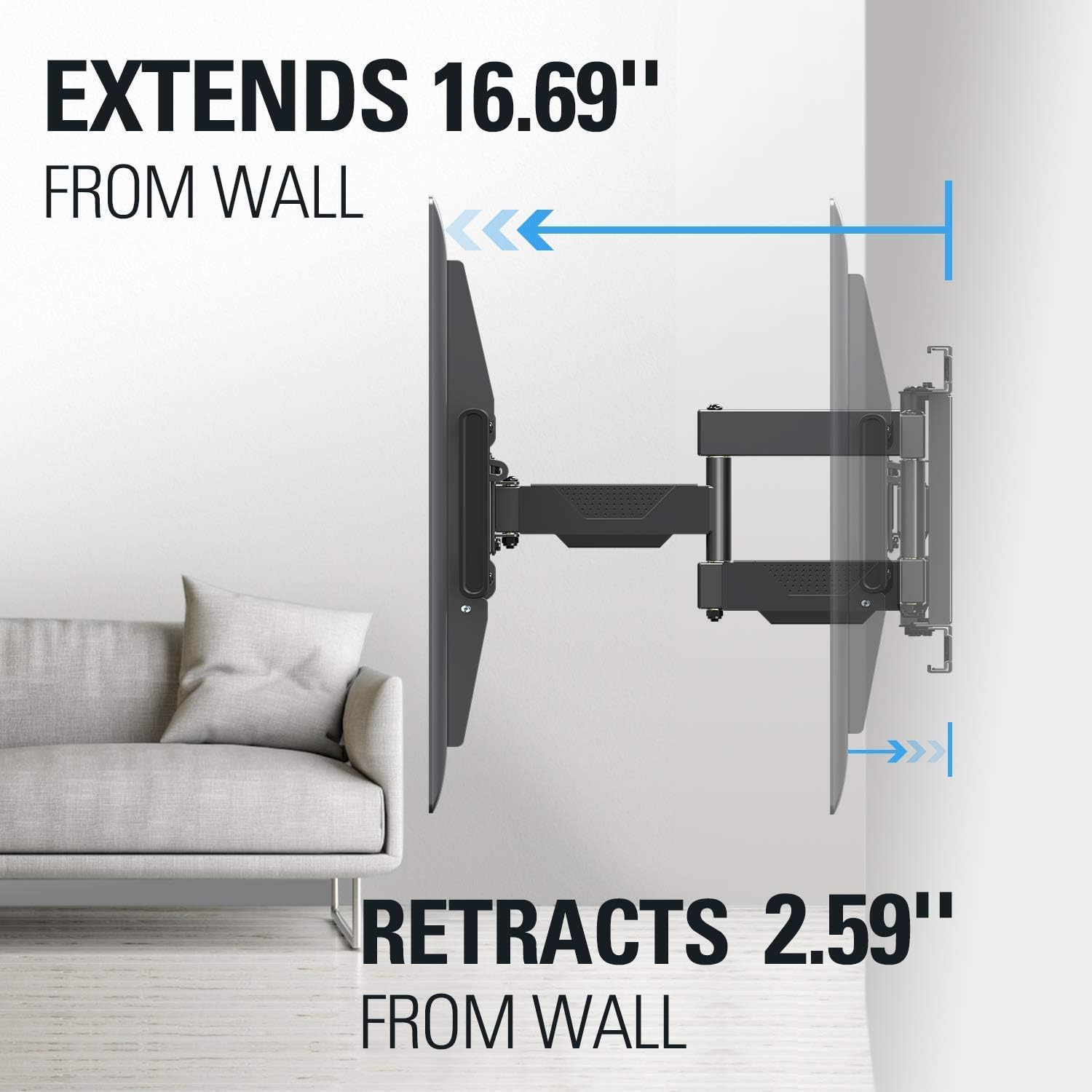
Image: The MD2617-24K mount showing its extension to 16.69 inches and retraction to 2.59 inches from the wall.
Tilt Adjustment
Both models allow you to tilt your TV up 5° and down 15° to reduce glare and optimize viewing angles. Loosen the tilt adjustment bolts on the TV plate, adjust to the desired angle, and then re-tighten the bolts.

Image: The MD2413-MX mount demonstrating its tilt range of +5° to -15° for comfortable viewing.
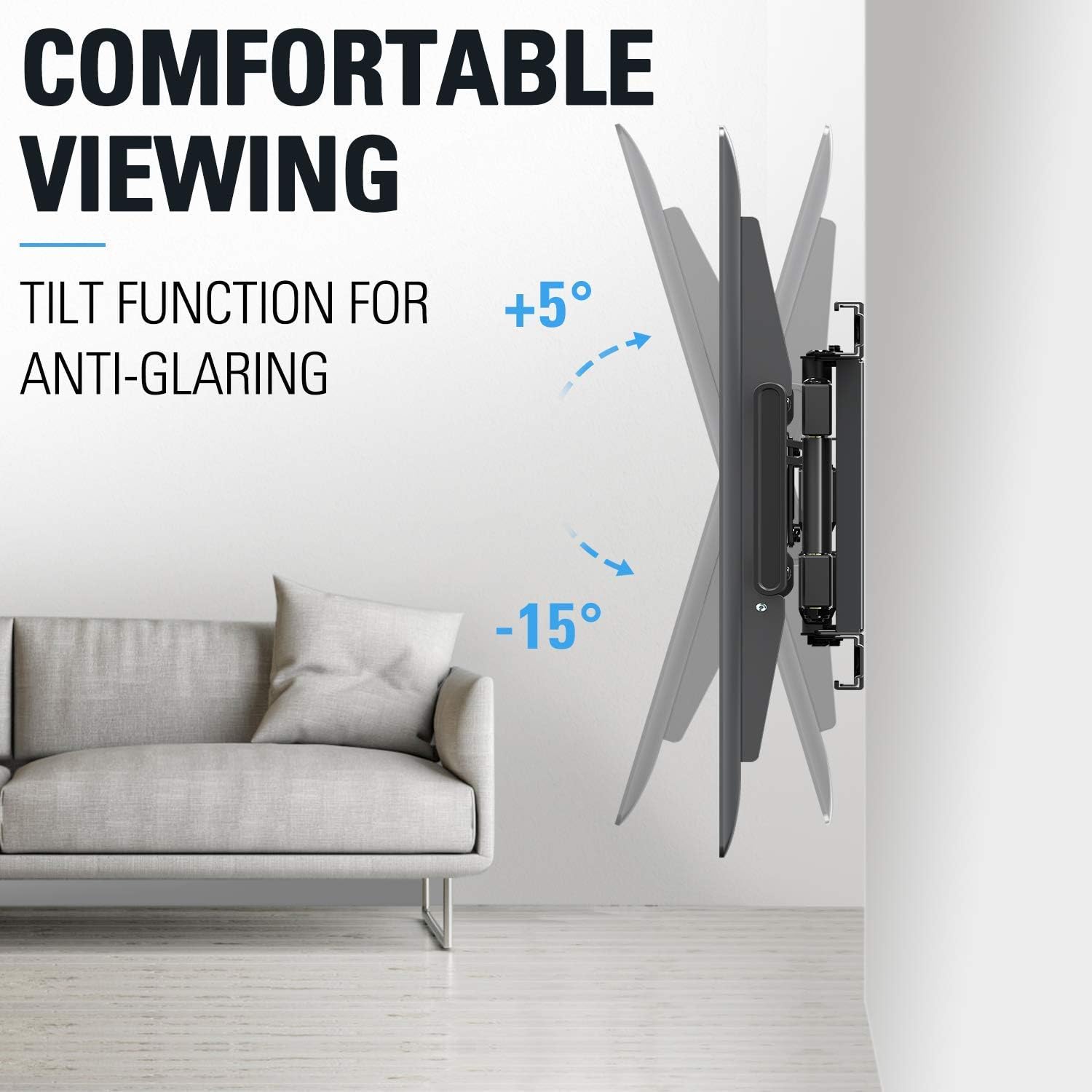
Image: The MD2617-24K mount illustrating its tilt capability from +5° to -15° to minimize glare.
Swivel Adjustment
Swivel your TV left or right to accommodate different seating positions. The MD2413-MX offers 180° swivel, while the MD2617-24K provides 45° swivel in each direction.

Image: The MD2413-MX mount showcasing its 180° swivel capability for flexible viewing.
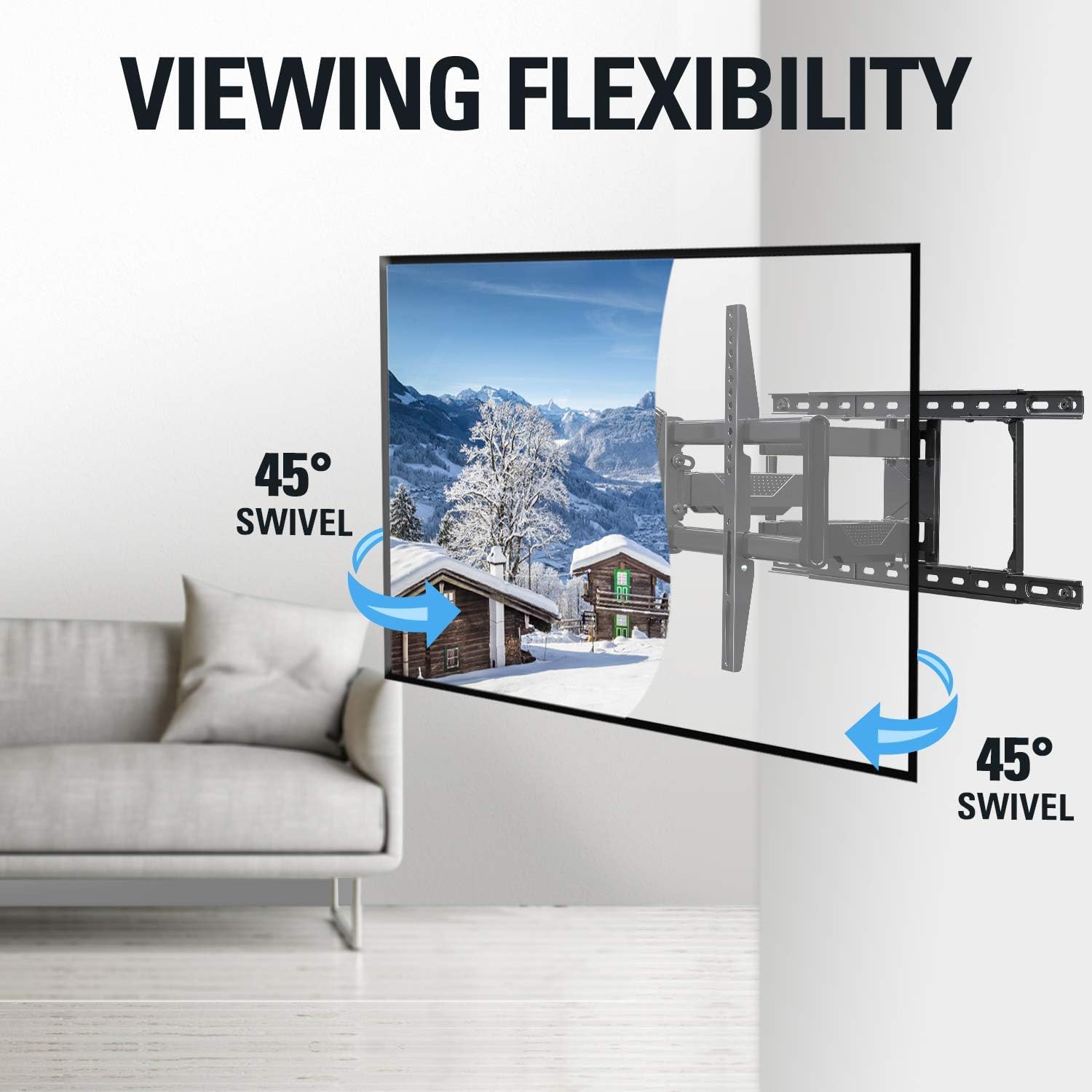
Image: The MD2617-24K mount demonstrating its 45° left or right swivel for optimal viewing angles.
Leveling Adjustment (MD2617-24K only)
The MD2617-24K model features a +/-3° post-installation leveling adjustment to ensure your TV is perfectly horizontal.
Maintenance
- Regular Inspection: Periodically check all screws and connections to ensure they remain tight and secure. Re-tighten if necessary.
- Cleaning: Clean the mount with a soft, dry cloth. Avoid using abrasive cleaners or solvents that could damage the finish.
- Lubrication: The articulating joints are designed for smooth movement. If movement becomes stiff, a small amount of silicone-based lubricant can be applied to the pivot points.
Troubleshooting
- TV is not level: Check the leveling adjustment screws (MD2617-24K) or re-adjust the wall plate if necessary. Ensure the TV plate is securely attached to the TV.
- Mount feels loose: Re-check all wall mounting screws and TV attachment screws. Ensure they are tightened securely. If installed into wood studs, verify the studs are solid.
- Difficulty moving TV: Ensure no cables are snagged or obstructing movement. Apply a small amount of silicone-based lubricant to the articulating joints if they are stiff.
Specifications
| Feature | MD2413-MX | MD2617-24K |
|---|---|---|
| Compatible TV Sizes | 26-55 inches | 42-70 inches |
| Max Weight Capacity | 77 lbs (35 kg) | 100 lbs (45 kg) |
| VESA Compatibility | 75x75mm - 400x400mm | Up to 600x400mm |
| Movement Type | Swivel, Tilt, Full Motion, Articulating | Swivel, Tilt, Full Motion, Articulating |
| Tilt Range | +5° / -15° | +5° / -15° |
| Swivel Range | 180° | +/- 45° |
| Wall Distance (Retracted) | 2.7 inches | 2.59 inches |
| Wall Distance (Extended) | 16.7 inches | 16.69 inches |
| Material | Metal | Metal |
| Color | Black | Black |
Warranty and Support
Mounting Dream offers world-class customer service. Our US-based customer service experts are available every day of the week to help, backed up by our leading 10-year support. For assistance, please refer to the contact information provided in your product packaging or visit the official Mounting Dream website.


