Introduction
The Wintact WT300 is a non-contact infrared thermometer designed for safe and accurate surface temperature measurements. It is ideal for a wide range of applications, including kitchen cooking, HVAC diagnostics, automotive maintenance, and industrial use. This manual provides detailed instructions for the proper use, maintenance, and troubleshooting of your WT300 thermometer.

Safety Information
Please read and understand all safety warnings before operating the device. Improper use may result in injury or damage to the device.
- Laser Safety: Do not look directly into the laser beam or point it at people or animals. The laser is used for aiming only.
- Temperature Range: Do not attempt to measure temperatures outside the specified range of -58℉ to 788℉ (-50℃ to 420℃).
- Not for Human Body Temperature: This infrared thermometer is designed for industrial and household surface temperature measurements and cannot be used for checking human body temperatures. It will not provide accurate readings for medical purposes.
- Electrical Safety: Do not immerse the device in water or expose it to extreme humidity. Do not operate the device if it is damaged.
- Battery Safety: Use only specified battery types. Ensure correct polarity when installing batteries. Remove batteries if the device will not be used for an extended period.
Product Features
The Wintact WT300 is equipped with several features to enhance its functionality and ease of use:
- Wide Temperature Range: Measures from -58℉ to 788℉ (-50℃ to 420℃).
- Fast Response Time: Provides readings in approximately 0.5 seconds.
- High Accuracy: ±1.5℃ (2.7℉) or 1.5% accuracy for most measurements.
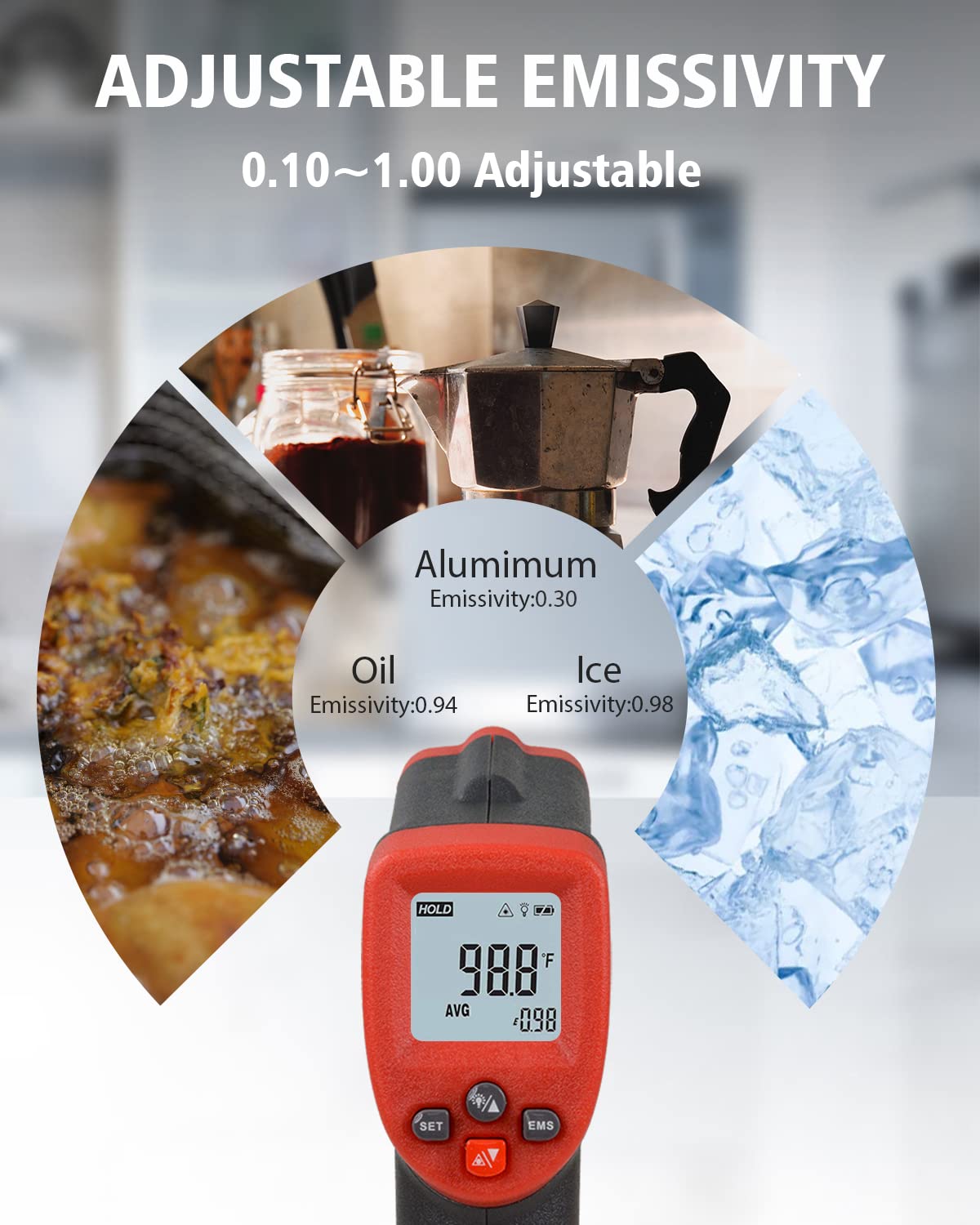
- Adjustable Emissivity: User-adjustable from 0.10 to 1.00 for accurate readings on various surfaces.
- Distance-to-Spot Ratio (D:S): 12:1, allowing for accurate measurements from a safe distance.
- Laser Pointer: Built-in laser for precise aiming at the target area.
- Backlit LCD Display: Ensures clear visibility of readings in various lighting conditions.
- ℃/℉ Unit Selection: Easily switch between Celsius and Fahrenheit.
- Data Hold Function: Freezes the current temperature reading on the display.
- Max/Min/Average/Difference Modes: Displays maximum, minimum, average, and difference values of a measurement series.
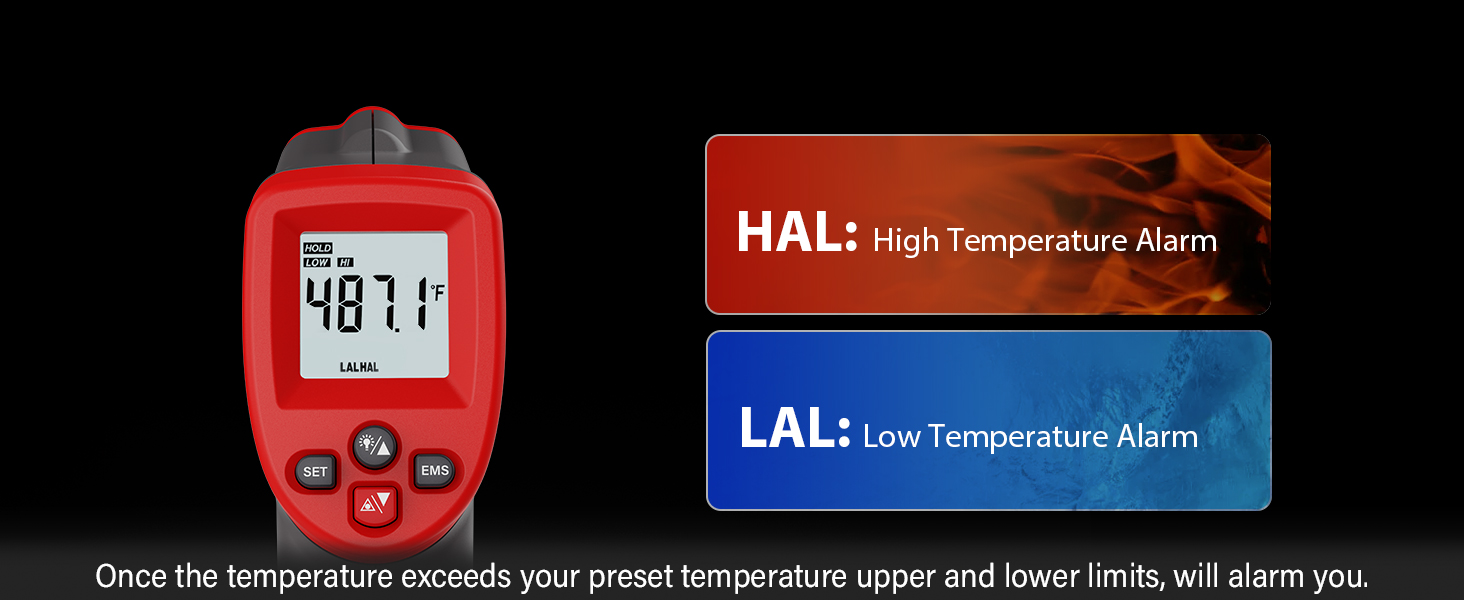
- High and Low Temperature Alarms: Alerts the user when temperatures exceed or fall below preset limits.
- Auto Shut-off: Automatically powers off after 20 seconds of inactivity to conserve battery life.
- Low Battery Indication: Notifies the user when batteries need replacement.

Setup
Battery Installation
The Wintact WT300 requires two (2) AAA batteries for operation. These are included with your purchase.
- Locate the battery compartment cover on the handle of the thermometer.
- Gently slide or open the cover to access the battery compartment.
- Insert two AAA batteries, ensuring the correct polarity (+ and -) as indicated inside the compartment.
- Close the battery compartment cover securely.
Initial Power-On
Once batteries are installed, pull the trigger to power on the device. The display will illuminate, and the thermometer will be ready for use.

Operation
Basic Measurement
To take a temperature reading:
- Point the thermometer at the target surface.
- Pull and hold the trigger. The laser pointer will activate, indicating the measurement area.
- The temperature reading will appear on the display almost instantly (approx. 0.5 seconds).
- Release the trigger to hold the reading on the display. The device will automatically shut off after 20 seconds of inactivity.

Unit Selection (℃/℉)
To switch between Celsius (℃) and Fahrenheit (℉), press the “℃/℉” button located on the device.
Adjustable Emissivity
Emissivity is a measure of an object's ability to emit infrared energy. Different materials have different emissivities. For the most accurate readings, adjust the emissivity setting (EMS) on your thermometer to match the material being measured. The WT300 allows adjustment from 0.10 to 1.00.
To adjust emissivity:
- Press the "EMS" button.
- Use the Up/Down arrow buttons to increase or decrease the emissivity value.
- Press "SET" or the trigger to confirm the setting.
Refer to the table below for common emissivity values:
| Material | Emissivity |
|---|---|
| Water | 0.93 |
| Wood | 0.90 |
| Concrete | 0.95 |
| Rubber | 0.95 |
| Asphalt | 0.95 |
| Ice | 0.98 |
| Oil | 0.94 |
| Aluminum (oxidized) | 0.30 |
| Copper (oxidized) | 0.78 |
| Iron (oxidized) | 0.78 |
| Paint (matte) | 0.93 |
Distance-to-Spot Ratio (D:S)
The WT300 has a D:S ratio of 12:1. This means that from a distance of 12 units, the thermometer will measure a spot approximately 1 unit in diameter. For example, at a distance of 12 inches, it measures a 1-inch spot. Maintaining an appropriate distance is crucial for accurate readings, especially for smaller targets.

Max/Min/Average/Difference Modes
These modes allow you to analyze temperature data over a period of continuous measurement:
- MAX: Displays the maximum temperature recorded during the measurement session.
- MIN: Displays the minimum temperature recorded during the measurement session.
- AVG: Displays the average temperature recorded during the measurement session.
- DIF: Displays the difference between the maximum and minimum temperatures recorded.
To cycle through these modes, press the "MODE" button (often labeled with arrows or a specific icon) while holding the trigger.

High and Low Temperature Alarms (HAL/LAL)
You can set high and low temperature thresholds. If the measured temperature exceeds the high alarm limit (HAL) or falls below the low alarm limit (LAL), the thermometer will alert you.
To set alarms:
- Press the "SET" button repeatedly until "HAL" or "LAL" appears on the display.
- Use the Up/Down arrow buttons to adjust the desired temperature limit.
- Press "SET" again to confirm and move to the next setting, or release the trigger to exit.

Measuring Specific Surfaces
Measuring Glass Temperatures: Direct measurement of reflective surfaces like glass can be inaccurate. To measure the temperature of glass, place a piece of non-reflective tape (with a known emissivity, typically 0.95) over the glass surface. Wait several minutes for the tape to adjust to the temperature of the surface, then take a reading of the area covered by the tape.

Avoiding Steam/Vapor: Do not measure through steam, dust, or smoke, as these can interfere with the infrared sensor and lead to inaccurate readings. Ensure a clear line of sight to the target surface.

Maintenance
Cleaning
To ensure the longevity and accuracy of your thermometer, follow these cleaning guidelines:
- Lens Cleaning: The most critical part of the thermometer is the lens. It should be kept absolutely clean. Use a soft cloth or cotton swab with water or medical alcohol. Wipe gently. Do not use abrasive cleaners or solvents.
- Housing Cleaning: Clean the thermometer's housing with a damp cloth and mild soap. Do not immerse the unit in water.
Battery Replacement
When the low battery indicator appears on the display, replace both AAA batteries promptly to ensure continued accurate operation.

Storage
Store the thermometer in a cool, dry place away from direct sunlight and extreme temperatures. If storing for an extended period, remove the batteries to prevent leakage.
Troubleshooting
If you encounter issues with your Wintact WT300, refer to the following common problems and solutions:
| Problem | Possible Cause | Solution |
|---|---|---|
| No display/Device won't turn on | Dead or incorrectly installed batteries | Replace batteries with new AAA batteries, ensuring correct polarity. |
| Inaccurate readings | Incorrect emissivity setting Lens is dirty Measuring through steam/dust Target too far or too small | Adjust emissivity to match target material. Clean the lens gently. Ensure clear line of sight to target. Move closer to the target, respecting the D:S ratio. |
| Laser not working | Laser function disabled (if applicable) Low battery | Check user manual for laser activation steps (if not automatic). Replace batteries. |
| Display shows "HI" or "LO" | Temperature is outside the measurement range | The measured temperature is higher than 788℉ (420℃) or lower than -58℉ (-50℃). |
Specifications
| Parameter | Value |
|---|---|
| Model Number | WT300 |
| Temperature Range | -58℉ to 788℉ (-50℃ to 420℃) |
| Accuracy | ±1.5℃ (2.7℉) or ±1.5% |
| Distance-to-Spot Ratio (D:S) | 12:1 |
| Emissivity | 0.10 to 1.00 (Adjustable) |
| Response Time | 0.5 seconds |
| Spectral Response | 8-14 µm |
| Power Supply | 2 x 1.5V AAA Batteries (included) |
| Auto Power Off | 20 seconds (approx.) |
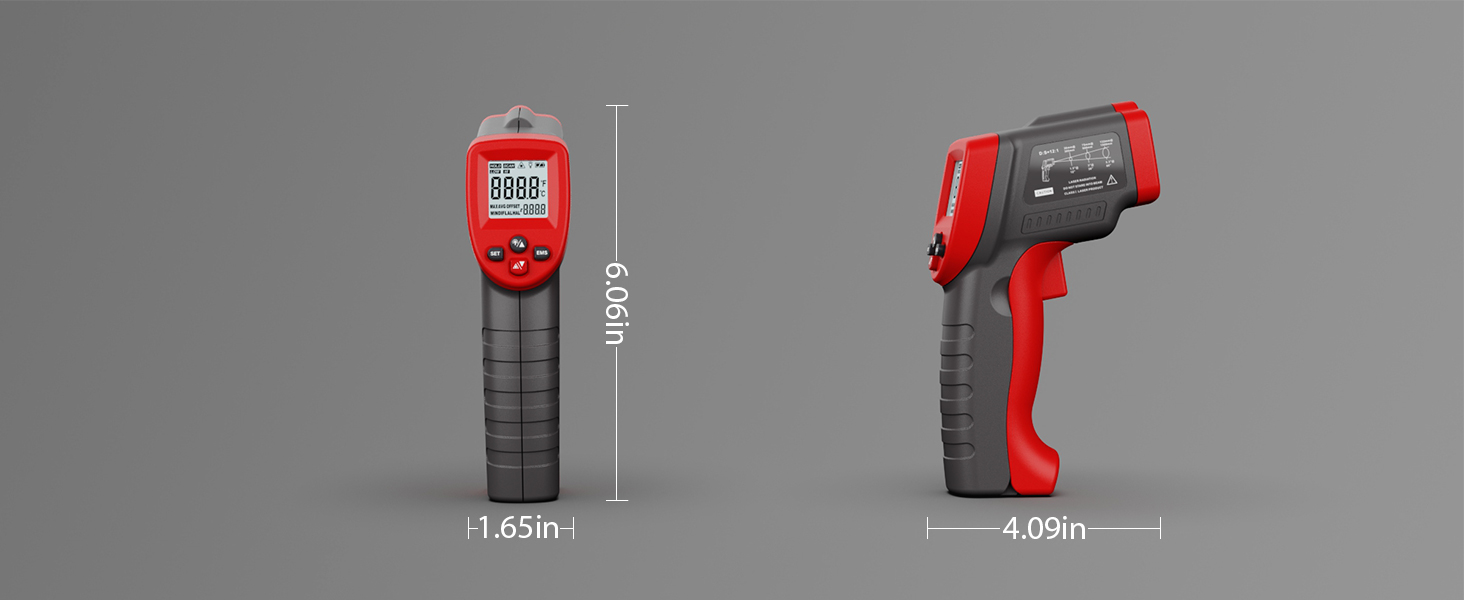
| Product Dimensions | 15.39 x 4.19 x 10.39 cm |
| Product Weight | 146 g |
| Material | Plastic |
| Certifications | CE, FCC, RoHS |
| Color | Red Black |
| Manufacturer | Wintact |
| Country of Origin | China |

Applications
The Wintact WT300 Infrared Thermometer is versatile and can be used in numerous settings:
- Kitchen & Cooking: Measuring temperatures of food, ovens, grills, griddles, and pans.
- HVAC: Checking vents, ducts, and air conditioning systems.
- Automotive: Diagnosing engine temperatures, tires, and brakes.
- Home & DIY: Identifying insulation issues, checking appliance temperatures (refrigerators, freezers), and general household temperature monitoring.
- Industrial: Monitoring machinery, electrical panels, and process temperatures.
- Pet Environments: Ensuring optimal temperatures for pet habitats.

Warranty and Support
Your Wintact WT300 Infrared Thermometer is covered by a 1-year warranty from the date of purchase. This warranty covers defects in materials and workmanship under normal use.
For warranty claims, technical support, or any questions regarding your product, please contact Wintact customer service. Refer to the contact information provided on the product packaging or the official Wintact website for the most up-to-date support details.
Please retain your purchase receipt as proof of purchase for warranty purposes.


