
1. Introduction
Thank you for purchasing the Sofucor 52 Inch Ceiling Fan with Lights and Remote. This flush mount, low-profile ceiling fan is designed for both indoor and outdoor use, including farmhouses, bedrooms, living rooms, patios, and porches. It features a reversible DC motor, dimmable LED light, and convenient remote control operation. This manual provides detailed instructions for safe installation, operation, and maintenance of your new ceiling fan.
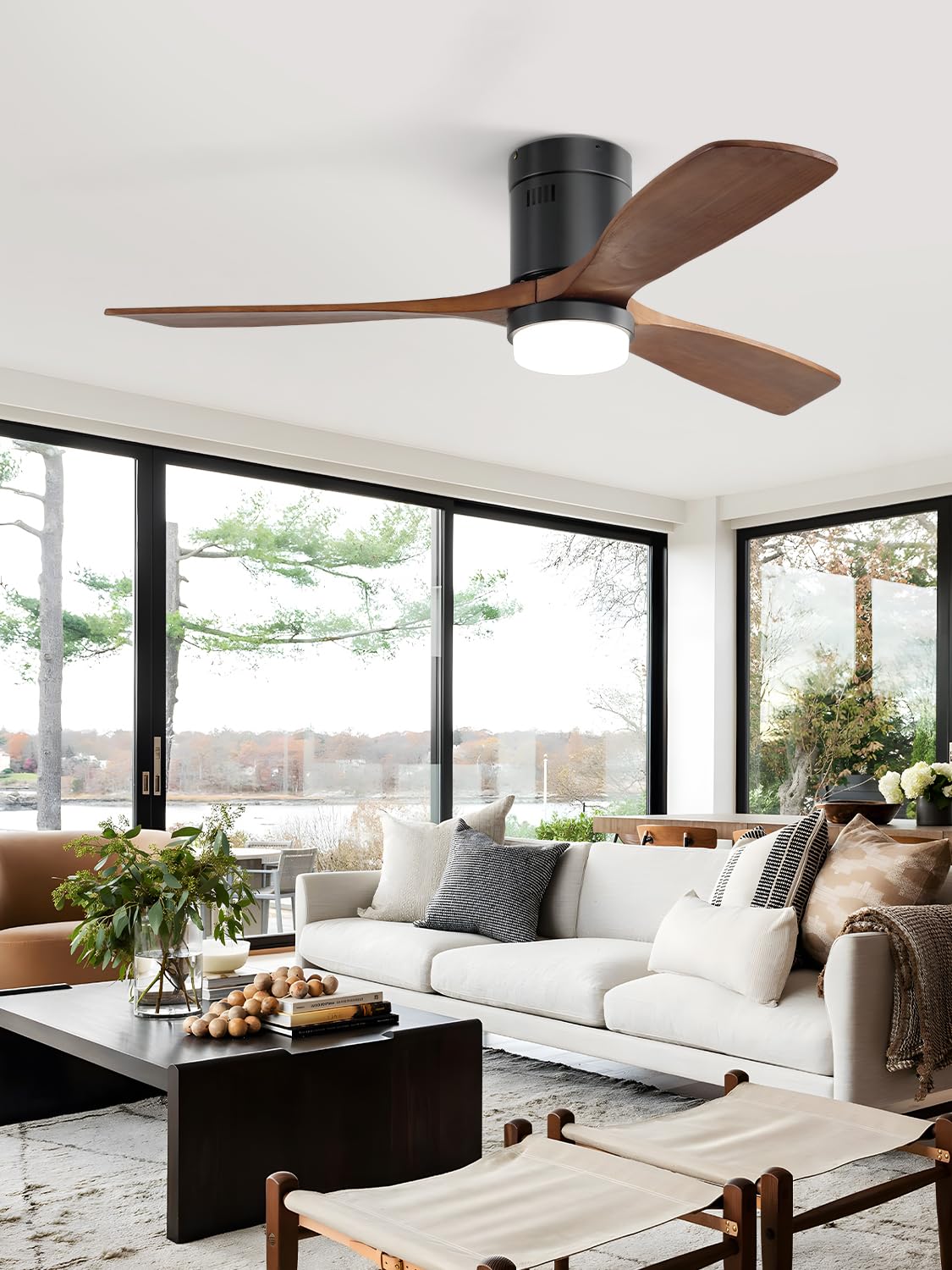
Image 1.1: The Sofucor 52 Inch Ceiling Fan with its three wood blades and integrated light, installed in a contemporary living room setting.
2. Safety Information
Please read all safety instructions carefully before installation and use to prevent personal injury or property damage.
- Ensure the power supply is disconnected at the circuit breaker before beginning installation or performing any maintenance.
- All electrical wiring must be performed by a qualified electrician or in accordance with local electrical codes.
- The mounting structure must be capable of supporting the weight of the fan (approximately 13.8 pounds).
- Maintain a minimum clearance of 7 feet from the floor to the bottom of the fan blades.
- Do not insert objects into the path of the rotating fan blades.
- This fan is designed for both indoor and outdoor (covered patio/porch) use. Ensure it is not directly exposed to water.
3. Package Contents
Verify that all components are present before beginning installation:
- Ceiling Fan Motor Assembly
- 3 Wood Blades
- LED Light Kit (integrated)
- Remote Control
- Remote Control Holder
- Mounting Bracket
- Hardware Pack (screws, wire nuts, etc.)
- Instruction Manual
4. Setup and Installation
Installation of the Sofucor ceiling fan requires basic electrical knowledge. If you are unsure about any steps, it is recommended to consult a qualified electrician.
- Prepare for Installation: Turn off power at the main circuit breaker. Ensure the power is completely off before proceeding.
- Mounting Bracket Installation: Secure the mounting bracket to a ceiling joist or a fan-rated electrical junction box. Ensure the bracket is firmly attached and can support the fan's weight.
- Wiring Connections: Connect the fan's electrical wires to the household wiring according to the provided wiring diagram in the detailed user guide. Use appropriate wire nuts to secure connections.
- Fan Assembly: Carefully lift the fan motor assembly and attach it to the mounting bracket. Secure all screws as instructed.
- Blade Attachment: Attach the three wood blades to the fan motor assembly using the provided screws. Ensure all blades are securely fastened.
- Light Kit Installation: The LED light kit is integrated. Ensure all connections are secure.
- Final Checks: Double-check all connections and ensure no wires are pinched. Restore power at the circuit breaker.
For a visual guide, a video tutorial is available. Please refer to the QR code or link provided in the physical user guide that came with your product for access to the installation video.
5. Operating Instructions
Your Sofucor ceiling fan is operated via the included remote control, offering comprehensive control over fan speed, light settings, and direction.
5.1 Fan Speed Control
The fan features 6 adjustable speeds to suit your comfort needs. Use the speed buttons on the remote control to cycle through the settings.

Image 5.1: Illustration of the 6 fan speed levels, ranging from soft wind (Level 1-2) to cool wind (Level 5-6), with maximum airflow reaching 4500 CFM.
5.2 Dimmable LED Light and Color Temperature
The integrated LED light offers 3 color temperatures (3000K Warm Light, 4500K Natural Light, 6000K White Light) and is dimmable from 10% to 100% brightness (Max: 2000LM). Use the light control buttons on the remote to adjust color and brightness.

Image 5.2: Visual representation of the dimmable LED light's three color temperature options: 3000K (Warm), 4500K (Natural), and 6000K (White), along with its brightness adjustment range.
5.3 Reversible DC Motor
The reversible DC motor allows for year-round use. In summer, set the fan to downdraft mode (counter-clockwise rotation) to create a cooling breeze. In winter, switch to updraft mode (clockwise rotation) to circulate warm air trapped near the ceiling.

Image 5.3: Depiction of the reversible DC motor's functionality, showing airflow patterns for cooling in summer (downdraft) and air circulation for warmth in winter (updraft).
5.4 Timer Function
The remote control includes timing settings (1, 4, or 8 hours) to automatically turn off the fan and light.
5.5 Quiet Operation
The powerful DC motor is designed for quiet operation, with a sound level less than 30dB, ensuring a peaceful environment.

Image 5.4: The Sofucor ceiling fan operates at less than 30dB, providing a quiet and comfortable environment for relaxation.
6. Maintenance
Regular maintenance ensures the longevity and optimal performance of your ceiling fan.
- Cleaning: Periodically wipe the fan blades and motor housing with a soft, damp cloth. Do not use abrasive cleaners or solvents. Ensure power is off before cleaning.
- Blade Balance: If the fan wobbles, check that all blade screws are tight and that the blades are not warped. Balancing kits can be used if necessary.
- Light Source: The LED light is integrated and designed for long life. If replacement is needed, contact customer support.
7. Troubleshooting
Refer to this section for common issues and their solutions.
| Problem | Possible Cause | Solution |
|---|---|---|
| Fan does not start | No power; Loose wiring; Remote control issue | Check circuit breaker; Verify all wire connections; Replace remote batteries or re-pair remote. |
| Fan wobbles | Loose blades; Unbalanced blades; Loose mounting bracket | Tighten blade screws; Use a blade balancing kit; Ensure mounting bracket is secure. |
| Light does not work | Loose wiring; Remote control issue; LED driver issue | Check light kit wiring connections; Replace remote batteries or re-pair remote; Contact customer support if LED driver is suspected. |
| Remote control not working | Dead batteries; Not paired; Obstruction | Replace batteries; Follow pairing instructions in the full manual; Remove any obstructions between remote and fan. |
8. Specifications
Detailed technical specifications for the Sofucor 52 Inch Ceiling Fan.
- Model Name: 52144
- Product Dimensions: 52"D x 52"W x 11.14"H
- Item Weight: 13.8 Pounds
- Number of Blades: 3
- Power Source: Corded Electric
- Voltage: 240 Volts
- Wattage: 26 Watt-hours
- Control Method: Remote
- Number of Power Levels: 6 (speeds)
- Special Features: Adjustable Color Temperature, Dimmable, Energy Efficient, Timer
- Indoor/Outdoor Usage: Indoor, Outdoor (covered)
- Installation Type: Flush Mount
- Certification: ETL

Image 8.1: Key dimensions of the Sofucor 52 Inch Ceiling Fan (52" diameter, 11.8" height) and recommended room size (144-225 sq ft) and ceiling height (8-9 ft).

Image 8.2: The energy-efficient DC motor helps reduce energy consumption and extends the ceiling fan's lifespan, as indicated by its favorable energy rating.
9. Warranty and Support
Sofucor provides comprehensive customer support for your product.
- Warranty: This product comes with a 3-year warranty.
- Customer Support: For any questions, issues, or assistance with installation, operation, or troubleshooting, please contact Sofucor customer support. Refer to the contact information provided in your product packaging or on the official Sofucor website.


