
1. Product Overview
The Aramox External Temperature Sensor is a high-precision replacement component designed to provide accurate ambient temperature readings for your vehicle. Constructed from durable ABS material, it offers excellent wear resistance and mechanical stability, ensuring reliable performance across various environmental conditions.

Figure 1: The Aramox External Temperature Sensor, showing its compact design and wiring.
Key Features:
- Perfect Fit: Meticulously designed as a direct replacement for various Citroen models.
- Durable Construction: Made from high-quality ABS material for wear resistance and anti-aging properties.
- High Precision Detection: Provides accurate external temperature readings for optimal vehicle system performance.
- Simple Installation: Designed for straightforward replacement of the original sensor.
2. Compatibility
This external temperature sensor is compatible with a wide range of Citroen models, including but not limited to:
- Citroen C1, C2, C3, C4, C5, C6, C8
- Citroen C3 Picasso, Xsara Picasso, C4 Picasso, Grand Picasso
- Citroen Xsara, Xantia, DS3, DS4, DS5
- Citroen Saxo, Synergie
It is also suitable for other models that feature temperature sensors located under the side mirrors.

Figure 2: The sensor highlighting its wear resistance, mechanical stability, corrosion resistance, and high-precision outdoor temperature detection, shown alongside a compatible vehicle.
3. Setup and Installation
The installation of the Aramox External Temperature Sensor is designed to be straightforward. It is recommended to consult your vehicle's service manual for specific instructions regarding the removal of the existing sensor and access to the wiring harness.
General Installation Steps:
- Safety First: Ensure the vehicle's ignition is off and the battery is disconnected before beginning any electrical work.
- Locate the Old Sensor: The external temperature sensor is typically located under one of the side mirrors. Carefully identify its position.
- Remove the Old Sensor: Gently disconnect the wiring harness from the old sensor and unmount it from its housing.
- Install the New Sensor: Connect the new Aramox sensor to the vehicle's wiring harness. Ensure a secure and proper connection.
- Mount the New Sensor: Securely mount the new sensor in the designated location under the side mirror.
- Reconnect Battery: Reconnect the vehicle's battery.
- Test Functionality: Start the vehicle and verify that the external temperature display is functioning correctly and providing accurate readings.

Figure 3: The external temperature sensor, typically installed in the side mirror assembly of compatible vehicles.
Note: If you are unsure about any step, it is recommended to seek assistance from a qualified automotive technician.
4. Operating Instructions
The Aramox External Temperature Sensor operates automatically once installed correctly. It continuously monitors the ambient air temperature outside the vehicle and transmits this data to the vehicle's onboard computer system. This information is then typically displayed on the dashboard or infotainment screen.
Expected Operation:
- Upon vehicle startup, the external temperature display should show a reading within a few moments.
- The sensor provides real-time updates, reflecting changes in ambient temperature as you drive.
- Accurate temperature data is crucial for various vehicle systems, including climate control and engine management.

Figure 4: A close-up view of the sensor's wire ends, designed for secure electrical connection.
5. Maintenance
The Aramox External Temperature Sensor is designed for long-term, maintenance-free operation. However, occasional inspection can help ensure its continued reliability.
Maintenance Tips:
- Visual Inspection: Periodically check the sensor's visible parts for any signs of physical damage, corrosion, or loose connections.
- Cleaning: If the sensor becomes excessively dirty, gently clean it with a soft, damp cloth. Avoid using harsh chemicals or abrasive materials.
- Environmental Factors: Ensure the sensor's location remains free from obstructions that could interfere with accurate air temperature measurement.
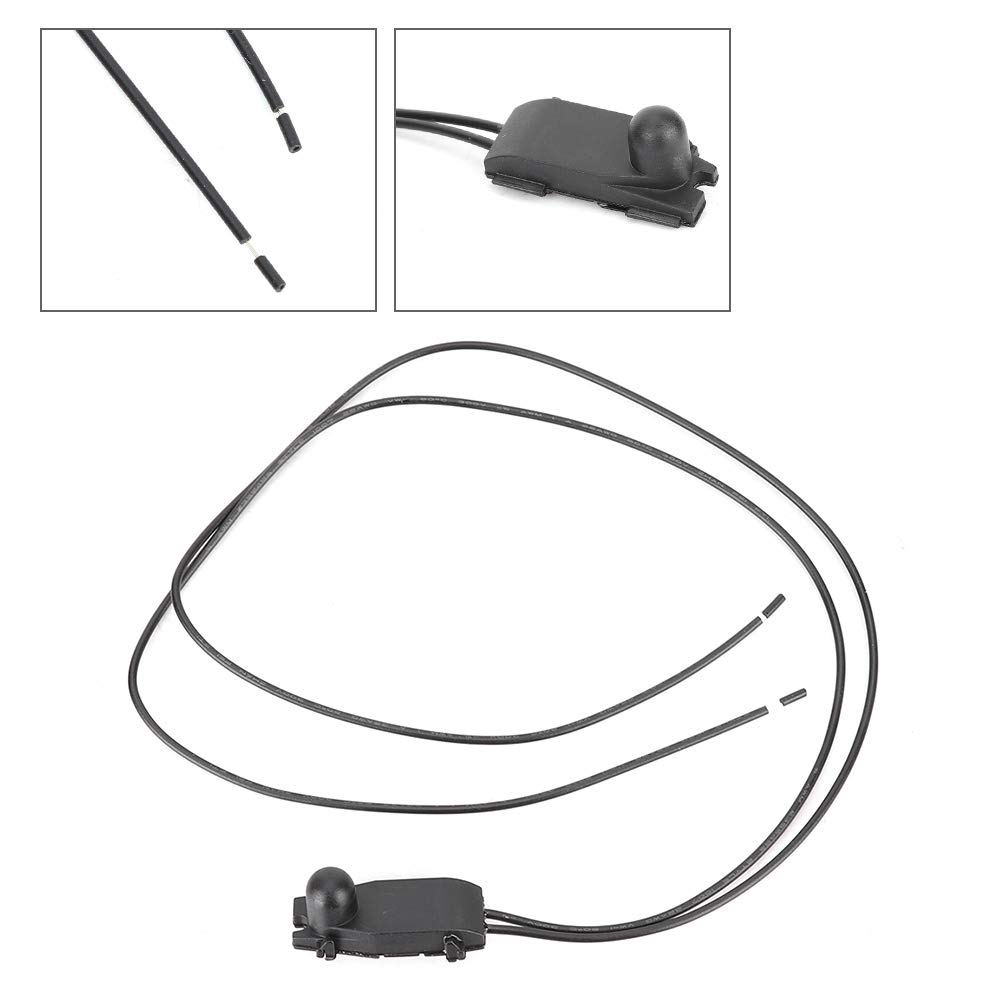
Figure 5: Two perspectives of the sensor, showing its main body and the attached wiring.
6. Troubleshooting
If you experience issues with your external temperature display after installing the Aramox sensor, consider the following troubleshooting steps:
Common Issues and Solutions:
- No Temperature Reading / Incorrect Reading:
- Check all electrical connections to ensure they are secure and properly seated.
- Verify that the sensor is correctly mounted and not obstructed.
- Inspect the wiring for any signs of damage or fraying.
- Ensure the sensor is the correct part for your specific vehicle model.
- Intermittent Readings:
- This could indicate a loose connection or a partially damaged wire. Re-check connections and wiring integrity.
If troubleshooting steps do not resolve the issue, it is advisable to consult a professional automotive technician for diagnosis and repair.
7. Specifications
| Specification | Detail |
|---|---|
| Product Type | External Temperature Sensor |
| Brand | Aramox |
| Material | ABS |
| Item Dimensions (LxWxH) | 10 x 10 x 10 mm |
| Product Weight | 6 grams |
| Measurement Accuracy | ±1.5% |
| Manufacturer Reference | Aramoxa9sbm152eq1479 |
| Country of Origin | China |
8. Warranty and Support
Specific warranty details for the Aramox External Temperature Sensor are not provided in this manual. Please refer to the retailer or manufacturer's official website for the most current warranty information.
Customer Support:
For technical assistance, installation queries, or any other support needs, please contact Aramox customer service through their official channels or the retailer from whom the product was purchased.