
1. Introduction
The FCAR F506 Pro is a comprehensive diagnostic tool designed for both heavy-duty diesel trucks and 12V passenger vehicles. It provides extensive system diagnostics for ABS, SRS, Engine, and Transmission, functioning as a 2-in-1 code scanner. This manual provides detailed instructions for the proper use and maintenance of your F506 Pro device.
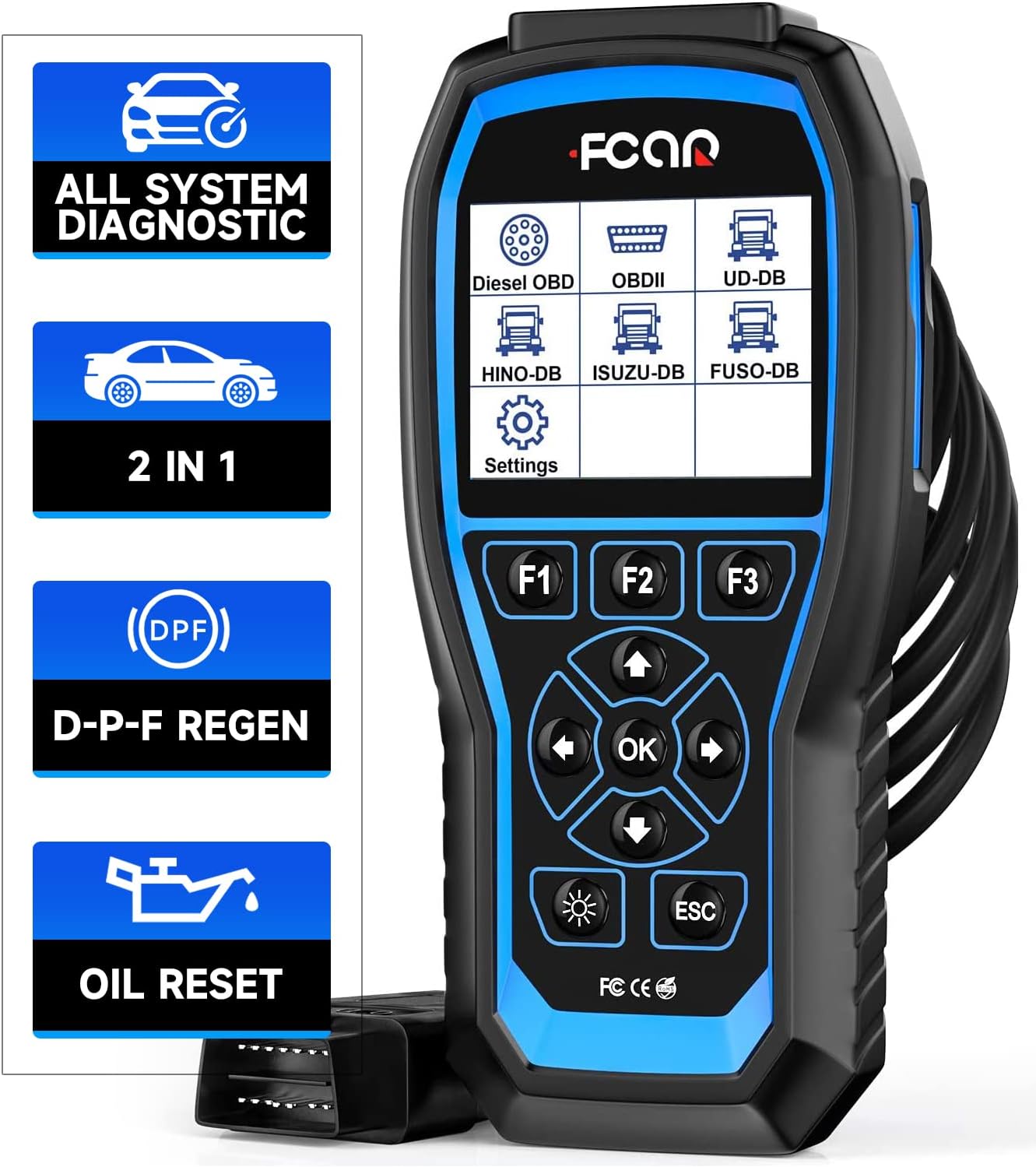
Figure 1: The FCAR F506 Pro diagnostic tool, showcasing its display and control buttons.
2. Package Contents
Upon opening the package, verify that all items are present and in good condition:
- FCAR F506 Pro Diagnostic Tool
- Main Diagnostic Cable (with 6-pin, 9-pin, and 16-pin connectors)
- USB Cable
- User Manual
- Carrying Case
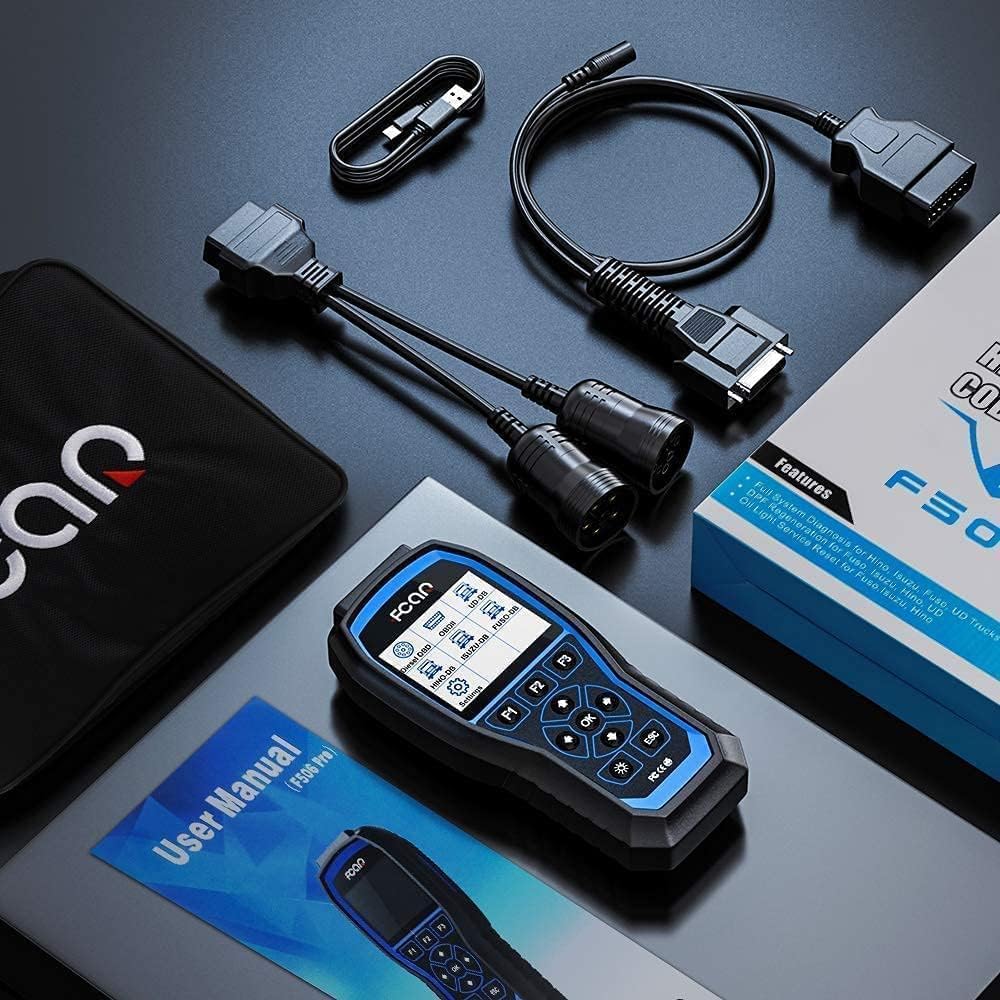
Figure 2: Contents of the FCAR F506 Pro package, including the device, cables, and user manual.
3. Setup and Connection
Follow these steps to set up and connect your FCAR F506 Pro diagnostic tool:
- Connect the Diagnostic Cable: Securely attach the appropriate diagnostic cable (6-pin, 9-pin, or 16-pin) to the F506 Pro device. Ensure the connection is firm.
- Locate the Vehicle's OBD Port: For heavy-duty trucks, the OBD port is typically located in the cabin, often near the dashboard or under the steering column. For 12V vehicles, it's usually under the dashboard on the driver's side.
- Connect to Vehicle: Plug the diagnostic cable into the vehicle's OBD port.
- Power On: Turn the vehicle's ignition to the 'ON' position (engine off). The F506 Pro should power on automatically. If not, some OBD ports may not supply power, requiring an external 12V DC power adapter (not included in the package).
- Select Menu: Once powered on, select the appropriate diagnostic menu on the device screen to begin diagnosis.
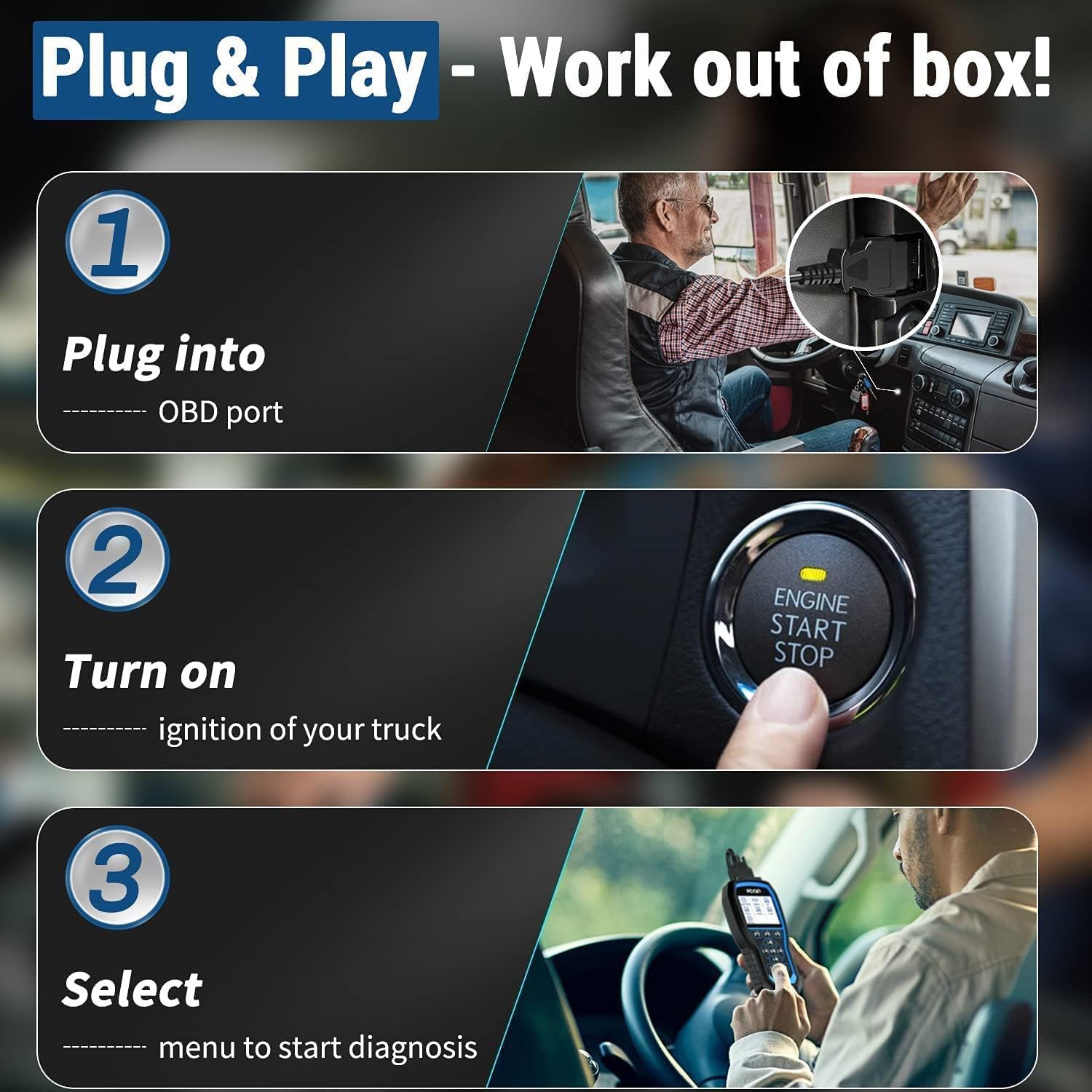
Figure 3: Visual guide for connecting the FCAR F506 Pro to a vehicle's OBD port and initiating diagnosis.
4. Operating Instructions
The FCAR F506 Pro offers various diagnostic functions for both heavy-duty and 12V vehicles. Navigate through the menus using the directional buttons and the 'OK' button.
4.1. Heavy Duty Truck Diagnostics
The F506 Pro supports all standard diesel OBD heavy-duty protocols (J1939, J1708, J1587) and specific protocols for Hino, Isuzu, Fuso, and UD (1998-2018). It covers a wide range of systems:
- Engine
- Transmission
- Braking System (ABS)
- SRS Airbag
- Fuel System
- Air Suspension
- Immobilizer
- Battery Control
- Headlamp
- Instrument Panel

Figure 4: Overview of the comprehensive system diagnostics available for heavy-duty trucks with the F506 Pro.
4.2. 12V Vehicle OBD2 Functions
For 12V vehicles, the F506 Pro provides full OBD2 functionality, including:
- Read Codes (DTCs)
- Erase Codes
- View Freeze Frame Data
- Live Data Stream
- O2 Sensor Test
- I/M Readiness Status
- On-Board Monitor Test
- Component Test
- Vehicle Information
- DTC Lookup

Figure 5: Display of OBD2 functions available for 12V vehicles, including reading and erasing codes.
4.3. Live Data Stream & Screen Capture
The device features a 3.5-inch color screen for clear display of live data streams. You can view real-time sensor data, engine coolant temperature, ECU temperature, and more. To capture a screenshot of the diagnostic results, long-press the 'OK' button.

Figure 6: The F506 Pro displaying live data streams and highlighting its 3.5-inch color screen.
5. Maintenance Functions
The FCAR F506 Pro supports essential maintenance functions for specific heavy-duty truck brands.
5.1. DPF Regeneration
The DPF (Diesel Particulate Filter) Regeneration function is exclusively designed for Hino, Isuzu, Fuso, and UD trucks. This function helps clear the DPF part, which may become clogged due to low-speed driving, low-quality fuel, or heavy loads.
- DPF Reset
- DPF State Check
- Forced DPF Regeneration
- DPF Pressure Sensor Check

Figure 7: Illustration of the DPF Regeneration function and its related options on the F506 Pro.
5.2. Oil Light Reset
The Oil Light Reset function is available for Hino, Isuzu, and Fuso trucks, allowing you to reset the oil service light after an oil change.
6. Troubleshooting
This section addresses common issues and their solutions.
- "Loading program error" notification: Download the "Fcar Update Utility" from the official website and install it on your Windows computer to update the scanner.
- Scanner not powering on: Some OBD ports may not provide power. Use the 3.5mm cable (beside the 16-pin diagnostic cable) to connect to an external 12V power source.
- Incorrect OBD port fit: The device is equipped with 16-pin, 9-pin, and 6-pin connectors. Ensure you are using the correct connector for your truck.
- D-P-F Regeneration process failure: Refer to the ECU's guide for step-by-step operation. Check if the water temperature is high enough, if there is sufficient fuel, and if the cooling system is working normally. Perform these steps in an outdoor, empty space.
- Full Systems Diagnosis on 12V vehicles: Only OBD2 functions are available for 12V vehicles. Full system diagnosis is for 24V heavy-duty trucks. Selecting the wrong diagnostic menu can damage the scanner due to over-voltage.
6.1. Performing a Self-Test
If you encounter issues, perform a self-test on the device outside of a vehicle to avoid signal interference.
Video 1: Demonstrates the correct procedure for performing a self-test on the FCAR F506 Pro, emphasizing the importance of external power and avoiding in-car testing to prevent signal interference.
7. Specifications
| Feature | Detail |
|---|---|
| Manufacturer | FCAR |
| Model Number | F506 Pro |
| Item Weight | 2.55 pounds |
| Package Dimensions | 11.38 x 8.43 x 2.52 inches |
| UPC | 712321439345 |
| Display | 3.5-inch Color Screen |
| Supported Protocols (HD) | J1939, J1708, J1587 |
| Supported Protocols (12V) | OBD2 |
8. Warranty and Support
For warranty information and technical support, please refer to the official FCAR website or contact their customer service. Regular software updates are recommended to ensure optimal performance and compatibility with the latest vehicle models.
Video 2: An overview of the FCAR F506 Pro's DPF Regeneration and Oil Reset capabilities for heavy-duty trucks.