
1. Introduction
This manual provides essential information for the safe and efficient use of your FEZIBO Triple Motor 63" L Shaped Standing Desk. This electric standing desk features a spacious 63-inch L-shaped desktop, a robust triple motor system for adjustable height, and a rustic brown top with a black frame. Please read these instructions thoroughly before assembly and operation to ensure proper functionality and safety.
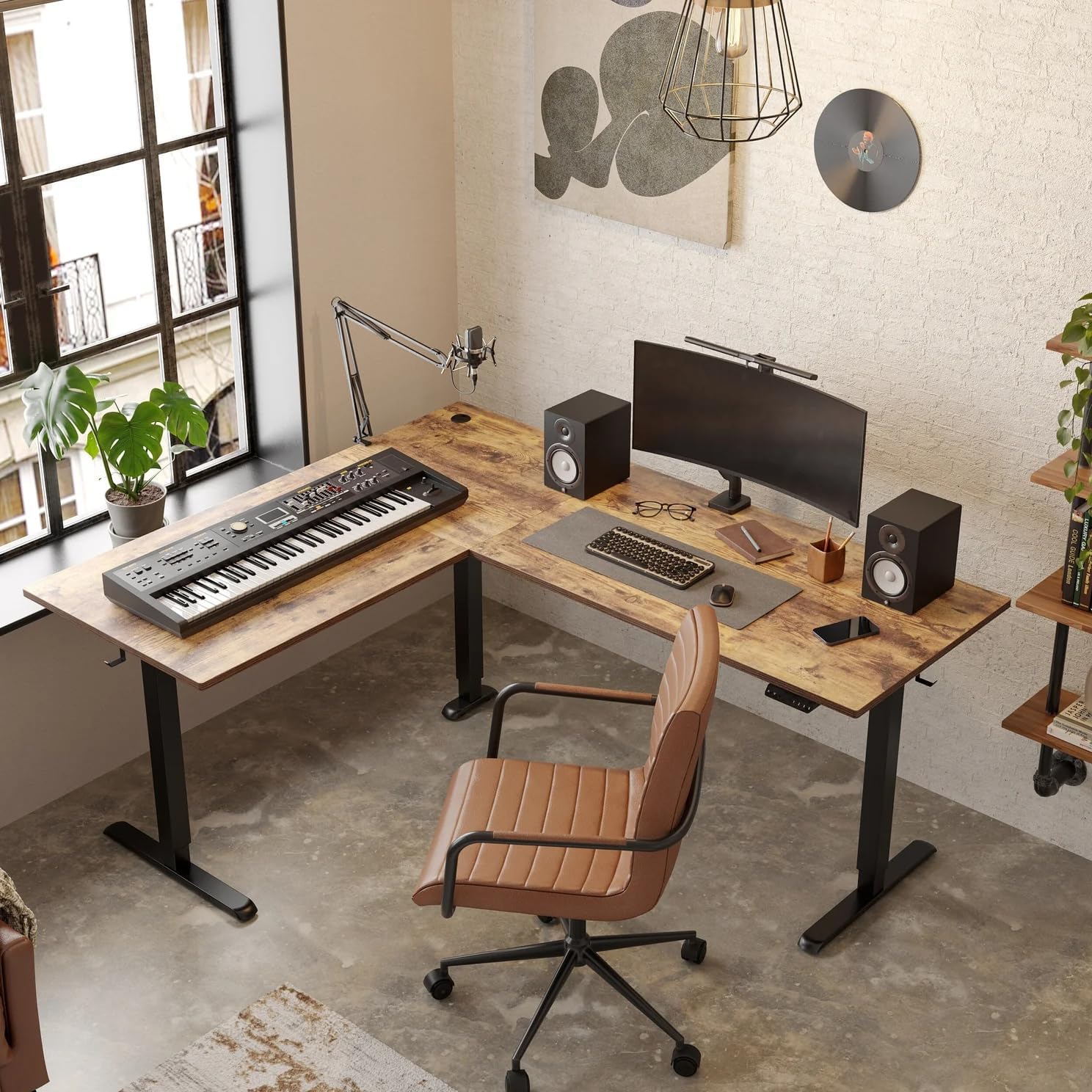
Image: The FEZIBO 63-inch L-shaped standing desk, showcasing its design and ample workspace in a typical office environment.
2. Safety Information
WARNING:
- This desk is designed for adjustable height and can be moved. Always ensure the desk is stable and securely positioned before moving or adjusting its height.
- Do not attempt to move the desk if you have mobility issues, or if young children or pets are in the immediate vicinity.
- The desk has a maximum weight capacity of 330 pounds (150 kilograms). Do not exceed this weight limit to prevent damage or injury.
- This desk contains electrical components. Always follow proper safety precautions when handling electrical parts and ensure the power cord is not damaged or pinched.
- Assembly is required. Follow the provided assembly instructions carefully. Ensure all components are securely fastened before use.
3. Setup and Assembly
The FEZIBO L-shaped standing desk requires assembly. The product is shipped in two packages. Detailed installation instructions are included to guide you through the process. All necessary assembly tools are provided.
3.1 Pre-Assembly Considerations
- The shipping box is heavy. It is recommended that two people carry the box to the assembly location.
- Clear a spacious area for assembly.
- Unpack all components and verify against the parts list. Each piece is typically labeled on its plastic wrapping.
3.2 Assembly Tips
- The instructions are primarily pictorial. Review each step carefully before proceeding.
- A screwdriver with a magnetic tip is highly recommended for easier screw placement, especially when working with internal tubes.
- Pilot holes for screws are present on the underside of the desktop. Ensure you align components correctly.
- Assembly is typically performed with the desk upside down. Assistance will be needed to flip the desk upright once assembly is complete.

Image: The desk frame with casters, illustrating the mobility feature. Casters are included accessories.
4. Operating Instructions
Your FEZIBO standing desk is equipped with a triple motor system for smooth and quiet height adjustments, and an intelligent keypad for easy control.
4.1 Height Adjustment
- The desk's height can be adjusted between 27 inches (minimum) and 48 inches (maximum).
- Use the Up and Down arrow buttons on the control panel for momentary height adjustments.
- The triple motors provide a lifting speed of 35 mm per second with noise levels below 50 dB, ensuring a quiet operation.
4.2 Memory Presets
The intelligent keypad features three memory preset buttons (1, 2, 3) to store and recall your preferred sitting and standing heights.
- Adjust the desk to your desired height using the Up/Down buttons.
- Press the M button, then immediately press one of the number buttons (1, 2, or 3) to save the current height.
- To recall a saved height, simply press the corresponding number button (1, 2, or 3). The desk will automatically move to the stored position.
4.3 Safety Features
- Anti-Collision Technology: The desk is equipped with sensors that detect obstacles during height adjustment. If an obstacle is encountered, the desk will stop and slightly reverse direction to prevent damage or injury.
- Child-Friendly Memory/Screen Lock Button: This feature helps prevent accidental adjustments. Refer to the detailed instructions provided with the desk for activation and deactivation of this lock.
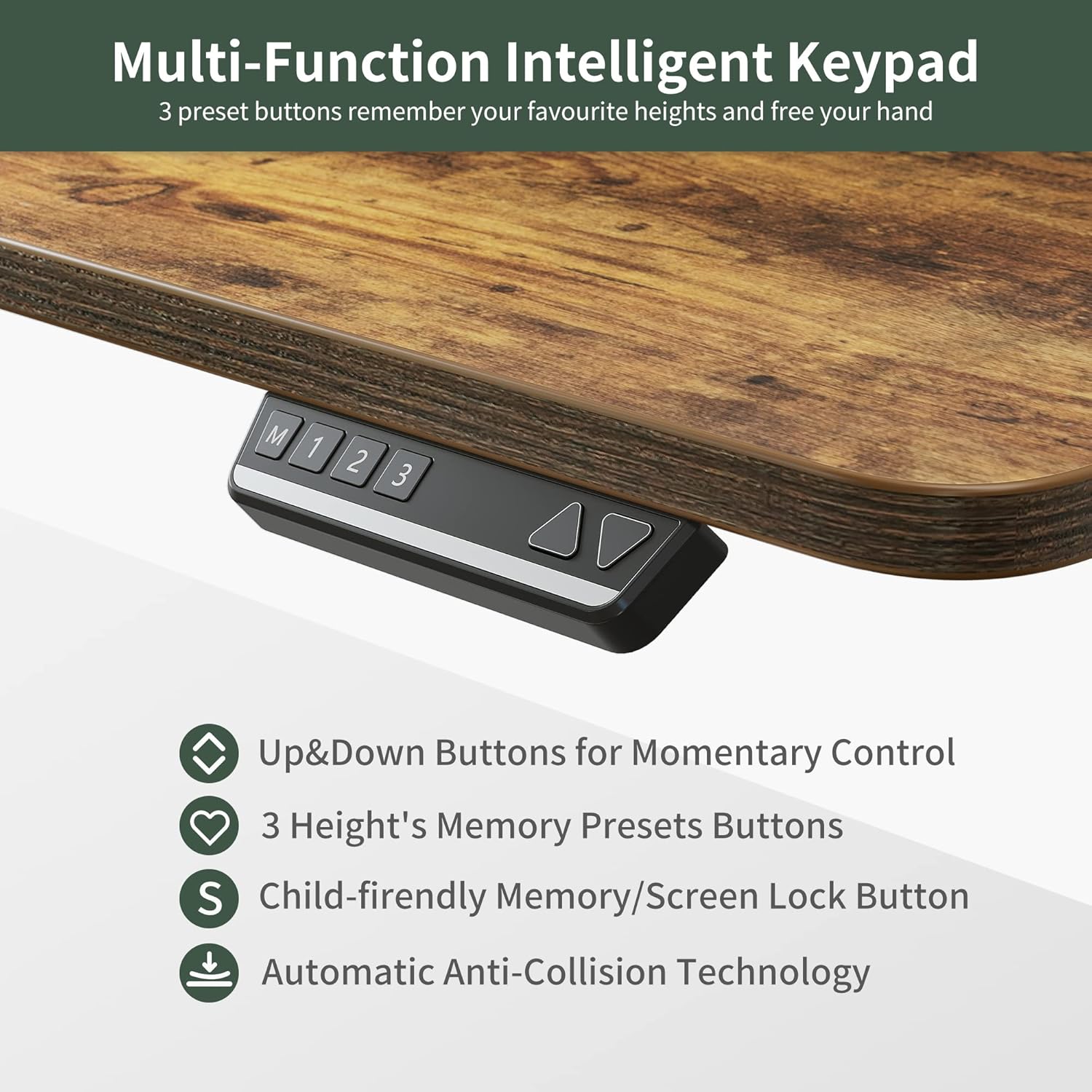
Image: The multi-function intelligent keypad, illustrating the controls for height adjustment and memory presets.
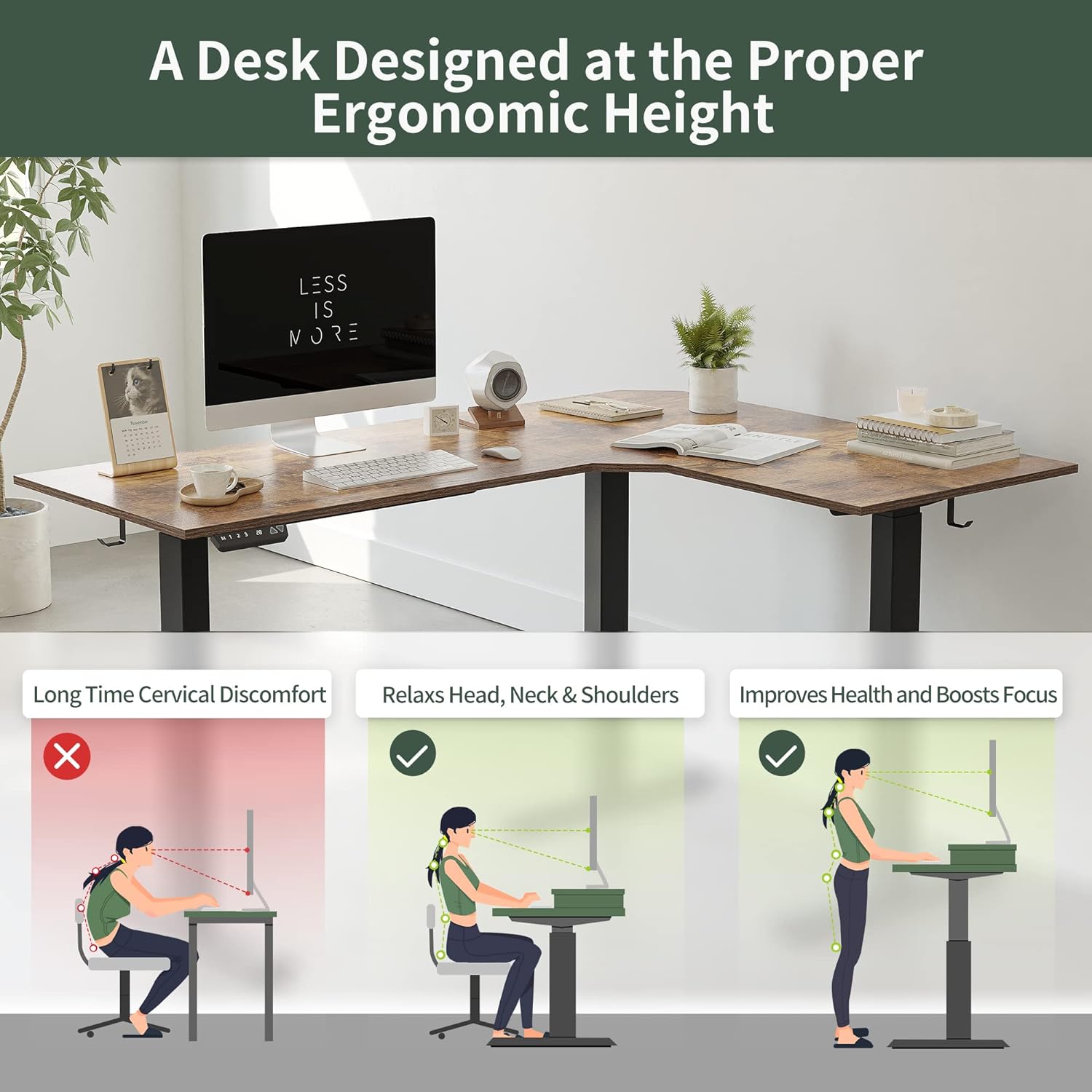
Image: Ergonomic height diagram, demonstrating how the adjustable desk promotes healthy posture for both sitting and standing.
5. Maintenance
Regular maintenance ensures the longevity and optimal performance of your FEZIBO standing desk.
- Cleaning: Wipe the desktop and frame with a soft, damp cloth. Avoid abrasive cleaners or harsh chemicals that could damage the finish.
- Cable Management: Periodically check and organize cables to prevent tangling or damage. The desk includes hooks for cable management.
- Motor Inspection: Ensure the motor mechanisms are free from obstructions. Do not attempt to lubricate or disassemble the motors.
- Fastener Check: Occasionally check all screws and bolts to ensure they remain tight. Retighten if necessary.
6. Troubleshooting
If you encounter issues with your FEZIBO standing desk, refer to the following common troubleshooting steps.
6.1 Desk Not Adjusting Height
- Power Connection: Ensure the power cord is securely plugged into both the desk and a working electrical outlet.
- Reset Procedure: Consult the full instruction manual for any specific reset procedures for the control panel or motors. Often, unplugging the desk for 30 seconds and plugging it back in can resolve minor electronic glitches.
- Obstruction: Check for any objects obstructing the desk's movement, especially underneath the desktop or near the legs. The anti-collision system may be preventing movement.
- Overload: Ensure the total weight on the desk does not exceed the 330 lbs (150 kg) weight limit. Remove items if necessary.
6.2 Uneven Movement or Noise
- Level Surface: Ensure the desk is placed on a flat and level surface.
- Loose Fasteners: Check all assembly screws and bolts for tightness. Retighten any loose connections.
- Motor Issue: If a motor appears to be malfunctioning (e.g., only moving in one direction), contact customer support.
If these steps do not resolve the issue, please contact FEZIBO customer service for further assistance.
7. Specifications
| Feature | Specification |
|---|---|
| Brand | FEZIBO |
| Model Number | EU-Y-SDE-63LRC |
| Product Dimensions (D x W x H) | 24"D x 63"W x 27"H (Minimum Height) |
| Color | Rustic Brown Top, Black Frame |
| Style | Modern, L-Shaped |
| Base Material | Alloy Steel |
| Top Material Type | Engineered Wood |
| Special Feature | Adjustable Height, Anti-Collision Technology |
| Recommended Uses | Working, Gaming |
| Maximum Weight Recommendation | 330 lbs (150 Kilograms) |
| Item Weight | 30 Kilograms |
| Minimum Height | 27 inches (70 Centimeters) |
| Maximum Height | 48 inches (120 Centimeters) |
| Number of Motors | Triple Motor System |
| Is Electric | Yes |
| Assembly Required | Yes |
| Included Components | Casters, Hooks, All Assembly Tools |

Image: Visual representation of the desk's strong load capacity, tested to hold 330 lbs.

Image: Diagram illustrating the powerful triple electric motors and anti-collision technology integrated into the desk frame.
8. Warranty and Support
8.1 Limited Warranty
The FEZIBO Triple Motor 63" L Shaped Standing Desk comes with a limited warranty. Please refer to the warranty documentation included with your product for specific terms and conditions.
8.2 Return Policy
A 30-day return policy for refund or replacement is typically offered. Please check your purchase details for the exact return window and conditions.
8.3 Customer Service
FEZIBO provides 24-hour customer service to assist with any questions or issues you may encounter. For support, please visit the official FEZIBO website or contact their customer service department directly.
8.4 Optional Protection Plans
Extended protection plans are available for purchase separately to provide additional coverage beyond the standard limited warranty. Options may include 2-Year or 3-Year Protection Plans.


