Introduction
Thank you for choosing the Womow M1 Cordless Handheld Vacuum Cleaner. This manual provides important information regarding the safe operation, maintenance, and troubleshooting of your device. Please read it thoroughly before use and retain it for future reference.
Important Safety Instructions
- Read all instructions before using the appliance.
- Do not use outdoors or on wet surfaces.
- Do not allow to be used as a toy. Close attention is necessary when used by or near children.
- Use only as described in this manual. Use only manufacturer's recommended attachments.
- Do not use with damaged cord or plug. If appliance is not working as it should, has been dropped, damaged, left outdoors, or dropped into water, return it to a service center.
- Do not pull or carry by cord, use cord as a handle, close a door on cord, or pull cord around sharp edges or corners. Do not run appliance over cord. Keep cord away from heated surfaces.
- Do not unplug by pulling on cord. To unplug, grasp the plug, not the cord.
- Do not handle plug or appliance with wet hands.
- Do not put any object into openings. Do not use with any opening blocked; keep free of dust, lint, hair, and anything that may reduce air flow.
- Keep hair, loose clothing, fingers, and all parts of body away from openings and moving parts.
- Do not pick up anything that is burning or smoking, such as cigarettes, matches, or hot ashes.
- Do not use without dust cup and/or filters in place.
- Turn off all controls before unplugging.
- Use extra care when cleaning on stairs.
- Do not use to pick up flammable or combustible liquids, such as gasoline, or use in areas where they may be present.
- Store the appliance indoors. Put away after use to prevent accidents.
- Disconnect the battery pack from the appliance before making any adjustments, changing accessories, or storing appliance. Such preventive safety measures reduce the risk of starting the appliance accidentally.
- Recharge only with the charger specified by the manufacturer. A charger that is suitable for one type of battery pack may create a risk of fire when used with another battery pack.
- Use appliances only with specifically designated battery packs. Use of any other battery packs may create a risk of injury and fire.
- When battery pack is not in use, keep it away from other metal objects, like paper clips, coins, keys, nails, screws or other small metal objects, that can make a connection from one terminal to another. Shorting the battery terminals together may cause burns or a fire.
- Under abusive conditions, liquid may be ejected from the battery; avoid contact. If contact accidentally occurs, flush with water. If liquid contacts eyes, additionally seek medical help. Liquid ejected from the battery may cause irritation or burns.
Product Components
The Womow M1 Cordless Handheld Vacuum Cleaner comes with several components designed for versatile cleaning.

This image displays the main unit of the Womow M1 vacuum cleaner, its charging dock, an extension tube for floor cleaning, a floor brush attachment, and a 2-in-1 crevice tool for detailed cleaning. A USB-C charging cable is also visible.
- Main Vacuum Unit: The core device containing the motor, dust cup, and controls.
- Charging Dock: Provides a convenient storage and charging solution.
- USB-C Charging Cable: For connecting the charging dock to a power source.
- Extension Tube: Converts the handheld vacuum into a stick vacuum for floor cleaning.
- Floor Brush: Attaches to the extension tube for efficient cleaning of hard floors.
- 2-in-1 Crevice Tool: A versatile attachment for cleaning tight spaces, corners, and upholstery.
Setup and Initial Use
1. Charging the Vacuum
Before first use, ensure the vacuum is fully charged. The Womow M1 uses a convenient USB-C charging system.
- Place the main vacuum unit onto the charging dock.
- Connect the USB-C charging cable to the charging dock and then to a compatible USB power source (e.g., wall adapter, computer, car charger).
- Allow the vacuum to charge until the indicator light shows a full charge. A full charge provides approximately 14 minutes of operation.
This image illustrates the Womow M1 vacuum cleaner being charged on its dedicated dock. The USB-C cable connects the dock to a standard wall power outlet, indicating the charging process.
2. Assembling Attachments
The Womow M1 can be used as a handheld vacuum or a stick vacuum with the included attachments.
- For Handheld Use: Directly attach the 2-in-1 crevice tool to the main vacuum unit's nozzle for cleaning tight spaces, car interiors, or upholstery.
- For Stick Vacuum Use:
- Connect the extension tube to the main vacuum unit's nozzle.
- Attach the floor brush to the other end of the extension tube.

This composite image shows the Womow M1 in action. The top left panel shows it used as a handheld vacuum for general surface cleaning. The bottom left panel shows the 2-in-1 crevice tool cleaning a keyboard. The right panel shows the vacuum assembled with the extension tube and floor brush for floor cleaning.
Operating Instructions
Powering On/Off
To turn the vacuum on, press the power button located on the main unit. Press it again to turn the vacuum off.
Using the Attachments
- 2-in-1 Crevice Tool: Ideal for reaching into narrow gaps, corners, and cleaning car interiors or upholstery. The brush attachment can be slid forward for dusting or retracted for direct suction.
- Extension Tube and Floor Brush: Use this configuration for cleaning larger floor areas, such as hardwood floors.

This image shows the Womow M1 handheld vacuum, equipped with its crevice tool, effectively cleaning dust and debris from the intricate areas of a car's center console, highlighting its utility for automotive cleaning.
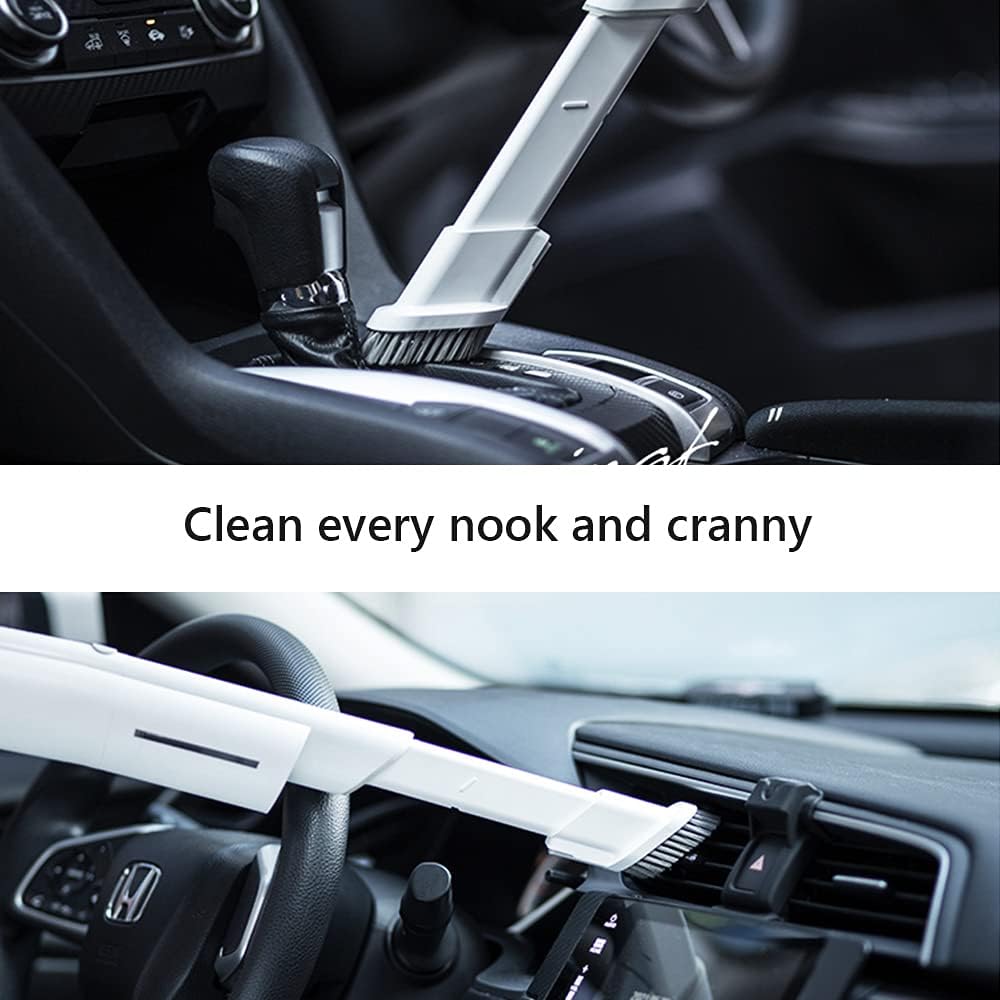
This image depicts the Womow M1 handheld vacuum, utilizing its crevice tool, to clean dust from the air vents on a car's dashboard, demonstrating its precision for detailed cleaning tasks.
Maintenance
Regular maintenance ensures optimal performance and extends the lifespan of your Womow M1 vacuum cleaner.
1. Emptying the Dust Cup
Empty the dust cup regularly, especially when the "MAX" line is reached, to maintain strong suction.
- Ensure the vacuum is turned off.
- Locate the dust cup release button or mechanism.
- Detach the dust cup from the main unit.
- Empty the contents into a waste bin.
- Reattach the dust cup securely.
2. Cleaning and Replacing Filters
The Womow M1 features a dual cyclone filtration system with a stainless metal filter and an H-12 HEPA filter. Regular cleaning is crucial.
- Ensure the vacuum is turned off and the dust cup is removed.
- Carefully remove the stainless metal filter and the HEPA filter from the dust cup assembly.
- Tap the filters gently over a waste bin to remove loose dust and debris.
- Rinse both filters under cool running water until the water runs clear. Do not use hot water or detergents.
- Allow the filters to air dry completely for at least 24 hours before reinstallation. Do not use the vacuum with wet filters.
- Reinstall the dry filters into the dust cup, then reattach the dust cup to the main unit.
Important: Replace the HEPA filter at least once a month, or more frequently with heavy use, to maintain filtration efficiency.
Troubleshooting
If you encounter issues with your Womow M1 vacuum cleaner, refer to the following common problems and solutions:
| Problem | Possible Cause | Solution |
|---|---|---|
| Vacuum does not turn on. | Battery is depleted. | Charge the vacuum fully using the USB-C cable and charging dock. |
| Power button not pressed correctly. | Ensure the power button is pressed firmly. | |
| Low suction power. | Dust cup is full. | Empty the dust cup. |
| Filters are clogged. | Clean or replace the filters as per maintenance instructions. Ensure filters are completely dry before reinstallation. | |
| Nozzle or attachment is blocked. | Inspect the nozzle and attachments for any obstructions and remove them. | |
| Vacuum runs for a short time. | Battery not fully charged. | Charge the vacuum until the indicator shows a full charge. |
| Battery degradation over time. | Battery life naturally decreases over many charge cycles. Consider contacting support if performance is significantly reduced. |
Specifications
| Feature | Detail |
|---|---|
| Model | M1 |
| Brand | Womow |
| Form Factor | Handheld (convertible to Stick) |
| Suction Power | 14Kpa |
| Rated Power | 90AW |
| Motor Speed | 80000RPM (Brushless) |
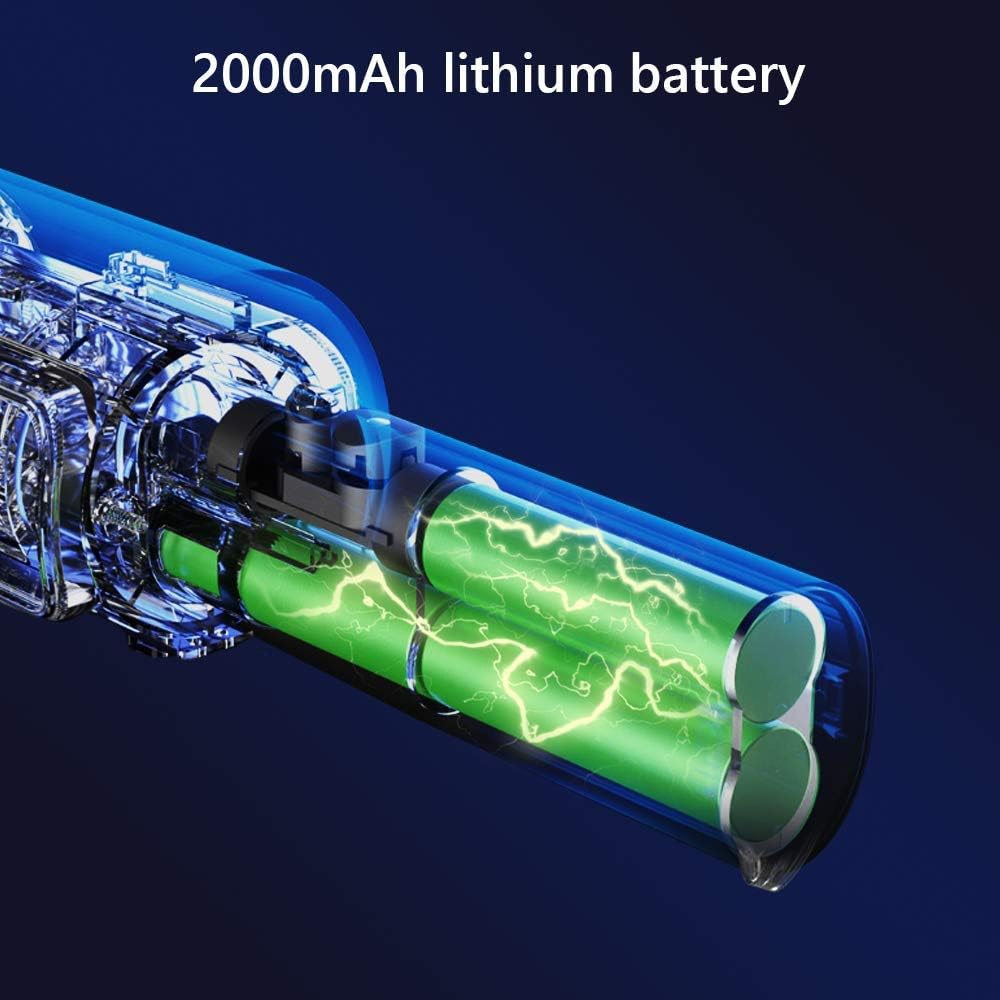
| Battery Type | 2000mAh Lithium Battery |
| Run Time | Approximately 14 minutes (on a single charge) |
| Charging Type | USB-C |
| Filtration System | Dual Cyclone (Stainless Metal Filter + H-12 HEPA Filter) |
| Item Weight | 544 g (1.2 lbs) |
| Included Components | Main Vacuum Unit, Charging Dock, USB-C Cable, Extension Tube, Floor Brush, 2-in-1 Crevice Tool |
| Surface Recommendation | Hard Floor |

This image highlights the technical specifications of the Womow M1, including its 14000PA strong suction, 90AW rated power, and 80000RPM high-speed brushless motor. It also visually compares 14,000PA suction to common debris like coffee beans.

This image provides a transparent view of the Womow M1's internal components, specifically highlighting the 2000mAh lithium battery cells that power the device.
Warranty and Support
Womow provides customer support for its products. For any pre-sale or after-sale inquiries, please contact us.
- Contact Email: Service@womow.net
- Warranty: Only products purchased directly from Womow are eligible for warranty service.
- Please retain your proof of purchase for warranty claims.


