
HKY GX42-200411-000
HKY 24V AC Charger Instruction Manual
For Zebra Barcode Printers and RFID Readers
1. Introduction
This manual provides essential information for the safe and effective use of your HKY 24V AC Charger. Please read this manual thoroughly before using the product and retain it for future reference. This power supply cord is designed to provide reliable power to compatible Zebra Barcode Printers and RFID Readers.

Image: The HKY 24V AC Charger, showing the main power brick, the AC input cable with a two-prong plug, and the DC output cable with a barrel connector.
2. Safety Information
To ensure safe operation and prevent damage, observe the following safety precautions:
- Do not expose the adapter to water, moisture, or high humidity.
- Avoid dropping or subjecting the adapter to strong impacts.
- Do not disassemble or modify the adapter. Refer all servicing to qualified personnel.
- Ensure the power outlet voltage matches the adapter's input voltage (100-240V).
- Unplug the adapter from the power outlet when not in use for extended periods.
- Keep the adapter away from heat sources and direct sunlight.
- Do not use the adapter if the cables are damaged or frayed.
- This adapter features built-in safety protections including Over Voltage Protection (OVP), Over Current Protection (OCP), Short Circuit Protection (SCP), and Over Temperature Protection (OTP).
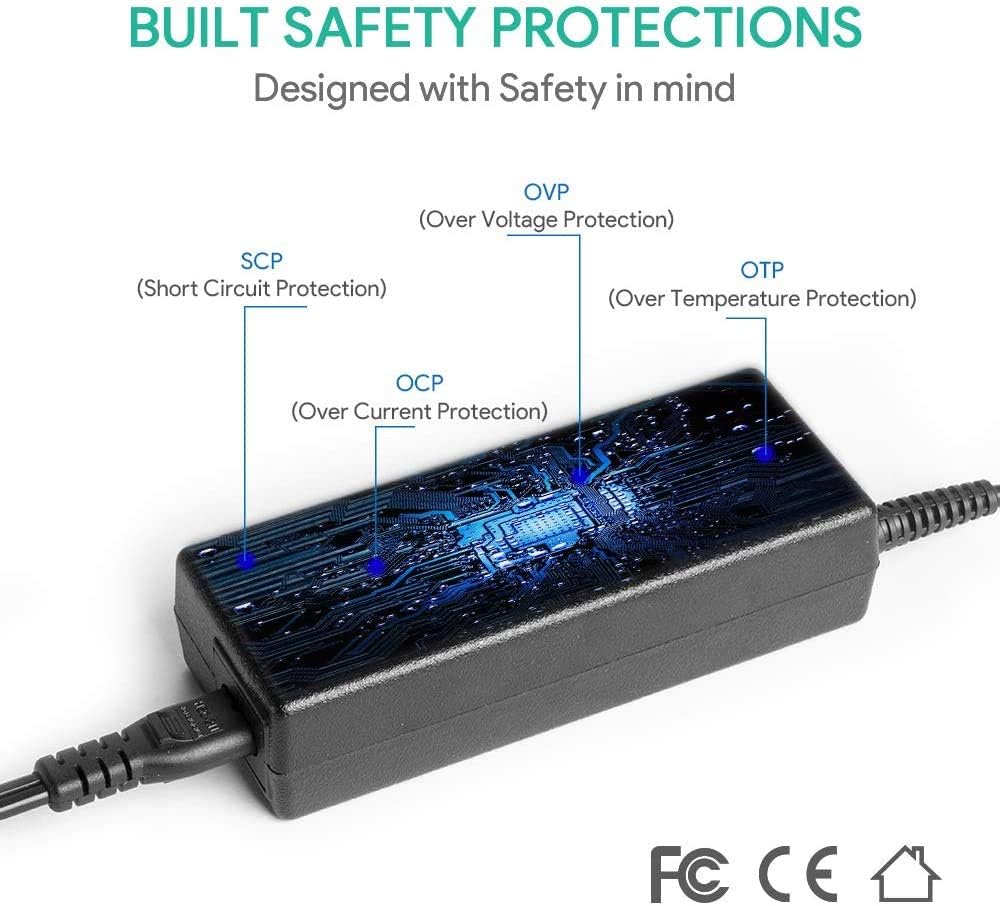
Image: Diagram illustrating the internal safety protections of the HKY AC charger, including OVP (Over Voltage Protection), OCP (Over Current Protection), SCP (Short Circuit Protection), and OTP (Over Temperature Protection).
3. Product Overview
The HKY 24V AC Charger is designed for efficient and safe power delivery. It consists of the main power adapter unit and detachable AC power cord.
Key Components:
- AC Socket: Input for the detachable AC power cord.
- DC Output Cable: Permanently attached cable with a barrel connector for connecting to your device.
- AC Power Cord: Detachable cord with a two-prong plug for connecting to a wall outlet.
- Quality Microchip: Ensures stable and efficient power conversion.
- Strong One-Piece Casting Plug: Durable and robust plug design.
- Super Quality Copper Power Cord: Provides reliable power transmission.
- VO-Grade Flame Retardant Casing: Enhances safety against fire hazards.
- Anti-interference Magnetic Ring: Reduces electromagnetic interference for stable operation.
- Magic Tape Strap: For easy cable management and portability.
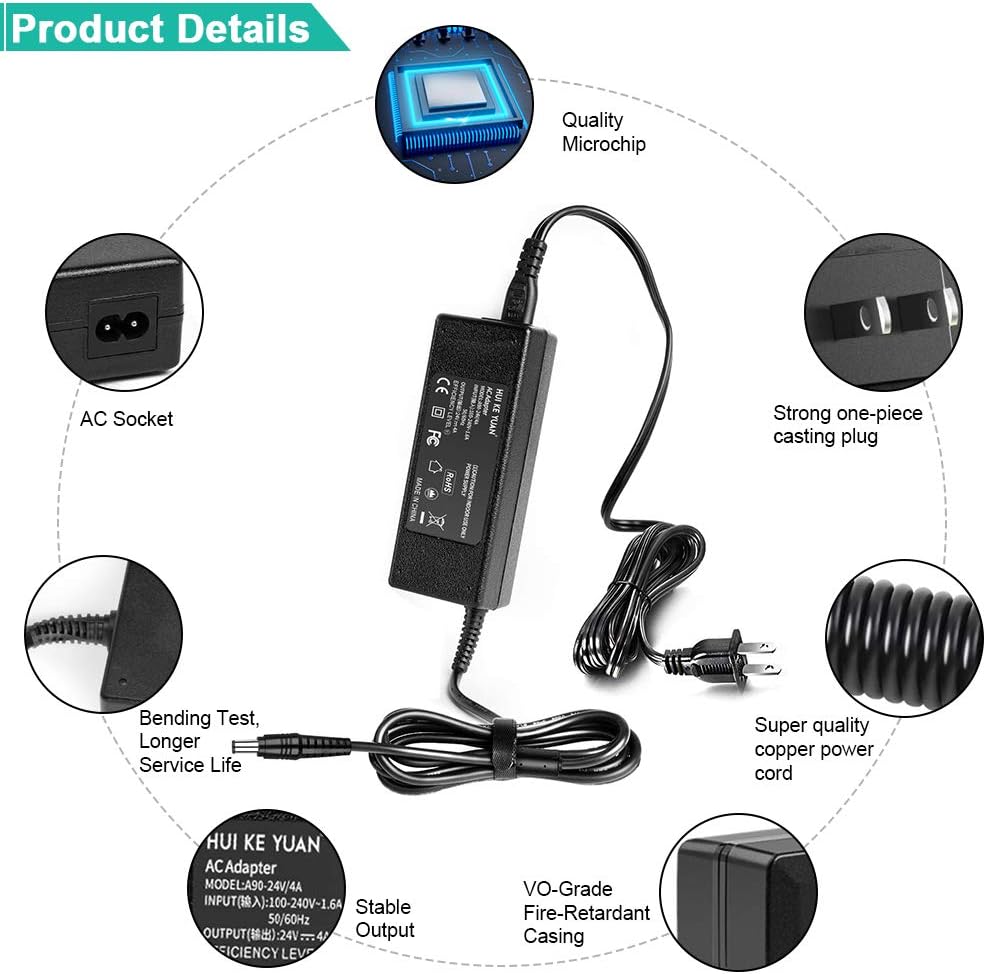
Image: An exploded view showing the various components of the HKY AC charger, including the AC socket, quality microchip, strong one-piece casting plug, super quality copper power cord, VO-grade flame retardant casing, and stable output.

Image: Illustration of advanced components such as pure copper cable for antioxidant and corrosion resistance, a magic tape strap for cable bundling, an anti-interference magnetic ring, and results from a bending test demonstrating cable durability.
4. Specifications
| Feature | Detail |
|---|---|
| Input Voltage | 100-240V AC, 50-60Hz |
| Output Voltage | 24V DC |
| Output Amperage | 4 Amps |
| Connector Type | Barrel Connector |
| Item Weight | 14 ounces (approximately 397 grams) |
| Package Dimensions | 7.56 x 5.39 x 1.85 inches |
| Special Features | Lightweight Design, Short Circuit Protection, Fast Charging, Charging Indicator |
| Certifications | CE / FCC / RoHS, UL Listed (for certain components/standards) |

Image: Diagram showing the compact dimensions of the HKY AC charger: 126mm (4.96 inches) in length, 50mm (1.97 inches) in width, and 30mm (1.18 inches) in height.

Image: Close-up of the AC plug showing UL certification marks and indicating a wire length of 1.2 meters (47 inches), emphasizing continuous and stable power supply.
5. Compatible Models
This HKY 24V AC Charger is compatible with a wide range of Zebra Barcode Printers and RFID Readers. Please verify your device's power requirements and connector type before use.
Zebra Barcode Printers:
- Zebra ZD410, ZD41022-D01M00, ZD41H23-D01E00EZ
- Zebra ZD420, ZD420c, ZD420d, ZD42H42-C01E00EZ, ZD42043-C01W01EZ, ZD42H43-C01E00
- Zebra ZD500, ZD510, ZD620t, ZD620d, ZD62043-T01F00EZ
- Zebra ZP450, ZP500, ZP550
- Zebra GX430, GX430d, GX430T, GX420, GX420d, GX420t
- Zebra GK420D, GK420T, GK430D, GK430T
- Zebra GT800, GT810, GT820, GT830
- Zebra HC100
Zebra RFID Readers:
- Zebra Motorola FX7400, FX7500, FX9500, FX9600
Compatible Part Numbers:
- FSP070-RDB, 808101-001, 9NA1000100
- PS000088A01, PWR-PGA24V78W0WW
- GX42-200411-000, GX42-202512-000
- FSP060-RPAC, P1028888-006, P1076000-006, P1028888-001, P1029999-006
- FX7500-42325A50-WR, FX9500-22325A50-WR, FX9500-42325A50-WR
- FX7400-22310A30-US, FX7400-22310A30-WR, FX7400-2231
- FX7400-42310A30-US, FX9500-41324D41-US, FX9500-41324D41-W
- FX7400-42310A30-WR, FX7400-42315A30-US, FX7400-42350A30-US
- FX7400-22315A30-US, FX7400-22350A30-US
- 50-14000-159R, 23844-00-00R

Image: The HKY AC charger connected to a Zebra Barcode Printer from the G-Series, demonstrating its compatibility and typical usage scenario.
6. Setup
- Unpack: Carefully remove the HKY 24V AC Charger and its components from the packaging.
- Inspect: Check the adapter and cables for any visible damage. Do not use if damaged.
- Connect AC Cord: Insert the detachable AC power cord firmly into the AC socket on the power adapter unit.
- Connect to Device: Plug the barrel connector of the DC output cable into the corresponding power input port on your Zebra Barcode Printer or RFID Reader. Ensure a secure connection.
- Connect to Power Outlet: Plug the two-prong AC plug into a standard 100-240V wall power outlet.
- Verify Power: Once connected, your device should receive power. Look for any power indicators on your device to confirm.
7. Operating
The HKY 24V AC Charger operates automatically once connected. It provides a stable 24V DC output to power your compatible devices.
- Ensure the adapter is placed in a well-ventilated area to prevent overheating.
- Avoid placing heavy objects on the cables or adapter.
- Do not yank the cables to disconnect; always grasp the plug or connector firmly.
- The adapter is designed for continuous use, but it is recommended to disconnect it from the power source when not in use for extended periods, such as overnight or during vacations.
8. Maintenance
Proper maintenance ensures the longevity and optimal performance of your HKY 24V AC Charger.
- Cleaning: Disconnect the adapter from all power sources and devices before cleaning. Use a soft, dry cloth to wipe the surface. Do not use liquid cleaners or aerosols.
- Storage: When not in use, store the adapter in a cool, dry place, away from direct sunlight and extreme temperatures. Use the included magic tape strap to neatly bundle the cables.
- Cable Care: Avoid sharp bends or kinks in the cables, especially near the connectors and the power brick, as this can damage the internal wires.
- Inspection: Periodically inspect the adapter and cables for any signs of wear, cuts, or damage. Replace the unit if any damage is observed.
9. Troubleshooting
| Problem | Possible Cause | Solution |
|---|---|---|
| Device not powering on. | Loose connection, faulty outlet, incompatible device, damaged adapter. |
|
| Adapter feels hot during use. | Normal operation, poor ventilation, excessive load. |
|
| Intermittent power to device. | Loose connection, damaged cable, power fluctuations. |
|
10. Warranty and Support
HKY is committed to providing high-quality products and excellent customer service.
- Warranty: HKY offers a 3-year warranty for this product.
- Money Back Guarantee: A 90-day money-back guarantee is provided for your peace of mind.
- Customer Service: For any quality problems, suggestions for improvement, or technical assistance, please contact our customer service team. We aim to reply within 24 hours.
Your satisfaction is our greatest motivation!

Image: Visual representation of HKY's customer service commitment, including a 30-day money-back guarantee, 3-year warranty, and 24/7 service. Also shows a cross-section of a cable highlighting high-grade copper, aluminum foil shield, and protective tinned copper braid.
Ask a question about this manual
Ask about setup, troubleshooting, compatibility, parts, safety, or missing instructions. Manuals+ will review the question and use this page’s manual context to help answer it.