
Lexon LH65MDB
Lexon Mina L Mushroom Lamp User Manual
Model: LH65MDB | Brand: Lexon
Introduction
The Lexon Mina L Mushroom Lamp is a versatile and stylish portable LED table lamp designed for various indoor and outdoor settings. Featuring 9 LED color options, touch control for activation and dimming, and a rechargeable battery offering up to 24 hours of light, this lamp combines aesthetic appeal with practical functionality. Its durable aluminum construction and water-resistant design make it a perfect companion for bedrooms, living rooms, offices, and even gardens.

Image: The Lexon Mina L Mushroom Lamp, showcasing its distinctive mushroom-like design and dark blue base.
Setup
1. Unboxing and Initial Charge
Upon unboxing your Lexon Mina L lamp, it is recommended to fully charge the device before its first use. The lamp comes with a USB-C cable for charging. It can also be charged wirelessly using a compatible wireless charging pad (not included).
- Connect the provided USB-C cable to the lamp's charging port and to a suitable USB power adapter (e.g., wall charger, computer USB port).
- Alternatively, place the lamp on a compatible wireless charging pad.
- A full charge typically takes approximately 3 hours. Once fully charged, the lamp provides up to 24 hours of continuous light, depending on the brightness and color settings used.

Image: The Lexon Mina L lamp illustrating its USB-C and wireless charging capabilities, along with icons indicating 24-hour light duration and 3-hour charge time.
2. Placement
The Lexon Mina L is designed for tabletop use and can be placed in various rooms such as bedrooms, living rooms, nurseries, or even in garden settings due to its water-resistant properties. Ensure the surface is stable and flat.
Operating Instructions
1. Power On/Off and Brightness Adjustment
The Lexon Mina L lamp features intuitive touch control located at the tip of the lamp (the top dome). To operate:
- To turn on/off: Lightly press and hold the top surface of the lamp for approximately 1-2 seconds.
- To adjust brightness (dimmer): While the lamp is on, press and hold the top surface. The brightness will cycle through its levels. Release your finger when the desired brightness is achieved.
2. Changing LED Colors
The lamp offers 9 different LED color options. To cycle through the colors:
- To change color: Briefly tap the top surface of the lamp. Each tap will advance to the next color in the sequence.
- The color sequence typically includes various shades of white, warm white, orange, pink, red, green, blue, and purple.

Image: A hand demonstrating the touch control feature on the Lexon Mina L lamp, with various color options displayed around it.
Video: A short demonstration of the Lexon Mina L lamp's touch control for changing light colors.
Maintenance
1. Cleaning
To clean your Lexon Mina L lamp, use a soft, dry, or slightly damp cloth. Avoid using abrasive cleaners, solvents, or harsh chemicals, as these can damage the lamp's finish and electronic components.
2. Water Resistance
The Lexon Mina L lamp is water-resistant, making it suitable for outdoor use in light rain or humid conditions. However, it is not fully waterproof. Do not submerge the lamp in water or expose it to heavy downpours. Ensure the charging port is dry before connecting any cables.
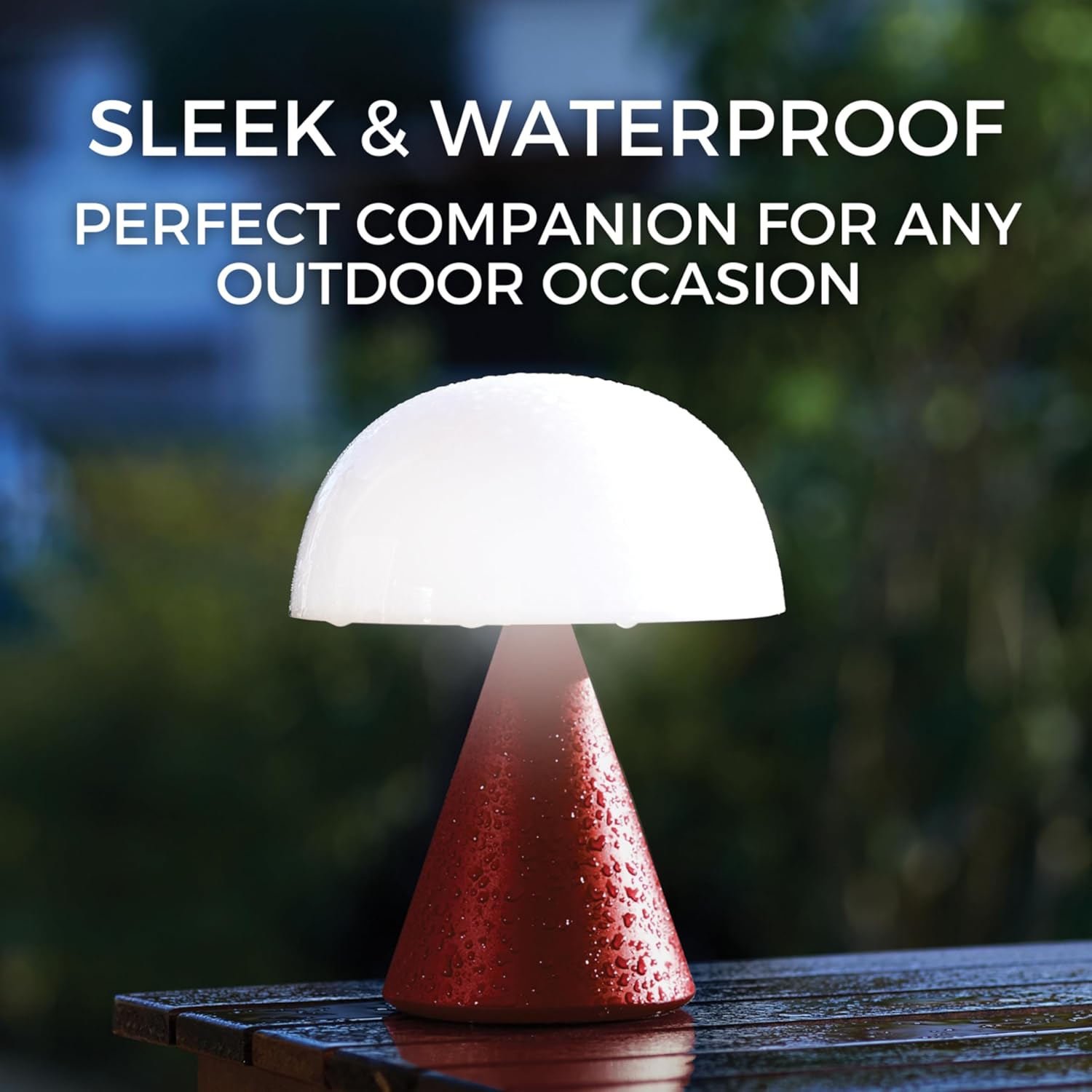
Image: The Lexon Mina L lamp on an outdoor table, covered in water droplets, demonstrating its water-resistant feature.
3. Battery Care
The lamp contains a built-in Lithium Polymer battery. To prolong battery life:
- Avoid completely draining the battery frequently.
- Store the lamp in a cool, dry place if not used for extended periods.
- Charge the lamp periodically (e.g., every 3-6 months) even if not in use to maintain battery health.
Troubleshooting
| Problem | Possible Cause | Solution |
|---|---|---|
| Lamp does not turn on. | Battery is depleted. | Charge the lamp fully using the USB-C cable or a wireless charger. |
| Lamp does not charge. | Charging cable/adapter faulty; Wireless charger not compatible or misaligned; Charging port dirty. | Try a different USB-C cable and power adapter. Ensure the lamp is correctly placed on a compatible wireless charger. Clean the charging port gently if visible debris is present. |
| Cannot change colors or dim brightness. | Incorrect touch gesture; Software glitch. | Ensure you are using a light tap for color change and a press-and-hold for dimming. If unresponsive, try turning the lamp off and on again. Some users report that pressing 3 times quickly can reset settings if the lamp becomes finicky. |
| Light output is weak or flickers. | Low battery; Internal component issue. | Recharge the lamp. If the issue persists after a full charge, contact customer support. |
Specifications
- Model: LH65MDB
- Dimensions: 6"D x 6"W x 7"H (approx. 15.24 cm D x 15.24 cm W x 17.78 cm H)
- Item Weight: 11.36 ounces (approx. 322 grams)
- Material: Aluminum (Base), White (Shade)
- Light Source Type: LED
- Number of Light Sources: 9
- Brightness: 65 Lumen
- Color Temperature: 6000 Kelvin
- Control Method: Touch
- Power Source: Battery Powered (1 Lithium Polymer battery included)
- Charging: USB-C (cable included) or Wireless Charging
- Battery Life: Up to 24 hours (depending on usage)
- Charge Time: Approximately 3 hours
- Water Resistance Level: Water Resistant (True, but with limitations)
- Average Life: 30000 Hours
- Manufacturer: Lexon

Image: A visual comparison showing the different sizes of the Lexon Mina lamps, highlighting the Mina L model with its dimensions.
Warranty and Support
Warranty Information
For specific warranty details regarding your Lexon Mina L Mushroom Lamp, please refer to the documentation included with your purchase or visit the official Lexon website. Standard manufacturer warranties typically cover defects in materials and workmanship under normal use.
Customer Support
If you encounter any issues not covered in the troubleshooting section or require further assistance, please contact Lexon customer support. You may find contact information on the product packaging, the official Lexon website, or through your retailer.
An official user manual in PDF format is also available for download: Download User Manual (PDF)
Protection Plans
Extended protection plans may be available for purchase separately to provide additional coverage beyond the manufacturer's warranty. Please check with your retailer for available options.
Related documentsLH65MDB


Ask a question about this manual
Ask about setup, troubleshooting, compatibility, parts, safety, or missing instructions. Manuals+ will review the question and use this page’s manual context to help answer it.