
ProForm Pro 2000
ProForm Pro 2000 Smart Treadmill Instruction Manual
Model: Pro 2000
Introduction
Welcome to the ProForm Pro 2000 Smart Treadmill. This manual provides essential information to help you assemble, operate, and maintain your new fitness equipment. The ProForm Pro 2000 is designed to offer a comprehensive and interactive workout experience, featuring a 10-inch HD interactive touchscreen, digital incline and speed controls, and seamless integration with iFIT workouts. Its SpaceSaver design allows for convenient storage, making it an ideal choice for home use.

Figure 1: ProForm Pro 2000 Smart Treadmill
Safety Information
Before operating the ProForm Pro 2000 Treadmill, please read all instructions carefully. Adhere to all warnings and precautions to ensure safe operation and prevent injury.
- Always consult with a physician before beginning any exercise program.
- Keep children and pets away from the treadmill during operation.
- Place the treadmill on a level surface with adequate clearance around it (at least 6 feet behind and 2 feet on each side).
- Wear appropriate athletic footwear and clothing.
- Use the safety key clip at all times. In case of an emergency, pulling the safety key will immediately stop the treadmill.
- Do not operate the treadmill if it has a damaged cord or plug, or if it has been dropped or damaged.
- Ensure the treadmill is properly grounded.
Product Overview
The ProForm Pro 2000 Treadmill is equipped with advanced features for an optimal workout. Familiarize yourself with its main components:
- Console with 10" HD Touchscreen: Displays workout metrics, iFIT content, and allows control of settings.
- Running Deck: Features Rebound Pro Deck Cushioning for reduced impact.
- SpaceSaver Design: Allows the running deck to fold vertically for compact storage.
- Digital Incline/Decline Controls: Adjusts the deck from -3% to 12% incline.
- Digital QuickSpeed Controls: Adjusts speed from 0 to 12 MPH.
- CoolAire Workout Fan: Integrated fan for comfort during workouts.

Figure 2: Treadmill Console

Figure 3: Side View

Figure 4: ReBound Pro Deck Cushioning and SpaceSaver Design
Setup
The ProForm Pro 2000 Treadmill requires assembly. Please refer to the separate Assembly Guide included with your product for detailed, step-by-step instructions. Ensure all parts are present and undamaged before beginning assembly. It is recommended to have two people for assembly due to the size and weight of the components.

Figure 5: Treadmill Dimensions

Figure 6: Folded Dimensions for Storage
Operating Instructions
Follow these steps to operate your ProForm Pro 2000 Treadmill:
- Power On: Plug the power cord into a grounded outlet. Insert the safety key into the console.
- Start Workout: Press the 'Start' button on the console. The running belt will begin to move at a low speed.
- Adjust Speed: Use the 'Speed' buttons or the QuickSpeed controls (numbered buttons) on the console to increase or decrease the belt speed (0-12 MPH).
- Adjust Incline: Use the 'Incline' buttons or the QuickIncline controls on the console to adjust the incline/decline of the running deck (-3% to 12%).
- iFIT Integration: The 10" HD touchscreen allows you to stream live and on-demand iFIT workouts. With an iFIT Family Membership (30-day trial included), elite trainers can auto-adjust your treadmill's speed and incline during guided workouts.
- Emergency Stop: In case of an emergency, pull the safety key from the console or press the 'Stop' button.
- End Workout: Press the 'Stop' button to gradually bring the treadmill to a halt. Remove the safety key when finished.
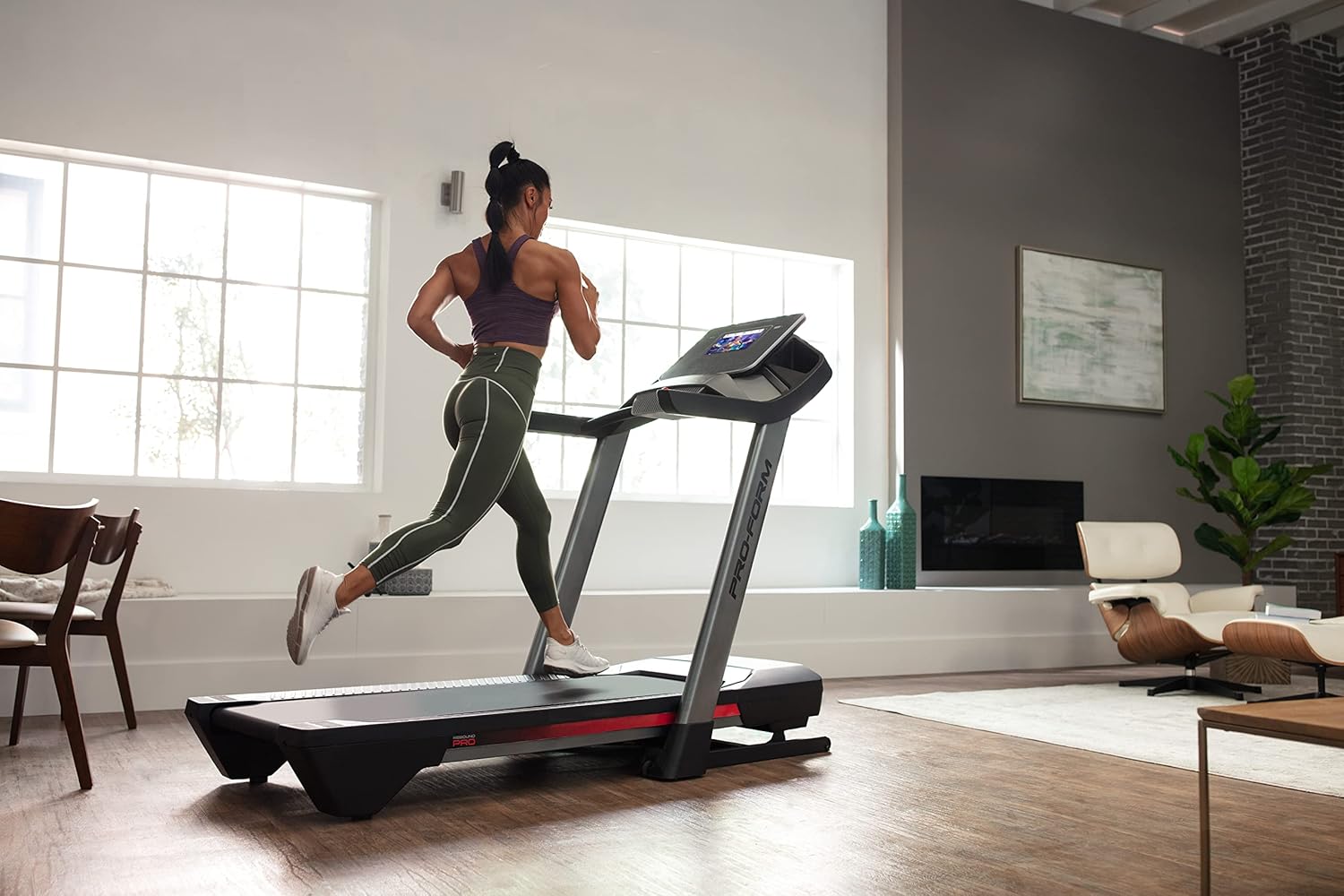
Figure 7: User in motion on the treadmill

Figure 8: iFIT Trainer Control

Figure 9: iFIT Pro Features
Maintenance
Regular maintenance ensures the longevity and optimal performance of your treadmill:
- Cleaning: Wipe down the treadmill surfaces with a damp cloth after each use. Avoid abrasive cleaners.
- Belt Lubrication: The running belt may require lubrication periodically. Refer to the Assembly Guide for specific instructions and recommended lubricants.
- Belt Tension and Alignment: Check the running belt tension and alignment regularly. If the belt slips or drifts to one side, adjust it according to the instructions in the Assembly Guide.
- Motor Cover: Periodically remove the motor cover and vacuum any dust or debris from the motor area. Ensure the treadmill is unplugged before doing so.
Troubleshooting
Here are solutions to common issues you might encounter:
| Problem | Possible Cause | Solution |
|---|---|---|
| Treadmill does not power on. | Power cord not plugged in; circuit breaker tripped; safety key not inserted. | Ensure power cord is securely plugged in. Check household circuit breaker. Insert safety key fully. |
| Running belt slips or hesitates. | Belt tension too loose; belt needs lubrication. | Adjust belt tension as per Assembly Guide. Lubricate the belt if necessary. |
| Console display is blank or unresponsive. | Loose cable connection; software issue. | Check all cable connections to the console. Try restarting the treadmill by unplugging it for 60 seconds and plugging it back in. |
| Unusual noise during operation. | Loose components; motor issue; belt friction. | Inspect for any loose bolts or screws and tighten them. Ensure the belt is properly lubricated. If noise persists, contact customer support. |
Specifications
| Feature | Detail |
|---|---|
| Brand | ProForm |
| Model Name | ProForm Pro 2000 |
| Product Dimensions (Assembled) | 77.3"D x 35.3"W x 59.6"H |
| Product Dimensions (Folded) | 45"D x 35.5"W x 69.5"H |
| Item Weight | 260 Pounds |
| Maximum User Weight | 300 Pounds |
| Tread Belt Size | 20" x 60" |
| Maximum Speed | 12 Miles per Hour |
| Incline Range | -3% to 12% Digital Incline |
| Display Type | 10" HD Interactive Touchscreen |
| Motor | Self-cooling Mach Z motor |
| Cushioning | Rebound Pro Deck Cushioning |
| Special Features | SpaceSaver Design, iFIT Enabled, CoolAire Workout Fan |
| Assembly Required | Yes |
| UPC | 043619363807 |
Warranty and Support
Your ProForm Pro 2000 Smart Treadmill is backed by a comprehensive warranty:
- Frame: 10-year warranty from the initial date of purchase.
- Parts: 2-year warranty from the initial date of purchase.
- Labor: 1-year warranty from the initial date of purchase.
For warranty claims, technical assistance, or any other support needs, please contact ProForm Customer Service. Keep your proof of purchase and model number readily available when contacting support.
ProForm Customer Support: Please refer to the contact information provided in your product packaging or visit the official ProForm website for the most current support details.
Related documentsPro 2000


Ask a question about this manual
Ask about setup, troubleshooting, compatibility, parts, safety, or missing instructions. Manuals+ will review the question and use this page’s manual context to help answer it.