
1. Introduction
The MeatStick Wireless Meat Thermometer (Model PS861) is designed to provide precise temperature monitoring for various cooking methods. This device allows you to track the internal temperature of your food and the ambient temperature of your cooking environment wirelessly via a dedicated application on your smartphone or tablet. This manual will guide you through the setup, operation, and maintenance of your MeatStick to ensure optimal performance and delicious results.
2. Product Overview
The MeatStick system consists of a wireless probe and a charger. The probe features dual temperature sensors for both internal meat temperature and ambient cooking temperature. It is designed for durability and ease of use across a wide range of cooking applications.

Image: The MeatStick wireless thermometer probe and its charging base.
Key Features:
- Wireless Design: Eliminates wires for a cleaner and safer cooking experience.
- Dual Temperature Sensors: Monitors both internal food temperature and ambient cooking temperature simultaneously.
- High Accuracy: Provides accurate live temperature updates for precise cooking.
- Versatile Use: Suitable for grilling, smoking, deep frying, oven cooking, and sous-vide.
- App Control: Connects to a smartphone application for real-time monitoring, alerts, and preset cooking programs.
- Dishwasher Safe: The probe is designed for easy cleaning.

Image: Visual comparison highlighting the advantage of a wireless thermometer over a wired one.

Image: Collage demonstrating the versatility of The MeatStick across different cooking styles, including deep frying, rotisserie, stewing, grilling, smoking, and sous-vide.
3. Setup Instructions
3.1 Charging the MeatStick
- Insert two AA batteries into the charger base.
- Place The MeatStick probe into the charger. Ensure it is seated correctly.
- Allow the probe to charge fully before first use. The indicator light on the charger will show charging status.
3.2 Downloading the App
- Search for "The MeatStick" app in your device's app store (iOS or Android).
- Download and install the application.
3.3 Pairing the Device
- Ensure Bluetooth is enabled on your smartphone or tablet.
- Open The MeatStick application.
- Follow the on-screen instructions within the app to connect your MeatStick probe. The app will guide you through the pairing process.
4. Operating Instructions
4.1 Inserting the Probe
Carefully insert the MeatStick probe into the thickest part of the meat, avoiding bones. Ensure that the internal sensor (the tip of the probe) is fully embedded in the meat and the ceramic handle is exposed to the ambient cooking environment.

Image: The MeatStick probe inserted into a cut of meat, illustrating how internal and ambient temperatures are measured.
4.2 Using the Application
- Once connected, the app will display real-time internal and ambient temperatures.
- Select your desired meat type and doneness level from the app's presets. The app will automatically set a target internal temperature.
- You can also manually set custom target temperatures and ambient temperature alerts.
- The app provides estimated cooking times and will notify you when your food is ready.

Image: Screenshot of The MeatStick application interface displaying real-time temperature graphs and cooking progress.
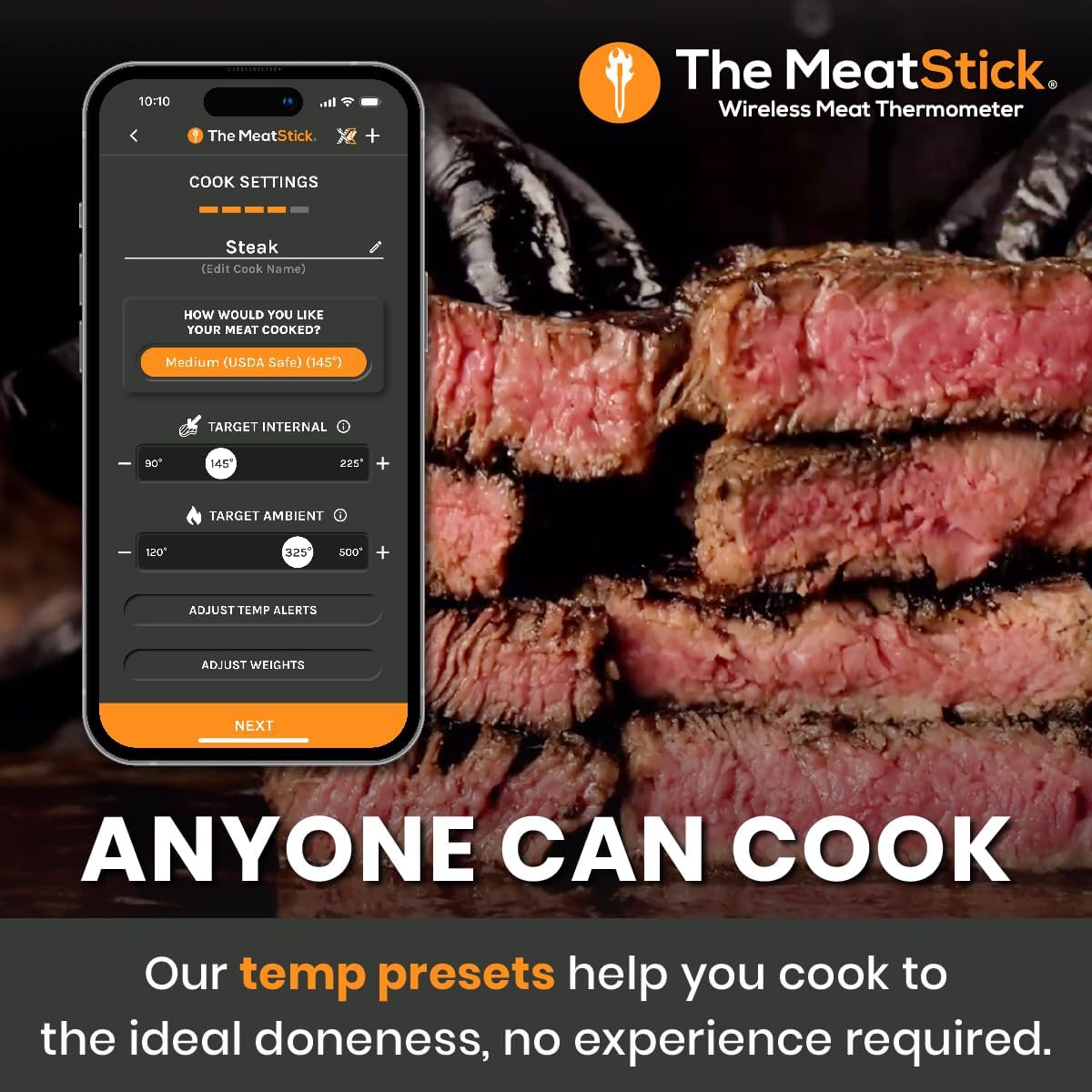
Image: Screenshot of The MeatStick application showing various cooking presets for different meat types and doneness levels.
4.3 Monitoring and Alerts
Keep your smartphone or tablet within the Bluetooth range of the MeatStick (up to 10 meters, or further with an Xtender device). The app will provide audible and visual alerts when your food reaches the target temperature or if ambient temperatures exceed set limits.

Image: The MeatStick Xtender device, which can be used to extend the wireless range for monitoring.
5. Maintenance and Care
5.1 Cleaning the Probe
After each use, allow the probe to cool down. The MeatStick probe is dishwasher safe. Alternatively, you can hand wash it with warm, soapy water. Ensure all food residue is removed. Do not submerge the charger base in water.

Image: The MeatStick probe placed inside a dishwasher, indicating its dishwasher-safe design.
5.2 Storage
Store the MeatStick probe in its charger base when not in use. Keep the device in a cool, dry place away from direct sunlight.
5.3 Battery Replacement
The charger base requires two AA batteries. Replace them when the indicator light suggests low power or if the probe is not charging effectively.
6. Troubleshooting
- No Connection to App: Ensure Bluetooth is enabled on your device and the MeatStick is charged. Try restarting the app and your device.
- Inaccurate Readings: Verify the probe is inserted correctly into the thickest part of the meat, avoiding bones. Ensure the ceramic handle is not submerged in food or liquid.
- Limited Range: The standard MeatStick has a range of up to 10 meters. For extended range, consider using an Xtender device (sold separately). Obstructions like thick walls or metal can reduce range.
- Probe Not Charging: Check if the AA batteries in the charger are fresh and correctly inserted. Ensure the probe is properly seated in the charger.
7. Specifications
| Feature | Specification |
|---|---|
| Model Number | PS861 |
| Material | Stainless Steel |
| Connectivity | Bluetooth |
| Temperature Range (Internal) | Up to 100°C (212°F) |
| Temperature Range (Ambient) | Up to 300°C (572°F) |
| Probe Length | 92 mm (approx.) |
| Charger Power | 2 x AA Batteries |
| Care Instructions | Probe is Dishwasher Safe |
8. Warranty and Support
For warranty information and customer support, please refer to the official The MeatStick website or contact their customer service directly. Keep your purchase receipt as proof of purchase.


