
Douk Audio XX-VU2-L
Douk Audio VU2 MIC & Line Dual VU Meter & 4-Way Audio Splitter Switch
Model: XX-VU2-L
1. Introduction
The Douk Audio VU2 is a versatile audio device combining an analog VU meter with a 4-way audio splitter and switcher. It is designed to enhance your audio experience by providing dynamic visual feedback of sound levels and flexible audio routing capabilities. This manual provides detailed instructions for setting up, operating, and maintaining your VU2 unit.

Key features include:
- Analog VU Meter: Features wired stereo RCA input and wireless microphone inputs, compatible with various audio devices like mobile phones, computers, and speakers.
- 4-Way Audio Splitter Box: Functions in both 4-IN-1-OUT mode for comparing different audio sources and 1-IN-4-OUT mode for comparing audio outputs (e.g., preamps, amplifiers).
- Flexible Connectivity: Allows 4 channels to input simultaneously for mixing different audio sources, or output simultaneously for monitoring or recording. Eliminates the need for repeated cable plugging and unplugging.
- Independent Control: The VU meter and switcher box operate independently. The USB interface provides power only for the VU meter's drive board, ensuring no interference with audio signals.
- Premium Design: Features a sleek black case, colorful indicators, gold-plated pure copper terminals for minimal signal loss, and includes a remote control for convenience.
2. Product Components and Controls
2.1 Front Panel Layout

- VU Meters: Analog meters displaying audio signal levels.
- 4 Channel Select Buttons (1-4): Used to select active input/output channels.
- Infrared Receiver: For remote control signals.
- Line Input Indicator (Red): Illuminates when line input is active.
- Mic Input Indicator (Green): Illuminates when microphone input is active.
- ACG Mode Indicator (Red): Illuminates when Automatic Gain Control mode is active for the VU meter.
- DB Mode Indicator (Green): Illuminates when Decibel mode is active for the VU meter.
- Delay Knob: Adjusts the response speed of the VU meter needles.
- Gain Knob: Adjusts the sensitivity or swing range of the VU meter needles.
- Function Key: Used for various settings and mode changes.
2.2 Rear Panel Layout

- RCA Audio Input (IN): Stereo RCA input for audio sources.
- RCA Audio Outputs (OUT-1 to OUT-4): Four stereo RCA outputs.
- 5V USB IN: Micro USB port for power supply to the VU meter.
3. Setup and Connections
Before connecting, ensure all audio equipment is powered off.
3.1 Power Connection
- Connect the provided USB cable to the 5V USB IN port on the rear panel of the VU2.
- Connect the other end of the USB cable to a DC 5V power adapter (not included) or a dedicated USB power source.
- Important Note: It is not recommended to power the VU2 from the USB interface of an audio source device, as this may generate noise. Use a separate power adapter.
3.2 Audio Connections (1-IN-4-OUT Mode)
In this mode, one audio source is distributed to up to four output devices.
- Connect your audio source (e.g., CD player, DAC) to the RCA Audio Input (IN) on the rear panel.
- Connect your output devices (e.g., amplifier, active speakers, preamp) to any of the RCA Audio Outputs (OUT-1 to OUT-4).
3.3 Audio Connections (4-IN-1-OUT Mode)
In this mode, up to four audio sources can be selected to output to a single device.
- Connect your audio sources (e.g., mobile phone, tablet, TV, CD player) to the RCA Audio Inputs (IN-1 to IN-4).
- Connect your single output device (e.g., amplifier, recording interface) to the RCA Audio Output (OUT).
- Important Note: When in 4-IN-1-OUT mode, the 4 channels of VU2 are not recommended to work in parallel. There may be some distortion if the output levels of the 4 players are significantly different.

4. Operating Instructions
4.1 Power On/Off
Press the power button on the remote control or the corresponding button on the unit to turn the VU2 on or off. Settings are saved after shutdown.
4.2 Channel Selection
To select an active channel (1-4), press the corresponding channel button on the front panel or use the remote control. All 4 channels can work (input or output) at the same time, but this function can only be set by pressing the four channel buttons on the front panel, not by remote control.
4.3 VU Meter Adjustment

- Gain Adjustment: Use the Gain Knob to adjust the input signal gain, which controls the swing range of the VU meter pointer. The 0dB position can be set as needed for recording.
- Delay Adjustment: Use the Delay Knob to adjust the sensitivity of the pointer, controlling the speed at which the pointer beats to adapt to different music styles.
- ACG Mode (Automatic Gain Control): Suitable for general listening, where the meter automatically adjusts its sensitivity. This mode may not accurately reflect the true input level.
- DB Mode (Decibel Mode): Suitable for professional recording or when precise level monitoring is required, as it shows the real music level.
4.4 Microphone Input
The VU2 supports wireless microphone input for the VU meter function. Ensure the Mic Input Indicator is green when using this feature.
4.5 Remote Control Operation
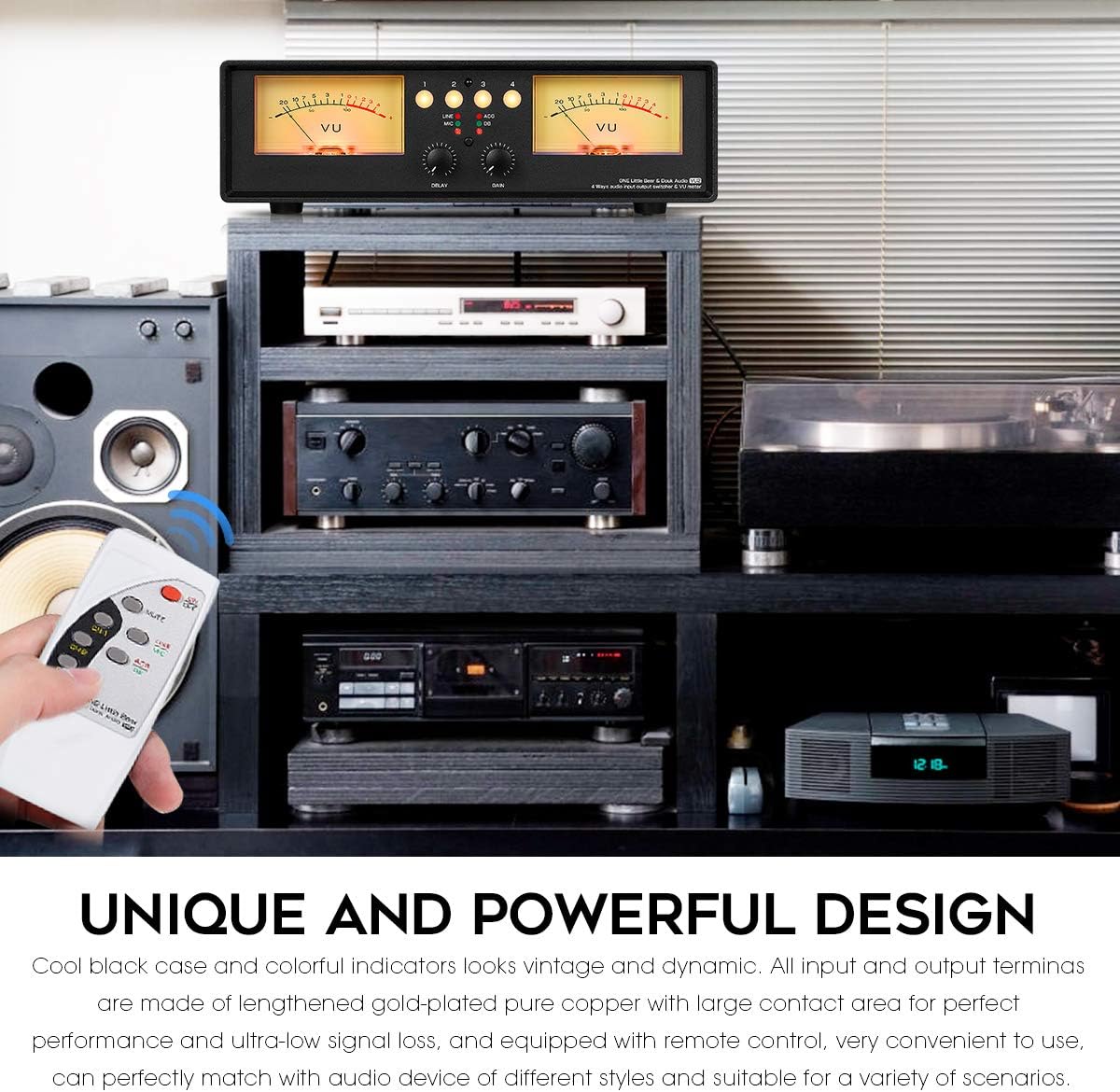
The remote control allows for convenient operation of the VU2, including power on/off, channel selection (for single channel operation), and mute function. Please note that the remote control does not support simultaneous 4-channel operation.
5. Maintenance
To ensure the longevity and optimal performance of your Douk Audio VU2, follow these maintenance guidelines:
- Cleaning: Use a soft, dry cloth to clean the exterior of the unit. Avoid using liquid cleaners or abrasive materials, as they may damage the finish or internal components.
- Placement: Place the unit on a stable, flat surface away from direct sunlight, heat sources, and excessive moisture. Ensure adequate ventilation around the unit.
- Handling: Handle the unit with care. Avoid dropping or subjecting it to strong impacts.
- Cable Management: Ensure all cables are connected securely and are not under strain. Avoid bending cables sharply.
6. Troubleshooting
If you encounter any issues with your Douk Audio VU2, please refer to the following troubleshooting tips:
- No Power:
- Ensure the USB power cable is securely connected to both the unit and a working 5V DC power source.
- Try a different USB cable and power adapter.
- No Sound Output / No VU Meter Movement:
- Verify all RCA audio cables are correctly and securely connected to the appropriate input and output ports.
- Check the selected channel on the front panel.
- Ensure the audio source is playing and its volume is adequate.
- Adjust the Gain knob on the front panel to increase VU meter sensitivity.
- Humming or Noise in Audio:
- Ensure the VU2 is not powered from the USB interface of an audio source device. Use a separate, dedicated 5V power adapter.
- Check for ground loops. Try connecting all audio equipment to the same power strip.
- Ensure all cables are in good condition and properly shielded.
- VU Meter Needles Not Moving Correctly / Inaccurate Readings:
- Adjust the Gain Knob to calibrate the meter's sensitivity to your audio signal.
- Adjust the Delay Knob to change the response speed of the needles.
- Ensure you are in the correct mode (ACG or DB) for your monitoring needs. DB mode provides a more accurate representation of the real music level.
- If needles are consistently off-center or misaligned, and adjustments do not correct it, contact customer support.
- Remote Control Not Working:
- Ensure batteries are correctly inserted and not depleted.
- Point the remote directly at the infrared receiver on the front panel.
- Ensure there are no obstructions between the remote and the unit.
If the problem persists after trying these steps, please contact Douk Audio customer support for further assistance.
7. Specifications
| Parameter | Value |
|---|---|
| Audio Input | Stereo RCA / Microphone |
| Audio Output | 4 groups of stereo RCA |
| Switcher Working Mode | 1-IN-4-OUT / 4-IN-1-OUT |
| Sensitivity Adjustment | Supported |
| Gain Adjustment | Supported (DB mode / ACG mode) |
| Working Voltage | Micro USB DC 5V |
| Working Current | 1.5A |
| Voltage of Backlight Filament | DC / AC 6-12V |
| Current of Backlight Filament | 100mA |
| Dynamic Acceleration / Deceleration Damping Modes | Supported |
| Power On/Off Function | Supported |
| Settings Saved After Shutdown | Supported |
| Mute Function | Supported |
| Remote Control | Supported |
| Dimensions (W*D*H) | 280*122*80mm / 11.02*4.08*3.15in |
| Net Weight | 1.10kg / 2.43lb |
| Product Dimensions (from specs) | 4.8 x 11.02 x 3.15 inches |
| Item Weight (from specs) | 2.23 pounds |
| Color | Light |
| Connector Type | RCA |
| Compatible Devices | Amplifier, CD Player, Laptop, Preamplifier, Television |
| Cable Type | USB |
8. Packing List
The following items are included in the package:

- 1 * VU2 Meter & Audio Splitter Box
- 1 * Remote Control (batteries not included)
- 1 * USB Cable
- 1 * User Manual
9. Warranty and Support
Douk Audio products are manufactured to high-quality standards. For information regarding warranty coverage, please refer to the warranty card included with your product or visit the official Douk Audio website. If you require technical support, have questions about product operation, or need assistance with troubleshooting beyond what is covered in this manual, please contact Douk Audio customer service. Please have your model number (XX-VU2-L) and purchase details ready when contacting support.
Ask a question about this manual
Ask about setup, troubleshooting, compatibility, parts, safety, or missing instructions. Manuals+ will review the question and use this page’s manual context to help answer it.