
1. Introduction
Thank you for choosing the INIU Portable Charger 10000mAh. This device is designed to provide reliable and high-speed charging for your mobile devices on the go. Its slim and lightweight design makes it an ideal companion for travel and daily use. Please read this manual carefully before using the product to ensure safe and optimal performance.
2. Safety Information
- Do not expose the power bank to extreme temperatures (above 60°C/140°F) or direct sunlight.
- Avoid dropping, disassembling, or attempting to repair the device yourself.
- Keep away from water, moisture, and flammable materials.
- Use only certified charging cables and adapters.
- Keep out of reach of children.
- Dispose of the product responsibly according to local regulations.
3. Package Contents
- INIU 10000mAh Portable Charger (Model: BI-B41) x 1
- 0.3M/1ft USB-A to USB-C Cable x 1
- Travel Pouch x 1
- User Manual x 1
4. Product Overview
The INIU Portable Charger features a compact design with multiple ports and an intuitive indicator system.

Figure 1: Front view of the INIU Portable Charger, highlighting its sleek design and the paw print battery indicator.

Figure 2: Dimensions of the INIU Portable Charger, illustrating its slim profile at 5.2 x 2.7 x 0.5 inches.
Components:
- USB-C Port (IN/OUT): Used for both recharging the power bank and charging compatible devices.
- USB-A Output Ports: Two standard USB-A ports for charging various devices.
- Power Button: Activates the power bank and flashlight.
- Paw Print LED Indicator: Displays the remaining battery level and charging status. Each 'toe' of the paw represents approximately 25% charge.
- Flashlight: Integrated LED light for convenience.
5. Setup
Charging the Power Bank:
Before first use, fully charge your INIU Portable Charger.
- Connect the provided USB-A to USB-C cable to the USB-C port on the power bank.
- Plug the other end of the cable into a USB wall charger (not included) or a computer's USB port.
- The paw print LED indicator will illuminate and flash during charging. When all four 'toes' are solid, the power bank is fully charged.

Figure 3: The INIU Portable Charger being recharged using its versatile USB-C input/output port.
6. Operating Instructions
Charging Your Devices:
The INIU Portable Charger can charge up to three devices simultaneously.
- Connect your device's charging cable to one of the USB-A output ports or the USB-C port on the power bank.
- Connect the other end of the cable to your device.
- The power bank will automatically begin charging your device. The paw print LED indicator will show the remaining battery level.
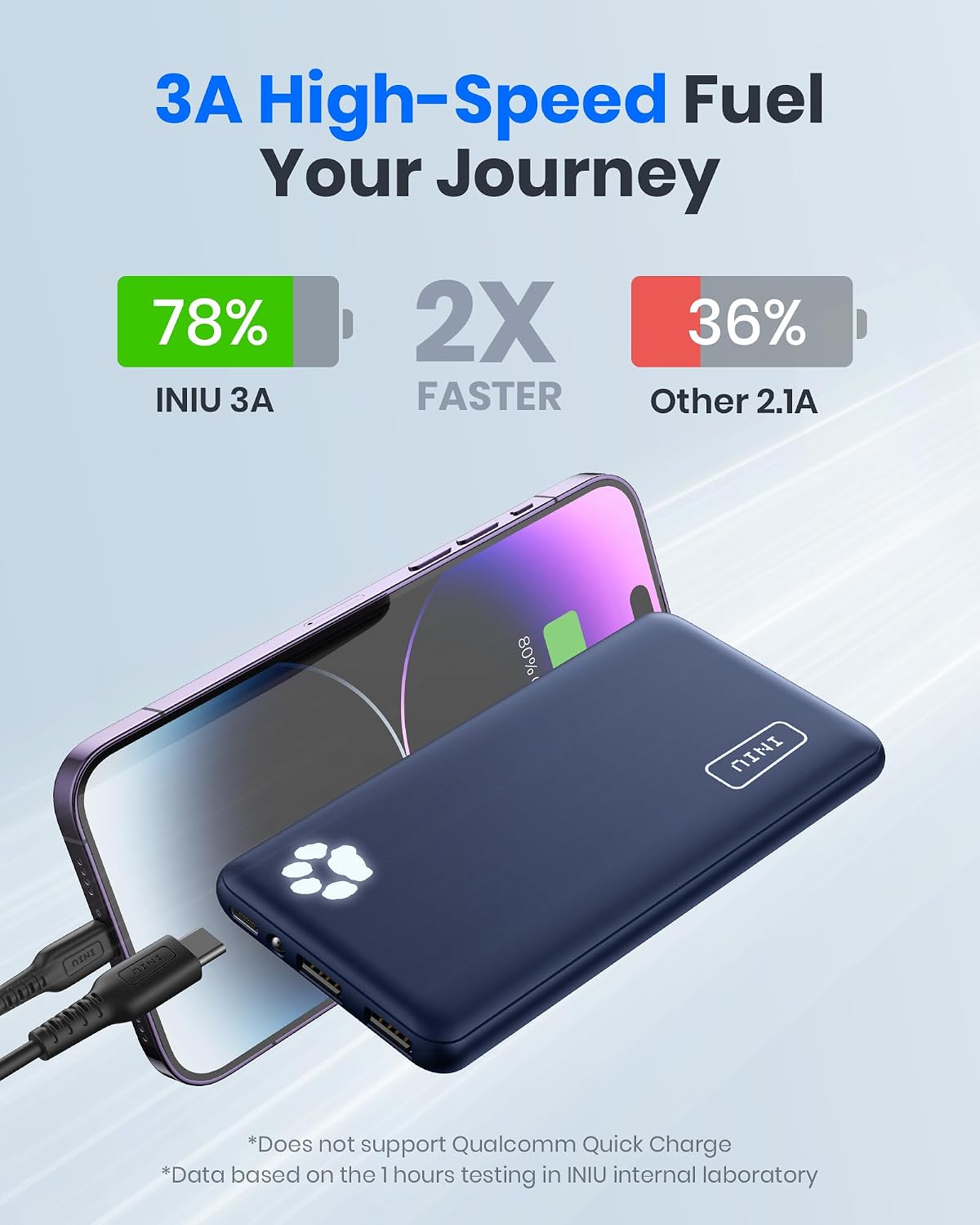
Figure 4: Illustrates the 3A high-speed charging capability of the INIU Portable Charger, significantly faster than standard 2.1A chargers.

Figure 5: The power bank charging three devices at once, demonstrating its multi-device charging capability.
Using the Flashlight:
- To turn on: Double-press the power button.
- To turn off: Double-press the power button again.

Figure 6: The INIU Portable Charger's integrated flashlight feature, useful for low-light conditions.
7. Maintenance
- Clean the power bank with a soft, dry cloth. Do not use harsh chemicals or abrasive materials.
- Store the device in a cool, dry place when not in use.
- For optimal battery life, recharge the power bank at least once every three months if not used regularly.
8. Troubleshooting
| Problem | Possible Cause | Solution |
|---|---|---|
| Power bank not charging | Cable or adapter issue; power bank fully charged; faulty port. | Try a different cable/adapter. Check if indicator shows full charge. Try a different port. |
| Device not charging from power bank | Power bank low on charge; cable issue; device compatibility. | Recharge power bank. Try a different cable. Ensure device is compatible. |
| Flashlight not working | Incorrect operation; low battery. | Double-press the power button. Recharge power bank. |
9. Specifications
- Model: BI-B41
- Battery Capacity: 10000 Milliamp Hours (mAh)
- Product Dimensions: 5.2 x 2.7 x 0.5 inches
- Item Weight: 8.4 ounces
- Connector Type: USB Type C (Input/Output), USB Type A (Output)
- Special Features: Lightweight, Slim, Flashlight, Fast Charging (3A High-Speed)
- Battery Type: Lithium Polymer
- Manufacturer: Shenzhen Topstar Industry Co.,Ltd.
- Date First Available: November 9, 2020
10. Warranty and Support
INIU provides a 3-Year Replacement Promise for this product. For technical support or warranty claims, please contact INIU customer service through their official website or the retailer where you purchased the product. Please refer to the contact information provided in your product packaging or on the INIU official website for the most up-to-date support details.
For more information, visit the INIU Store.


