
1. Introduction
This manual provides essential instructions for the safe and effective use of your GUY-TECH AC-102 AC Adapter. Designed as a compatible replacement power supply, this adapter is intended for use with the 808 HEX TL SP901 Portable Bluetooth Speaker. Please read this manual thoroughly before using the product to ensure proper operation and longevity.
2. Safety Information
Observe the following safety precautions to prevent electric shock, fire, or damage to the product or connected devices:
- Use the adapter only with compatible devices as specified.
- Do not expose the adapter to water, moisture, or extreme temperatures.
- Avoid dropping or subjecting the adapter to strong impacts.
- Do not attempt to disassemble, modify, or repair the adapter. Refer servicing to qualified personnel.
- Ensure the power outlet voltage matches the adapter's input requirements.
- Unplug the adapter from the power outlet when not in use or during electrical storms.
- Keep out of reach of children.
3. Package Contents
Verify that all items are present in your package:
- GUY-TECH AC-102 AC Adapter with integrated power cord
- Additional adapter tip (may be included for broader compatibility, refer to product packaging)
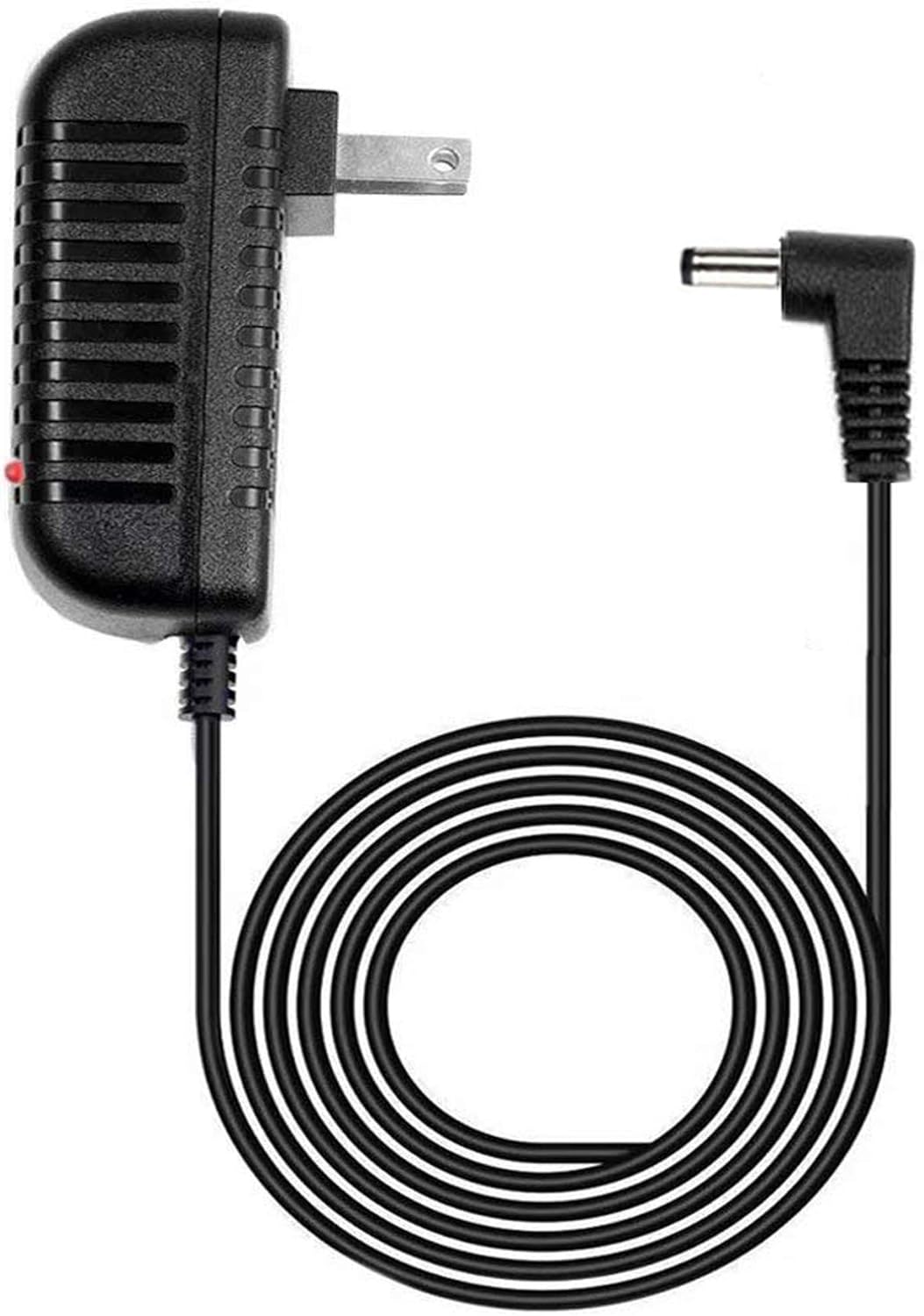
This image displays the GUY-TECH AC-102 AC Adapter, featuring a compact black power brick with a standard US plug, an integrated power cord, and a right-angle barrel connector for device input. A small red LED indicator is visible on the adapter body.
4. Setup
- Identify Device Port: Locate the DC input port on your 808 HEX TL SP901 Portable Bluetooth Speaker.
- Connect Adapter: Insert the barrel connector of the AC adapter's power cord firmly into the DC input port of your speaker. Ensure a secure connection.
- Plug into Power Outlet: Insert the AC adapter's plug into a standard wall power outlet.
- Verify Power: The LED indicator on the adapter should illuminate, indicating that power is being supplied.
5. Operating Instructions
- Charging: Once connected and plugged in, the adapter will begin charging your 808 HEX TL SP901 Portable Bluetooth Speaker. The LED indicator on the adapter confirms power delivery.
- Powering While Charging: This adapter is designed to power your speaker even while it is charging, allowing for continuous use.
- LED Indicator: The integrated LED indicator provides a visual confirmation that the adapter is receiving power and is ready to supply power to your device.

This graphic emphasizes two key features of the AC adapter: a 5-foot cable length for extended reach and an LED indicator light, which typically signals power status or charging activity.
6. Maintenance
- Cleaning: Disconnect the adapter from the power outlet and the device before cleaning. Use a soft, dry cloth to wipe the adapter. Do not use liquid cleaners or aerosols.
- Storage: When not in use, store the adapter in a cool, dry place, away from direct sunlight and extreme temperatures. Avoid tightly coiling the cable to prevent damage.
- Cable Care: Regularly inspect the power cord for any signs of damage, such as fraying or exposed wires. If damage is found, discontinue use immediately and replace the adapter.
7. Troubleshooting
- Problem: Adapter is not charging the speaker.
-
- Ensure the adapter is securely plugged into both the wall outlet and the speaker.
- Check if the wall outlet is functional by plugging in another device.
- Verify that the LED indicator on the adapter is illuminated. If not, the adapter may not be receiving power or could be faulty.
- Confirm that the speaker's charging port is clean and free of debris.
- Problem: LED indicator on the adapter is not lighting up.
-
- Ensure the adapter is fully plugged into a live wall outlet.
- Test the wall outlet with another device to confirm it has power.
- If the outlet is working and the adapter still shows no light, the adapter may be faulty and require replacement.
8. Specifications
| Model Number | AC-102 |
| Brand | GUY-TECH |
| Compatible Devices | Speakers (specifically 808 HEX TL SP901 Portable Bluetooth Speaker) |
| Power Source | Corded Electric |
| Input Voltage | 240 Volts (AC) |
| Wattage | 120 watts |
| Cable Length | 5 Feet |
| Special Feature | LED Indicator |
| Item Weight | 3.52 ounces |
| Package Dimensions | 5.16 x 4.13 x 1.26 inches |
Note: Output voltage specifications are not explicitly provided in a standard format for DC output. Please refer to your device's power requirements for specific DC voltage and amperage.
9. Warranty Information
This product is covered by a manufacturer's warranty. For details regarding warranty terms, duration, and claims, please refer to the information provided with your purchase or contact the manufacturer directly.
10. Support
For technical assistance, troubleshooting not covered in this manual, or general inquiries, please contact GUY-TECH customer support through their official website or the contact information provided at the point of purchase.
