
1. Introduction
This manual provides essential information for the proper installation, maintenance, and troubleshooting of your COLZER KJ800 True HEPA Air Purifier Replacement Filter. Please read these instructions carefully before use to ensure optimal performance and longevity of your air purifier.
2. Product Overview
The COLZER KJ800 Replacement Filter is designed specifically for the COLZER KJ800 True HEPA Air Purifier. It features a composite filtration system that includes a True HEPA filter and an activated carbon filter.
- True HEPA Filter: Captures fine particles such as dust, pollen, pet dander, and mold spores. The ultra-thick pleat design maximizes the contact area for improved purification speed and dust holding capacity.
- Activated Carbon Filter: Utilizes a scientifically formulated activated carbon to effectively absorb odors, smoke, and volatile organic compounds (VOCs), contributing to fresher air.
This filter is engineered for high filtration efficiency and purification capacity, ensuring your air purifier operates effectively.
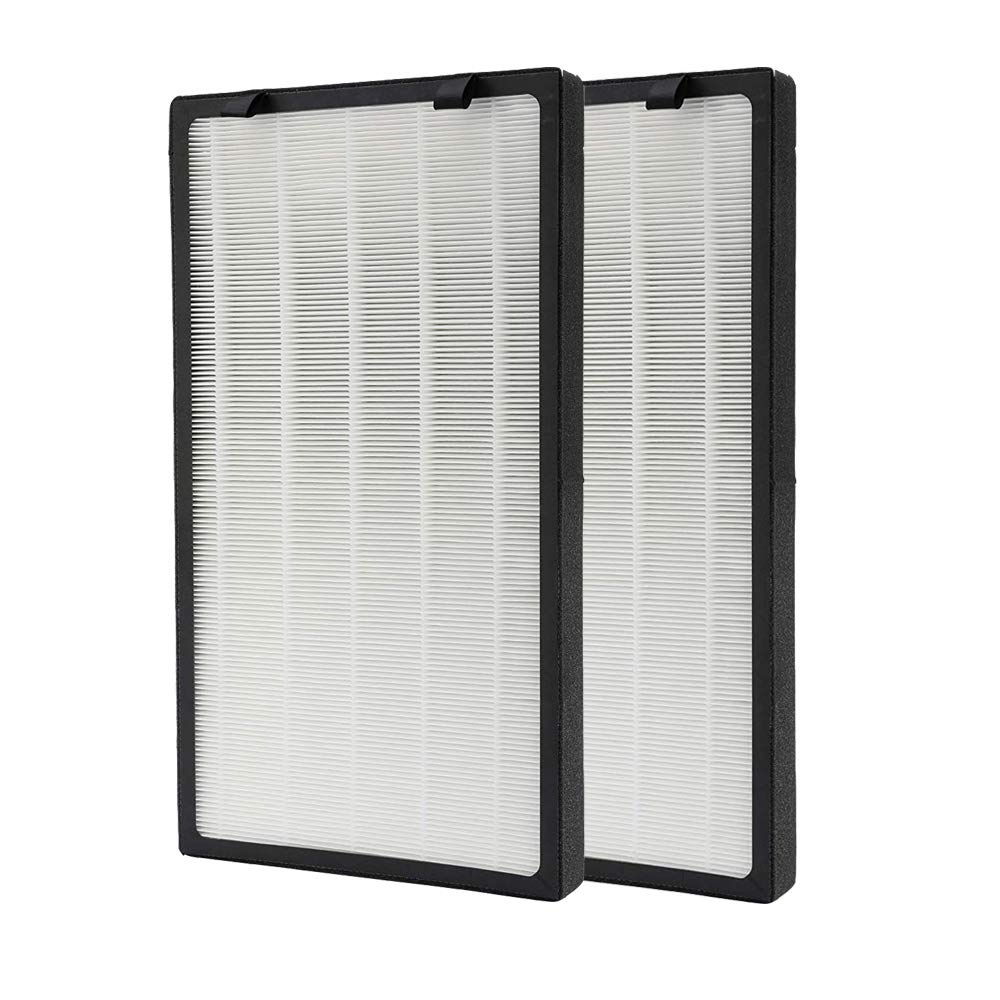
Image 1: COLZER KJ800 Replacement Filter. This image shows the cylindrical design of the replacement filter, highlighting its multi-layered construction for comprehensive air purification.
3. Safety Information
- Always unplug the air purifier from the power outlet before attempting to replace the filter.
- Ensure your hands are clean and dry when handling the filter.
- Dispose of used filters according to local regulations.
- Do not wash or reuse the filter. It is designed for single use and replacement.
4. Installation Instructions
Follow these steps to replace the filter in your COLZER KJ800 Air Purifier:
- Power Off and Unplug: Before beginning, ensure the air purifier is turned off and unplugged from the electrical outlet.
- Access Filter Compartment: Locate the filter compartment cover on your COLZER KJ800 Air Purifier. Refer to your air purifier's main manual for specific instructions on how to open it. Typically, this involves twisting or unlatching a cover at the base or back of the unit.
- Remove Old Filter: Carefully remove the used filter from the compartment.
- Prepare New Filter: Take the new COLZER KJ800 Replacement Filter out of its packaging. Important: Remove any plastic bags or protective wrapping from the new filter before installation. The filter is sealed after packaging to ensure good sealing and reduce filtration effects.
- Insert New Filter: Place the new filter into the compartment, ensuring it is seated correctly and securely.
- Close Compartment: Reattach the filter compartment cover, ensuring it is properly closed and locked into place.
- Plug In and Power On: Plug the air purifier back into the electrical outlet and turn it on.

Image 2: COLZER KJ800 Air Purifier. This image displays the exterior of the COLZER KJ800 Air Purifier, providing visual context for filter installation.
5. Filter Reset Procedure
After replacing the filter, it is essential to reset the filter life indicator on your COLZER KJ800 Air Purifier. This ensures accurate tracking of the new filter's lifespan and prevents unnecessary filter replacement alerts.
The exact reset procedure may vary slightly, but generally involves the following steps:
- Ensure the new filter is installed and the air purifier is powered on.
- Locate the Filter Reset button or a combination of buttons (e.g., 'Wind Speed' and 'Auto' buttons simultaneously) on the control panel of your air purifier.
- Press and hold the designated button(s) for approximately 3-5 seconds until the filter indicator light resets or a confirmation sound is heard.
- If the reset is unsuccessful, try unplugging the unit, waiting 30 seconds, plugging it back in, and then attempting the reset procedure again.
Refer to your COLZER KJ800 Air Purifier's main user manual for the precise filter reset instructions specific to your unit's control panel.
6. Maintenance and Replacement Schedule
To maintain optimal air purification performance, it is recommended to replace the COLZER KJ800 Replacement Filter every 3 to 6 months. This timeframe can vary depending on air quality, usage frequency, and the presence of pets or smokers in the environment.
- Regularly check the filter for visible signs of dirt or discoloration.
- A decrease in airflow or an increase in operating noise may indicate a clogged filter that needs replacement.
- Always reset the filter life indicator after each replacement.
7. Troubleshooting
Filter Reset Alarm Continues After Replacement
If the filter replacement alarm or indicator light persists after installing a new filter and attempting the reset procedure, consider the following:
- Verify Plastic Removal: Ensure that all protective plastic packaging has been completely removed from the new filter. The filter will not function correctly, and the sensor may not reset if plastic remains.
- Correct Seating: Double-check that the filter is correctly and securely seated within its compartment. An improperly installed filter can prevent the reset mechanism from engaging.
- Power Cycle: Unplug the air purifier from the wall outlet for at least 30 seconds, then plug it back in and attempt the filter reset procedure again.
- Button Combination: Confirm you are pressing the correct button(s) for the filter reset as specified in your air purifier's main user manual. Some models require holding two buttons simultaneously.
8. Specifications
| Feature | Specification |
|---|---|
| Brand | COLZER |
| Model Name | KJ800 Filter |
| Compatible Device | COLZER KJ800 Air Purifier |
| Filter Type | True HEPA, Activated Carbon |
| Material Type | Plastic |
| Item Weight | 4.14 pounds |
| Product Dimensions | 20.7 x 11.3 x 1.6 inches |
| Recommended Replacement | Every 3 to 6 months |
9. Warranty and Support
For warranty information or technical support regarding your COLZER KJ800 Air Purifier or replacement filter, please refer to the documentation included with your original air purifier unit or visit the official COLZER website. It is recommended to have your product model number and purchase date available when contacting support.
