
Introduction
This manual provides comprehensive instructions for the safe and effective use of your BEBIRD R1 Ultra Ear Wax Removal Tool. This device combines a high-resolution camera with various cleaning attachments to offer a visual and precise ear care experience.
Safety Information
Important: Please read the safety manual and user manual inside the box in detail before first use. Failure to do so may result in injury or device malfunction.
- Do not insert the device too deeply into the ear canal. Use the safety stopper provided.
- Always ensure the ear scoop tip or attachment is securely fastened before use.
- Clean the device and attachments thoroughly before and after each use.
- Keep out of reach of children. Adult supervision is required when used on children.
- If you experience any discomfort, pain, or bleeding, discontinue use immediately and consult a medical professional.
- Statements regarding dietary supplements have not been evaluated by the FDA and are not intended to diagnose, treat, cure, or prevent any disease or health condition.
Package Contents
Your BEBIRD R1 Ultra package includes:
- BEBIRD R1 Ultra Otoscope Device
- Various Ear Scoop Tips (for wet and dry earwax)
- Ear Otoscope Tweezers
- Visual Dropper Attachment
- Charging Cable
- Storage Container for accessories

Image Description: A comprehensive view of the BEBIRD R1 Ultra kit, including the main otoscope device, various ear scoop tips, tweezers, visual dropper, charging cable, and a clear storage tube.
Setup Guide
- Charge the Device: Connect the BEBIRD R1 Ultra to a USB power source using the provided charging cable. Ensure it is fully charged before first use.
- Download the App: Search for "BEBIRD" in your device's app store (iOS or Android) and download the official application.
- Connect to Wi-Fi: Power on the BEBIRD R1 Ultra device by pressing and holding the power button. On your smartphone, go to Wi-Fi settings and connect to the "bebird-XXXXXX" network (the specific name will be on your device).
- Launch the App: Open the BEBIRD app. The device's camera feed should automatically appear on your screen.
Video Description: An official BEBIRD video demonstrating the initial setup process, including powering on the device, connecting to the Wi-Fi network, and launching the app to view the live camera feed.
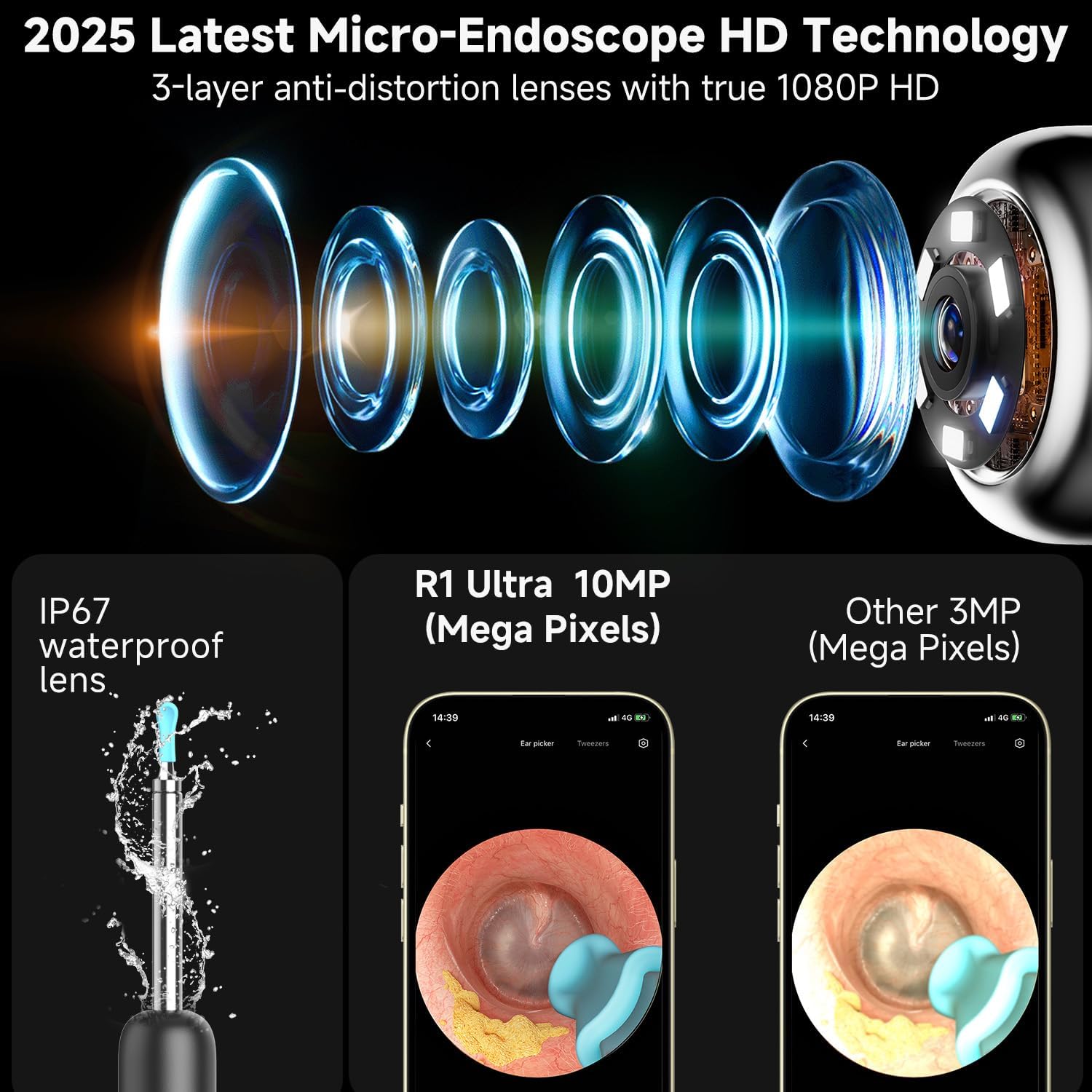
Image Description: A smartphone screen displaying the BEBIRD app interface, showing the live view from the otoscope camera, with the device connected via Wi-Fi.
Operating Instructions
General Use & Visual Examination
The BEBIRD R1 Ultra allows for clear visual inspection of the ear canal, nose, and throat. The 10-megapixel lens provides 3X magnification for detailed viewing.
- Ensure the appropriate speculum (ear, nasal, or tongue depressor) is securely attached.
- Gently insert the device into the area to be examined while observing the live feed on your smartphone.
- Adjust the angle and depth slowly to get a clear view.

Image Description: A composite image illustrating the versatility of the BEBIRD R1 Ultra, showing its use for ear examination with an ear speculum, nasal examination with a nasal speculum, and oral examination with a tongue depressor, all viewed through the connected smartphone app.
Earwax Removal (Scooper Tips)
Use the various scooper tips for effective removal of regular or wet earwax. The safety stopper helps prevent over-insertion.
- Select the appropriate scooper tip for the type of earwax (wet or dry).
- Attach the tip firmly to the device.
- Carefully guide the scooper into the ear canal using the live camera view.
- Gently scoop out the earwax, moving slowly and deliberately to avoid irritation.
Video Description: A short demonstration of using the BEBIRD R1 Ultra with a scooper tip to remove earwax, highlighting the clear visual guidance provided by the camera.

Image Description: An illustration showing different ear hygiene methods using the BEBIRD R1 Ultra, including scooping for regular earwax, using tweezers for stubborn earwax, and a sponge for wet earwax, all with visual guidance.
Earwax Removal (Tweezers)
The precise tweezers are designed for stubborn earwax or debris, offering a pain-free and gentle removal experience.
- Attach the ear otoscope tweezers to the device.
- Using the live camera feed, carefully position the tweezers around the earwax or debris.
- Gently close the tweezers to grip the wax and slowly pull it out. Avoid touching the ear canal walls.

Image Description: A visual guide demonstrating the use of the BEBIRD R1 Ultra's pain-free ear tweezers for precise removal of ear debris without touching the skin, emphasizing its gentle approach for sensitive ears.
Visual Dropper Kit
The visual ear dropper allows for precise application of ear drops or medication, preventing "blind drops" and promoting scientific ear health.
- Attach the visual dropper component to the device.
- Draw the medication liquid into the dropper by pressing the sleeve button.
- Using the camera view, precisely administer the medication to the target area in the ear canal.

Image Description: An illustration detailing the process of visual precise liquid delivery using the BEBIRD R1 Ultra's dropper feature, showing how to treat swimmer's ear, soften buildup earwax, and administer medication with visual accuracy.
Maintenance
- Cleaning: After each use, detach the ear scoop tips or attachments and clean them with alcohol wipes or mild soap and water. Ensure they are completely dry before reattaching or storing.
- Charging: Recharge the device when the battery indicator is low. Avoid overcharging to prolong battery life.
- Storage: Store the BEBIRD R1 Ultra and its accessories in a cool, dry place, away from direct sunlight and extreme temperatures.
Troubleshooting
- No Image on App: Ensure the device is powered on, fully charged, and correctly connected to the "bebird-XXXXXX" Wi-Fi network. Restart the app and the device if necessary.
- Blurry Image: Gently clean the camera lens with a soft, dry cloth. Ensure the attachment is securely fastened and not obstructing the view.
- Device Not Charging: Check the charging cable and USB power source. Try a different cable or adapter.
- Tips Breaking Easily: Ensure you are not applying excessive force during use. Replacement tips are available.
For more detailed troubleshooting, please refer to the Troubleshooting Guide (PDF) available in your product documentation or contact BEBIRD customer support.
Specifications
| Feature | Detail |
|---|---|
| Model Number | Bebird R1 Ultra |
| Product Dimensions | 5.59 x 0.51 x 0.51 inches |
| Item Weight | 3.53 ounces |
| Camera Resolution | 10 Megapixels (3X Magnification) |
| Waterproof Rating | IP67 (for lens) |
| Connectivity | Wi-Fi |
Warranty & Support
For warranty information, product registration, or technical support, please refer to the official BEBIRD website or contact their customer service. You can also find additional resources in the User Guide (PDF) and Troubleshooting Guide (PDF) provided with your product.
User Guide: Download PDF
Troubleshooting Guide: Download PDF


