
GUY-TECH AC Adapter for Everstart Maxx K05
Instruction Manual
GUY-TECH AC Adapter for Everstart Maxx K05 Jump Starter
1. Introduction
This manual provides essential information for the safe and effective use of your GUY-TECH AC Adapter, designed specifically for the Everstart Maxx K05 Jump Starter. Please read this manual thoroughly before use and retain it for future reference.
2. Safety Information
Always observe the following safety precautions to prevent injury or damage to the adapter or connected devices:
- Ensure the adapter is compatible with your device (Everstart Maxx K05 Jump Starter). Incompatibility may cause damage.
- Do not expose the adapter to water, moisture, or extreme temperatures.
- Do not attempt to disassemble or modify the adapter. Refer all servicing to qualified personnel.
- Keep the adapter away from flammable materials.
- Disconnect the adapter from the power source when not in use.
- Verify input voltage compatibility (100V - 240V worldwide) before connecting to a power outlet.
3. Product Overview
The GUY-TECH AC Adapter is a premium quality power supply designed to charge or power your Everstart Maxx K05 Jump Starter. It features built-in protections for safe operation.
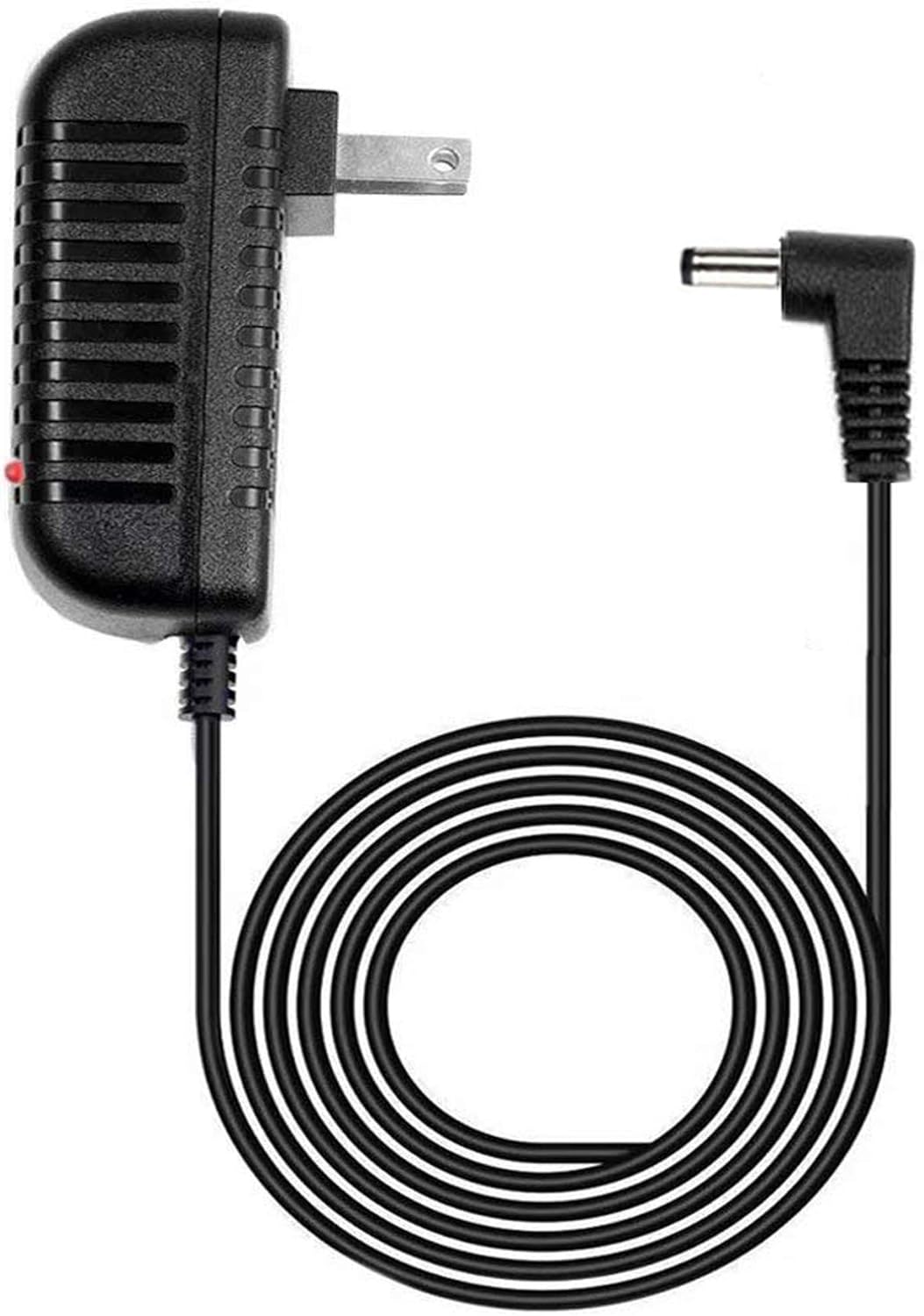
Image 1: The GUY-TECH AC Adapter, showing the main power brick with a standard US plug and the attached cable terminating in a barrel connector. The cable is coiled for display.
Components:
- AC Adapter Unit: Converts AC power to DC power.
- Power Cable: Approximately 5 feet in length, connecting the adapter unit to the device.
- Barrel Connector: The output plug that connects to the Everstart Maxx K05 Jump Starter.
- LED Indicator: A small light on the adapter unit that typically indicates power status.

Image 2: A graphic illustrating key features of the adapter, specifically highlighting its 5-foot cable length and the presence of an LED indicator light.
4. Setup
Follow these steps for initial setup:
- Unpack the GUY-TECH AC Adapter from its packaging.
- Ensure the Everstart Maxx K05 Jump Starter is turned off, if applicable.
- Locate the DC input port on your Everstart Maxx K05 Jump Starter.
- Insert the barrel connector of the GUY-TECH AC Adapter firmly into the DC input port of the jump starter.
- Plug the AC adapter's power plug into a standard 100V-240V wall outlet.
- Observe the LED indicator on the adapter. It should illuminate, indicating power is being supplied.
5. Operating Instructions
Once connected, the adapter will begin supplying power to your Everstart Maxx K05 Jump Starter. The primary function of this adapter is to charge the internal battery of the jump starter or provide continuous power if the jump starter supports it.
- Charging: If your jump starter's battery is low, the adapter will charge it. Refer to your jump starter's manual for specific charging indicators (e.g., LED lights on the jump starter).
- Power Supply: For models that can operate directly from an external power source, the adapter will provide the necessary DC power.
- Protection Features: The adapter includes Over Voltage Output Protection, Over Current Output Protection, and Short Circuit Output Protection to safeguard both the adapter and your connected device.
6. Maintenance
Proper maintenance ensures the longevity and safe operation of your AC adapter:
- Cleaning: Disconnect the adapter from all power sources before cleaning. Use a soft, dry cloth to wipe the surface. Do not use liquid cleaners or solvents.
- Storage: Store the adapter in a cool, dry place when not in use. Avoid coiling the cable too tightly to prevent damage.
- Inspection: Periodically inspect the cable and connectors for any signs of wear, cuts, or damage. If damage is observed, discontinue use immediately and replace the adapter.
7. Troubleshooting
| Problem | Possible Cause | Solution |
|---|---|---|
| Adapter LED not lit. | No power from outlet; adapter not fully plugged in; faulty outlet. | Check wall outlet with another device; ensure adapter is fully plugged in. |
| Device not charging/powering. | Adapter not compatible; loose connection; faulty device. | Confirm compatibility with Everstart Maxx K05; ensure barrel connector is secure; test with another compatible device if possible. |
| Adapter feels hot. | Normal operation under load; excessive load; poor ventilation. | Slight warmth is normal. Ensure adequate ventilation; disconnect if excessively hot. |
8. Specifications
| Feature | Detail |
|---|---|
| Model | AC Adapter for Everstart Maxx K05 Jump Starter |
| Input Voltage | 100V - 240V AC (Worldwide Compatible) |
| Output Amperage (for compatible device) | Designed for devices up to 600 Amps (e.g., Everstart Maxx K05 Jump Starter) |
| Wattage | 144 KW (Note: This value is as provided in product data; typical adapter wattage is much lower) |
| Connectivity Technology | DC Barrel Connector |
| Cable Length | 5 Feet |
| Special Features | Over Voltage Output Protection, Over Current Output Protection, Short Circuit Output Protection, LED Indicator |
| Item Weight | 2.89 ounces |
| Included Components | 1 x Power Adapter |
9. Warranty and Support
For warranty information and customer support, please refer to the documentation provided with your purchase or contact GUY-TECH directly through their official channels. Specific warranty terms may vary.
Ask a question about this manual
Ask about setup, troubleshooting, compatibility, parts, safety, or missing instructions. Manuals+ will review the question and use this page’s manual context to help answer it.