
1. Introduction
This manual provides essential information for the installation, operation, and maintenance of your Pentair CCRP 150 - EC pool filter. The FLT CNC RP 150SF0 EC is designed for efficient pool water filtration, ensuring clear and clean water. This product is certified to NSF/ANSI 50 standards, ensuring quality and safety.

Figure 1: Pentair CCRP 150-EC Pool Filter, full view.
2. Setup
Proper setup is crucial for the optimal performance of your Pentair pool filter. Ensure the filter is placed on a stable, level surface, ideally in a shaded area to prolong its lifespan. Connect the plumbing according to your pool system's requirements, utilizing the provided unions for secure and leak-free connections.
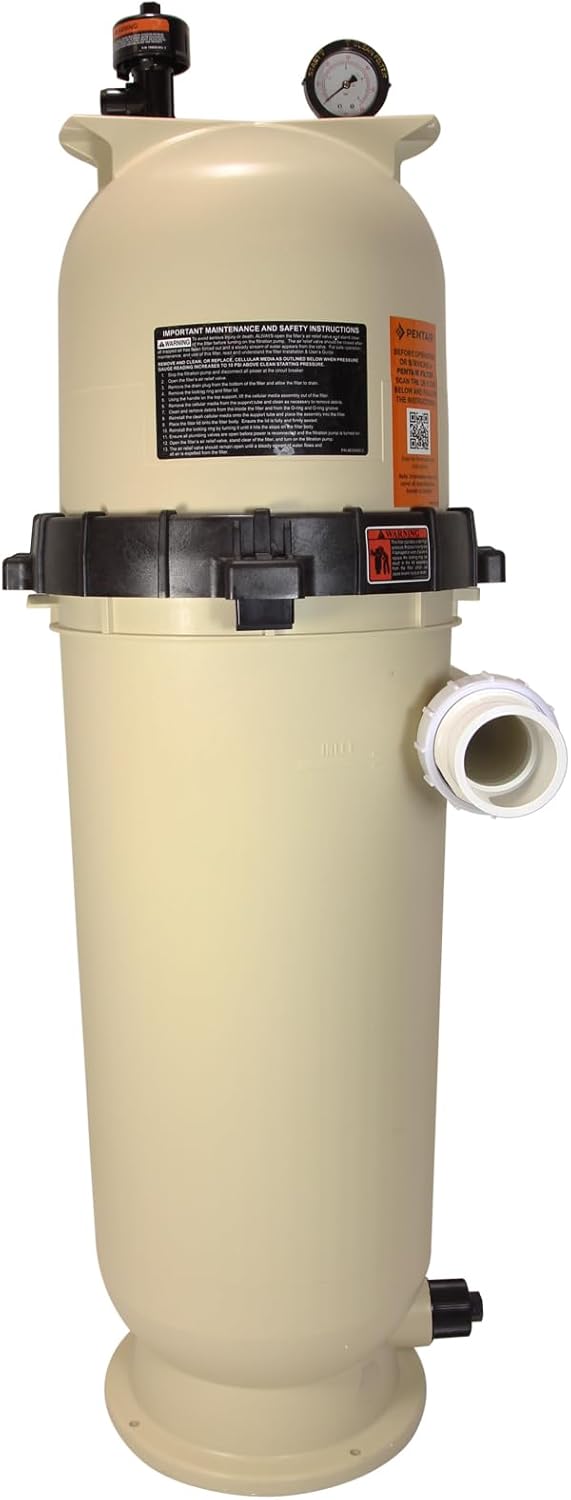
Figure 2: Side view of the Pentair CCRP 150-EC filter, showing the pressure gauge and inlet/outlet connections.
The RP (Reduced Pressure) design of this filter allows for water to enter mid-filter, which can lead to more efficient filtration and reduced pressure on your pump compared to standard models. This design can significantly improve overall system efficiency.
3. Operating Instructions
Before starting the pump, ensure all connections are tight and the filter is properly assembled. Open the air relief valve located on top of the filter to allow air to escape as the filter fills with water. Once a steady stream of water emerges from the air relief valve, close it. Start your pool pump and check the pressure gauge. The initial operating pressure should be noted as your clean filter pressure.
Regularly monitor the pressure gauge. When the pressure rises 8-10 PSI above the clean filter pressure, it indicates that the filter cartridges need cleaning.
4. Maintenance
Maintaining your Pentair CCRP 150-EC filter is straightforward. To clean the cartridges:
- Turn off the pool pump and close any necessary valves to isolate the filter.
- Open the air relief valve to release any remaining pressure.
- Unscrew the black locking ring that secures the top lid. This ring is designed for easy, tool-free removal.
- Carefully lift the top lid off the filter housing.
- Remove the filter cartridges.
- Hose down the cartridges thoroughly to remove debris. For stubborn dirt, a specialized filter cleaning solution may be used.
- Before reassembling, ensure the drain plug at the bottom of the filter housing is open to remove any accumulated sediment. This plug can typically be loosened by hand.
- Reinsert the clean cartridges, replace the lid, and secure the black locking ring.
- Open the air relief valve, turn on the pump, and close the air relief valve once water flows steadily.

Figure 3: Back view of the Pentair CCRP 150-EC filter, showing the drain plug at the bottom.
Note: No official seller videos were available for embedding. The maintenance steps described are based on common practices for this type of filter.
5. Troubleshooting
If you encounter issues with your Pentair CCRP 150-EC filter, consider the following common troubleshooting steps:
- Low Water Flow: Check if the filter cartridges are dirty and require cleaning. Ensure the pump basket and skimmer baskets are clear of debris. Verify all valves are fully open.
- Cloudy Water: This often indicates dirty cartridges. Clean the cartridges thoroughly. Also, check your pool's chemical balance.
- Leaking: Inspect the O-ring on the lid for proper seating and lubrication. Ensure the locking ring is securely tightened. Check all plumbing connections for tightness.
- High Pressure: A consistently high pressure reading indicates the filter is dirty and needs cleaning.
For persistent issues, consult a qualified pool technician or contact Pentair customer support.
6. Specifications
| Feature | Detail |
|---|---|
| Item Weight | 35 pounds |
| Manufacturer | Pentair |
| ASIN | B08MWYFMXL |
| Item Model Number | EC-160355 |
| Description | FLT CNC RP 150SF0 EC |
| Certification | Certified to NSF/ANSI 50 |

Figure 4: Product label showing detailed specifications for Pentair Clean & Clear RP Cartridge Filters.
7. Warranty and Support
Pentair products are known for their quality and reliability. For specific warranty details and to register your product, please refer to the official Pentair website or the documentation included with your purchase. Pentair offers comprehensive customer support for all its products.
For additional support, visit the official Pentair Store on Amazon.