
Altec Lansing IMW270
Altec Lansing Baby Boom XL Waterproof Bluetooth Speaker Instruction Manual
Model: IMW270
1. Introduction
The Altec Lansing Baby Boom XL (Model IMW270) is a compact, portable, and waterproof Bluetooth speaker designed for various environments, including outdoor activities and travel. It delivers clear audio with deep bass and offers wireless connectivity for an enhanced listening experience.
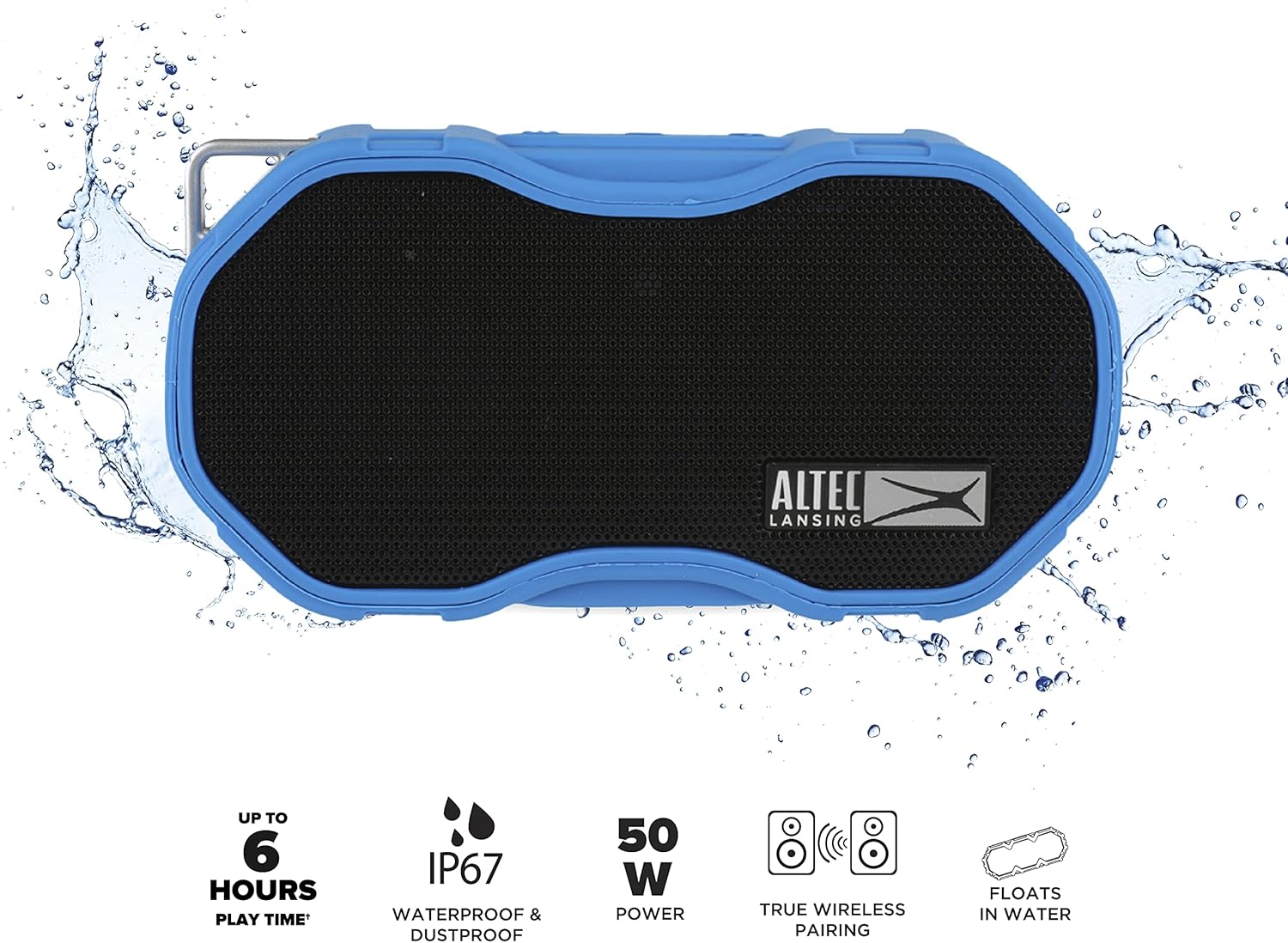
Image 1.1: The Altec Lansing Baby Boom XL speaker highlighting key features such as up to 6 hours playtime, IP67 waterproof and dustproof rating, 50W power, True Wireless Pairing capability, and its ability to float in water.
2. What's in the Box
- Altec Lansing Baby Boom XL Portable Bluetooth Speaker
- USB Charging Cable
- Carabiner (for attachment)
3. Product Overview

Image 3.1: Front view of the Altec Lansing Baby Boom XL speaker, showcasing its compact design and the Altec Lansing logo.
Button and Port Functions
While specific button labels may vary, typical functions for this type of speaker include:
- Power Button: Press and hold to turn the speaker on or off. A short press may control playback.
- Bluetooth Pairing Button: Activates Bluetooth pairing mode.
- Volume Up/Next Track Button: Short press for volume up, long press for next track.
- Volume Down/Previous Track Button: Short press for volume down, long press for previous track.
- Play/Pause Button: Controls music playback and answers/ends calls.
- Charging Port: For connecting the USB charging cable.
- LED Indicator: Displays power, charging, and Bluetooth status.
4. Setup
4.1 Charging the Speaker
- Before first use, fully charge the speaker.
- Connect the provided USB charging cable to the speaker's charging port.
- Connect the other end of the USB cable to a USB power source (e.g., wall adapter, computer USB port, power bank).
- The LED indicator will show charging status (e.g., solid red while charging, off when fully charged).
- A full charge typically takes approximately 6 hours.
4.2 Power On/Off
- To power on, press and hold the Power button until the LED indicator lights up and an audible tone is heard.
- To power off, press and hold the Power button until the LED indicator turns off and an audible tone is heard.
4.3 Bluetooth Pairing
- Ensure the speaker is powered on and within 100 feet of your Bluetooth device.
- The speaker will automatically enter Bluetooth pairing mode, indicated by a flashing LED light.
- On your device (smartphone, tablet, laptop), go to Bluetooth settings and enable Bluetooth.
- Search for available devices and select "Baby Boom XL" from the list.
- Once paired, the LED indicator will change (e.g., solid blue) and an audible confirmation will sound.
- The speaker will automatically reconnect to the last paired device when powered on, if the device is within range.
5. Operating the Speaker
5.1 Music Playback
- Play/Pause: Press the Play/Pause button once.
- Volume Up: Short press the Volume Up button.
- Volume Down: Short press the Volume Down button.
- Next Track: Long press the Volume Up button.
- Previous Track: Long press the Volume Down button.
5.2 Call Functions
- Answer Call: Press the Play/Pause button once when a call comes in.
- End Call: Press the Play/Pause button once during a call.
- Reject Call: Press and hold the Play/Pause button when a call comes in.
5.3 True Wireless Stereo (TWS) Pairing
To pair two Baby Boom XL speakers for a stereo sound experience:
- Ensure both speakers are powered on and not connected to any Bluetooth device.
- On one speaker (this will be the primary speaker), press and hold the Bluetooth pairing button until you hear a TWS pairing prompt.
- The primary speaker will search for the secondary speaker.
- Once connected, both speakers will indicate successful TWS pairing (e.g., a specific LED pattern or audible tone).
- Now, connect your device to the primary speaker via Bluetooth as described in Section 4.3. Audio will play through both speakers in stereo.
5.4 Light Modes (if applicable)
Some models of the Baby Boom XL may feature LED light modes. If your speaker has a dedicated light button or if the power button also controls lights:
- Change Light Mode: Short press the Light button (if present) or a designated button to cycle through available light modes.
- Turn Lights Off: Long press the Light button (or designated button) for approximately 10 seconds to turn off the lights.
6. Maintenance
6.1 Waterproof Care
The Baby Boom XL is IP67 rated, meaning it is waterproof and dustproof, and floats in water. To maintain its waterproof integrity:
- Ensure the charging port cover is securely closed before exposing the speaker to water or dust.
- After exposure to saltwater or chlorinated water, rinse the speaker with fresh water and allow it to air dry completely before charging.
- Do not submerge the speaker deeper than 1 meter (3 feet) for more than 30 minutes.

Image 6.1: The Altec Lansing Baby Boom XL speaker demonstrating its ability to float on water, highlighting its waterproof design.
6.2 Cleaning and Storage
- Clean the speaker with a soft, damp cloth. Do not use abrasive cleaners or solvents.
- Store the speaker in a cool, dry place away from direct sunlight and extreme temperatures.
- If storing for an extended period, charge the battery periodically to maintain its lifespan.
7. Troubleshooting
| Problem | Possible Cause | Solution |
|---|---|---|
| Speaker does not power on | Low battery; Power button not pressed correctly | Charge the speaker fully; Press and hold the Power button for several seconds |
| Cannot pair via Bluetooth | Speaker not in pairing mode; Device Bluetooth off; Speaker already paired to another device; Device too far | Ensure speaker is in pairing mode (flashing LED); Enable Bluetooth on your device; Disconnect from other devices; Move device closer to speaker (within 100 ft) |
| No sound or low volume | Volume too low on speaker or device; Speaker not connected; Audio source issue | Increase volume on both speaker and device; Re-pair Bluetooth; Check audio source playback |
| Poor sound quality | Device too far; Obstructions; Low battery | Move device closer; Remove obstructions; Charge speaker |
8. Specifications
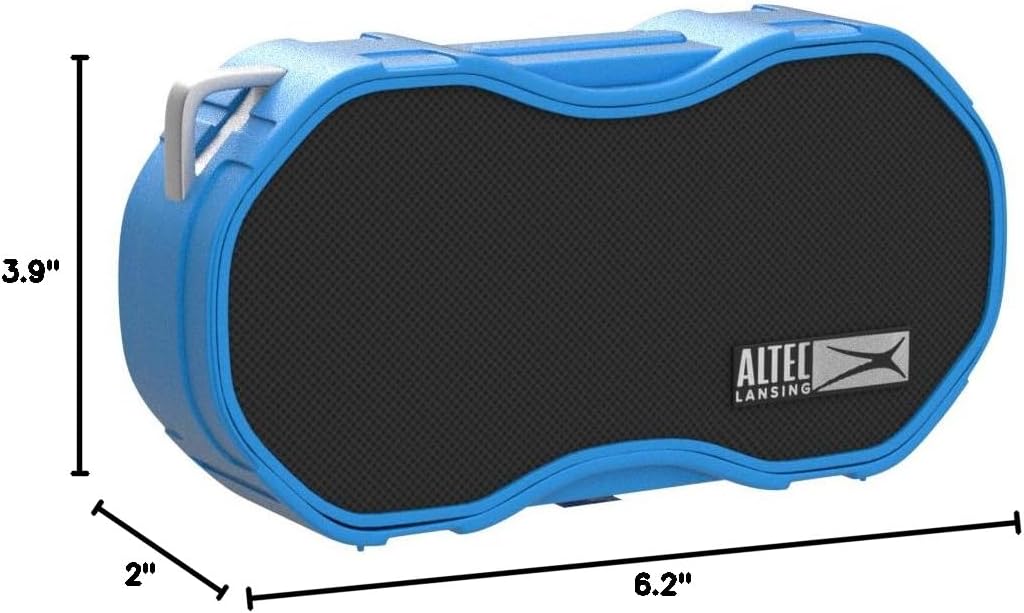
Image 8.1: Dimensions of the Altec Lansing Baby Boom XL speaker.
| Feature | Detail |
|---|---|
| Model Name | Baby Boom XL |
| Model Number | IMW270 |
| Speaker Type | Outdoor |
| Special Feature | Waterproof (IP67) |
| Connectivity Technology | Bluetooth, USB |
| Wireless Communication Technology | Bluetooth |
| Bluetooth Range | Up to 100 feet (30 meters) |
| Power Source | Battery Powered (1 Lithium Ion battery included) |
| Battery Life | Up to 6 hours |
| Charging Time | Approximately 6 hours |
| Speaker Maximum Output Power | 50 Watts |
| Product Dimensions (L x W x H) | 6.2" x 2" x 3.9" |
| Item Weight | 0.33 Kilograms (11.7 ounces) |
| Water Resistance Level | Waterproof (IP67) |
| UPC | 021331406521 |
9. Warranty Information
The Altec Lansing Baby Boom XL comes with a manufacturer's warranty. For specific details regarding warranty coverage, duration, and claims process, please refer to the warranty card included with your product or visit the official Altec Lansing website.
10. Customer Support
For further assistance, technical support, or to view frequently asked questions, please visit the official Altec Lansing support website or contact their customer service department. Contact information can typically be found on the product packaging or the official brand website.
Related documentsIMW270


Ask a question about this manual
Ask about setup, troubleshooting, compatibility, parts, safety, or missing instructions. Manuals+ will review the question and use this page’s manual context to help answer it.