Introduction
Thank you for purchasing the HOMCOM Velvet Office Chair. This manual provides essential information for the safe assembly, operation, and maintenance of your new chair. Please read these instructions carefully before use and retain them for future reference.
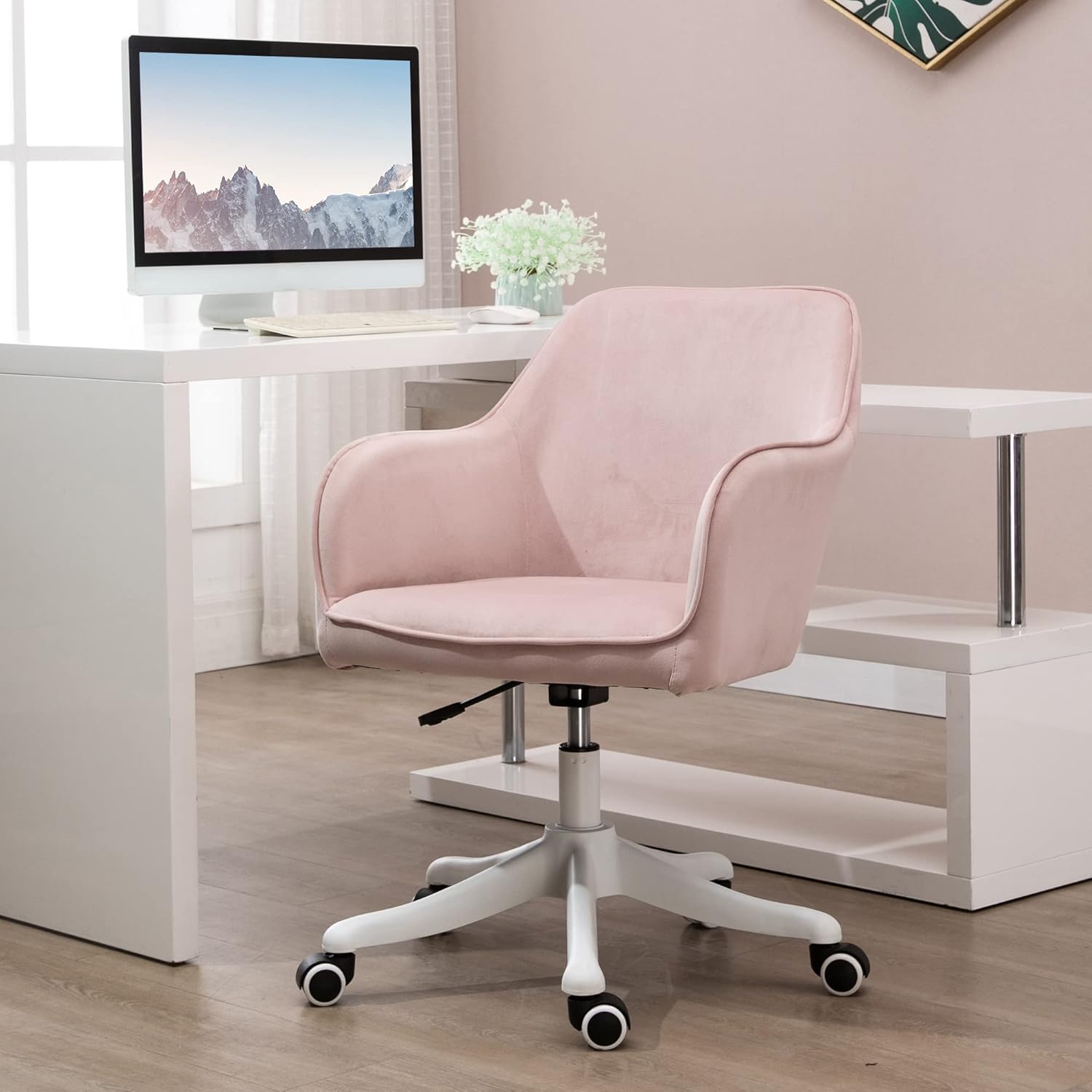
Image: The HOMCOM Velvet Office Chair, showcasing its design and color.
Safety Instructions
To ensure safe operation and prevent injury, please observe the following safety guidelines:
- Maximum Weight Capacity: Do not exceed the recommended maximum weight of 115 kg (253 lbs).
- Assembly: Ensure the chair is correctly assembled according to the instructions before use. Do not use if any parts are damaged or improperly installed.
- Environment: Keep the area around the chair clean and free from obstacles to prevent injury.
- Stability: Avoid leaning excessively or using the chair in an unstable manner.
- Children: Keep children away from the chair during assembly and ensure they do not play with the chair unsupervised.
Package Contents
Please verify that all components are present before beginning assembly. If any parts are missing or damaged, contact customer service.
- Chair Backrest (integrated with seat and armrests)
- Gas Lift Cylinder
- Star Base
- Casters (5x)
- Mounting Hardware (screws, washers, Allen key - typically included)
- Lumbar Massage Cushion with USB Cable
Assembly Instructions
Follow these steps to assemble your HOMCOM Office Chair. It is recommended to assemble the chair on a soft, clean surface to prevent damage.
- Attach Casters to Base: Insert the five casters into the holes at the end of each leg of the star base. Push firmly until they click into place.
- Insert Gas Lift: Place the gas lift cylinder into the center hole of the star base.
- Attach Seat to Gas Lift: Carefully place the assembled seat (which includes the backrest and armrests) onto the gas lift cylinder. Ensure it is centered and stable.
- Position Lumbar Massage Cushion: If not pre-attached, position the lumbar massage cushion on the chair back. Connect the USB cable as instructed in the operating section.
Note: Specific screw and component attachment details are typically found in a detailed diagram included with the physical product. This guide provides general steps.
Operating Instructions
Height Adjustment
The chair features a gas lift mechanism for easy height adjustment.

Image: Detail of the height adjustment lever.
To adjust the chair height:
- To Raise: While seated, lift the lever located under the right side of the seat. The chair will rise. Release the lever at the desired height.
- To Lower: While seated, lift the lever located under the right side of the seat. Apply slight pressure to the seat, and the chair will lower. Release the lever at the desired height.
360° Swivel and Mobility
The chair is designed with a 360-degree swivel function and five multi-directional casters for enhanced mobility.

Image: Detail of the chair's casters and their suitability for different floor types.
The casters are made of PU material, providing smooth and silent movement across various floor types, including hard floors.
Massage Function
The integrated lumbar cushion provides a vibration massage function.
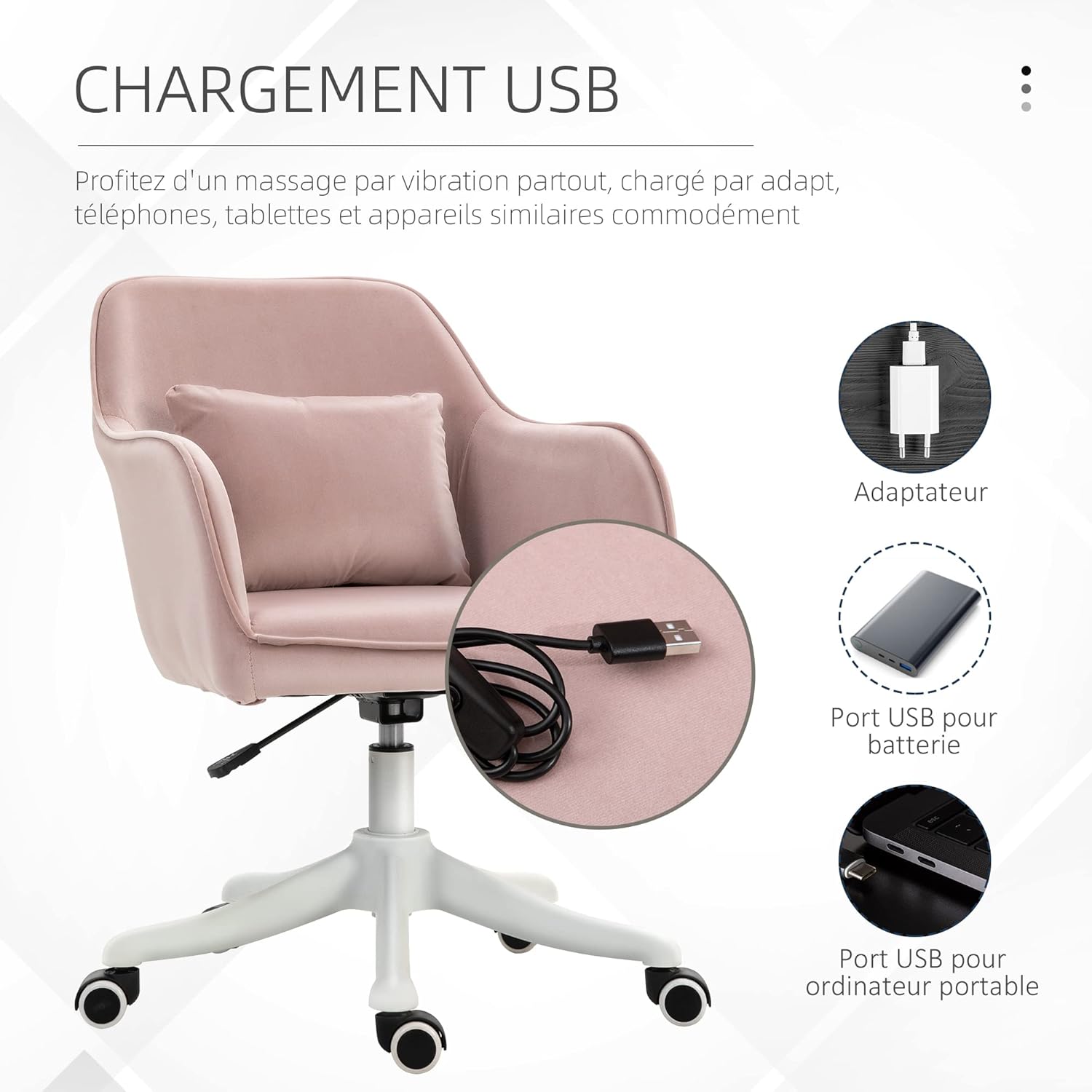
Image: The lumbar massage cushion with its two vibration points.
To use the massage function:
- Power Connection: Connect the USB cable from the lumbar cushion to a suitable USB power source (e.g., computer USB port, USB wall adapter, power bank).
- Activation: Locate the control switch on the USB cable. Press the button to turn the vibration massage on or off.
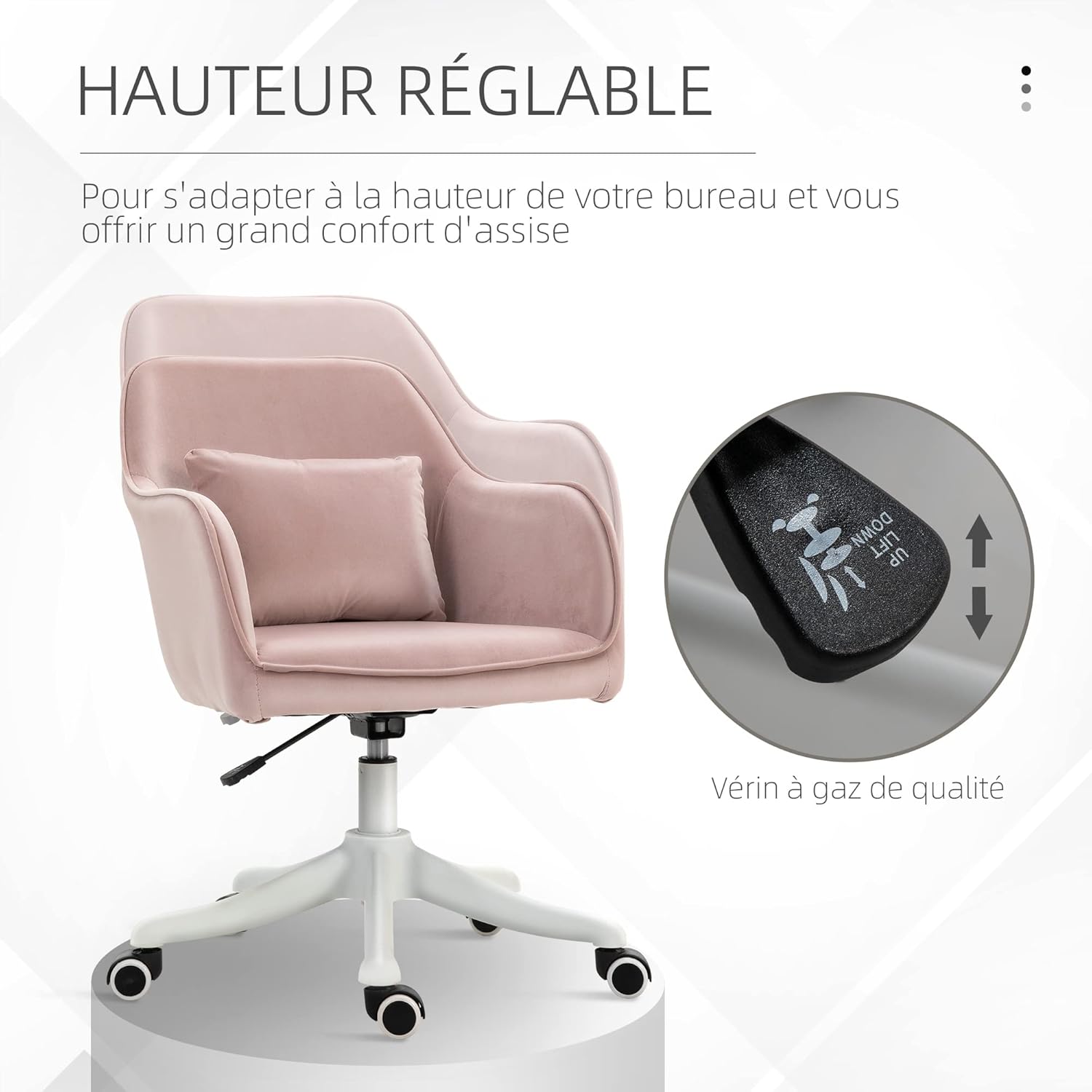
Image: Examples of USB power sources for the massage function.
The massage function is designed for relaxation and comfort, providing gentle vibrations to the lumbar area.
Maintenance
Cleaning
The chair features a velvet-look polyester upholstery. For cleaning:
- Spot Cleaning: For minor spills or stains, use a clean, damp cloth with a mild upholstery cleaner. Blot the area gently; do not rub vigorously.
- Regular Care: Vacuum the chair regularly with a soft brush attachment to remove dust and debris.
- Avoid Harsh Chemicals: Do not use abrasive cleaners, solvents, or harsh chemicals, as these can damage the fabric.
General Care
- Check Connections: Periodically check all screws and connections to ensure they are tight. Retighten if necessary.
- Caster Maintenance: Keep casters free of hair and debris to ensure smooth movement.
- Storage: Store the chair in a dry environment, away from direct sunlight and extreme temperatures.
Troubleshooting
| Problem | Possible Cause | Solution |
|---|---|---|
| Chair does not adjust height. | Gas lift cylinder malfunction or lever not engaged. | Ensure the height adjustment lever is fully engaged. If the problem persists, the gas lift may need replacement. Contact customer service. |
| Chair wobbles or feels unstable. | Loose screws or uneven floor. | Check and tighten all assembly screws. Ensure the chair is on a flat, even surface. |
| Casters do not roll smoothly. | Debris (hair, lint) caught in casters. | Remove any debris from the caster wheels. Clean regularly. |
| Massage function not working. | USB power not connected or switch off. | Ensure the USB cable is securely connected to a working power source. Check that the control switch on the cable is in the "ON" position. |
Specifications
| Feature | Detail |
|---|---|
| Model Number | 921-298PK |
| Brand | HOMCOM |
| Color | Pink |
| Material | Velvet-look Polyester, Nylon Frame |
| Overall Dimensions (D x W x H) | 65 x 55 x 78-86 cm |
| Seat Height (Adjustable) | 43-50.5 cm |
| Seat Depth | 42 cm |
| Item Weight | 9.5 kg |
| Maximum Weight Capacity | 115 kg |
| Special Features | Ergonomic design, High comfort, Height adjustable, 360° Swivel, Lumbar massage (USB powered) |
| Recommended Surface | Hard floor |

Image: Detailed dimensions of the chair.
Warranty and Support
For warranty information, technical support, or to order replacement parts, please contact HOMCOM customer service. Refer to your purchase documentation for specific contact details.
Please have your model number (921-298PK) and purchase date available when contacting support.


