1. Introduction
Thank you for choosing the WiZ 6-inch Tunable White LED Recessed Downlight. This smart lighting solution allows you to enjoy personalized illumination, enhancing your home environment with ease. This manual provides essential information for the safe and efficient use of your new downlight, covering installation, operation, maintenance, and troubleshooting.
2. Product Features
- Smart Lighting Control: Enjoy intelligent lighting with the WiZ 6-inch (15cm diameter) Tunable White LED Recessed Downlight.
- Tunable White Spectrum: Choose between different shades of warm to cool white light (from 2700K to 6500K) to help you concentrate, relax, energize, or simply illuminate your space clearly.
- Customizable Schedules & Scenes: Set personalized schedules to turn lights on and off according to your daily routines, or select from preset scenes.
- Voice Control Compatibility: Control your lights using your voice with popular smart assistants like Alexa, Siri, or Google Assistant.
- Wi-Fi Connectivity: WiZ lights connect directly to your existing Wi-Fi network without the need for additional hardware or a hub.
- Long Lifespan & Energy Efficiency: Features a lifespan of 15,000 hours and a luminous flux of 1950 lumens, offering both durability and energy savings.

Figure 2.1: Overview of WiZ Smart Features
3. Package Contents
Verify that all components are present in the package:
- 1 x WiZ 6-inch Tunable White LED Recessed Downlight (RD6 17W)
- 1 x User Manual (this document)
4. Safety Information
Please read and understand all safety instructions before installation and use. Failure to follow these instructions may result in electric shock, fire, or other hazards.
- Electrical Safety: Always turn off power at the circuit breaker before installing or servicing the downlight. Ensure proper grounding.
- Installation: Install in accordance with national and local electrical codes. If you are unsure about the installation, consult a qualified electrician.
- Operating Environment: Do not use in wet locations or where directly exposed to water. Suitable for indoor use only.
- Compatibility: Use only with WiZ compatible devices and applications.
- Disposal: Dispose of the product and its components responsibly according to local regulations.
5. Setup Guide
Follow these steps to install and connect your WiZ Recessed Downlight:
- Prepare for Installation: Turn off the power to the circuit at the main fuse box or circuit breaker.
- Measure Opening: Ensure your ceiling opening is suitable for a 6-inch (15cm) recessed downlight. Refer to the product dimensions.
- Connect Wiring: Connect the downlight's wiring to your household electrical wiring according to the wiring diagram provided with the product (not shown here, typically in a separate installation guide). Ensure all connections are secure.
- Insert Downlight: Gently push the downlight into the ceiling opening until the spring clips secure it in place.
- Restore Power: Turn the power back on at the circuit breaker.
- Download WiZ App: Download the WiZ app from your smartphone's app store (available for iOS and Android).
- Pair the Downlight: Open the WiZ app and follow the on-screen instructions to pair your new downlight. The app will guide you through the process of connecting the light to your Wi-Fi network.

Figure 5.1: Product Dimensions

Figure 5.2: WiZ App Pairing Process
6. Operating Instructions
Once installed and paired, you can control your WiZ downlight using the WiZ app or voice commands.
6.1. Using the WiZ App
- On/Off: Tap the light icon in the app to turn the downlight on or off.
- Brightness Adjustment: Use the slider in the app to adjust the brightness level.
- Color Temperature: Select from a range of warm to cool white tones (2700K to 6500K) to suit your mood or activity.
- Scenes: Choose from a variety of pre-set dynamic light modes or create your own custom scenes for different occasions.
- Schedules: Set up daily or weekly schedules for your lights to turn on/off or change scenes automatically.
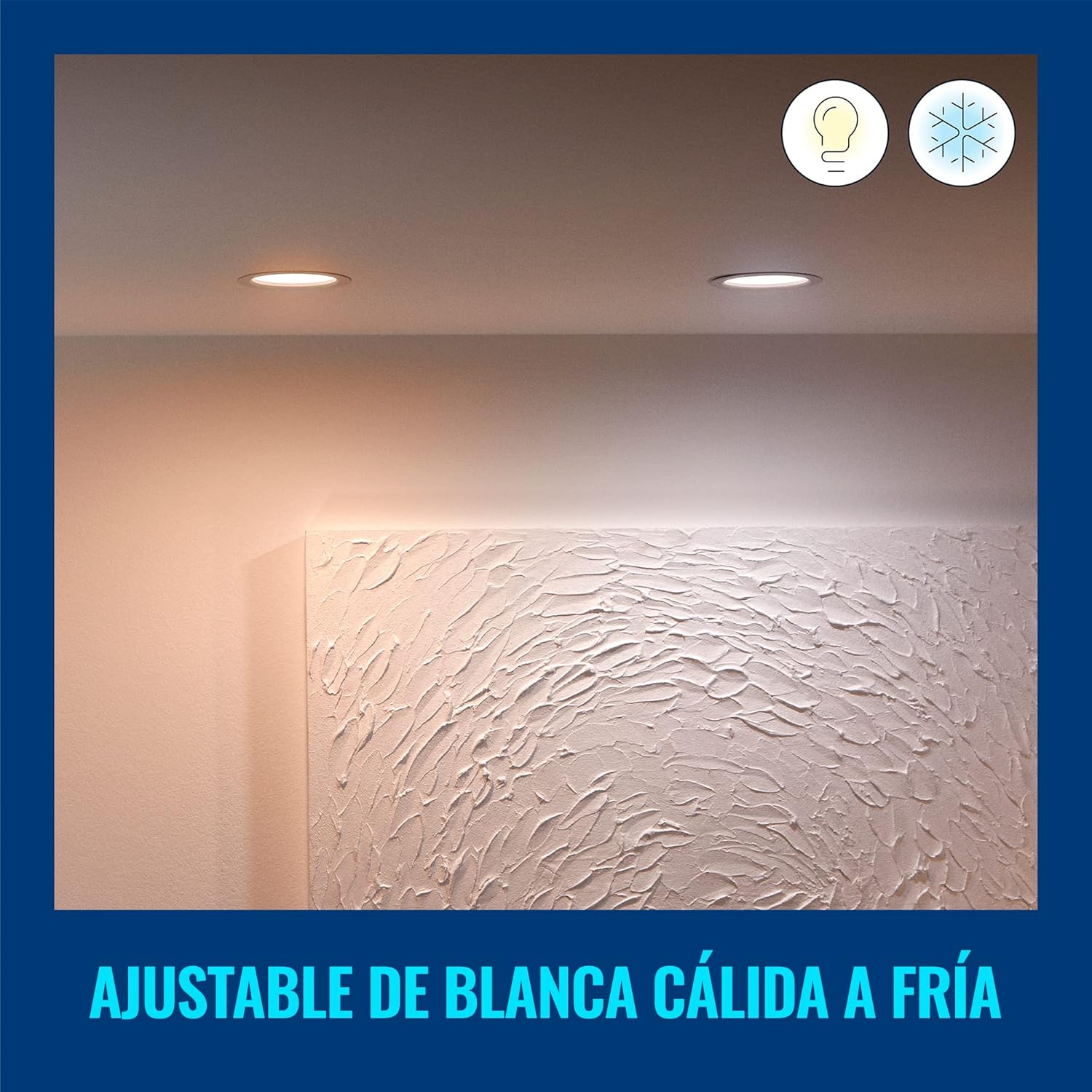
Figure 6.1: Warm White Light Setting
6.2. Voice Control
Integrate your WiZ downlight with smart home assistants for hands-free control:
- Google Assistant: Link your WiZ account in the Google Home app. Then use commands like, "Hey Google, turn on the living room light."
- Amazon Alexa: Enable the WiZ skill in the Alexa app. Use commands such as, "Alexa, set the kitchen light to warm white."
- Apple Siri Shortcuts: Create custom Siri Shortcuts in the WiZ app for quick voice commands.

Figure 6.2: Voice Control Integration
7. Maintenance and Care
To ensure the longevity and optimal performance of your WiZ downlight, follow these simple care instructions:
- Cleaning: Disconnect power before cleaning. Use a soft, dry cloth to wipe the surface of the downlight. Do not use abrasive cleaners or solvents.
- No User-Serviceable Parts: The LED light source is integrated and not replaceable. Do not attempt to disassemble the downlight.
- Environmental Conditions: Avoid exposing the downlight to extreme temperatures or high humidity, as this may affect its performance and lifespan.
8. Troubleshooting
If you encounter issues with your WiZ downlight, refer to the following common problems and solutions:
| Problem | Possible Cause | Solution |
|---|---|---|
| Downlight does not turn on. | No power, loose wiring, or faulty unit. | Check circuit breaker. Ensure wiring is secure. If problem persists, contact customer support. |
| Cannot connect to Wi-Fi. | Incorrect Wi-Fi password, out of range, or router issue. | Verify Wi-Fi password. Move downlight closer to router. Restart router. Ensure you are connecting to a 2.4GHz Wi-Fi network. |
| Light flickers or dims unexpectedly. | Unstable power supply or interference. | Check electrical connections. Ensure no other devices are causing electrical interference. |
| Voice control not working. | Incorrect setup with smart assistant or internet connectivity issues. | Ensure WiZ account is correctly linked in your smart assistant app. Check internet connection. |
For further assistance, please refer to the customer support section.
9. Specifications
| Attribute | Value |
|---|---|
| Brand | WiZ |
| Model Number | 929002647712 |
| Manufacturer | Signify Mexico |
| Color | White |
| Material | Plastic |
| Shape | Round |
| Power Source | Electric |
| Voltage | 120 Volts (AC) |
| Wattage | 17 watts |
| Bulb Type | LED (Integrated) |
| Luminous Flux | 1950 lumens |
| Special Features | Dimmable, Low Consumption |
| Usage | Decoration, General Lighting |
| Batteries Required? | No |
| Product Dimensions (L x W x H) | 16.5 x 15 x 4.7 cm (6.5 x 5.91 x 1.85 inches) |
| Product Weight | 220 g |
| Lifespan | 15,000 hours |
10. Warranty Information
WiZ products are designed for reliability and performance. This product comes with a standard manufacturer's warranty against defects in materials and workmanship. Please refer to the official WiZ website or your purchase documentation for specific warranty terms and conditions, including duration and coverage details.
11. Customer Support
If you have any questions, require technical assistance, or need to report an issue, please contact WiZ customer support through the following channels:
- Online Support: Visit the official WiZ website for FAQs, troubleshooting guides, and contact forms.
- In-App Support: Access support resources directly within the WiZ mobile application.
- Retailer Support: For purchase-related inquiries, contact the retailer where you bought the product.


