
1. Important Safety Instructions
Read all instructions carefully before using this appliance. Keep this manual for future reference.
- Ensure the power supply voltage matches the rating label on the appliance.
- Do not immerse the appliance, cord, or plug in water or other liquids.
- Unplug from the outlet when not in use, before filling/emptying water, and before cleaning.
- Do not operate any appliance with a damaged cord or plug, or after the appliance malfunctions or has been damaged in any manner.
- This appliance is for household use only. Do not use outdoors.
- Keep the appliance away from heat sources, direct sunlight, and flammable materials.
- Do not allow children to operate the appliance without supervision.
- Always place the appliance on a stable, flat surface.
- Do not block air inlets or outlets.
- Only use clean water in the tank. Do not add any chemicals or additives other than specified ice packs.
- Ensure the water tank is properly seated before operation.
2. Product Overview
The Aigostar Elsa Smart Evaporative Cooler is designed to provide a comfortable environment through air cooling and humidification. It features multiple control options, modes, and speeds for personalized comfort.

Figure 2.1: Aigostar Elsa Smart Evaporative Cooler with accessories.
Components:
- Main Unit: Houses the fan, water pump, and control systems.
- Control Panel: Located on top for direct operation.
- Water Tank: 7-liter capacity, located at the bottom.
- Wheels: For easy mobility.
- Remote Control: For convenient operation from a distance.
- Ice Packs: Two reusable ice packs for enhanced cooling.
- Air Filter & Wet Curtain: Located at the rear for air purification and evaporation.

Figure 2.2: Product dimensions, water tank capacity, and ice packs.
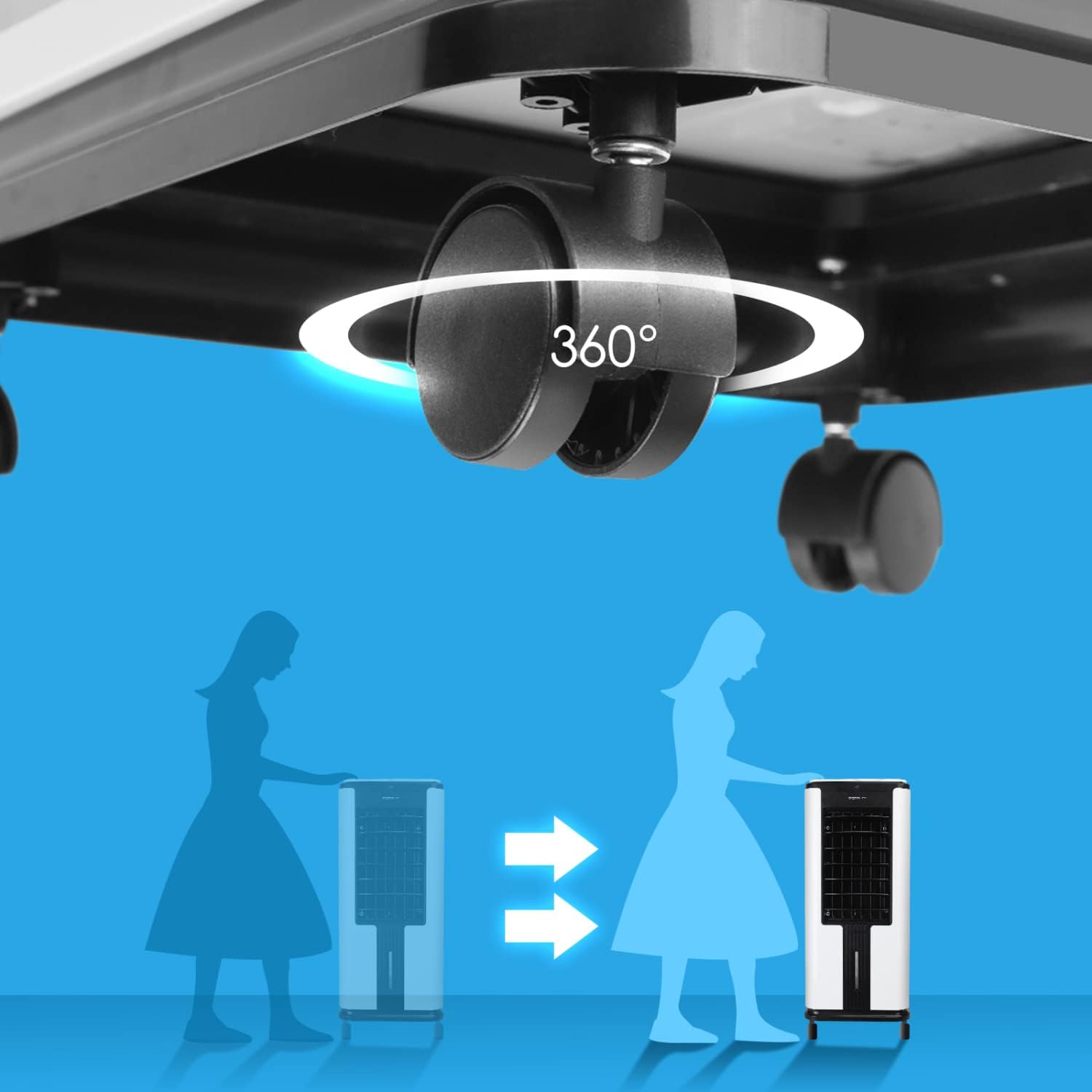
Figure 2.3: 360-degree wheels for easy portability.
3. Setup
- Unpack the Appliance: Carefully remove the evaporative cooler and all accessories from its packaging. Retain packaging for future storage or transport.
- Attach Wheels (if necessary): If the wheels are not pre-attached, insert them into the designated slots at the base of the unit until they click securely into place.
- Fill the Water Tank:
- Pull out the water tank from the bottom rear of the unit.
- Fill the tank with clean, cool water up to the "MAX" level indicator. Do not overfill. The tank has a 7-liter capacity.
- For enhanced cooling, place the two included ice packs in a freezer until frozen. Once frozen, add them directly into the water tank.
- Carefully slide the water tank back into the unit until it is securely closed.
- Position the Appliance: Place the evaporative cooler on a firm, level surface in the desired location. Ensure there is adequate space around the unit for proper airflow.
- Connect to Power: Plug the power cord into a suitable 240V electrical outlet.
4. Operation
The Aigostar Elsa Smart Evaporative Cooler can be controlled via its touch panel, remote control, or the AigoSmart mobile application.

Figure 4.1: Three control methods: Touch Panel, Remote Control, and Mobile App.
4.1 Control Panel and Remote Control Functions
The control panel and remote control share many functions. The remote control offers convenience from a distance.

Figure 4.2: Operational modes and speeds.
- POWER (ON/OFF): Press to turn the unit on or off.
- MODE: Cycle through the three operating modes:
- Normal: Constant airflow at the selected speed.
- Natural: Simulates natural breeze by varying fan speed.
- Sleep: Operates at a lower, quieter speed for undisturbed rest.
- SPEED (HI/MID/LOW): Adjust the fan speed (High, Medium, Low).
- COOL: Activates the evaporative cooling function. Ensure the water tank is filled.
- SWING: Activates the automatic oscillation of the internal louvers for wider air distribution.
- TIMER: Set the auto-off timer for up to 12 hours. Each press increases the timer by one hour.

Figure 4.3: 12-hour timer for convenient operation.
- LOCK (Child Lock): Press and hold for a few seconds to activate/deactivate the child lock, preventing accidental changes to settings.
- PURIFY (Remote Only): Activates the air purification function (if available on your model).
4.2 WiFi and App Control
The Aigostar Elsa Smart can be controlled remotely via the AigoSmart mobile application. This requires a stable Wi-Fi connection.
- Download App: Download the "AigoSmart" app from your smartphone's app store (iOS or Android).
- Register/Login: Create an account or log in to your existing AigoSmart account.
- Add Device: Follow the in-app instructions to add your Aigostar Elsa Smart Evaporative Cooler. This typically involves putting the device into pairing mode (refer to app for specific instructions, usually a long press on a button or a combination).
- Connect to Wi-Fi: Connect the device to your home Wi-Fi network through the app.
- Remote Control: Once connected, you can control all functions of the evaporative cooler from your smartphone.
Dry-Run Protection: The unit is equipped with a safety feature that automatically deactivates the cooling function if the water tank runs empty, preventing damage to the pump.
5. Maintenance
Regular maintenance ensures optimal performance and extends the lifespan of your evaporative cooler.
5.1 Cleaning the Water Tank
- Unplug the appliance from the power outlet.
- Pull out the water tank and empty any remaining water.
- Clean the tank with a soft cloth and mild detergent. Rinse thoroughly with clean water.
- Allow the tank to air dry completely before reinserting it into the unit.
- Clean the water tank at least once a week, or more frequently if used continuously.
5.2 Cleaning the Air Filter and Wet Curtain

Figure 5.1: Removable filter and wet curtain.
- Unplug the appliance.
- Locate the air filter and wet curtain assembly at the rear of the unit.
- Carefully remove the filter and wet curtain.
- Rinse both components under running water to remove dust and debris. For stubborn dirt, use a soft brush.
- Allow them to air dry completely before reassembling.
- Clean these components every two weeks or as needed, depending on usage and air quality.
5.3 Exterior Cleaning
- Wipe the exterior surfaces of the unit with a soft, damp cloth.
- Do not use abrasive cleaners or solvents, as these may damage the finish.
6. Troubleshooting
If you encounter issues with your Aigostar Elsa Smart Evaporative Cooler, refer to the following table for common problems and solutions.
| Problem | Possible Cause | Solution |
|---|---|---|
| Unit does not turn on. | No power supply. | Check if the power cord is securely plugged into the outlet. Ensure the outlet is functional. |
| No cooling effect. | Water tank empty or COOL function not activated. | Fill the water tank. Press the COOL button on the control panel or remote. Ensure ice packs are frozen and added. |
| Weak airflow. | Air filter/wet curtain is dirty. | Clean the air filter and wet curtain as described in the Maintenance section. |
| Remote control not working. | Batteries are dead or remote is too far/not aimed correctly. | Replace batteries. Ensure remote is aimed at the unit within range (approx. 5m). |
| App control not working. | No Wi-Fi connection or app not paired. | Check your Wi-Fi network. Re-pair the device with the AigoSmart app if necessary. |
| Unusual noise. | Unit not on a level surface or foreign object inside. | Place the unit on a flat, stable surface. Unplug and check for any obstructions. |
If the problem persists after trying these solutions, please contact Aigostar customer support.
7. Specifications
| Feature | Detail |
|---|---|
| Model Name | Elsa Smart |
| Brand | Aigostar |
| Dimensions (L x W x H) | 33 x 33 x 75 cm |
| Weight | 7.96 kg |
| Voltage | 240 Volts |
| Number of Speeds | 3 |
| Water Tank Capacity | 7 Liters |
| Control Type | Remote Control, Touch Panel, Wi-Fi App |
| Special Features | Timer (12h), Child Lock, Dry-Run Protection, Oscillation |
| Coverage Area | Up to 35 m² |
8. Warranty and Support
Aigostar products are manufactured to high-quality standards. For warranty information, technical support, or service inquiries, please refer to the warranty card included with your purchase or visit the official Aigostar website. Please have your model number (Elsa Smart) and purchase details ready when contacting support.
You can visit the Aigostar store for more information: Aigostar Official Store