
Introduction
The WhitePoplar Motion Sensor LED Ceiling Light is a battery-operated, wireless lighting solution designed for various indoor spaces. It features a built-in PIR motion detector and a light sensor to provide illumination only when needed, conserving battery life. This manual provides essential information for the safe and effective use of your new light.
Safety Information
- This product is intended for indoor use only. Do not expose to water or high humidity.
- Use only 4 D-cell batteries (not included). Ensure correct polarity when inserting batteries.
- Do not mix old and new batteries, or different types of batteries.
- Remove batteries if the light will not be used for an extended period.
- Keep out of reach of children.
Package Contents
- 1 x WhitePoplar Motion Sensor LED Ceiling Light
- Light kit (includes mounting hardware)
Specifications
| Brand | WhitePoplar |
| Model Number | 686082808514 |
| Color | Cool White |
| Material | Acrylonitrile Butadiene Styrene |
| Light Source Type | LED |
| Brightness | 300 Lumens |
| Color Temperature | 6000 Kelvin |
| Power Source | Battery Powered (4 D-cell batteries, not included) |
| Motion Detection Angle | 120° |
| Motion Detection Range | Up to 18 feet (5.5 meters) |
| Auto-off Time | 20 seconds (after no motion detected) |
| Product Dimensions | 6.7"L x 1.4"W x 6.7"H |
Setup
1. Battery Installation
The light requires 4 D-cell batteries (not included). To install:
- Twist the back cover of the light counter-clockwise to remove it.
- Insert 4 D-cell batteries, ensuring correct polarity (+/-).
- Align the back cover and twist clockwise to secure it.

Figure 1: Battery compartment for 4 D-cell batteries.
2. Mounting Instructions
The light can be easily installed using the provided mounting hardware.
- Choose a desired location for the light. Ensure the surface is clean and dry.
- Separate the mounting plate from the light fixture by twisting.
- Mark the positions for the screws on the wall or ceiling using the mounting plate as a template.
- Drill 4 holes at the marked positions. Insert the provided anchors into the holes.
- Secure the mounting plate to the wall/ceiling using the provided screws.
- Align the light fixture with the mounted plate and twist clockwise until it locks securely in place.

Figure 2: Step-by-step installation guide.
3. Official Product Videos
Video 1: Official WhitePoplar demonstration of the Motion Sensor LED Closet Light. This video highlights the light's features and various applications in different home environments.
Video 2: Official WhitePoplar video showcasing the bright, cool color of the motion sensor light and its effectiveness in various settings.
Operating Instructions
1. Motion Sensor Functionality
The light is equipped with a PIR motion detector and a light sensor. It operates as follows:
- The light will only activate in dark ambient conditions. It will not turn on if the area is already sufficiently lit.
- When motion is detected within a 120° angle and up to 18 feet (5.5 meters) away, the light will turn on automatically.
- After approximately 20 seconds of no motion detection, the light will automatically turn off.

Figure 3: Motion and light sensor operation.

Figure 4: Detection angle and range.
2. Recommended Applications
This light is ideal for illuminating various indoor areas, including:
- Closets
- Stairways
- Hallways
- Bedrooms
- Pantries
- Sheds
- Showers
- Basements
- Garages

Figure 5: Various indoor applications.
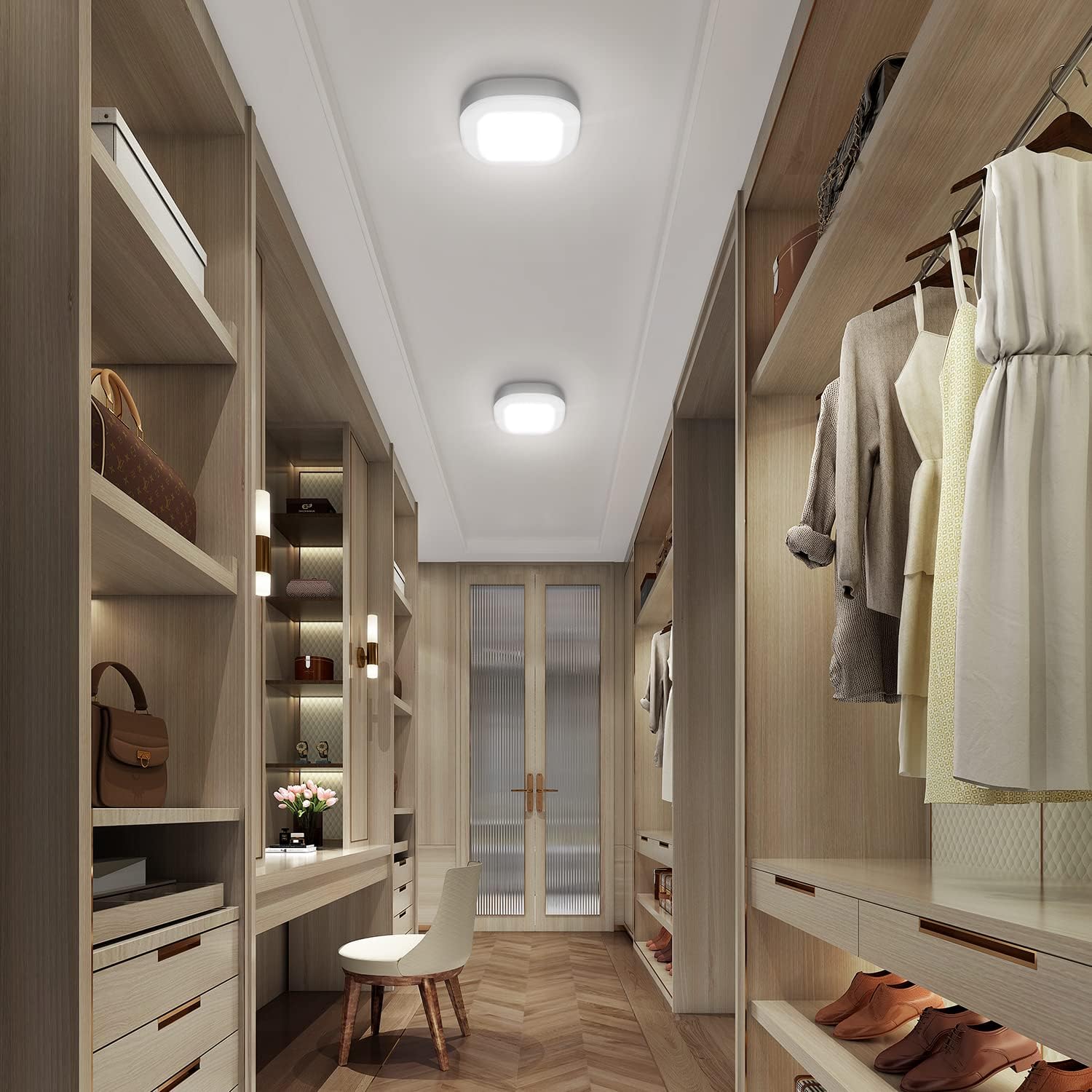
Figure 6: Light installed in a closet.

Figure 7: Additional application examples.
Maintenance
1. Battery Replacement
When the light output diminishes or the light stops functioning, it is time to replace the batteries. Follow the battery installation steps in the Setup section to replace the 4 D-cell batteries.
2. Cleaning
To clean the light, gently wipe the surface with a soft, dry cloth. Do not use abrasive cleaners or solvents, as these may damage the finish or electronic components.
Troubleshooting
| Problem | Possible Cause | Solution |
|---|---|---|
| Light does not turn on. | Batteries are dead or incorrectly installed. | Replace batteries or check polarity. |
| Ambient light is too bright. | Ensure the area is dark enough for the light sensor to activate. | |
| No motion detected within range. | Move closer to the light or within its detection range. | |
| Light stays on continuously. | Continuous motion detected. | Ensure there is no constant movement within the detection zone. |
| Light sensor malfunction. | Contact customer support if the issue persists after checking for motion. |
Warranty and Support
WhitePoplar products are manufactured to high-quality standards. For warranty information or technical support, please refer to the product packaging or contact WhitePoplar customer service directly. Keep your purchase receipt for any warranty claims.