
MediaCom HDP-Corded Mic
Contents
MediaCom HD Porto MCI Karaoke Player User Manual
Model: HDP-Corded Mic | Brand: MediaCom
Introduction
The MediaCom HD Porto MCI Karaoke Player is a lightweight multimedia player designed to enhance your singing experience. It allows you to sing along to your favorite song recordings and easily showcase your talent. This unit is equipped with various connectivity options and comes preloaded with a vast song collection, making it ideal for personal use or duet performances with family and friends.
Safety Information
- Read all instructions before operating the device.
- Keep the device away from water and moisture.
- Do not expose to extreme temperatures or direct sunlight.
- Use only the provided power adapter.
- Do not attempt to open or repair the device yourself. Refer to qualified service personnel.
- Ensure proper ventilation around the unit during operation.
Package Contents
Please check that all items are present in the package:
- MediaCom HD Porto MCI Karaoke Player Unit
- Wired Microphone (MediaCom MCI 380J with 8-meter cable)
- Remote Control
- Power Adapter
- HDMI Cable
- AV Cable (RCA)
- 64GB microSD Card (preloaded with songs)
- Song List Book

Figure 1: Complete package contents of the MediaCom HD Porto MCI Karaoke Player.
Setup
- Connect to TV/Display:
Use the provided HDMI cable to connect the HDMI OUT port on the karaoke player to an HDMI IN port on your TV or display. Alternatively, use the AV cable to connect the AV OUT ports on the player to the corresponding AV IN ports on your TV.
- Connect Microphone(s):
Plug the wired microphone into one of the microphone input jacks on the front or back of the karaoke player. The unit supports two wired or wireless microphones.

Figure 2: The included MediaCom wired microphone.
- Insert microSD Card:
Ensure the 64GB microSD card is properly inserted into the designated slot on the player. This card contains the preloaded song collection.
- Connect Power:
Connect the power adapter to the DC IN port on the karaoke player, then plug the adapter into a power outlet.
- Power On:
Press the power button on the unit or the remote control to turn on the karaoke player.
Operating Instructions
Basic Playback
- Once powered on, the main menu will appear on your TV screen.
- Use the arrow keys on the remote control to navigate through the menu options.
- Select "Song List" to browse the available songs.
- Press "OK" to select a song and begin playback.
Song Search
The player offers flexible song search options:
- By Singer Name: Navigate to the search function and input the singer's name.
- By Keyword: Enter specific words from the song title or lyrics.
- By Title: Search directly by the song title.
- Using Songbook: Refer to the physical song list book (Vol-11) for song codes and titles, then input the code using the remote control's numeric pad.
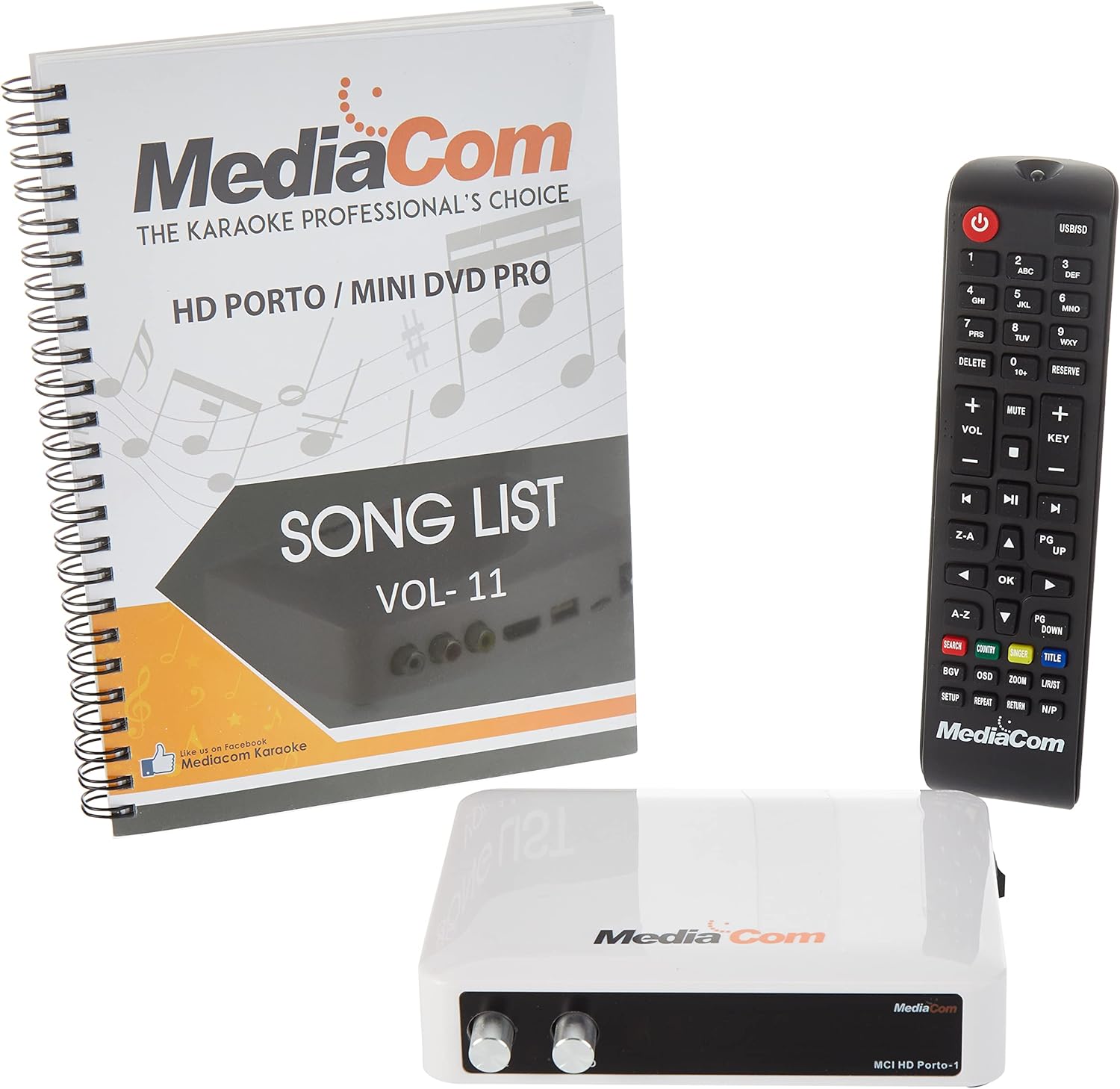
Figure 3: The karaoke player unit, remote control, and song list book for easy navigation.
Microphone Usage
- Adjust the microphone volume using the dedicated volume knobs on the player unit or the VOL+/- buttons on the remote.
- The player supports duet singing with two microphones (wired or wireless).
Remote Control Functions
The remote control provides full control over the player's functions, including power, volume, song selection, search, and playback controls (play, pause, stop, skip).
Maintenance
- Cleaning: Wipe the unit with a soft, dry cloth. Do not use liquid cleaners or abrasive chemicals.
- Storage: When not in use for extended periods, store the player in a cool, dry place, away from direct sunlight and dust.
- MicroSD Card: Handle the microSD card carefully. Avoid touching the gold contacts.
Troubleshooting
| Problem | Possible Cause | Solution |
|---|---|---|
| No power | Power adapter not connected; Power outlet faulty. | Ensure power adapter is securely connected and plugged into a working outlet. |
| No sound/video output | HDMI/AV cable loose or incorrect input selected on TV. | Check cable connections. Select the correct HDMI/AV input on your TV. |
| Microphone not working | Microphone not plugged in; Microphone volume too low. | Ensure microphone is fully plugged into the correct jack. Increase microphone volume. |
| Cannot find songs | microSD card not inserted or corrupted. | Ensure microSD card is properly inserted. If issues persist, try reinserting or checking the card on a computer. |
Specifications
| Feature | Detail |
|---|---|
| Item Weight | 1.94 Kilograms |
| Product Dimensions | 14 x 12 x 35 cm; 1.94 Kilograms |
| Model Number | HDP-Corded Mic |
| Color | Black |
| Connector Type | Composite, HDMI |
| Battery Type | Alkaline (for remote, not specified if included) |
| Power Source | Corded Electric |
| First Available Date | November 4, 2020 |
Warranty and Support
Specific warranty details and direct support contact information are not provided within this manual. For warranty claims, technical support, or service inquiries, please refer to the documentation included with your purchase or contact MediaCom customer service through their official website or authorized distributors.
You may also visit the product page on Amazon for additional information: Amazon Product Page
Ask a question about this manual
Ask about setup, troubleshooting, compatibility, parts, safety, or missing instructions. Manuals+ will review the question and use this page’s manual context to help answer it.