
1. Overview
The Hantek DSO2C10 is a dual-channel digital storage oscilloscope designed for precise electrical testing and signal analysis. It features a 100MHz bandwidth, 1GSa/s sampling rate, and 8M memory depth, making it suitable for a wide range of applications. This manual provides essential information for setting up, operating, maintaining, and troubleshooting your device.
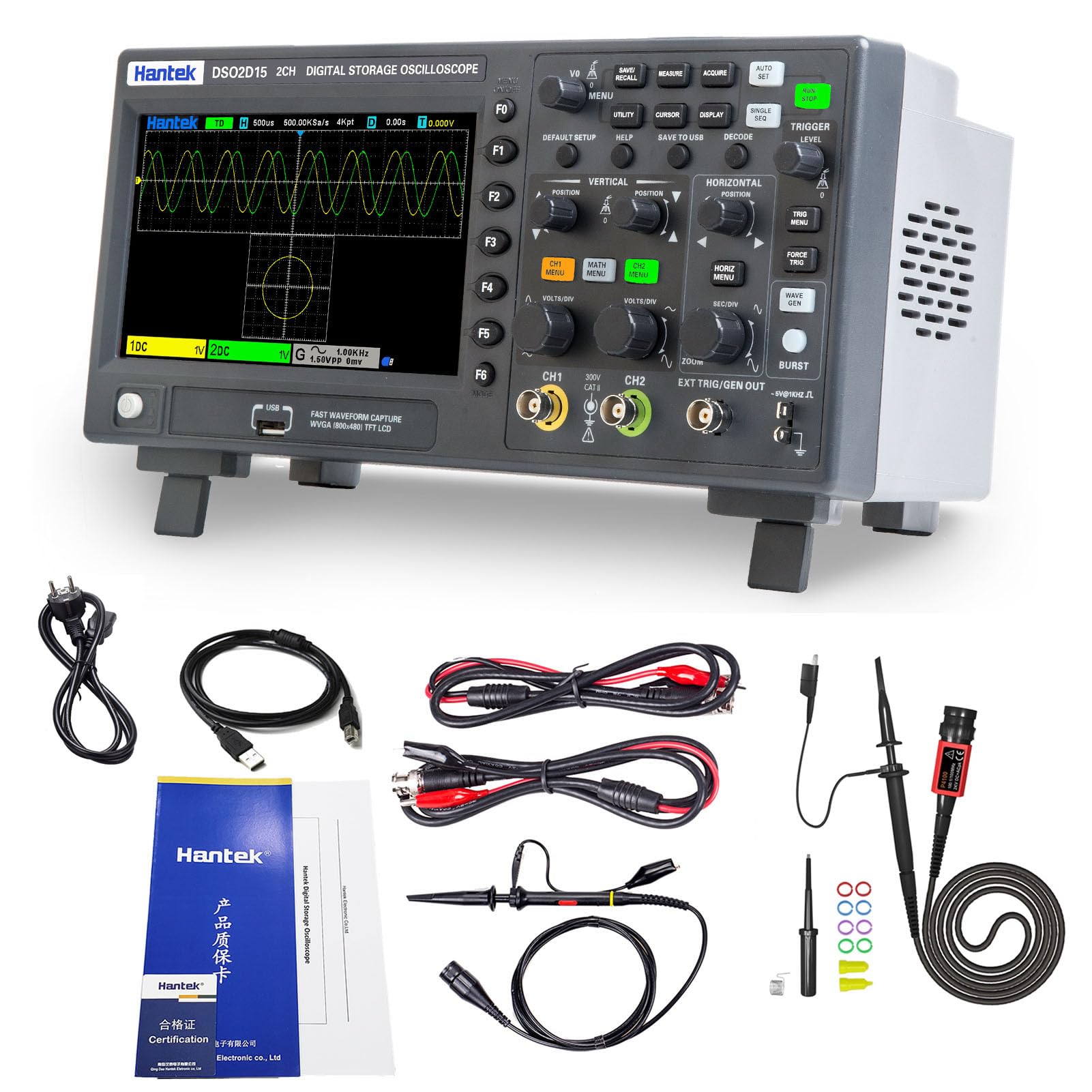
Figure 1.1: Front view of the Hantek DSO2C10 Digital Storage Oscilloscope.
2. Setup
2.1 Unpacking and Inspection
Carefully unpack the oscilloscope and all accessories. Verify that all components listed in the packing list are present and undamaged. If any items are missing or damaged, contact your supplier immediately.
2.2 Power Connection
Connect the provided AC power adapter to the oscilloscope's power input port and then to a suitable power outlet. Ensure the power switch is in the OFF position before connecting. The device operates on AC power.
2.3 Probe Connection
Connect the test probes to the BNC input channels (CH1, CH2) on the front panel. Ensure a secure connection. For accurate measurements, always perform probe compensation before use.
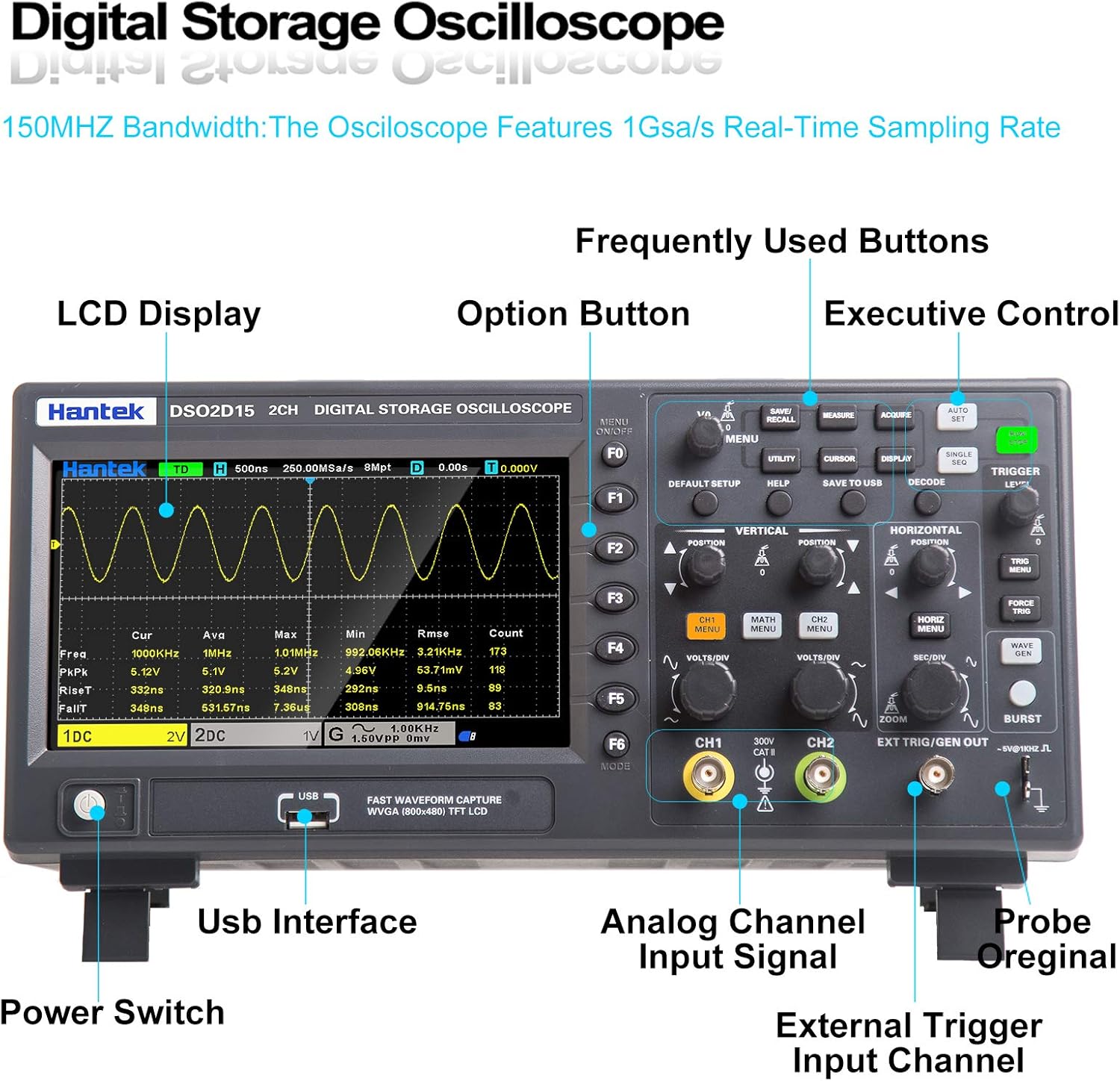
Figure 2.1: Labeled front panel indicating Analog Channel Input Signal (CH1, CH2) and other controls.
2.4 Physical Dimensions
The oscilloscope measures approximately 12.44 x 4.33 x 5.91 inches (L x W x H) and weighs 1 kilogram. Its compact design allows for convenient placement on a workbench or in a handheld setup.

Figure 2.2: Various views of the oscilloscope, highlighting its compact form factor.
3. Operating Instructions
3.1 Basic Operation
The DSO2C10 features two independent channels, each controlled by dedicated knobs for vertical and horizontal adjustments. The LCD display provides a clear view of waveforms and measurement data.
- Bandwidth: 100 MHz analog channel bandwidth.
- Sampling Rate: Up to 1 GSa/s.
- Memory Depth: 8M for capturing detailed waveforms.
- Vertical Range: 2mV/div to 10V/div.
- Vertical Resolution: 8-bit.
3.2 Trigger Functions
The oscilloscope supports various trigger types to stabilize and capture specific events:
- Edge Trigger
- Pulse Trigger
- Video Trigger
- Slope Trigger
- Overtime Trigger
- Window Trigger
- Pattern Trigger
- Interval Trigger
- Under Amp Trigger
- Bus Decode and Protocol Analysis: UART, LIN, CAN, SPI, IIC.
3.3 Measurement Features
The device offers 32 types of automatic measurements with real-time statistics, including maximum, minimum, and standard deviation. It also includes a 3-digit digital voltage meter and a 6-digit hardware frequency indicator.

Figure 3.1: Oscilloscope display showing various waveforms and measurement parameters.
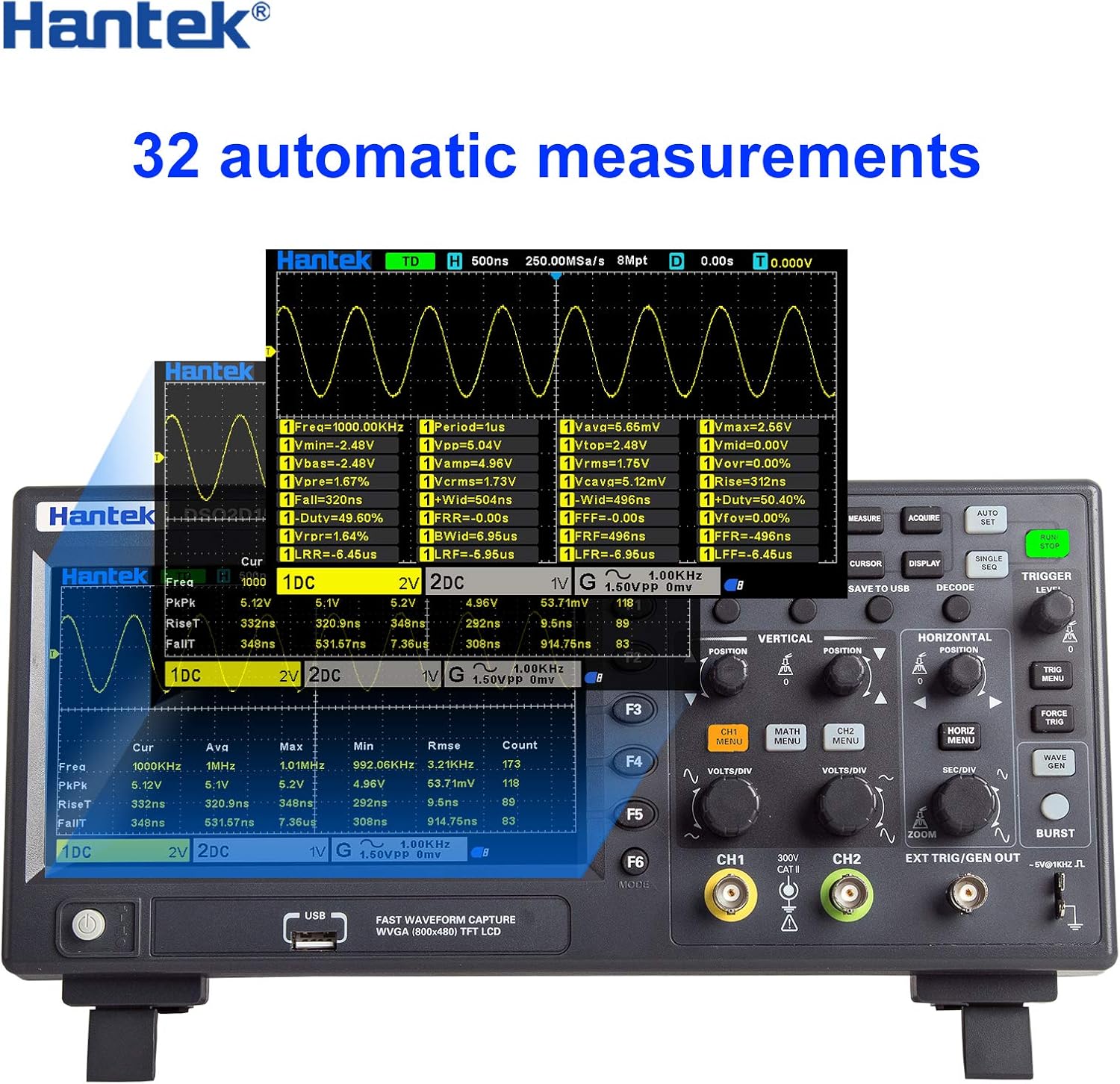
Figure 3.2: Detailed view of the 32 automatic measurement display.
3.4 Data Storage and Connectivity
The oscilloscope can save multiple data formats, such as settings, waveforms, reference waveforms, CSV files, and pictures. It supports USB Host/Device connectivity for data transfer.
3.5 Video Demonstration
Watch this video for a practical demonstration of the Hantek Handheld Oscilloscope's capabilities, including CAN bus signal analysis.
Video 3.1: Demonstration of Hantek Handheld Oscilloscope (DSO2C10, DSO2C15, DSO2D10, DSO2D15) features and CAN bus signal analysis. Provided by Yuqiao--Store.
4. Maintenance
4.1 Cleaning
Regularly clean the exterior of the oscilloscope with a soft, damp cloth. Avoid using abrasive cleaners or solvents that could damage the casing or screen. Ensure the device is powered off and disconnected from all power sources before cleaning.
4.2 Storage
When not in use, store the oscilloscope in a dry, dust-free environment away from direct sunlight and extreme temperatures. Protect the screen and input connectors from physical damage.
4.3 Battery Care
If your model includes a rechargeable battery, ensure it is charged periodically even during long storage periods to maintain battery health.
5. Troubleshooting
This section addresses common issues you might encounter with your Hantek DSO2C10 oscilloscope. For problems not listed here, please contact customer support.
5.1 No Display or Power
- Check if the power adapter is securely connected to both the oscilloscope and the power outlet.
- Verify that the power switch is in the ON position.
- Ensure the power outlet is functional.
5.2 Unstable Waveform
- Adjust the trigger level and trigger mode to stabilize the waveform.
- Check probe connections for looseness or damage.
- Perform probe compensation.
5.3 Incorrect Measurements
- Ensure probes are correctly calibrated and compensated.
- Verify the vertical and horizontal scale settings match the signal characteristics.
- Check for proper grounding.
6. Specifications
| Feature | Specification |
|---|---|
| Brand | Hantek |
| Model | DSO2C10 (DSO2000 Series) |
| Channels | 2 |
| Bandwidth | 100 MHz |
| Sampling Rate | Up to 1 GSa/s |
| Memory Depth | 8M |
| Vertical Range | 2mV/div ~ 10V/div |
| Vertical Resolution | 8bit |
| Waveform Generator | Built-in 1 CH 25MHz (DSO2D10, DSO2D15 models only) |
| Trigger Types | Edge, Pulse, Video, Slope, Overtime, Window, Pattern, Interval, Under Amp, UART, LIN, CAN, SPI, IIC |
| Bus Decode & Analysis | RS232/UART, I2C, SPI, CAN, LIN |
| Data Formats | Settings, Waveforms, Reference Waveforms, CSV, Pictures |
| Digital Voltage Meter | 3-digit |
| Hardware Frequency Indicator | 6-digit |
| Auto Measurements | 32 types with statistics |
| Connectivity | USB Host/Device |
| Power Source | AC |
| Item Weight | 1 Kilogram |
| Item Dimensions (L x W x H) | 12.44 x 4.33 x 5.91 inches |
7. Warranty and Support
7.1 Warranty Information
The Hantek DSO2C10 Digital Storage Oscilloscope comes with a 1-year warranty from the date of purchase. This warranty covers defects in materials and workmanship under normal use. Please retain your proof of purchase for warranty claims.
7.2 Technical Support
For technical assistance, troubleshooting, or service inquiries, please contact Hantek customer support. Refer to the contact information provided in your product packaging or visit the official Hantek website for the most up-to-date support resources.


