
1. Introduction
This manual provides essential instructions for the installation, operation, and maintenance of your Furrion Vision S 3-Camera Wireless RV Backup System. This system is designed to enhance safety and convenience when operating recreational vehicles by providing clear, real-time views of your surroundings.
2. Package Contents
Verify that all components are present in your package:
- 1 x 5-inch Monitor
- 1 x Rear Sharkfin Camera
- 2 x Side Running Light Cameras
- 1 x Windshield Mount
- 1 x Interior Table Stand

Image 2.1: Overview of the Furrion Vision S system components, including the monitor and three cameras.
3. Safety Information
Always prioritize safety during installation and operation. Failure to follow these guidelines may result in property damage or personal injury.
- Professional Installation Recommended: If you are unsure about any installation steps, consult a qualified technician.
- Power Disconnection: Disconnect the RV's power supply before performing any electrical work.
- Wiring: Ensure all wiring connections are secure and properly insulated to prevent short circuits.
- Waterproofing: While cameras are IP65 waterproof, ensure proper sealing around mounting points to prevent water intrusion into the RV.
- Driving Safety: The camera system is an aid and does not replace safe driving practices or the use of mirrors. Always check your surroundings manually.
4. Setup
4.1 Monitor Installation
The 5-inch monitor offers flexible mounting options for optimal viewing.
- Windshield Mount: Attach the suction cup mount to a clean, smooth area of your windshield, ensuring it does not obstruct your view.
- Table Stand: Use the included stand for dashboard placement or other flat surfaces.
- Power Connection: Connect the monitor to a 12V DC power source in your vehicle.
4.2 Camera Installation
Most RVs are pre-wired for Furrion Vision S systems, simplifying installation. Ensure proper sealing around all camera mounts.
4.2.1 Rear Sharkfin Camera
Mount the rear sharkfin camera at the designated pre-wired location on the back of your RV. This camera provides a wide-angle view for backing up and observation.

Image 4.1: Detailed view of the rear sharkfin camera, highlighting its design and antenna.
4.2.2 Side Running Light Cameras
Replace your existing side running lights with the Furrion Vision S side cameras. These cameras integrate into your RV's existing wiring for power and provide views of your blind spots.

Image 4.2: The two side running light cameras, designed to replace standard RV running lights.
4.3 System Pairing
The cameras and monitor are typically pre-synchronized at the factory. If pairing is required, refer to the on-screen menu options on the monitor to initiate the pairing process for each camera. Ensure cameras are powered on during pairing.
5. Operating Instructions
5.1 Monitor Functions
The 5-inch anti-glare monitor displays clear images from the cameras. Use the buttons on the monitor to navigate menus and adjust settings.
- Power Button: Turns the monitor on/off.
- Menu Button: Accesses system settings, including brightness, contrast, and pairing options.
- Camera Select: Cycles through individual camera views or multi-camera display modes.
- Park Assist Lines: Toggle on/off for visual guidance when backing up.
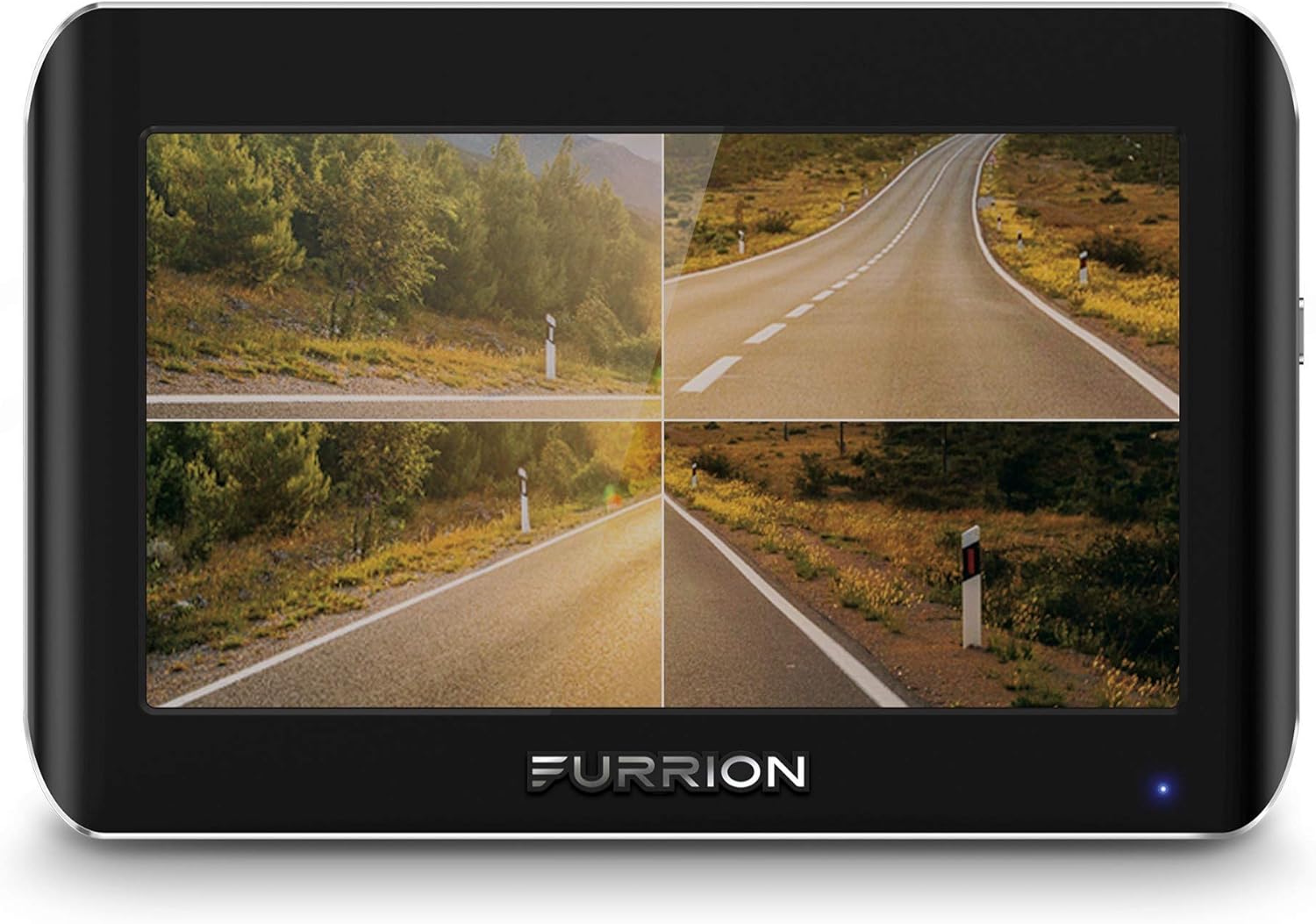
Image 5.1: The 5-inch monitor displaying a multi-camera view, showing different perspectives of a road.
5.2 Camera Views
The system supports various viewing modes:
- Single Camera View: Displays the feed from one selected camera (rear, left side, or right side).
- Multi-Camera View: Shows feeds from multiple cameras simultaneously (e.g., split-screen for rear and side cameras).
- Automatic Switching: The monitor can automatically switch to the rear camera when the vehicle is in reverse, or to a side camera when the turn signal is activated (if wired accordingly).
5.3 Night Vision
All cameras are equipped with infrared (IR) night vision capabilities. This feature automatically activates in low-light conditions, providing clear black-and-white images for enhanced visibility at night.
5.4 Motion Detection and Audio
The system includes motion sensors that can auto-wake the display when movement is detected around the cameras. A built-in microphone on the rear camera transmits audio, which can be useful for parking guidance or as an additional security feature when parked.
6. Maintenance
Regular maintenance ensures optimal performance and longevity of your system.
- Cleaning: Clean camera lenses and the monitor screen with a soft, damp cloth. Avoid abrasive cleaners.
- Connection Check: Periodically inspect all wiring and connections for corrosion or looseness.
- Firmware Updates: Check the Furrion website for any available firmware updates for your system.
7. Troubleshooting
Refer to the following common issues and solutions before contacting support.
| Problem | Possible Cause | Solution |
|---|---|---|
| No image on monitor | Monitor not powered, camera not powered, camera not paired, signal interference. | Check power connections to monitor and cameras. Re-pair cameras if necessary. Reduce sources of wireless interference. |
| Poor image quality / Lag | Weak signal, interference, dirty lens. | Ensure clear line of sight between cameras and monitor. Clean camera lenses. |
| One camera view stuck / not switching | Software glitch, temporary signal issue. | Power cycle the monitor (unplug and plug back in). Check camera connections. |
| Motion detection too sensitive | Sensitivity setting too high. | Adjust motion detection sensitivity in the monitor's settings menu. |
8. Specifications
Key technical specifications for the Furrion Vision S 3-Camera Wireless RV Backup System (FOS05TAEN).
- Model: FOS05TAEN
- Monitor Screen Size: 5 Inches
- Camera Resolution: 720x480 (High-Resolution)
- Camera Waterproof Rating: IP65
- Night Vision: Infrared (IR)
- Viewing Angle: Wide-Angle
- Wireless Range: Up to 100 feet at high speeds, up to 492 feet in open spaces
- Voltage: 4 Volts (System Operating Voltage)
- Installation Type: Dashboard Mount (for monitor)
- Optical Sensor Technology: CCD, CMOS
- Product Dimensions (Monitor): 5.6"L x 3.8"W x 1.2"H
- Item Weight: 1.39 pounds
9. Warranty and Support
For warranty information, technical support, or service inquiries, please contact Furrion customer service directly. Keep your purchase receipt and model number (FOS05TAEN) handy for faster assistance.
Furrion Official Website: www.furrion.com