
WACACO 1082
WACACO Cuppamoka Pour-Over Coffee Maker Instruction Manual
Model: 1082 | Brand: WACACO
Introduction
The WACACO Cuppamoka is a compact and lightweight portable pour-over coffee maker system designed for brewing fresh coffee on the go. It integrates a coffee dripper and a double-wall stainless steel mug, offering a convenient solution for enjoying pour-over coffee anywhere.
This manual provides detailed instructions for setting up, operating, and maintaining your Cuppamoka to ensure optimal performance and longevity.
Product Overview and Components
The Cuppamoka system is designed for portability and ease of use. It consists of several key components that fit together compactly for storage and travel.

Figure 1: All components of the WACACO Cuppamoka, including the stainless steel mug, dripper, lid, scoop, and paper filters.
Included Components:
- Double-wall Stainless Steel Mug: 300 mL / 10 fl oz capacity, designed to keep beverages hot for hours.
- Built-in Coffee Dripper: Retractable design for compact storage, compatible with cone paper filters.
- Leakproof Drinking Lid: Allows direct sipping and prevents spills.
- Coffee Scoop: For accurate measurement of coffee grounds.
- Cone Paper Filters: 10 filters are included to ensure a clean brew. Additional filters are sold separately.
- Drip Tray: Catches excess liquid after brewing, ensuring a clean workspace.
Setup
Before first use, wash all components with warm soapy water and rinse thoroughly. Ensure all parts are dry before assembly.
- Unpack Components: Carefully remove all parts from the packaging.
- Prepare the Dripper: The coffee dripper is stored retracted within the mug. To prepare for brewing, unscrew the dripper from the mug and pull it upwards until it locks into its extended position.

Figure 2: Extending the coffee dripper by twisting and pulling upwards.
- Insert Paper Filter: Place one cone paper filter into the extended dripper, ensuring it sits snugly against the walls.
Operating Instructions
Follow these steps to brew a perfect cup of pour-over coffee with your Cuppamoka.
- Grind Coffee Beans: Use freshly ground coffee beans. A medium-fine grind is generally recommended for pour-over methods.
- Add Coffee Grounds: Place the desired amount of coffee grounds into the paper filter within the dripper. Use the included scoop for accurate measurement.
- Heat Water: Heat water to your preferred brewing temperature, typically between 195°F and 205°F (90°C and 96°C). Note: The Cuppamoka does not heat water.
- Pre-wet Filter (Optional): Slowly pour a small amount of hot water over the paper filter and grounds to pre-wet them. This helps remove any paper taste and allows the coffee to "bloom." Discard this water if desired.
- Begin Pouring: Slowly and steadily pour the hot water over the coffee grounds in a circular motion, starting from the center and moving outwards. Ensure all grounds are saturated.

Figure 3: Pouring hot water over coffee grounds in the dripper.

Figure 4: Detailed view of the pouring process.
- Allow to Drip: Let the coffee drip completely into the stainless steel mug. The built-in dripper ensures a clean extraction.
- Remove Dripper: Once brewing is complete, carefully remove the dripper from the mug. The integrated drip tray will catch any residual drips.
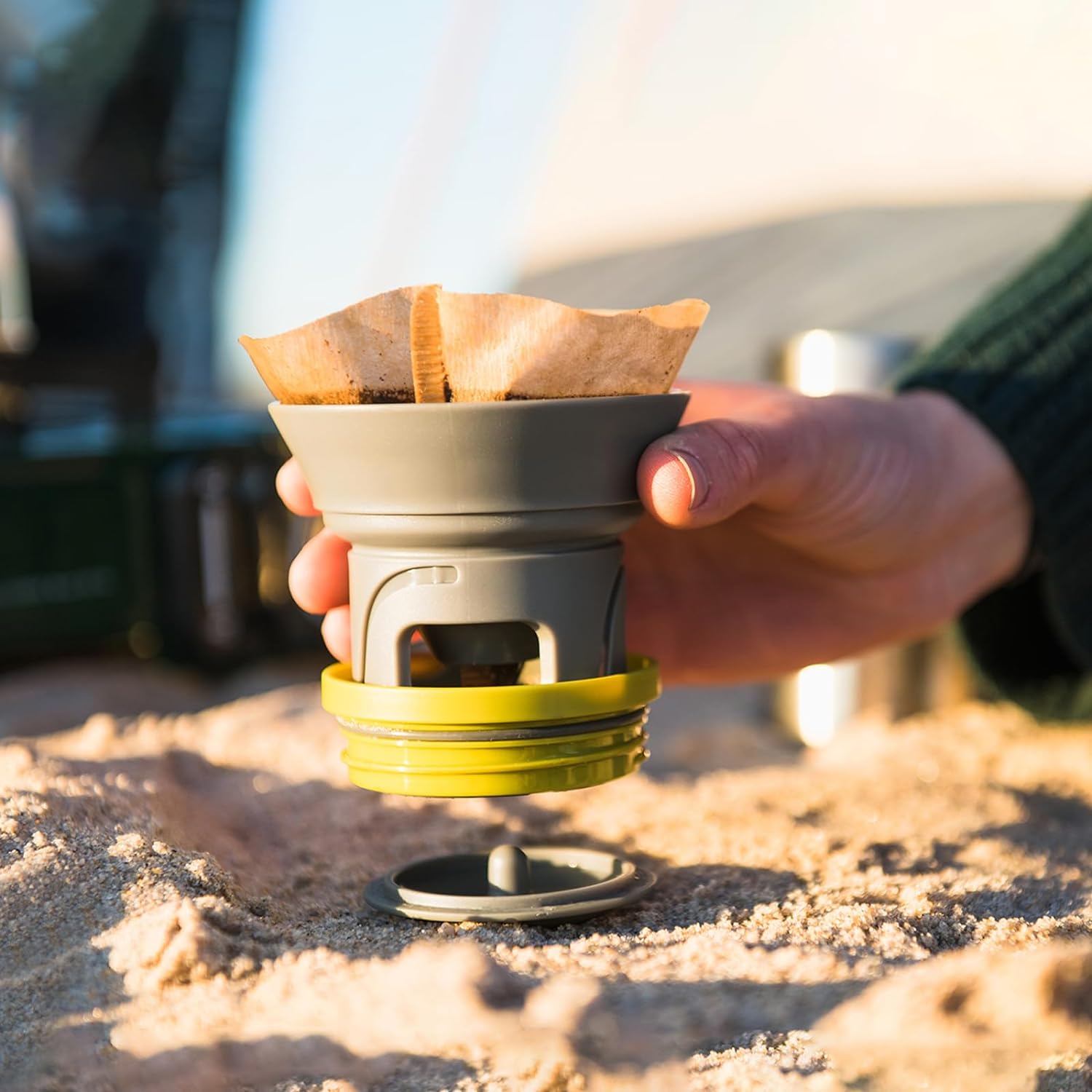
Figure 5: Removing the dripper after brewing, utilizing the drip tray.
- Secure Lid: Place the leakproof drinking lid onto the mug. Your coffee is now ready to enjoy. The double-wall insulation will keep your coffee hot for 2-3 hours.

Figure 6: Enjoying coffee from the Cuppamoka mug.
Maintenance and Care
Proper cleaning and maintenance will extend the life of your Cuppamoka and ensure consistent coffee quality.
- Daily Cleaning: After each use, discard the used paper filter and coffee grounds. Rinse the dripper, mug, and lid with warm water.
- Thorough Cleaning: For a more thorough clean, wash all components with mild dish soap and warm water. Use a soft brush if necessary to clean crevices in the dripper.
- Drying: Allow all components to air dry completely before reassembling or storing to prevent odor and mildew.
- Storage: For compact storage, retract the dripper back into the mug and secure the lid.
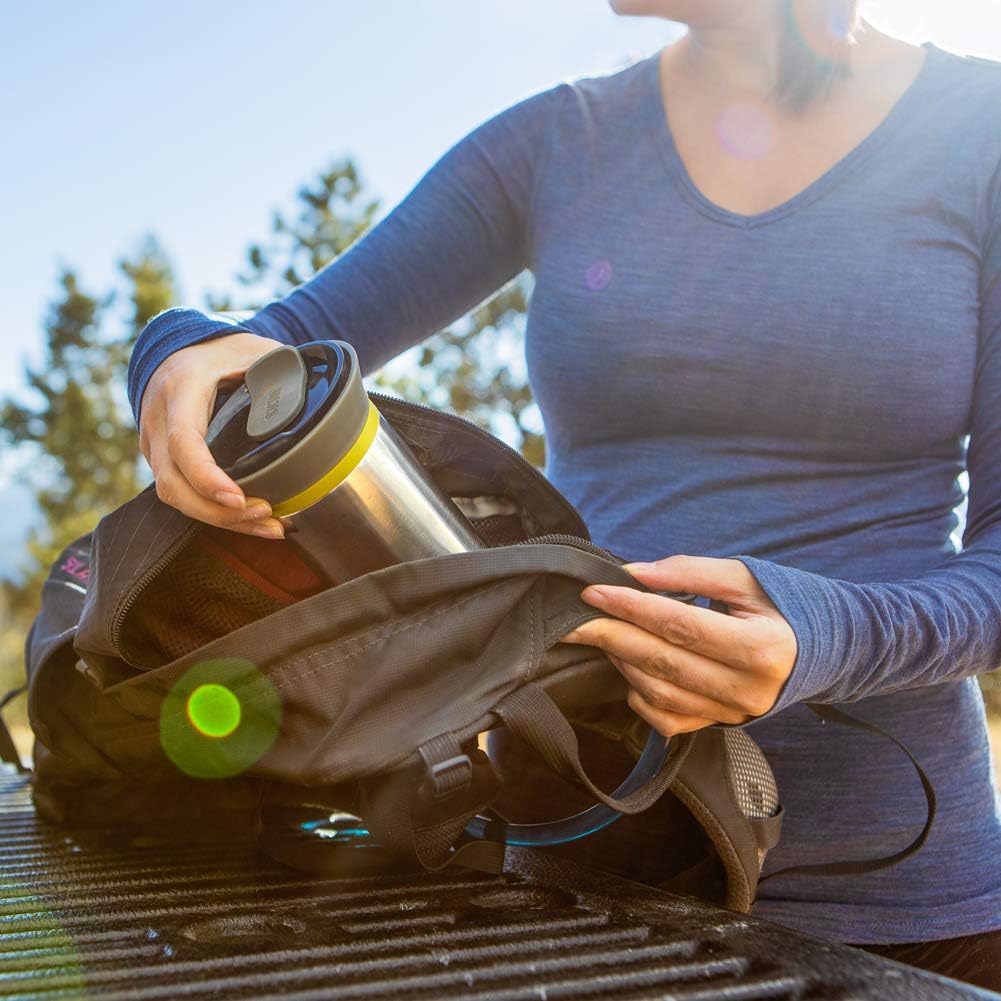
Figure 7: The Cuppamoka's compact design allows for easy storage and portability.
Troubleshooting
If you encounter any issues with your Cuppamoka, refer to the common problems and solutions below.
| Problem | Possible Cause | Solution |
|---|---|---|
| Coffee tastes weak or watery. |
|
|
| Coffee tastes bitter or over-extracted. |
|
|
| Dripper not extending/retracting smoothly. | Residue buildup or misalignment. | Ensure the dripper is clean and free of coffee grounds. Gently twist and pull/push to align. |
Specifications
| Feature | Detail |
|---|---|
| Brand | WACACO |
| Model Number | 1082 |
| Color | Stainless Steel |
| Product Dimensions | 3.52"D x 3.52"W x 6.65"H (89.5mm x 89.5mm x 169mm)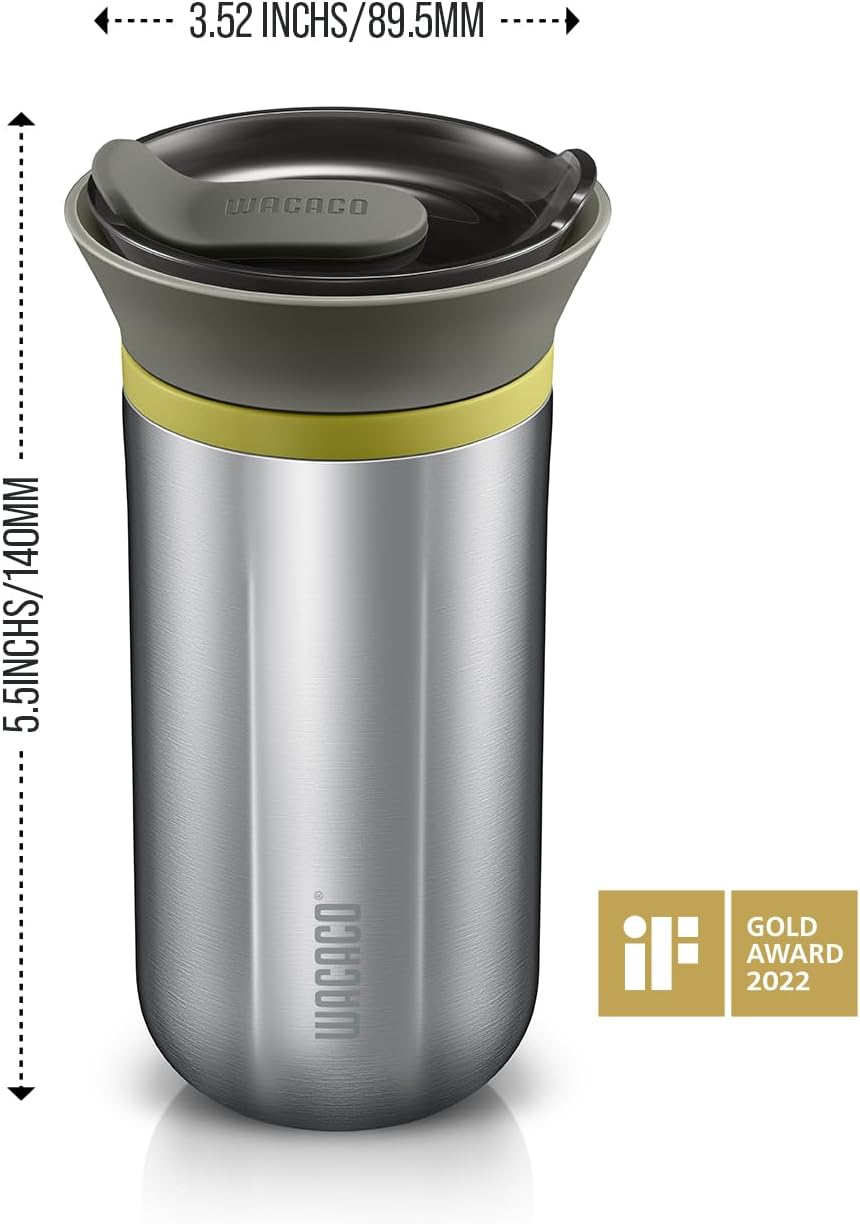 Figure 8: Cuppamoka dimensions. |
| Item Weight | 11.1 ounces |
| Coffee Maker Type | Drip Coffee Machine (Pour-Over) |
| Operation Mode | Manual |
| Coffee Input Type | Ground Coffee |
| Capacity | 10 fl oz (300 mL) |
| Material Safety | Complies with FDA, EU, RoHS, LFGB, GB standards. 100% BPA Free. |
Safety Information
- The Cuppamoka is designed for brewing coffee and is not intended to heat water. Always use pre-heated water for brewing.
- Exercise caution when handling hot water and hot beverages to prevent burns.
- Keep out of reach of children when in use with hot liquids.
- Ensure the lid is securely fastened to prevent spills, especially when transporting.
- Do not use abrasive cleaners or scourers on the stainless steel mug or other components, as this may damage the finish.
Warranty and Support
WACACO stands behind the quality of its products. For any issues or assistance, please contact WACACO customer support through the Amazon platform.
You can visit the official WACACO store on Amazon for more information and to explore other products: WACACO Amazon Store.
Related documents1082


Ask a question about this manual
Ask about setup, troubleshooting, compatibility, parts, safety, or missing instructions. Manuals+ will review the question and use this page’s manual context to help answer it.