
eufy T2253111
Contents
eufy RoboVac G30 Hybrid User Manual
Model: T2253111 | Brand: eufy
Introduction
The eufy RoboVac G30 Hybrid is an advanced robotic vacuum cleaner designed to provide efficient and thorough cleaning for your home. Featuring Dynamic Navigation 2.0, it intelligently maps your space to ensure comprehensive coverage. This 2-in-1 device offers both powerful vacuuming with 2000Pa suction and effective mopping capabilities, making it suitable for various floor types. Control your RoboVac conveniently through the eufy Home app or via voice commands with smart home assistants.

Image: The eufy RoboVac G30 Hybrid, its charging base, a boundary strip, and a smartphone displaying the control app.
Setup
Before first use, ensure all packaging materials are removed from the RoboVac. Install the side brushes by pressing them onto the posts until they click into place. Locate a suitable area for the charging base, ensuring it is on a level surface against a wall with at least 3 feet of clear space on either side and 6 feet in front for optimal navigation. Plug in the charging base and place the RoboVac onto it to begin charging. A full charge is recommended before the first cleaning cycle.

Image: The RoboVac G30 Hybrid cleaning a room, illustrating its systematic cleaning path with Dynamic Navigation 2.0.
Initial Charging
Place the RoboVac directly onto the charging base. The indicator lights on the RoboVac will illuminate to show charging status. Allow the unit to fully charge before its first operation.
Connecting to Wi-Fi and App Setup
Download the "eufy Home" app from your smartphone's app store. Follow the in-app instructions to create an account and add your RoboVac G30 Hybrid. Ensure your router is set to 2.4GHz frequency band as the RoboVac does not support 5GHz. The app will guide you through the Wi-Fi connection process.
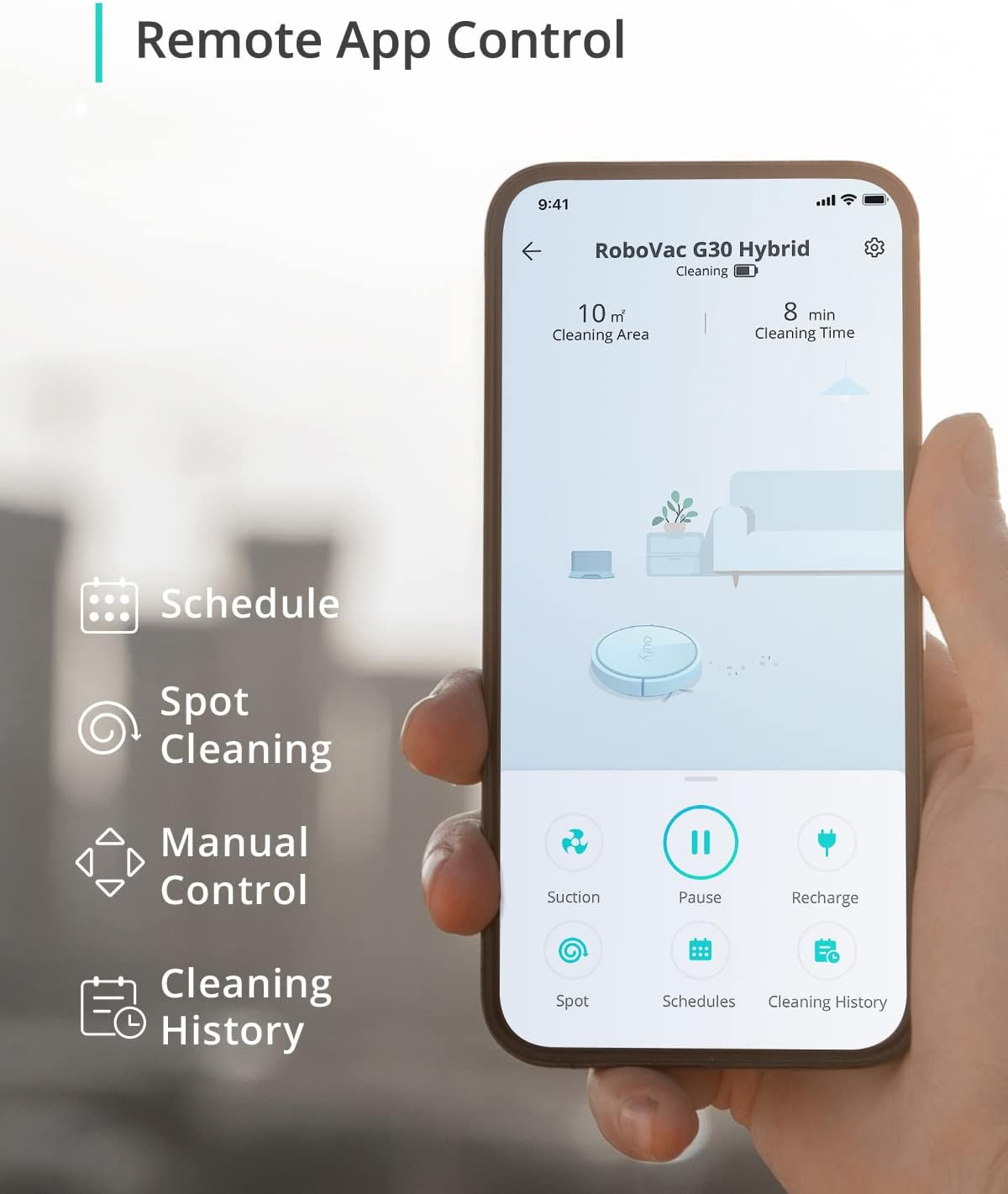
Image: A hand holding a smartphone displaying the eufy Home app interface, showing options for scheduling, spot cleaning, manual control, and cleaning history for the RoboVac G30 Hybrid.
Operating the RoboVac
The RoboVac G30 Hybrid offers various cleaning modes and smart features for convenient operation.
Cleaning Modes
- Auto Clean: The RoboVac intelligently navigates your home using Dynamic Navigation 2.0, covering all accessible areas in a methodical pattern.
- Spot Clean: For concentrated cleaning of a specific dirty area, place the RoboVac over the spot and activate Spot Clean mode. It will clean in a spiral pattern for approximately 2 minutes.
- Manual Control: Use the eufy Home app to manually direct the RoboVac for targeted cleaning.

Image: The eufy RoboVac G30 Hybrid simultaneously vacuuming and mopping a hard floor, demonstrating its 2-in-1 capability.
Suction Power and BoostIQ™ Technology
The RoboVac G30 Hybrid features 2000Pa of powerful suction to effectively pick up debris, crumbs, and pet hair from various surfaces. With BoostIQ™ Technology, the RoboVac automatically increases suction power when it detects a transition from hard floors to carpets, ensuring a deeper clean without manual adjustment.

Image: The eufy RoboVac G30 Hybrid actively vacuuming debris on a hard floor, with visual effects illustrating its strong 2000Pa suction power.
Quiet Operation and Slim Design
Designed for quiet operation, the RoboVac G30 Hybrid maintains a low noise level (as low as 55 dB) allowing for minimal disturbance during cleaning. Its ultra-slim body (2.85 inches) enables it to easily clean under furniture and in hard-to-reach areas.

Image: The eufy RoboVac G30 Hybrid cleaning underneath a sofa, highlighting its ultra-slim design (2.85 inches) that allows it to access low-clearance areas.
Smart Home Compatibility
The RoboVac G30 Hybrid is compatible with Amazon Alexa and Google Assistant, allowing you to control cleaning cycles using voice commands.
Automatic Return and Resume
When the battery level is low, the RoboVac G30 Hybrid will automatically return to its charging base. Once charged to 80%, it will resume cleaning from where it left off, ensuring complete coverage.
Safety Features
Equipped with drop-sensing technology, the RoboVac avoids falling down stairs or off ledges. Its 9 anti-collision infrared sensors help it navigate around obstacles, preventing bumps and ensuring continuous cleaning.
Boundary Strips
Use the included Boundary Strips to define off-limit areas for the RoboVac. The dual-Hall Sensors detect these strips, ensuring the RoboVac only cleans designated zones.
Relevant Product Videos
The secret to my clean floors (Preview)
Video: A short preview showcasing the eufy RoboVac G30 Hybrid in action, highlighting its effectiveness in maintaining clean floors.
Boujee under budget (Preview)
Video: A brief clip demonstrating the eufy RoboVac G30 Hybrid's performance, emphasizing its value and efficiency.
Dobby the house elf is the best little vacuum ever (Preview)
Video: A short video highlighting the compact size and effective cleaning of the eufy RoboVac G30 Hybrid.
So good! With a couple of flaws (Preview)
Video: A brief overview of the eufy RoboVac G30 Hybrid's features and minor considerations, offering a balanced perspective.
Maintenance
Regular maintenance ensures optimal performance and extends the lifespan of your RoboVac G30 Hybrid.
- Dust Bin and Filter: Empty the dust bin after each use. Clean the unibody filter regularly using the provided cleaning tool. Replace the filter every 3-6 months depending on usage.
- Rolling Brush: Remove hair and debris from the rolling brush periodically. Use the cleaning tool to cut and remove tangled hair.
- Side Brushes: Check side brushes for wear and tear. Clean them regularly and replace if damaged or worn out.
- Sensors: Wipe the drop sensors and anti-collision sensors with a clean, dry cloth to ensure proper function.
- Mopping Module (if applicable): If using the mopping function, clean the water tank and mop pad after each use to prevent residue buildup.
Troubleshooting
If you encounter issues with your RoboVac G30 Hybrid, refer to the following common solutions:
| Problem | Possible Cause | Solution |
|---|---|---|
| RoboVac not charging / Error S1 (Battery Error) | Charging contacts are dirty or battery issue. | Clean the charging contacts on both the RoboVac and the charging base. Ensure the power adapter is securely plugged in. If the issue persists, contact customer support. |
| RoboVac gets stuck frequently | Obstacles, tangled brushes, or low clearance areas. | Clear obstacles from the cleaning path. Clean the rolling brush and side brushes. Use Boundary Strips to block off problematic areas. |
| RoboVac not connecting to Wi-Fi | Incorrect Wi-Fi band, weak signal, or incorrect password. | Ensure your Wi-Fi is 2.4GHz. Move the RoboVac closer to the router. Re-enter Wi-Fi password carefully in the app. Restart your router and RoboVac. |
| RoboVac not picking up debris | Full dust bin, clogged filter, or tangled brushes. | Empty the dust bin. Clean or replace the filter. Clean the rolling brush and side brushes. |
| Error 9 (Magnetic Boundary Strip Detected) | RoboVac is on or too close to a Boundary Strip. | Move the RoboVac away from the Boundary Strip. Ensure strips are laid flat and not overlapping. |
Specifications
| Feature | Detail |
|---|---|
| Brand | eufy |
| Model Name | RoboVac G30 Hybrid |
| Model Number | T2253111 |
| Special Feature | Waterproof |
| Color | Black |
| Product Dimensions | 12.8"L x 12.8"W x 2.85"H |
| Included Components | Additional Unibody Filter, AC Power Adapter, 2 Side Brushes, Charging Base, RoboVac G30 Hybrid |
| Filter Type | Cloth |
| Capacity | 0.6 Liters |
| Power Source | Corded Electric |
| Control Method | App |
| Lithium Battery Voltage | 3.7 Volts |
| Compatible Devices | Smartphones |
| Item Weight | 6.39 pounds |
| UPC | 194644181604 |
Warranty and Support
eufy products typically come with a 12-month warranty. For detailed warranty information, product support, or to purchase replacement parts, please visit the official eufy website or contact their customer service. You can also refer to the User Guide (PDF) or User Manual (PDF) available on the product's Amazon page for additional information.
Documents and downloads
Ask a question about this manual
Ask about setup, troubleshooting, compatibility, parts, safety, or missing instructions. Manuals+ will review the question and use this page’s manual context to help answer it.