
Introduction
The UltraPro Add-On Switch (Model 54905) is designed to expand your smart lighting control system, enabling multi-location operation when paired with a compatible UltraPro smart switch, dimmer, or fan control. This device is not a standalone switch and requires a primary smart control for functionality. Featuring QuickFit and SimpleWire technologies, it offers simplified installation and enhanced reliability.
Important: This is an add-on switch and requires a primary UltraPro smart control (sold separately) to function. It is not a standalone device.

Image: A red-bordered box with text stating "Requires an UltraPro Smart Control. Not a Standalone Switch." This emphasizes the product's dependency.
Safety Information
Before installation, ensure the power is turned OFF at the circuit breaker or fuse box to avoid electrical shock. This device operates with high voltage. If you are unsure about any part of the installation process, consult a qualified electrician.
- HIGH VOLTAGE: Disconnect power before servicing.
- Operates at 120VAC or 277VAC.
- For indoor use only.
- Do not exceed the maximum load ratings for the primary smart control.
Package Contents
- 2 x UltraPro Add-On Switches (Model 54905)
Note: Wallplate and primary smart control are sold separately.
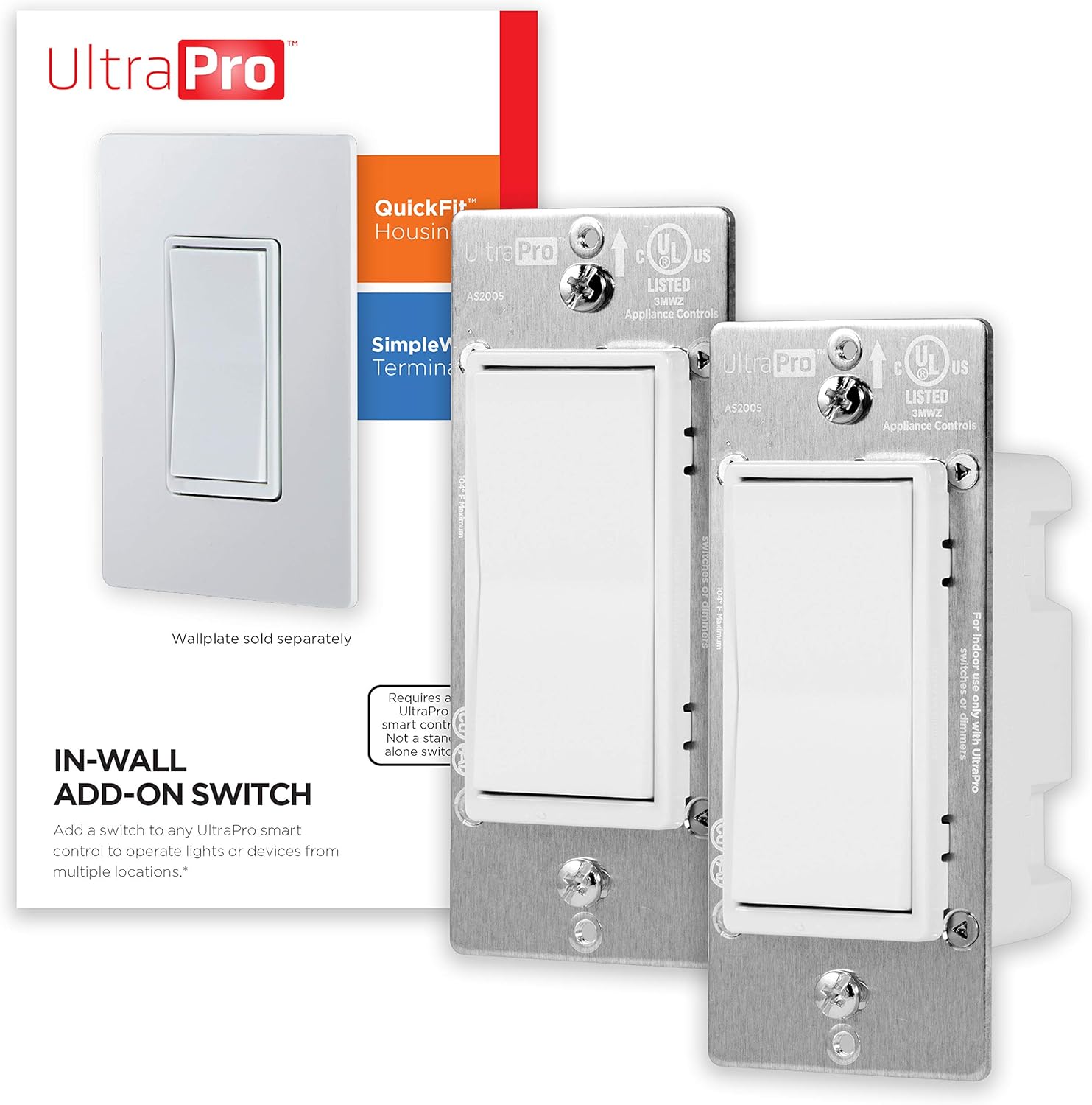
Image: The product packaging displaying two UltraPro Add-On Switches. A separate image of a single switch with a wallplate is also visible, indicating the wallplate is not included.
Features
- QuickFit Technology: Reduced housing depth (up to 20% compared to previous models) and elimination of heat tabs for easier installation in older or crowded switch boxes.
- SimpleWire Technology: Dual ground ports, offset to avoid mounting screws, facilitate daisy-chaining in multi-switch configurations.
- Multi-Switch Operation: Allows control of lighting from up to five locations when linked with a primary UltraPro smart control and up to four add-on switches.
- Light-Commercial Capable: Supports both 120VAC and 277VAC systems, suitable for residential and light-commercial applications without additional equipment.
- Compatibility: Works seamlessly with UltraPro, GE, Jasco, Enbrighten, and Honeywell smart devices.
- Versatile Bulb Support: Compatible with LED, CFL, incandescent, and halogen bulbs, as well as other devices.
Setup and Installation
This add-on switch is designed for use in multi-location (3-way, 4-way, or 5-way) wiring setups. It must be wired to a primary UltraPro smart control (e.g., a Z-Wave or ZigBee smart switch or dimmer) to function. Follow the wiring instructions carefully.
Wiring Diagram Overview
The UltraPro Add-On Switch typically requires connections for Ground, Neutral, and Traveler wires. The Traveler wire connects directly to the primary smart control.

Image: A detailed view of the back of the add-on switch, highlighting the screw terminals for Ground, Traveler (optional for 3-way), and Neutral connections. Product dimensions are also shown.
- Ground: Connect to the bare copper or green insulated ground wire in the electrical box.
- Neutral: Connect to the white neutral wire in the electrical box.
- Traveler: Connect to the traveler wire that runs between the add-on switch and the primary smart control. This connection is essential for multi-way functionality.
Always refer to the installation guide provided with your primary UltraPro smart control for complete wiring instructions and safety precautions.
Multi-Location Control Example

Image: A visual representation of a smart control switch connected to a light, followed by three add-on switches, demonstrating how lighting can be controlled from multiple points.
The add-on switch extends the control of your primary smart switch to additional locations, such as at the top and bottom of a staircase or multiple entrances to a room.
Operation
Once properly installed and connected to a primary UltraPro smart control, the add-on switch will mirror the functionality of the primary switch. This allows you to turn lights ON/OFF from any location where an add-on switch is installed.
- Basic Control: Press the rocker paddle to turn connected lights ON or OFF.
- Smart Control Integration: The add-on switch works in conjunction with your primary smart control, which can be integrated into smart home systems for advanced features.
- Voice Control: When connected to a compatible smart control and gateway, you can use voice assistants like Google Assistant and Amazon Alexa to operate your lights.
- Remote Access: Control your lights from anywhere using a smartphone, tablet, or PC through your smart home app, provided you have a compatible gateway.
- Custom Scenes: Program groups of hardwired fixtures for specific scenarios (e.g., "Movie Night," "Away") through your smart home system.

Image: Various smart speakers (Amazon Echo, Google Home) indicating the product's compatibility with voice control systems when paired with a smart control and gateway.

Image: A smartphone screen showing a smart home application controlling outdoor lights, demonstrating remote access functionality.

Image: An UltraPro switch installed on a wall in a contemporary living space, illustrating the concept of custom scenes for lighting control.
Troubleshooting
If your UltraPro Add-On Switch is not functioning as expected, consider the following:
- No Power: Ensure the circuit breaker supplying power to the switch box is ON.
- Incorrect Wiring: Double-check all wiring connections (Ground, Neutral, Traveler) against the primary smart control's instructions. Loose or incorrect connections are common issues.
- Primary Smart Control: Verify that your primary UltraPro smart control is correctly installed, powered, and functioning. The add-on switch relies entirely on the primary smart control.
- Blue LED Indicator: If the blue LED indicator light is too bright or you wish to turn it off, quickly press the top of the rocker paddle (ON) three times, then the bottom of the rocker paddle (OFF) once. Repeat the sequence to turn it back on.
- Compatibility: Confirm that your primary smart control is compatible with UltraPro add-on switches.
- Reset: If issues persist, power cycle the circuit breaker for a few minutes, then restore power.
For further assistance, refer to the manual of your primary UltraPro smart control or contact UltraPro customer support.
Specifications
| Specification | Value |
|---|---|
| Model Number | 54905 |
| Brand | UltraPro |
| Operation Mode | ON-OFF |
| Current Rating | 15 Amps |
| Operating Voltage | 120 Volts / 277 Volts |
| Contact Type | Normally Open |
| Connector Type | Clamp |
| Terminal | Screw |
| Dimensions (L x W x H) | 1.92 x 2.14 x 4.15 inches |
| Circuit Type | 5-way (multi-location) |
| Actuator Type | Rocker |
| Contact Material | Metal |
| International Protection Rating | IP54 |
| Number of Positions | 1 |
| Lower Temperature Rating | 32 Degrees Fahrenheit (0°C) |
| Upper Temperature Rating | 104 Degrees Fahrenheit (40°C) |
| Controller Type | Z-Wave (requires primary Z-Wave smart control) |
| Control Method | Touch |
| Connectivity Protocol | Z-Wave (requires primary Z-Wave smart control) |
| Color | White |
| Item Weight | 7.4 ounces |
| Manufacturer | Jasco Products Company, LLC |
| UPC | 030878549059 |
Warranty and Support
This UltraPro Add-On Switch (Model 54905) comes with a 5-Year Limited Warranty from the date of purchase. This warranty covers defects in material and workmanship under normal use.
For warranty claims, technical support, or any questions regarding your product, please contact UltraPro customer service. Keep your proof of purchase for warranty validation.
For the most up-to-date support information and contact details, please visit the official UltraPro website or refer to the documentation included with your primary smart control.