
Waring WCM50P
Waring Commercial WCM50P Café Deco Pour Over Coffee Brewer Instruction Manual
Model: WCM50P | Brand: Waring Commercial
1. Introduction
This manual provides essential instructions for the safe and efficient operation, maintenance, and care of your Waring Commercial WCM50P Café Deco Pour Over Coffee Brewer. Designed for commercial use, this brewer offers both pour-over and automatic refill capabilities to meet high demand for fresh-brewed coffee. Please read all instructions thoroughly before initial use to ensure proper function and longevity of the appliance.
2. Important Safeguards
When using electrical appliances, basic safety precautions should always be followed, including the following:
- Read all instructions before operating the appliance.
- Do not touch hot surfaces. Use handles or knobs.
- To protect against electrical hazards, do not immerse cord, plugs, or the appliance in water or other liquids.
- Close supervision is necessary when any appliance is used by or near children.
- Unplug from outlet when not in use and before cleaning. Allow to cool before putting on or taking off parts, and before cleaning the appliance.
- Do not operate any appliance with a damaged cord or plug, or after the appliance malfunctions or has been damaged in any manner. Return appliance to the nearest authorized service facility for examination, repair, or adjustment.
- The use of accessory attachments not recommended by the appliance manufacturer may cause injuries.
- Do not use outdoors.
- Do not let cord hang over edge of table or counter, or touch hot surfaces.
- Do not place on or near a hot gas or electric burner, or in a heated oven.
- Always attach plug to appliance first, then plug cord into the wall outlet. To disconnect, turn any control to “off,” then remove plug from wall outlet.
- Do not use appliance for other than intended use.
- Scalding may occur if the lid is removed during the brewing cycle.
3. Product Overview and Components
The Waring Commercial WCM50P is a robust coffee brewer designed for commercial environments, offering both manual pour-over and automatic water refill options. It features two individually controlled warmers to maintain optimal coffee temperature.

Figure 1: Front view of the Waring Commercial WCM50P Café Deco Pour Over Coffee Brewer. This image displays the main unit with its stainless steel finish, control panel, brew basket, and lower warmer plate. The hot water faucet is visible on the right side.

Figure 2: Key features of the WCM50P brewer. This image highlights the front-mounted hot water faucet, push-button brew start, upper warmer with guardrails, and the inclusion of a 25-piece coffee filter starter pack. It also shows a glass decanter filled with coffee on the upper warmer.
Key Components:
- Water Reservoir: Located at the top, for adding water for brewing.
- Brew Basket: Holds the coffee filter and ground coffee.
- Decanter Warmers: Two independently controlled warmers (upper and lower) to keep coffee at serving temperature.
- Hot Water Faucet: Dispenses hot water on demand.
- Control Panel: Includes Power switch, Brew switch, and Ready indicator light.
4. Setup and First Use
Unpacking:
- Carefully remove the coffee brewer from its packaging.
- Remove all packing materials and protective films.
- Inspect the brewer for any signs of damage. If damaged, do not operate and contact your supplier.
Initial Cleaning:
Before first use, it is recommended to clean the brewer to remove any manufacturing residues.
- Wash the brew basket and glass decanters with warm, soapy water. Rinse thoroughly and dry.
- Wipe down the exterior of the brewer with a damp cloth.
- Run at least two cycles of plain water through the brewer without coffee to flush the internal components.
Placement and Power Connection:
- Place the brewer on a stable, level surface.
- Ensure adequate clearance around the unit for ventilation.
- Plug the brewer into a grounded 120V, 5-15 phase electrical outlet.

Figure 3: The WCM50P brewer in a commercial kitchen setting, demonstrating its suitability for both front-of-house and back-of-house use. Two glass decanters are shown, one on the upper warmer and one on the lower warmer.
5. Operating Instructions
Pour-Over Coffee Brewing:
- Ensure the brewer is plugged in and the Power switch is ON. The Ready light will illuminate when the water is heated to the optimal brewing temperature.
- Place a clean paper filter into the brew basket.
- Add the desired amount of ground coffee to the filter.
- Place an empty glass decanter on the lower warmer plate.
- Open the lid of the water reservoir at the top of the brewer.
- Carefully pour cold, fresh water into the reservoir. The brewer is designed for 64 oz. decanters. Do not overfill.
- Close the reservoir lid.
- Press the BREW switch to initiate the brewing cycle.
- Once brewing is complete, the coffee will drip into the decanter. The lower warmer will keep the coffee hot.
- To keep a second decanter warm, place it on the upper warmer and activate the UPPER WARMER switch.
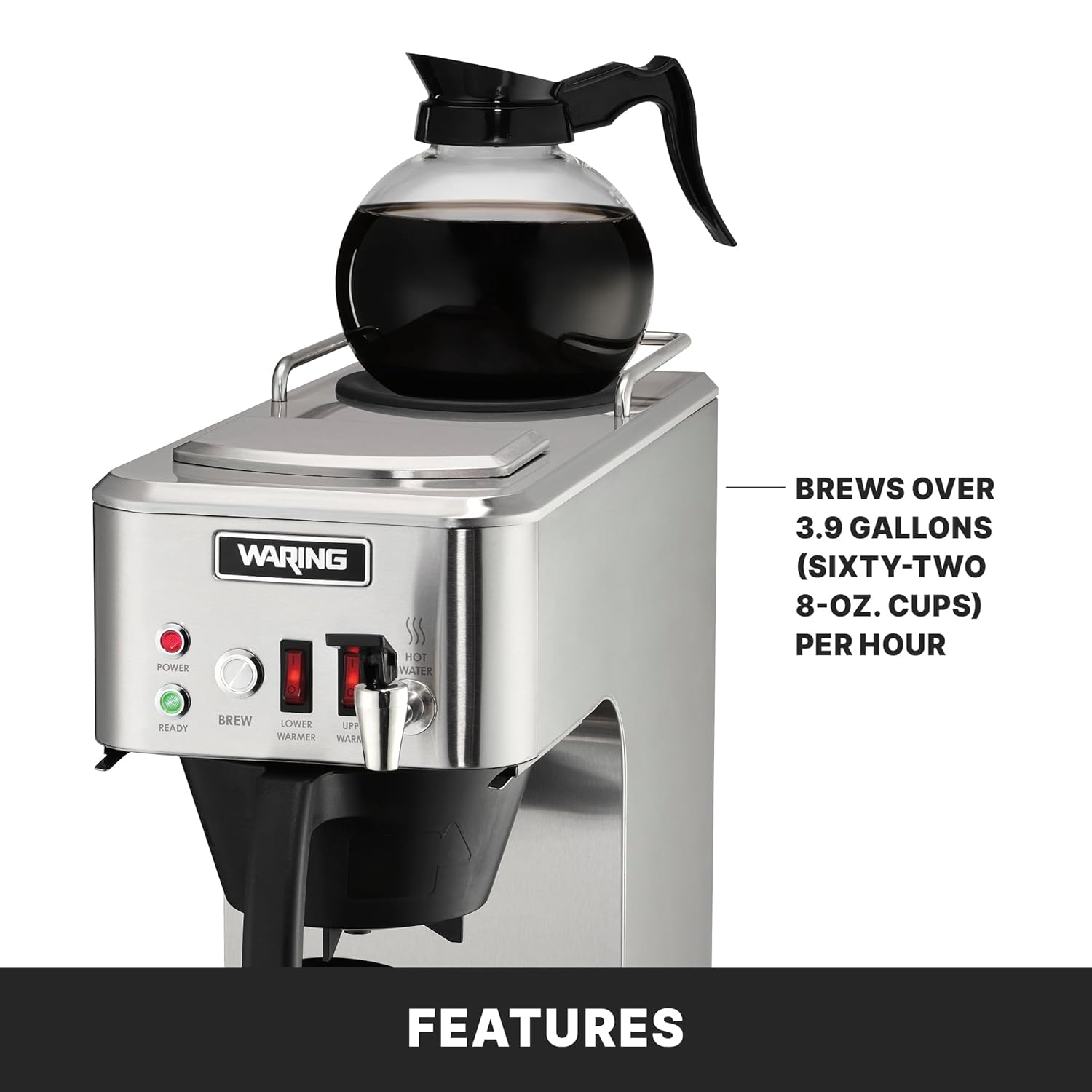
Figure 4: Demonstrates the pour-over method, where water is manually added to the top reservoir. This image also highlights the brewer's two-year parts and one-year labor warranty.
Automatic Refill Feature:
The WCM50P is equipped with an automatic refill feature, allowing for continuous operation when plumbed. If your unit is plumbed, it will automatically draw water as needed for brewing cycles, eliminating the need for manual water addition.
Hot Water Dispensing:
The front-mounted faucet provides hot water on demand.
- Ensure the brewer is powered ON and the Ready light is illuminated.
- Place a cup or container under the hot water faucet.
- Push the faucet lever to dispense hot water. Release the lever to stop.
6. Maintenance and Cleaning
Regular cleaning and maintenance will ensure optimal performance and extend the life of your coffee brewer.
Daily Cleaning:
- Turn off the brewer and unplug it from the power outlet. Allow it to cool completely.
- Remove the brew basket and discard the used coffee filter and grounds. Wash the brew basket with warm, soapy water and rinse thoroughly.
- Wash the glass decanters with warm, soapy water. For stubborn coffee stains, use a coffee pot cleaner. Rinse thoroughly.
- Wipe down the exterior of the brewer, including the warmer plates, with a damp cloth. For stainless steel surfaces, use a non-abrasive cleaner designed for stainless steel.
- Ensure all parts are dry before reassembling or storing.
Descaling (Monthly or as needed):
Mineral deposits from water can build up over time, affecting brewing performance. Descale your brewer regularly.
- Prepare a descaling solution according to the manufacturer's instructions (e.g., white vinegar and water, or a commercial descaling agent).
- Pour the descaling solution into the water reservoir.
- Place an empty decanter on the lower warmer.
- Run a brew cycle with the descaling solution.
- After the cycle, discard the solution.
- Run several cycles of plain, fresh water through the brewer to rinse thoroughly and remove any residual descaling solution.
7. Troubleshooting
Refer to the following table for common issues and their solutions.
| Problem | Possible Cause | Solution |
|---|---|---|
| Brewer does not turn on. | No power, Power switch OFF. | Check power cord connection. Ensure Power switch is ON. Check circuit breaker. |
| Coffee not brewing. | No water in reservoir, Brew switch OFF, Ready light not on. | Add water to reservoir. Ensure Brew switch is ON. Wait for Ready light to illuminate. |
| Coffee tastes weak or too strong. | Incorrect coffee-to-water ratio, grind size. | Adjust amount of coffee grounds or water. Ensure correct grind size for drip coffee. |
| Water leaking from brewer. | Overfilled reservoir, loose connections (if plumbed), damaged components. | Do not overfill reservoir. Check plumbing connections. Contact service if damage is suspected. |
| Coffee not staying hot. | Warmer switch OFF, faulty warmer. | Ensure appropriate warmer switch (LOWER or UPPER) is ON. Contact service if warmer is faulty. |
If the problem persists after attempting these solutions, please contact Waring Commercial customer support.
8. Specifications

Figure 5: Dimensional overview of the WCM50P brewer, showing a width of 8 inches, height of 19 inches, and depth of 17.5 inches.
- Model: WCM50P
- Product Dimensions: 8" W x 17.5" D x 19" H
- Weight: Approximately 26.8 Pounds
- Brewing Capacity: Over 3.9 gallons (sixty-two 8 oz. cups) per hour
- Decanter Size: Fits large, 64 oz. glass decanters
- Voltage: 120V
- Plug Type: 5-15 Phase Plug
- Special Feature: Manual (Pour Over) and Automatic Refill capable
- Certifications: NSF, TUV Rheinland
9. Warranty and Support
The Waring Commercial WCM50P Café Deco Pour Over Coffee Brewer comes with a Two-Year Parts, One-Year Labor Warranty. This warranty covers defects in materials and workmanship under normal use and service.
For warranty claims, technical support, or service inquiries, please contact Waring Commercial customer service. Ensure you have your model number (WCM50P) and proof of purchase available when contacting support.
Related documentsWCM50P


Ask a question about this manual
Ask about setup, troubleshooting, compatibility, parts, safety, or missing instructions. Manuals+ will review the question and use this page’s manual context to help answer it.