
1. Product Overview
The AMBITFUL 7.5-inch Mini Teleprompter is designed to enhance video production for various applications, including live streaming, interviews, online conferences, and short video creation. It utilizes advanced light reflection principles to ensure clear and easily readable text, supporting wide-angle lenses with a focal length of 35mm or more for versatile shooting. This compact and portable device is compatible with both DSLR cameras and smartphones, providing a convenient solution for on-camera performance.
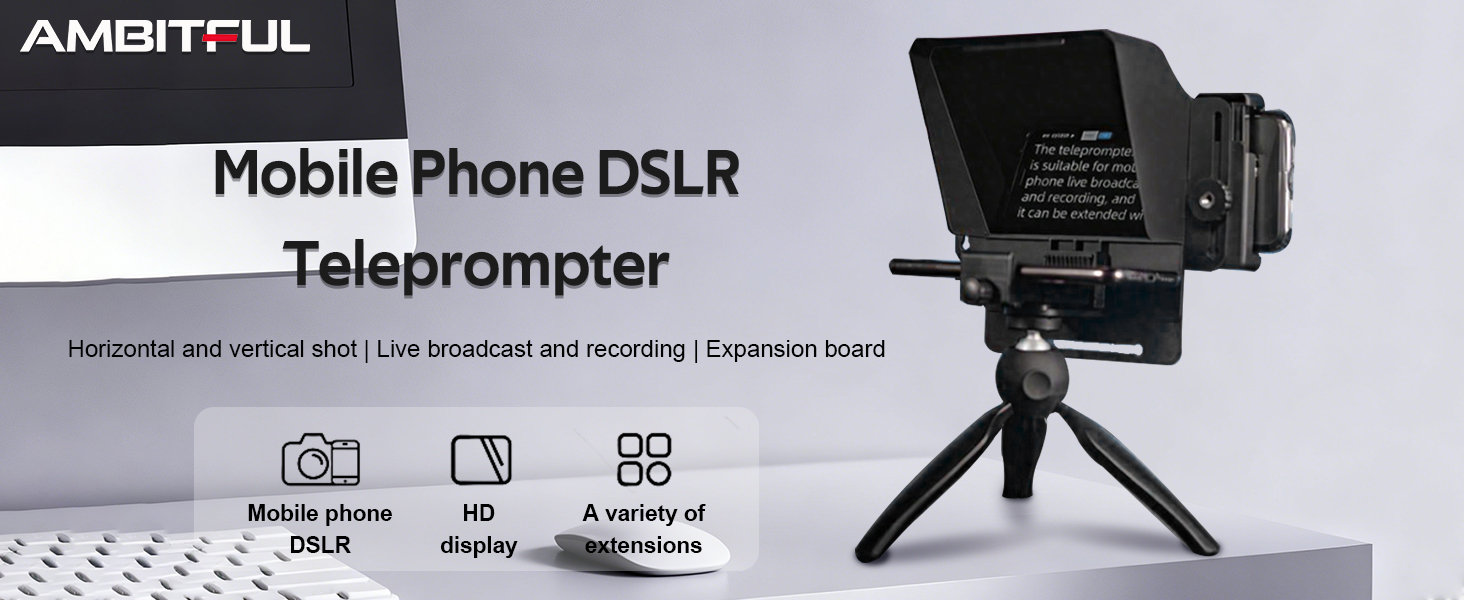
Image: AMBITFUL Teleprompter with a smartphone in use.
2. Package Contents
Verify that all items listed below are included in your package:
- 1x Teleprompter Unit
- 1x Phone Expansion Plate
- 8x Lens Adapter Rings (various sizes)
- 1x Phone Holder
- 4x Phone Shading Plates
- 1x Tabletop Tripod
- 1x Bluetooth Remote Control (not explicitly listed in 'whats_in_the_box' but mentioned in features/reviews, assuming included)

Image: All components included in the AMBITFUL Teleprompter package.
3. Setup Instructions
3.1. Mobile Phone Setup
- Attach the phone holder to the bottom screw hole of the teleprompter unit.
- Install the mobile phone expansion board onto the teleprompter.
- Install the cell phone lens shading panel.
- Place your smartphone into the phone holder, ensuring it is securely fastened. The phone clip accommodates devices with a width ranging from 2.2'' to 3.2''.
- Mount the teleprompter onto the tabletop tripod or another compatible tripod using the integrated 1/4 screw hole.
- Open your teleprompter application on your smartphone and adjust the text as needed.

Image: Detailed steps for installing a mobile phone onto the teleprompter.
3.2. DSLR Camera Setup
- Select the appropriate camera adapter ring that matches your DSLR lens diameter. The teleprompter includes rings for 49mm, 52mm, 55mm, 58mm, 62mm, 67mm, 72mm, and 77mm lenses.
- Screw the selected adapter ring onto your DSLR camera lens.
- Attach the teleprompter unit to the adapter ring on your camera lens. Ensure it is securely fastened.
- Place your smartphone (with the teleprompter app running) onto the phone clip at the base of the teleprompter unit.
- Mount the assembled teleprompter and camera onto a tripod.
- Turn on your DSLR screen and adjust the focal length of the lens to ensure the picture fills the frame without vignetting.
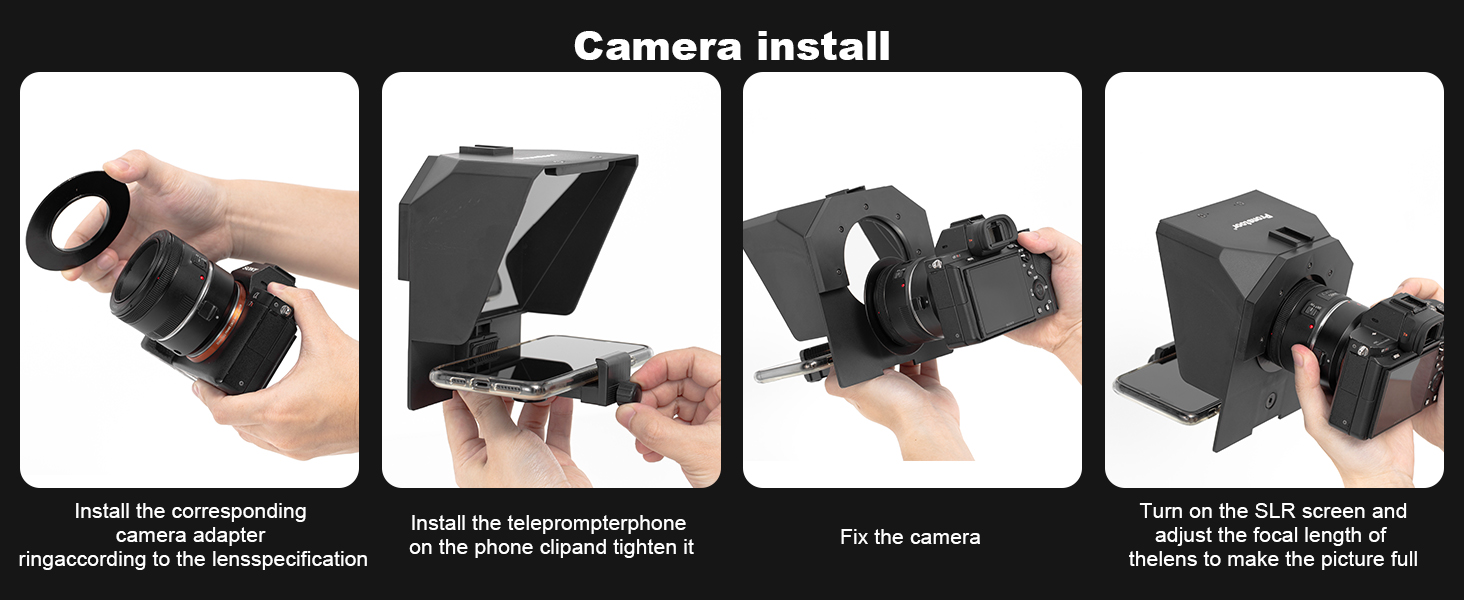
Image: Detailed steps for installing a DSLR camera with the teleprompter.

Image: Included camera adapter rings for different lens sizes.
Video: Demonstration of mobile phone installation and use with the AMBITFUL Teleprompter.
4. Operating Instructions
The AMBITFUL Teleprompter projects text from your smartphone onto a reflective screen, allowing you to read your script while maintaining direct eye contact with the camera lens. This ensures a natural and professional on-camera presence.
4.1. Using the Teleprompter App
- Download a compatible teleprompter application on your smartphone. Many apps allow you to import scripts, adjust text size, scrolling speed, and background color.
- Ensure the app is set to mirror or flip the text horizontally so it appears correctly when reflected on the teleprompter screen.
- Position your smartphone securely in the teleprompter's phone clip.
4.2. Using the Bluetooth Remote Control
The included Bluetooth remote control allows for convenient operation of your teleprompter app. Pair the remote with your smartphone via Bluetooth. Typically, the remote can control functions such as starting/stopping scrolling, adjusting scrolling speed, and navigating through your script.
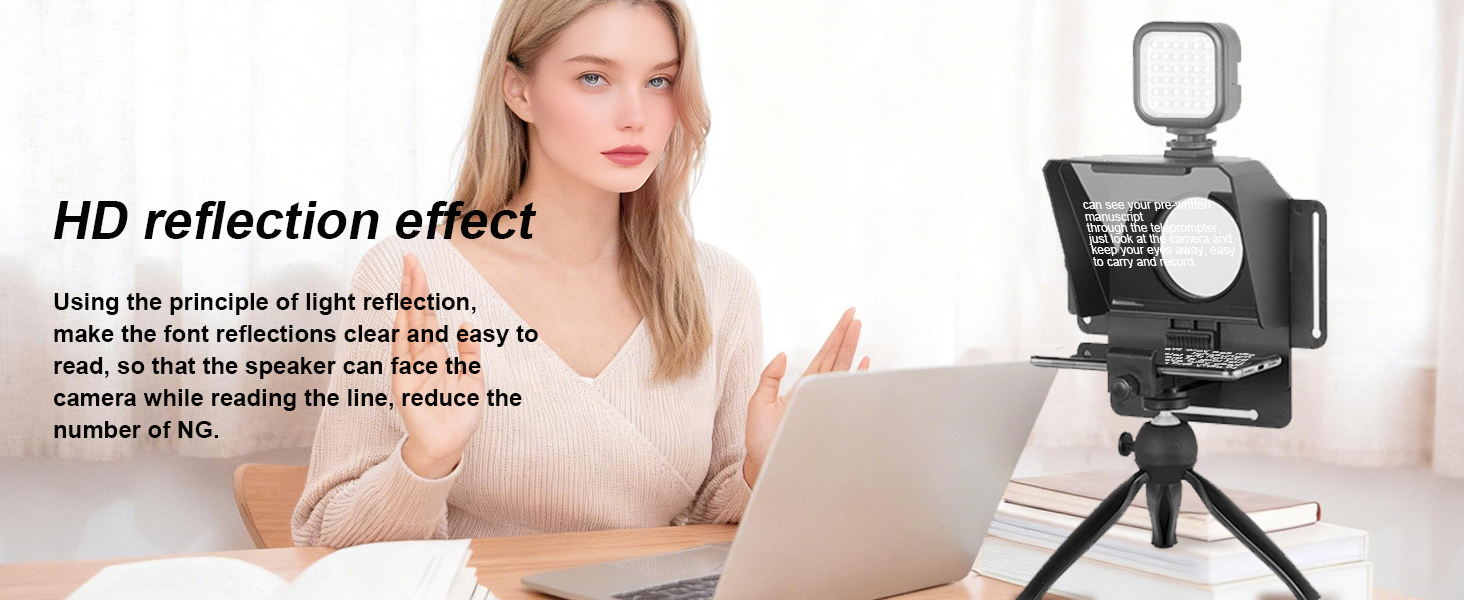
Image: Clear reflection of text on the teleprompter screen for easy reading.
Video: Demonstration of the AMBITFUL Teleprompter in operation, showing text scrolling.
5. Maintenance
To ensure the longevity and optimal performance of your AMBITFUL Teleprompter, follow these maintenance guidelines:
- Cleaning the Reflective Glass: Use a soft, lint-free microfiber cloth specifically designed for optics. If necessary, lightly dampen the cloth with a small amount of lens cleaning solution. Avoid harsh chemicals or abrasive materials that could scratch the surface.
- Cleaning the Body: Wipe the exterior of the teleprompter with a soft, dry cloth.
- Storage: When not in use, store the teleprompter in a clean, dry place, preferably in its original packaging or a protective case, to prevent dust accumulation and accidental damage.
- Handling: Handle the teleprompter with care, especially the reflective glass component, to avoid impacts or drops.
6. Troubleshooting
If you encounter issues with your AMBITFUL Teleprompter, refer to the following common troubleshooting tips:
- Text Not Clear/Readable:
- Ensure your smartphone screen brightness is set to maximum.
- Verify that the text in your teleprompter app is set to a sufficiently large font size and a contrasting color (e.g., white text on a black background).
- Check for smudges or dust on the reflective glass and clean it as per maintenance instructions.
- Adjust the distance between your camera and the teleprompter, and ensure your lens is properly focused.
- Text Appears Backwards:
- Most teleprompter apps have a 'mirror' or 'flip horizontal' function. Activate this setting in your app to correct the text orientation.
- Remote Control Not Working:
- Ensure the remote control has fresh batteries.
- Verify that the remote is properly paired with your smartphone via Bluetooth. Refer to your smartphone's Bluetooth settings for pairing instructions.
- Check the remote's mode setting; some remotes have different modes for various devices or apps.
- Vignetting (Dark Corners in Camera View):
- Ensure you are using the correct lens adapter ring size for your camera lens.
- For DSLR cameras, use a wide-angle lens with a focal length of 35mm or more to avoid the teleprompter housing appearing in the shot.
- Adjust the position of the camera and teleprompter to minimize obstruction.
- Difficulty Attaching to Camera:
- Double-check that you are using the correct lens adapter ring for your specific lens diameter.
- Ensure the adapter ring is fully screwed onto the lens before attaching the teleprompter.
7. Specifications
| Model Name | 7.5'' Teleprompter |
| Brand | AMBITFUL |
| Compatible Devices | Smartphone, DSLR Camera |
| Screen Size | 7.5 Inches |
| Item Weight | 350 Grams |
| Color | Black |
| Built-In Media | 1x Phone Expansion Plate, 1x Phone Holder, 1x Teleprompter, 4x Phone Shading Plate, 1x Tabletop Tripod, 8x Lens Adapter Ring |
| Water Resistance Level | Waterproof |
8. Warranty and Support
8.1. Warranty Information
This product comes with a manufacturer's warranty. Please refer to the warranty card included in your product packaging or contact AMBITFUL customer service for detailed information regarding warranty coverage and terms.
8.2. Customer Support
For any questions, technical assistance, or support needs, please contact AMBITFUL customer service through their official website or the contact information provided in your product documentation. Ensure you have your product model and purchase details ready when contacting support.
