Product Overview
The VIVO Electric 44 x 24 inch Standing Desk (DESK-E144B) is a versatile workstation designed to transition smoothly between sitting and standing positions. This desk features memory height adjustment, a sturdy black top, and a black frame, providing a comfortable and ergonomic workspace.
Key Features
- Create Instant Active Standing: Go from sitting to standing in one smooth motion with this complete active workstation providing comfortable viewing angles and customized heights. Say goodbye to long hours of sitting and end the day feeling energized.
- Sturdy 2-Part Top Design: This space-efficient 44” x 23.6” table will easily fit into your office area while still providing ample space for a variety of monitor and laptop setups along with important work materials, supplies, and décor.
- Powerful Electric Motor: Enjoy a height range of 28.3” to 46.4” with this desk’s powerful motor and strong legs using precise telescopic height adjustment. The easy-to-use push button controller features 3 memory presets to save your desired heights.
- Strong 154 lbs Support: With a steel frame and sturdy particle board top, this desk supports up to 154 lbs with maximum stability. Its modern and attractive appearance blends with a variety of home and office environments.
- Easy Assembly: All hardware and instructions are provided so that you can get your new sit-stand workstation assembled and elevating your productivity in no time.
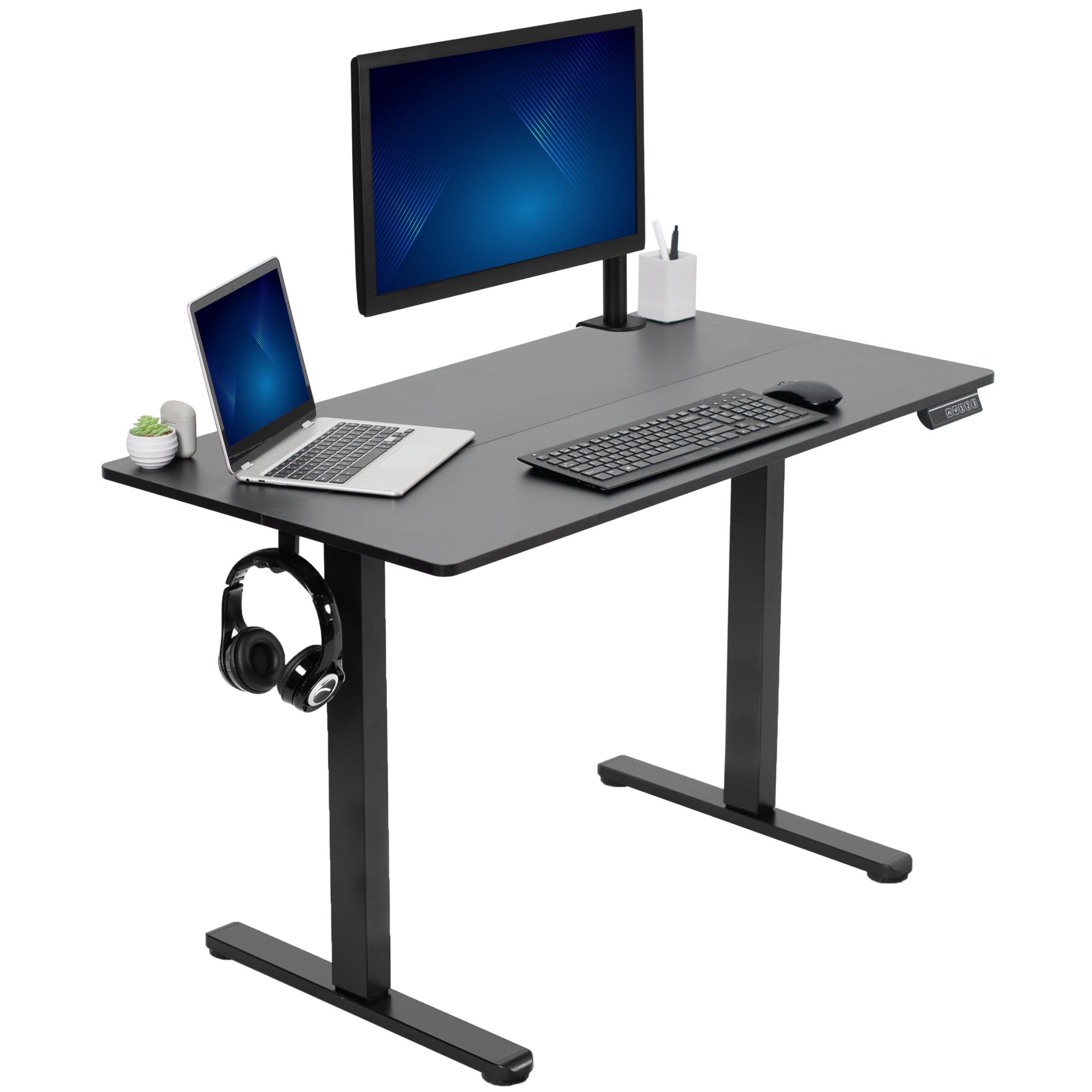
Figure 1: VIVO Electric Standing Desk (DESK-E144B) in an office environment.
Important Safety Information
Please read and understand all instructions before assembly and use. Failure to follow these instructions may result in serious injury or property damage.
- Ensure the desk is not loaded with more than 154 lbs to prevent damage or injury. The desk features overload and heat protection, but excessive weight can still cause instability.
- Keep children and pets away from the desk during operation.
- Ensure all cables are properly managed and secured to prevent entanglement or damage during height adjustment.
- Do not place liquids directly on the control panel or near electrical components.
- Regularly check all screws and connections to ensure they remain tight and secure.
Package Contents
The VIVO Electric 44 x 24 inch Standing Desk (DESK-E144B) package includes the following main components. Please verify all parts are present before beginning assembly.
- Desktop (44" x 24", 2-part)
- Desk Legs (2 units)
- Cross Bar
- Feet (2 units)
- Side Brackets
- Sync Rod
- Control Panel with Memory Presets
- Accessory Hooks
- AC Adapter and Cables
- Assembly Hardware (screws, dowels, cable clips, tools)
Assembly Guide
Follow these steps to assemble your VIVO Electric Standing Desk. For a visual guide, please refer to the assembly video below.
Video 1: DESK-E144B Assembly Instructions. This video provides a step-by-step visual guide for assembling the VIVO Electric Standing Desk.
- Step 1: Attach Cross Bar to Legs. Position the desk legs and cross bar on a flat surface. Secure the cross bar to the legs using the provided screws and tools.
- Step 2: Attach Feet to Legs. Connect the feet to the bottom of each leg using the designated screws. Ensure they are firmly attached for stability.
- Step 3: Attach Side Brackets to Legs. Install the side brackets to the upper part of the legs, securing them with screws. These brackets will support the desktop.
- Step 4: Adjust Length of Sync Rod and Secure. Extend the sync rod to the appropriate length to connect both leg mechanisms. Secure it in place according to the instructions.
- Step 5: Assemble Desk Top Halves. If your desktop comes in two halves, align them using the provided dowels. Secure them together using the connecting plate and screws on the underside.
- Step 6: Install Frame Assembly, Hooks, and Control Panel to Desktop. Carefully place the assembled frame onto the underside of the desktop. Attach the frame to the desktop using screws. Install the accessory hooks and mount the control panel to the desired location on the desktop's edge.
- Step 7: Connect AC Adapter and Cables. Connect the AC adapter and the cable from the motorized leg into the control panel. Use the provided cable clips to organize and manage all cables neatly along the bottom of the desk.
Operating Your Desk
The VIVO Electric Standing Desk features an intuitive control panel for easy height adjustments and memory presets.
Video 2: DESK-E144B Feature Overview. This video demonstrates the height adjustment and features of the VIVO Electric Standing Desk.
Height Adjustment
- Up/Down Buttons: Use the ▲ (Up) and ▼ (Down) buttons on the control panel to manually adjust the desk height. The desk has a height range of 28.3 inches to 46.4 inches.
- Memory Presets: The control panel features three programmable memory buttons (1, 2, 3). To save a desired height, adjust the desk to your preferred level, then press the 'M' button followed by the desired number (1, 2, or 3). The desk will then move to this saved height with a single press of the corresponding button.

Figure 2: Control panel with memory height adjustment.

Figure 3: Sit to Stand Height Range (28.3" - 46.4").
Care and Maintenance
Proper care and maintenance will ensure the longevity and optimal performance of your VIVO Electric Standing Desk.
- Cleaning: Wipe the desktop and frame with a soft, damp cloth. Avoid harsh chemicals or abrasive cleaners that could damage the finish.
- Regular Checks: Periodically inspect all screws and connections to ensure they are tight. Re-tighten if necessary.
- Cable Management: Ensure cables remain organized and free from obstruction, especially during height adjustments, to prevent damage.
- Weight Limit: Adhere strictly to the maximum weight capacity of 154 lbs to prevent damage to the motor and frame.
Troubleshooting Common Issues
If you encounter any issues with your desk, refer to the following common troubleshooting tips:
- Desk Not Moving: Check all power connections. Ensure the AC adapter is securely plugged into both the wall outlet and the control panel. Verify that the cable from the motorized leg is properly connected to the control panel.
- Uneven Height: If the desk appears uneven, ensure all feet are level and the desk is on a flat surface. Refer to the assembly instructions to re-check the sync rod installation and adjustment.
- Error Codes: If the control panel displays an error code, consult the full product manual (if available) or contact VIVO customer support for specific guidance.
- Noise During Operation: A slight hum is normal during operation. Excessive or unusual noises may indicate an issue. Ensure all screws are tight and nothing is obstructing the moving parts.
Product Specifications
| Feature | Specification |
|---|---|
| Brand | VIVO |
| Model Number | DESK-E144B |
| Product Dimensions | 23.6"D x 44"W x 28.3"H |
| Color | Black Top / Black Frame |
| Material Type | Particle Board, Steel |
| Lifting Mechanism | Electric |
| Minimum Height | 28.3 Inches |
| Maximum Height | 46.4 Inches |
| Maximum Weight Recommendation | 154 Pounds |
| Tabletop Thickness | 0.6 Inches |
| Special Feature | Adjustable Height |
| Required Assembly | Yes |

Figure 4: Desk Measurements.
Warranty and Customer Support
Your VIVO Electric Standing Desk (DESK-E144B) comes with a manufacturer's warranty and dedicated customer support.
- Manufacturer Warranty: This product is covered by a 3-year warranty. Please retain your proof of purchase for warranty claims.
- Customer Support: For any questions, assistance with assembly, troubleshooting, or warranty inquiries, please contact VIVO customer support.


