1. Introduction
This manual provides detailed instructions for the safe and efficient operation of your Airiton UV-S9 Plus 8W Dual Band Ham Radio. Please read this manual thoroughly before using the device to ensure proper functionality and to prevent damage.
2. Product Overview and Components
The Airiton UV-S9 Plus is a high-power, dual-band handheld two-way radio designed for reliable communication. Familiarize yourself with the radio's components and included accessories.

Figure 2.1: Airiton UV-S9 Plus radio, antenna, battery, belt clip, charging adapter, USB charging cable, user manual, and earpiece.
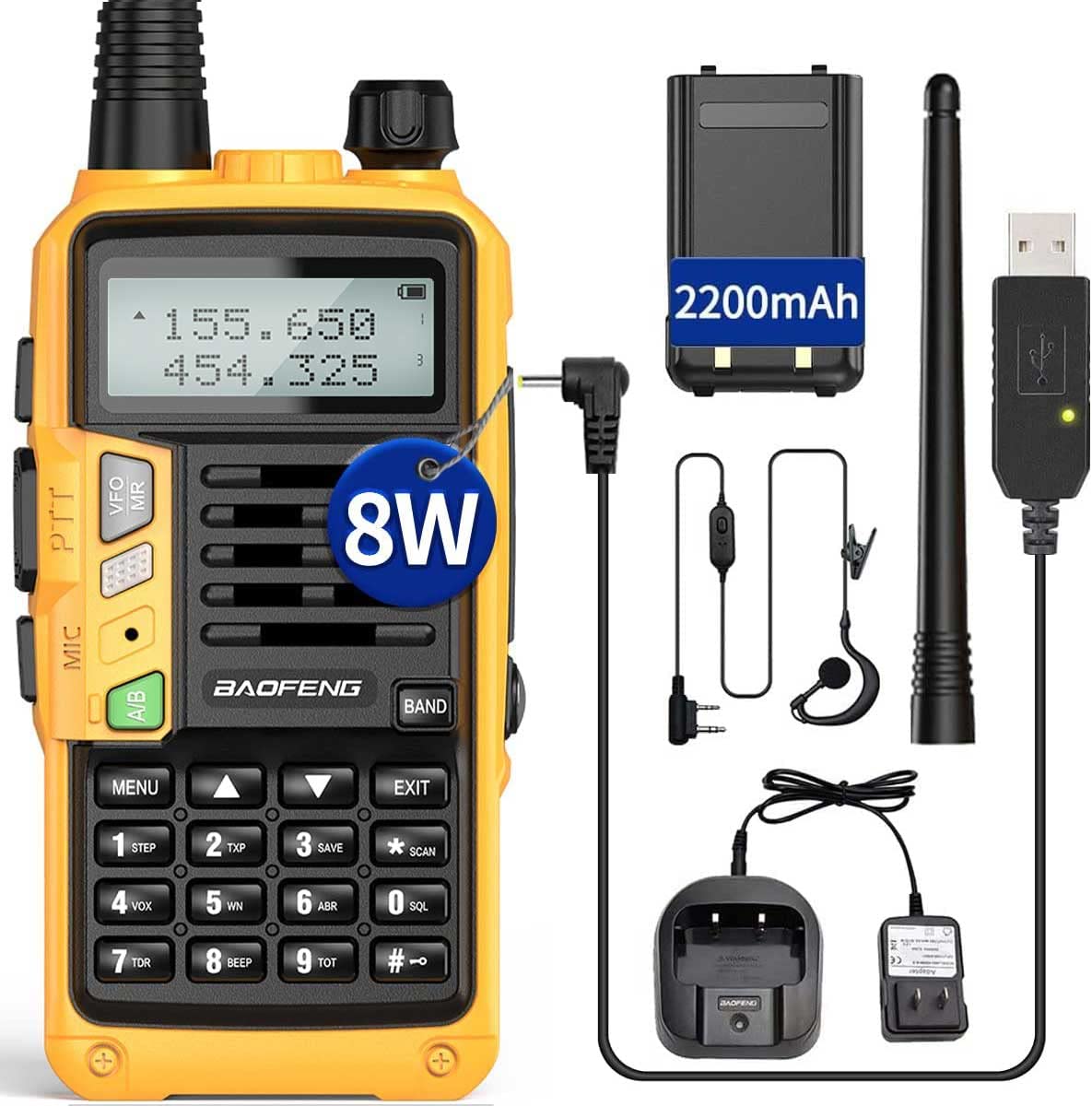
Figure 2.2: Key features of the Airiton UV-S9 Plus, including the USB Charge Port, Call Key, Accessory Jack, and MONI Key.

Figure 2.3: Detailed views highlighting the radio's top controls (volume/power knob, flashlight), side buttons (PTT, Call, MONI), and accessory ports.
3. Setup
3.1 Battery Installation
- Ensure the radio is powered off.
- Align the battery pack with the grooves on the back of the radio.
- Slide the battery pack upwards until it clicks into place.
- To remove, press the release latch (if present) and slide the battery downwards.
3.2 Antenna Attachment
- Screw the antenna clockwise into the connector on the top of the radio until it is finger-tight. Do not overtighten.
3.3 Charging the Battery
The UV-S9 Plus supports both cradle charging and direct USB charging.
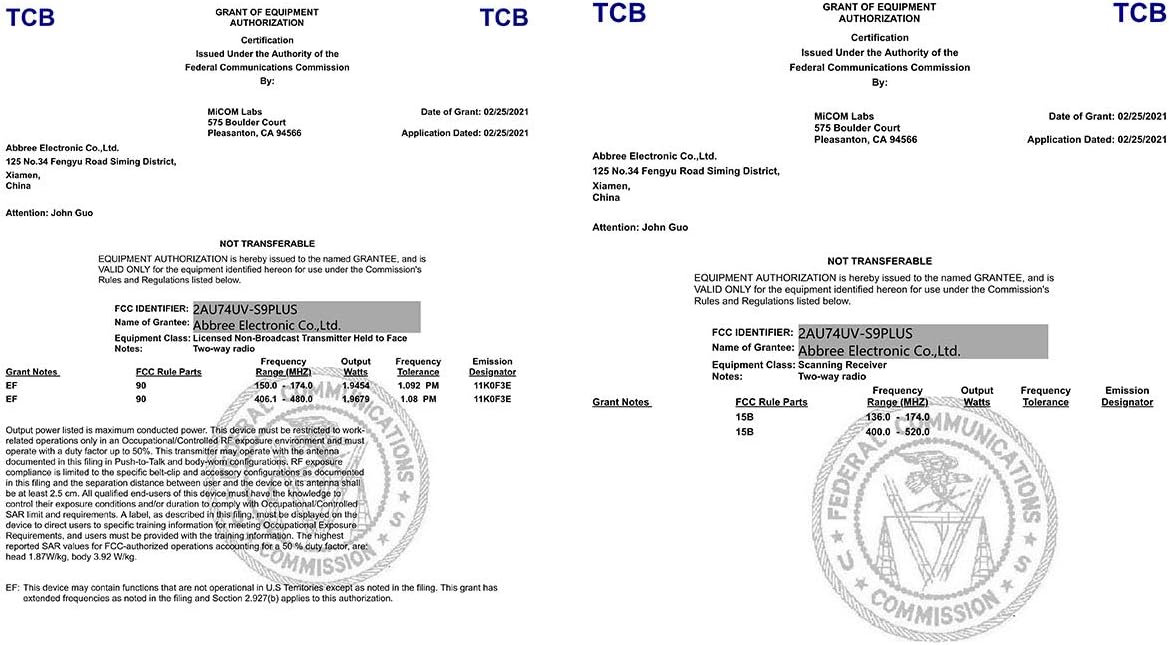
Figure 3.1: The radio connected to the USB charging cable for convenient power replenishment.
- Using the Charging Cradle: Place the radio with the battery installed into the charging cradle. Ensure the charging contacts align. The indicator light on the cradle will show charging status.
- Using the USB Charging Cable: Connect the USB charging cable to the radio's USB charge port and to a compatible USB power source (e.g., computer, USB wall adapter). The radio's display or an indicator light will show charging status.
A full charge typically takes several hours. Do not overcharge the battery.
4. Operating Instructions
4.1 Powering On/Off and Volume Control
- Power On: Rotate the volume/power knob (top of the radio) clockwise until you hear a click and the display illuminates.
- Power Off: Rotate the volume/power knob counter-clockwise until you hear a click and the display turns off.
- Volume Adjustment: Rotate the volume/power knob to adjust the audio output level.
4.2 Channel Selection (VFO/MR Mode)
The radio operates in two main modes: VFO (Variable Frequency Oscillator) for direct frequency input and MR (Memory Recall) for stored channels.
- Press the VFO/MR button to switch between VFO and MR modes.
- In VFO mode, use the keypad to enter frequencies directly or the UP/DOWN arrow keys to scan.
- In MR mode, use the UP/DOWN arrow keys to select a stored channel.
4.3 Transmitting and Receiving
- Receiving: When the radio is on and tuned to an active frequency, it will automatically receive incoming transmissions.
- Transmitting: Press and hold the PTT (Push-To-Talk) button on the side of the radio. Speak clearly into the microphone. Release the PTT button to stop transmitting and return to receive mode.
4.4 Keypad Functions
- MENU: Enters the menu system for advanced settings.
- UP/DOWN Arrows: Navigate menu options, change frequencies/channels.
- EXIT: Exits the current menu or function.
- Numbers (0-9): Used for direct frequency input or selecting menu options.
- #: Activates/deactivates keypad lock (long press).
- *: Activates/deactivates the FM radio (long press).
4.5 Programming the Radio
The Airiton UV-S9 Plus can be programmed using dedicated software and a programming cable. This allows for customization of channels, frequencies, and other advanced settings.
Video 4.1: This video demonstrates the process of connecting the Airiton UV-S9 Plus to a computer using a programming cable, installing the necessary software, reading data from the radio, editing frequencies, and writing the updated frequencies back to the radio. It provides a visual guide for channel programming.
General Programming Steps:
- Obtain the correct 2-pin programming cable for the UV-S9 Plus.
- Download and install the UV-S9 Plus programming software on your computer. It is recommended to temporarily disable antivirus software during installation to prevent interference.
- Connect the programming cable to the radio's accessory jack and to a USB port on your computer.
- Open the programming software and identify the correct COM port for the cable.
- Read the current configuration from the radio.
- Edit frequencies, channel names, and other parameters as needed within the software.
- Write the new configuration to the radio.
5. Maintenance
5.1 Cleaning
Wipe the radio's surface with a soft, damp cloth. Do not use harsh chemicals or abrasive cleaners. Ensure all ports are dry before use.
5.2 Battery Care
To prolong battery life, avoid fully discharging the battery frequently. Store the radio and battery in a cool, dry place when not in use for extended periods. Do not expose the battery to extreme temperatures.
5.3 Storage
When storing the radio for a long time, remove the battery. Store the radio in a dry, dust-free environment away from direct sunlight and extreme temperatures.
6. Troubleshooting
- Radio not powering on: Check if the battery is properly installed and charged. Ensure the volume/power knob is turned clockwise.
- Cannot transmit or receive: Verify the antenna is securely attached. Check the selected frequency or channel. Ensure the battery has sufficient charge.
- Poor audio quality: Adjust the volume. Check the antenna connection. Ensure you are within range of other radios or repeaters.
- Programming issues: Confirm the programming cable is correctly connected and the drivers are installed. Ensure the correct COM port is selected in the software. Temporarily disable antivirus software if it interferes with the programming process.
7. Specifications
| Feature | Specification |
|---|---|
| Brand | Airiton |
| Model | UV-S9 Plus |
| Item Weight | 15.8 ounces |
| Package Dimensions | 7.24 x 4.37 x 4.09 inches |
| Voltage | 7.4 Volts |
| Connectivity Technology | USB |
| Tuner Technology | UHF, VHF |
| Power Source | Battery Powered |
| Radio Bands Supported | 2-Band |
| Manufacturer | Airiton |
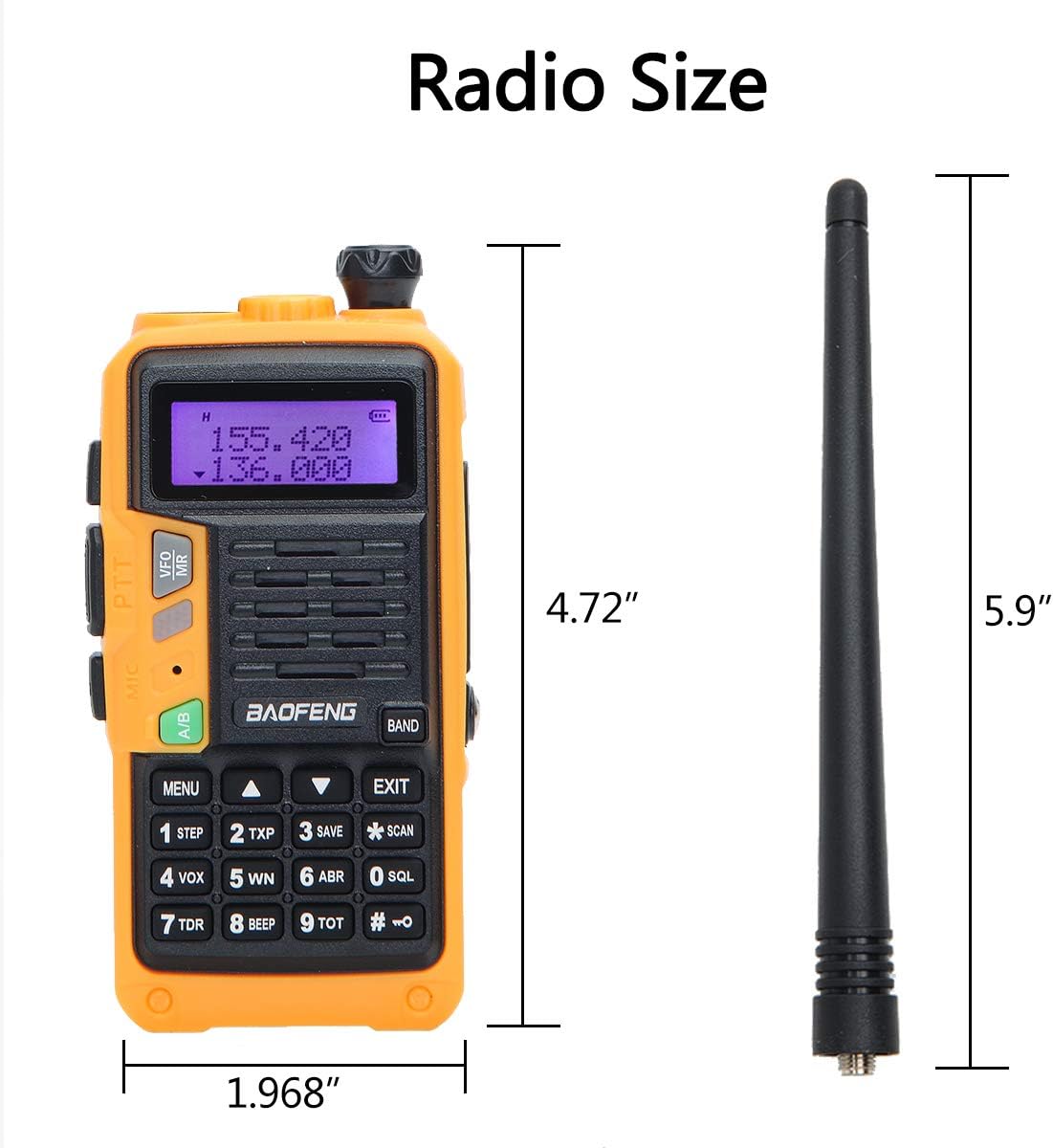
Figure 7.1: Physical dimensions of the Airiton UV-S9 Plus radio and its antenna.
8. Warranty and Support
For warranty information and technical support, please refer to the documentation included with your purchase or contact the manufacturer directly. Keep your proof of purchase for warranty claims.


