
1. Product Overview
The Mounting Dream MD2263-XLK is a tilting TV wall mount designed for most 42-86 inch LCD/LED/Plasma TVs. It supports TVs weighing up to 120 LBS with VESA mounting patterns ranging from 200x100mm to 800x400mm. This mount features a large tilting angle for anti-glare viewing and easy cable access, along with a post-installation leveling adjustment for perfect TV positioning. Its slim 2.5-inch profile ensures a neat and space-saving installation.
2. Important Safety Information
WARNING: Failure to read and follow all instructions may result in personal injury, property damage, or voiding of the warranty. If you have any questions, please contact customer service.
- Do not install on drywall alone. This mount is designed for wood studs, solid concrete, or brick walls.
- Ensure your TV's weight and VESA pattern are within the specified limits of this mount.
- Always use a stud finder to locate the center of wood studs accurately.
- Verify that the wall structure can safely support the combined weight of the mount and the TV.
- Keep children away during installation.
3. Package Contents
Verify all components are present and undamaged before installation. The package includes:
- Wall Plate Assembly (main frame)
- TV Brackets (2 pieces)
- Hardware Kit (various screws, washers, spacers for TV and wall attachment, often in pre-labeled bags)
- Small Bubble Level
- Installation Instruction Manual
4. Product Specifications
| Feature | Specification |
|---|---|
| Model | MD2263-XLK |
| TV Size Compatibility | 42-86 inches |
| Weight Capacity | Up to 120 LBS (54.4 kg) |
| VESA Compatibility | 200x100mm to 800x400mm |
| Mounting Type | Tilting Wall Mount |
| Tilt Angle | +5° / -15° |
| Level Adjustment | ±1° post-installation |
| Profile from Wall | 2.5 inches |
| Material | Metal |
| Color | Black |
5. Setup and Installation
5.1 Pre-Installation Checklist
Before you begin, ensure your TV and wall are compatible with the mount:
- TV VESA Pattern: Check the four mounting holes on the back of your TV. Measure the horizontal and vertical distance (in millimeters). This mount supports VESA from 200x100mm to 800x400mm.
- TV Weight: Confirm your TV's weight (without stand) does not exceed 120 LBS.
- Wall Type: This mount is suitable for wood stud walls (16", 18", 24" spacing), solid concrete, or brick walls. Do NOT install on drywall alone.
- Blocked Inputs: Ensure the mount will not block any necessary ports or inputs on your TV.

Image: Pre-installation checks for TV and wall compatibility.
5.2 Tools Required (Not Included)
- Pencil
- Tape Measure
- Phillips Head Screwdriver
- Drill and Drill Bits (Wood: 7/32" (5.5mm); Concrete: 3/8" (10mm))
- Stud Finder (for wood stud installation)
- Hammer (for concrete anchors)
- Socket Wrench (for lag bolts)
5.3 Step-by-Step Installation Guide
Follow these steps carefully for a secure installation. It is recommended to have two people for TV mounting.
Step 1: Attach TV Brackets to TV
- Carefully place your TV face-down on a soft, clean surface to prevent screen damage.
- Align the two TV brackets with the VESA mounting holes on the back of your TV.
- Select the appropriate screws, washers, and spacers from the hardware kit that fit your TV's mounting holes.
- Securely fasten the brackets to the TV using a Phillips head screwdriver. Ensure they are tight but do not overtighten.
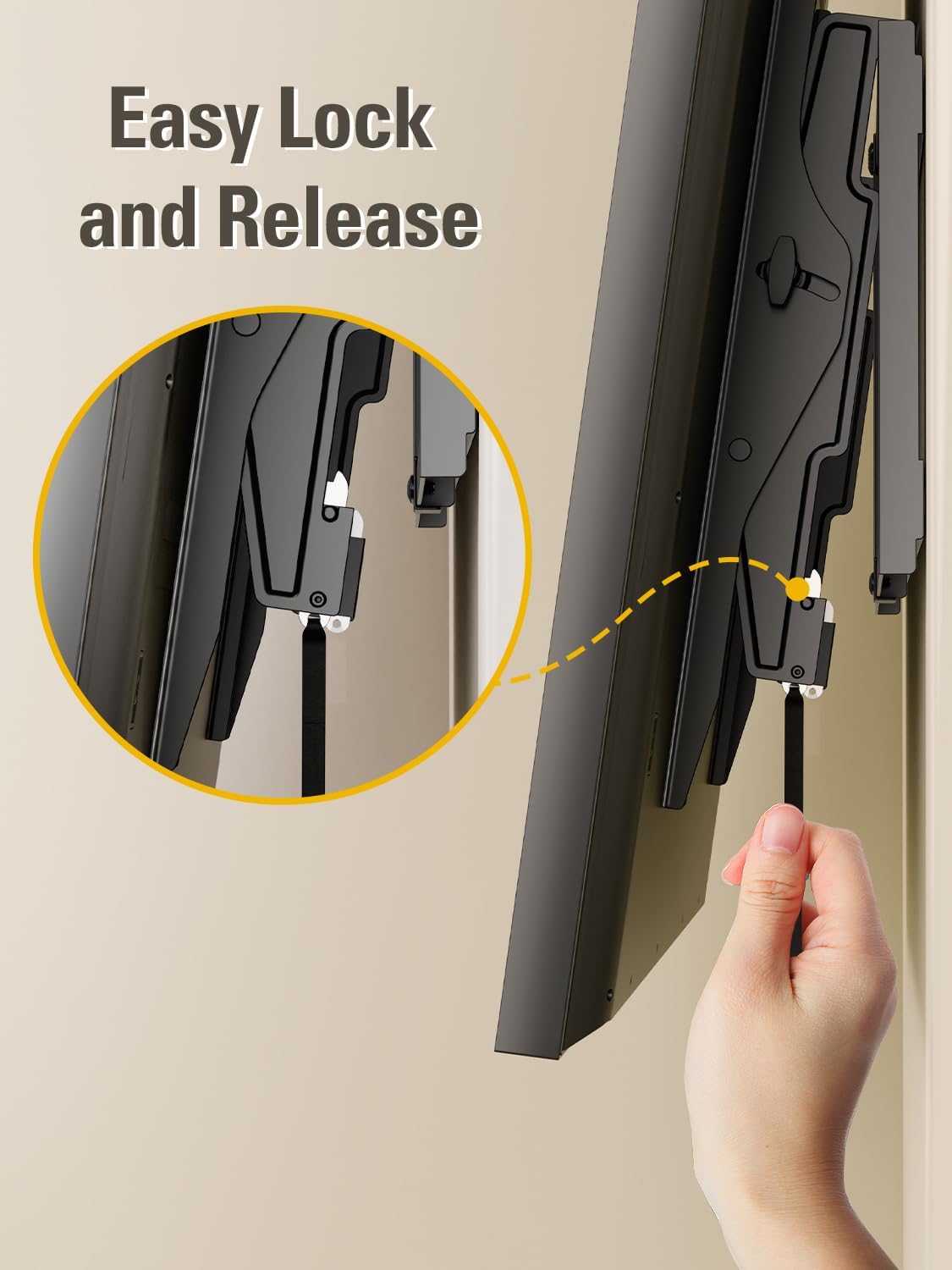
Image: Attaching the mounting brackets to the rear of the TV.
Video: Demonstrates attaching the TV brackets to the television, including screw selection and tightening.
Step 2: Install Wall Plate
- Determine the desired height for your TV. Use a pencil to mark the center of your desired TV location on the wall.
- For Wood Stud Walls: Use a stud finder to locate the edges and center of the wood studs. Mark the center of the studs where the wall plate will be mounted. The wall plate is designed to fit 16", 18", or 24" stud spacing.
- Hold the wall plate against the wall, aligning it with your marked stud centers. Use the included bubble level to ensure it is perfectly horizontal. Mark the pilot hole locations.
- Drill pilot holes into the wood studs using a 7/32" (5.5mm) wood drill bit. Drill to a depth of approximately 2.5" (65mm).
- Attach the wall plate to the wall using the provided lag bolts and washers. Tighten them securely with a socket wrench.
- For Solid Concrete/Brick Walls: Hold the wall plate against the wall at your desired height and use the bubble level to ensure it is horizontal. Mark the pilot hole locations.
- Drill pilot holes into the concrete/brick using a 3/8" (10mm) masonry drill bit. Drill to a depth of approximately 2.5" (65mm).
- Insert the concrete wall anchors into the drilled holes. Tap them gently with a hammer until they are flush with the wall surface.
- Attach the wall plate to the wall using the provided lag bolts and washers. Tighten them securely with a socket wrench.

Image: Wall type compatibility and stud spacing.
Video: Illustrates the process of finding wood studs, marking holes, drilling, and attaching the wall plate securely.
Step 3: Hang and Secure TV to Wall Plate
- With assistance, carefully lift the TV with the attached brackets and hook the brackets onto the top edge of the wall plate.
- Gently lower the TV until the brackets are fully seated on the wall plate.
- Locate the safety locking straps or screws on the bottom of the TV brackets. Secure these to prevent the TV from accidentally lifting off the mount.
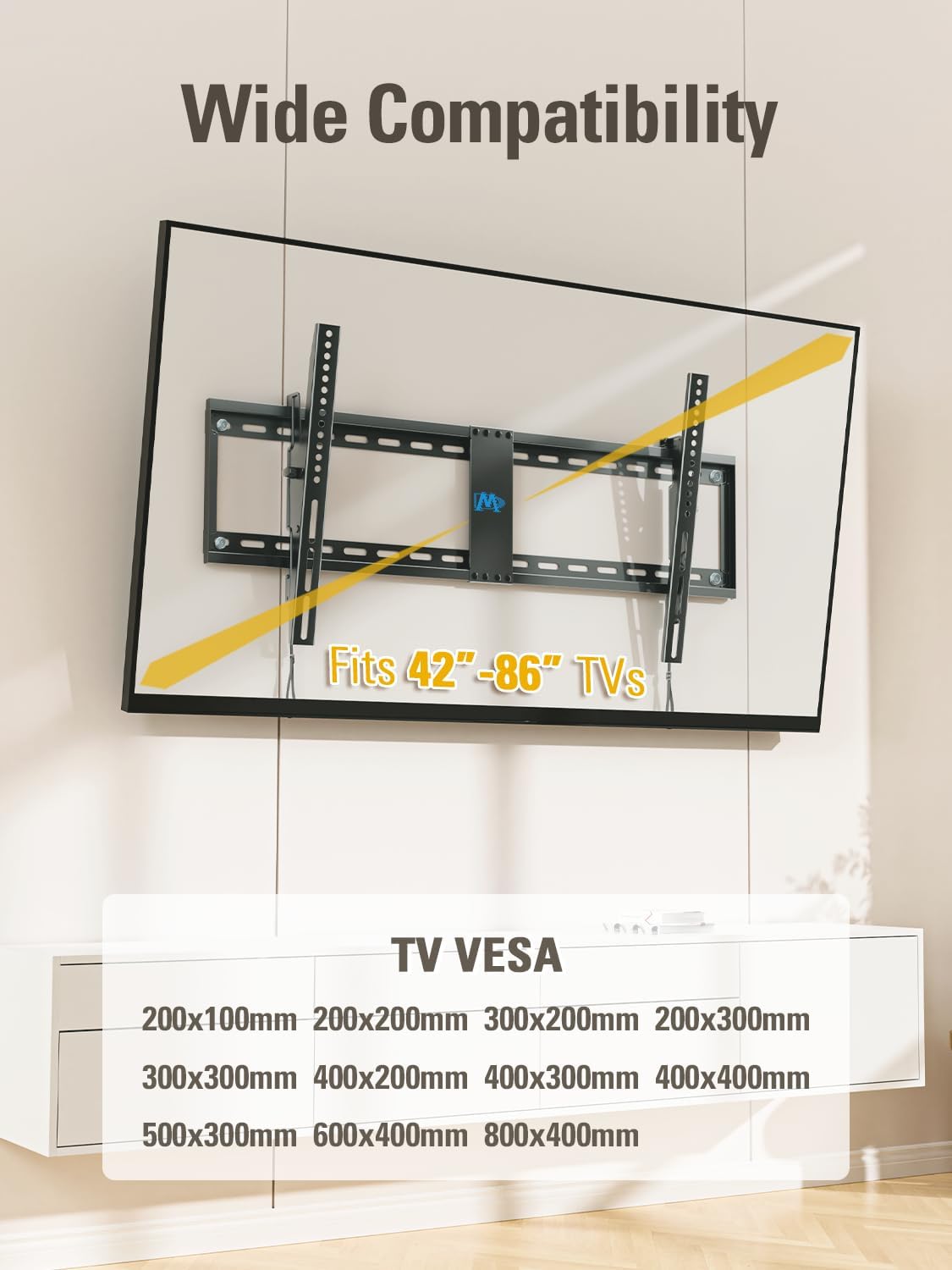
Image: TV securely mounted on the wall.
Video: Shows the final steps of hanging the TV onto the wall plate and securing it.
6. Operating Instructions
6.1 Tilting Function
The MD2263-XLK mount allows you to tilt your TV for optimal viewing and to reduce glare. It can tilt forward up to 15° and backward up to 5° for easy cable access.
- To adjust the tilt, loosen the tool-free handles located on the TV brackets.
- Gently tilt the TV to your desired angle.
- Tighten the tool-free handles to lock the TV in place.
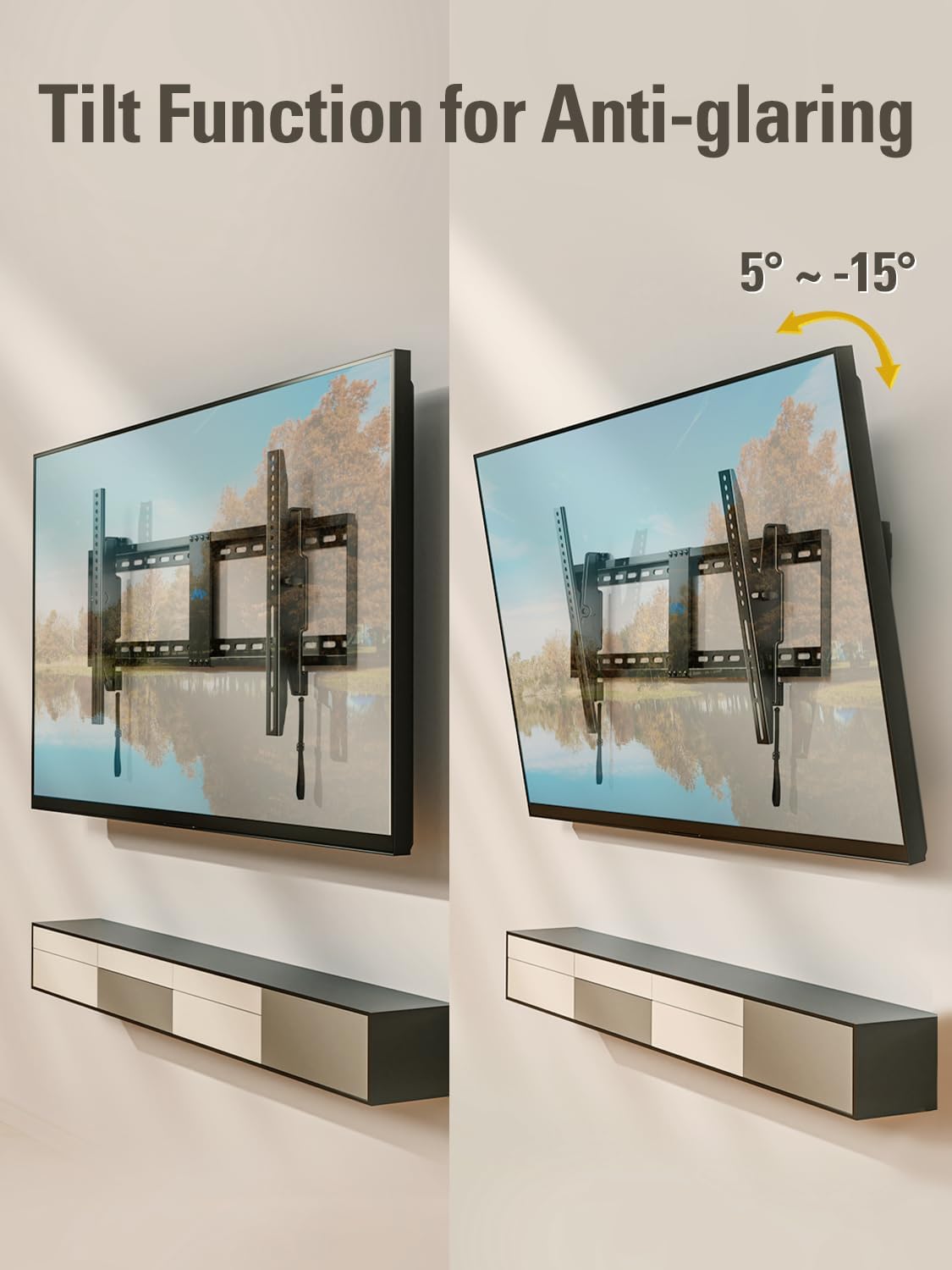
Image: Demonstrating the tilting function of the TV mount.
Video: Shows how to adjust the tilt angle of the TV mount.
6.2 Level Adjustment
After installation, you can make minor horizontal adjustments to ensure your TV is perfectly level (±1°).
- Locate the leveling screws on the TV brackets.
- Use a screwdriver to turn the leveling screws clockwise or counter-clockwise to achieve the desired level.

Image: Illustrates the post-installation leveling adjustment feature.
Video: Demonstrates the leveling adjustment feature of the TV mount.
7. Maintenance
To ensure continued safe and optimal performance of your TV wall mount:
- Periodically check that all screws and bolts are securely tightened.
- Inspect the mount for any signs of wear, damage, or corrosion.
- Clean the mount with a soft, dry cloth. Avoid using abrasive cleaners or solvents.
8. Troubleshooting
If you encounter any issues during or after installation, refer to the following common problems and solutions:
- TV is not level: Use the post-installation leveling adjustment feature (refer to Section 6.2).
- TV does not fit the mount: Double-check your TV's VESA pattern and weight against the mount's specifications (refer to Section 4 and 5.1). Ensure you have selected the correct screws and spacers.
- Mount feels unstable: Re-check all wall plate and TV bracket connections. Ensure lag bolts are securely fastened into studs or concrete anchors. Verify the wall type is appropriate for installation.
- Cables are difficult to access: Utilize the backward tilt feature (up to 5°) for easier access to ports (refer to Section 6.1).
For further assistance, please contact Mounting Dream customer support.
9. Warranty and Support
This Mounting Dream TV wall mount is backed by a 10-year warranty.
If you have any pre-purchase questions, installation inquiries, or require technical support, Mounting Dream customer support is available 7 days a week to assist you. Please refer to the contact information provided in your product packaging or visit the official Mounting Dream website for support details.


