
1. Introduction
Thank you for choosing the CURTIS TFRF520 FRF520 Chest Deep Freezer. This appliance is designed to provide efficient and reliable frozen food storage for your home or business. Please read this manual thoroughly before installation, operation, or maintenance to ensure proper use and to prevent injury or damage.

This image displays the overall exterior of the CURTIS TFRF520 Chest Deep Freezer, showcasing its compact design and white finish.
2. Safety Information
Your safety and the safety of others are very important. We have provided many important safety messages in this manual and on your appliance. Always read and obey all safety messages.
- Electrical Safety: Ensure the power outlet is properly grounded. Do not use extension cords or ungrounded adapters.
- Ventilation: Maintain adequate clearance around the freezer for proper ventilation to prevent overheating.
- Flammable Materials: Do not store explosive substances such as aerosol cans with a flammable propellant in this appliance.
- Child Safety: Supervise children when they are near the appliance. Old freezers can be dangerous traps for children.
- Handling: Use caution when moving the freezer to avoid damage to the refrigerant tubing.
3. Setup and Installation
3.1 Unpacking
Carefully remove all packaging materials, including the foam base and adhesive tape. Inspect the freezer for any shipping damage. Report any damage to your retailer immediately.
3.2 Placement
Place the freezer on a firm, level floor that is strong enough to support the unit when fully loaded. Ensure there is at least 4 inches (10 cm) of space on the sides and back for proper air circulation. Avoid direct sunlight or heat sources.
3.3 Initial Cleaning
Before first use, clean the interior and exterior of the freezer with a mild detergent and warm water. Wipe dry thoroughly.
3.4 Power Connection
Plug the freezer into a dedicated 120 Volt, 60 Hz, 15 Amp grounded electrical outlet. Allow the freezer to stand upright for at least 2-4 hours before plugging it in to allow the refrigerant to settle.
3.5 Initial Cool-Down
After plugging in, allow the freezer to operate for 4-6 hours empty to reach its optimal temperature before loading food.
This image illustrates the external dimensions of the freezer: approximately 29.3 inches wide, 22.0 inches deep, and 32.6 inches high.
4. Operating Instructions
4.1 Temperature Control
The freezer features a mechanical control with an adjustable thermostat. The dial is located on the lower front panel of the unit. Turn the dial to your desired setting. Settings range from 1 (least cold) to 7 (coldest), offering temperatures from -12 to -28 degrees Celsius.

This image shows the front of the freezer, highlighting the temperature control dial and indicator lights.
4.2 Power Indicator
A green light on the control panel indicates that the compressor is running and the freezer is actively cooling.
4.3 Loading the Freezer
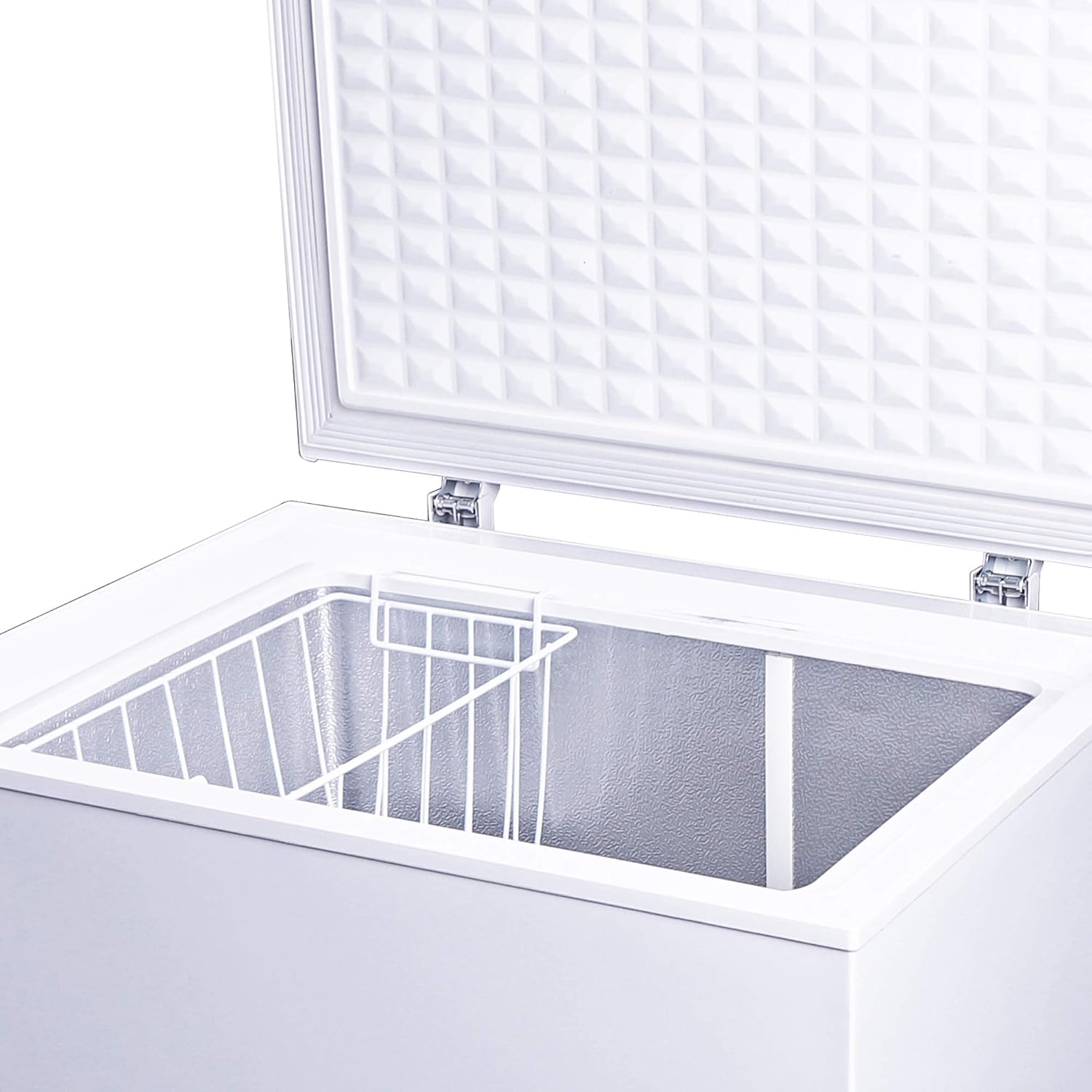
For optimal performance, avoid overloading the freezer. Allow space between items for cold air to circulate. The freezer includes one hanging wire storage basket for organizing smaller items or frequently accessed goods.

This image shows the interior of the chest freezer with the lid open, revealing the spacious storage area and the included hanging wire basket.
4.4 Door Operation
The hinge-style door is designed to remain open from 45 to 75-degree angles, providing convenient access to the contents without needing to hold the lid.
5. Maintenance
5.1 Cleaning
Regularly clean the interior and exterior of the freezer. Unplug the unit before cleaning. Use a mild, non-abrasive cleaner. For the interior, a solution of baking soda and water can help neutralize odors. Ensure all surfaces are dry before plugging the unit back in.
5.2 Defrosting
Defrost the freezer when ice accumulation reaches about 1/4 inch (0.6 cm) thick. Unplug the unit, remove all food, and allow the ice to melt naturally. Use a soft cloth to absorb water. Do not use sharp objects to remove ice, as this can damage the cooling system. The freezer has a defrost drain for convenience.
5.3 Power Outage
In case of a power outage, keep the freezer door closed to maintain temperature for as long as possible. Food can remain frozen for several hours depending on the ambient temperature and how full the freezer is.
5.4 Long-Term Storage
If the freezer will not be used for an extended period, unplug it, empty all contents, defrost, clean thoroughly, and leave the lid slightly ajar to prevent odors and mold growth.
6. Troubleshooting
Before contacting customer service, please check the following common issues:
| Problem | Possible Cause | Solution |
|---|---|---|
| Freezer does not operate | No power; circuit breaker tripped; temperature control set to 'OFF'. | Check power supply; reset breaker; turn temperature dial to a numbered setting. |
| Temperature is not cold enough | Door not closed properly; excessive door openings; warm food added recently; poor ventilation; temperature setting too high. | Ensure door is sealed; reduce door openings; allow time for new food to cool; ensure proper clearance; adjust temperature to a colder setting. |
| Excessive noise | Freezer not level; objects vibrating against the unit; normal compressor operation. | Adjust leveling feet; ensure nothing is touching the freezer; some noise is normal during operation. |
| Frost buildup | Frequent door openings; high humidity; damaged door seal. | Reduce door openings; ensure door seal is intact and clean; defrost the unit. |
If the problem persists after checking these points, please contact qualified service personnel.
7. Specifications
| Feature | Detail |
|---|---|
| Brand | Curtis |
| Model Name | TFRF520 |
| Capacity | 5.0 Cubic Feet |
| Product Dimensions (W x D x H) | 29.3 x 22.0 x 32.6 inches (External) |
| Item Weight | 65.8 pounds |
| Color | White |
| Voltage | 120 Volts |
| Installation Type | Freestanding |
| Included Components | Freezer, 1 Hanging Wire Storage Basket |
| Temperature Range | -12 to -28 Degrees Celsius |
8. Warranty and Support
8.1 Warranty Information
This CURTIS TFRF520 FRF520 Chest Deep Freezer comes with a Full 1-Year Warranty on the entire unit and a 2-Year Warranty on the compressor. Please retain your proof of purchase for warranty claims.
8.2 Customer Support
For technical assistance, warranty service, or to order replacement parts, please contact Curtis customer support. Refer to the contact information provided with your product packaging or visit the official Curtis website.


