
1. Introduction
The Accurex RXT-150M is a professional-grade industrial platform scale designed for demanding and intensive use in various environments such as warehouses, offices, hospitality, and laboratories. This manual provides essential information for the proper setup, operation, and maintenance of your Accurex RXT-150M scale to ensure accurate and reliable performance.
2. Product Overview
The Accurex RXT-150M scale features a robust construction of lacquered steel and stainless steel, paired with a highly reliable RX electronic indicator. It is designed for durability and precision in industrial settings.
Key Features:
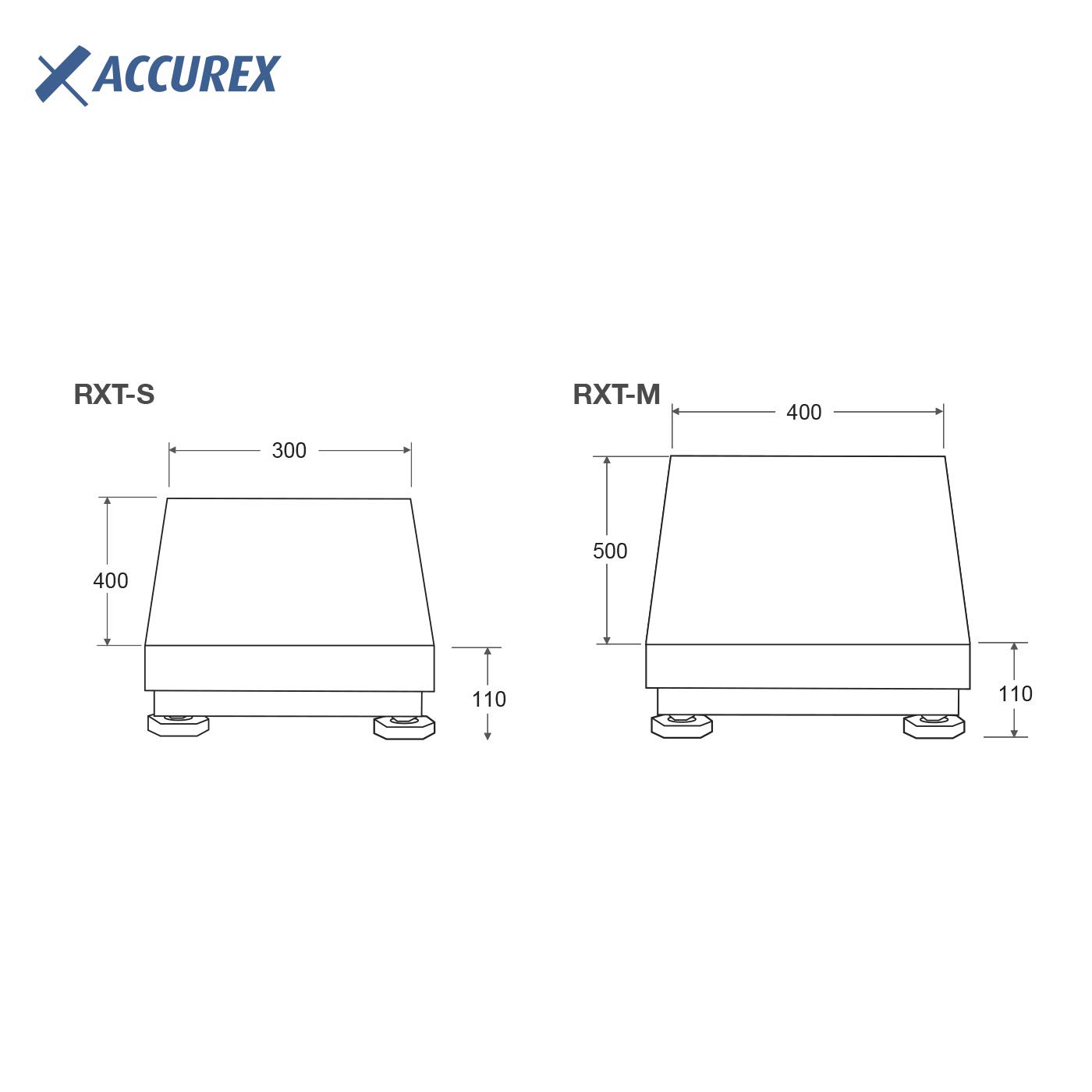
- High-Strength Platform: Constructed from stainless steel, measuring 500 x 400 mm.
- High Capacity: Weighs up to 150 kg with a readability of 20 g.
- Fast Response: Displays stable weight accurately in less than 2 seconds.
- Electronic Indicator: RX indicator with 20 mm high-brightness LED digits, connected via a 175 cm cable.
- Dual Power Source: Operates on 220V mains power and includes an internal rechargeable battery with up to 50 hours of autonomy. The battery recharges automatically when connected to mains.
- Pre-Calibrated: Each unit is factory-calibrated and adjusted by Gram Group's calibration laboratory.
Components:

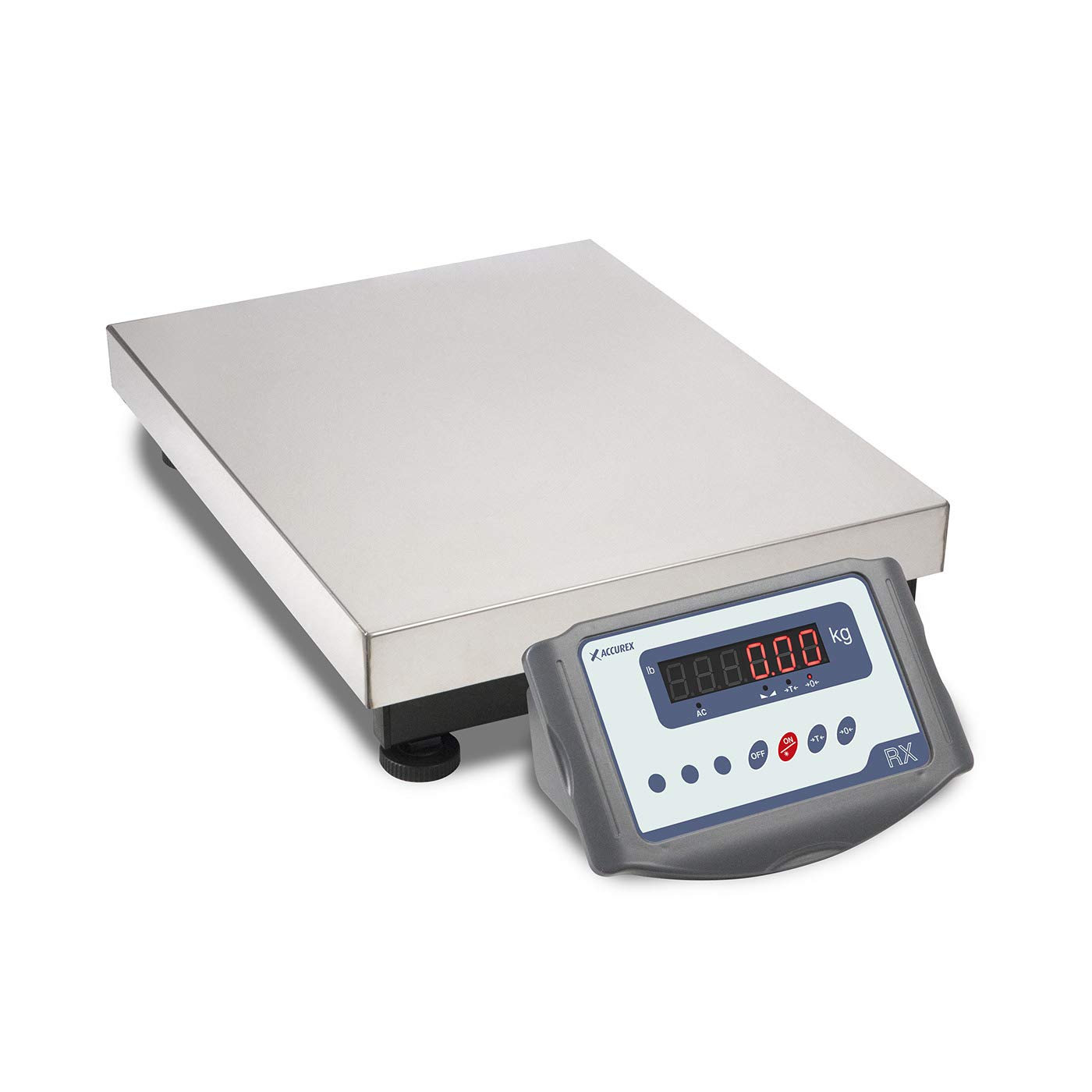
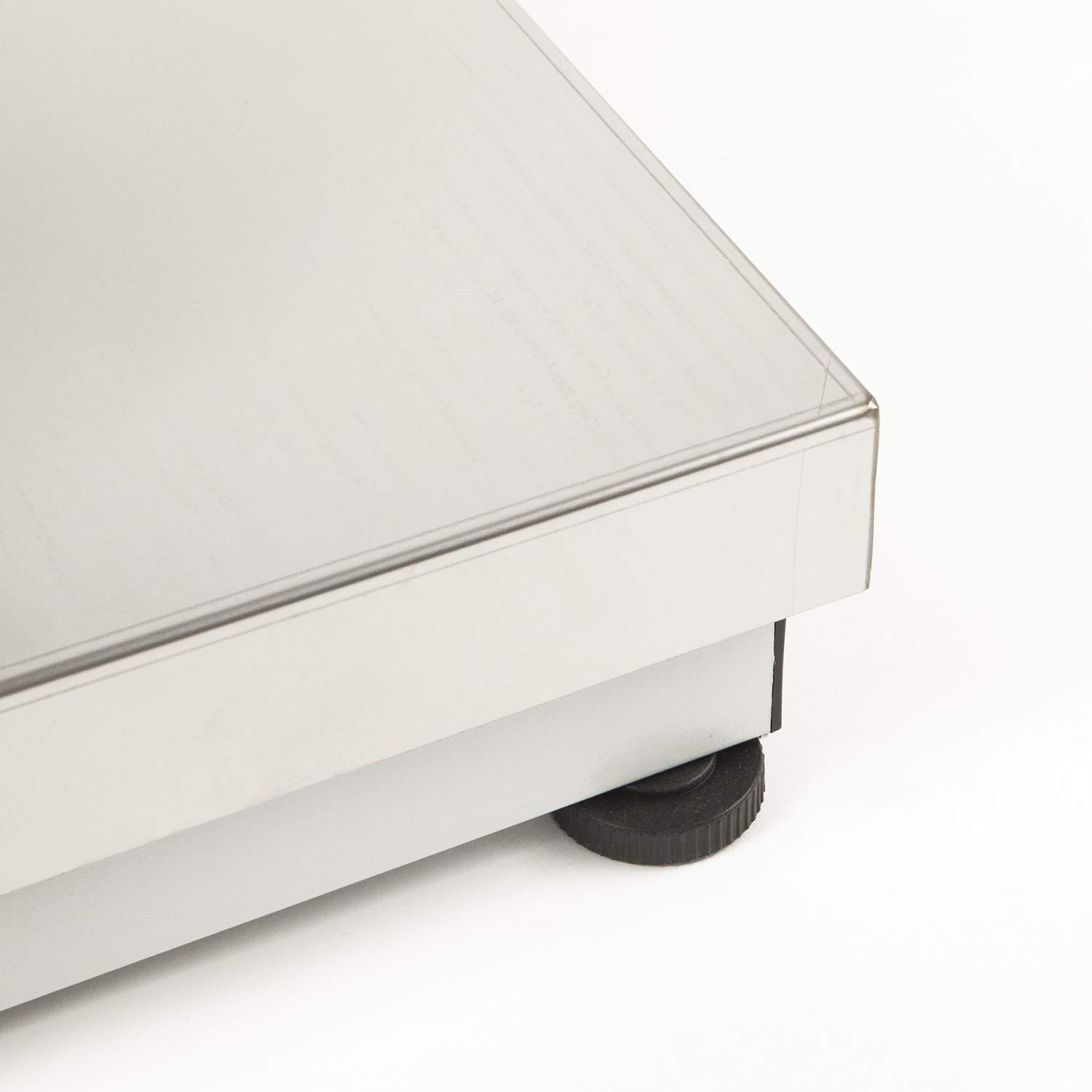

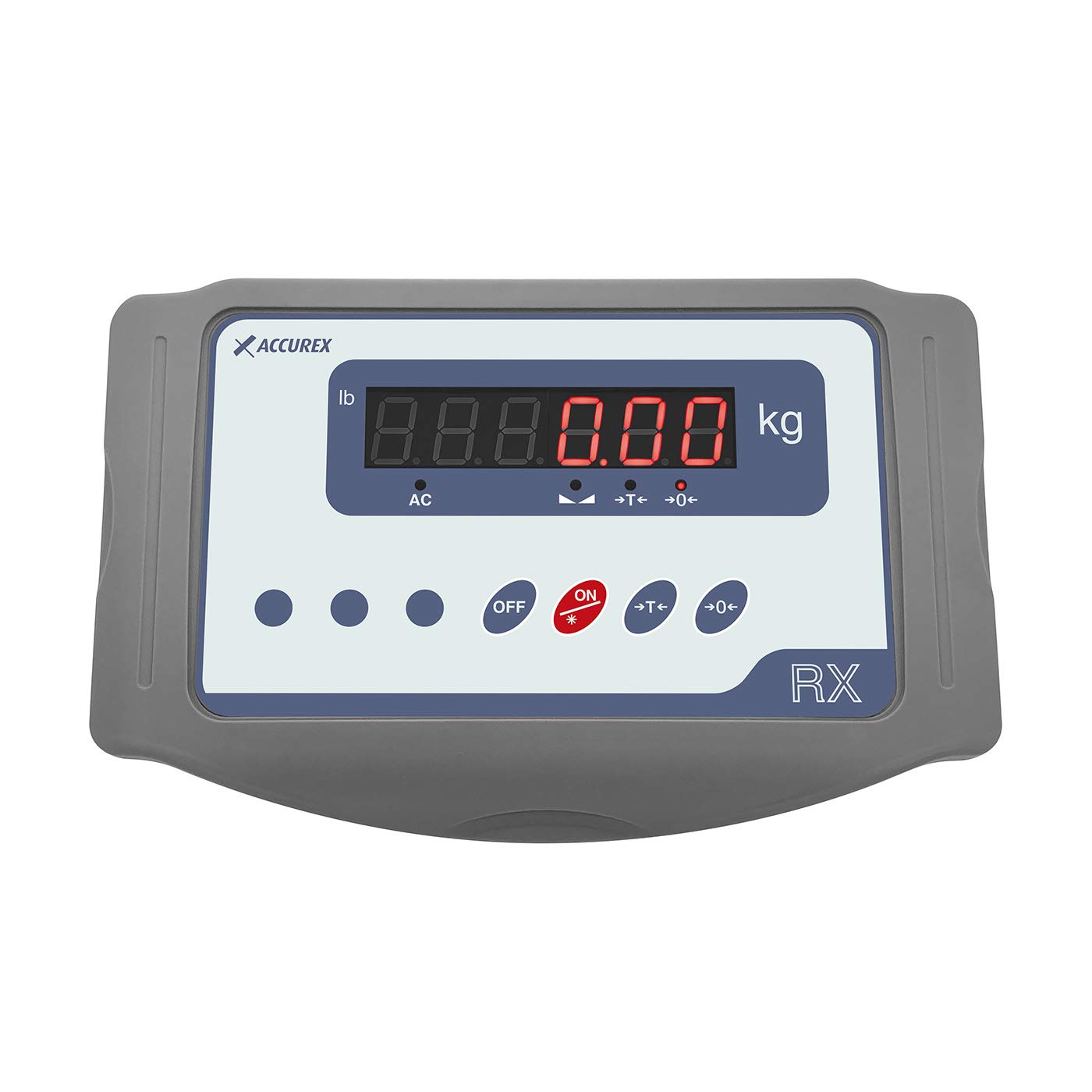

3. Setup
- Unpack Components: Carefully remove the platform, electronic indicator, and network adapter from the packaging.
- Connect Indicator: Connect the RX electronic indicator to the weighing platform using the provided 175 cm cable. Ensure the connection is secure.
- Position the Scale: Place the platform on a stable, level surface to ensure accurate readings. Uneven surfaces can affect weighing precision.
- Power Connection: Plug the network adapter into a standard 220V mains outlet and connect it to the indicator. The internal battery will begin charging automatically.
- Initial Power On: Press the ON button on the indicator. Allow a few moments for the scale to stabilize and display '0.00'.
4. Operating Instructions
4.1 Power On/Off
- To turn the scale ON, press the red ON button on the indicator.
- To turn the scale OFF, press the OFF button on the indicator.
4.2 Zero Adjustment
The zero adjustment function allows you to reset the scale to zero before weighing. This is useful if there is any residual weight on the platform or if the display does not show '0.00' when empty.
- Ensure the platform is empty.
- Press the 0← (Zero) button on the indicator. The display should reset to '0.00'.
4.3 Tare Function
The tare function allows you to deduct the weight of a container or packaging, so only the net weight of the item being weighed is displayed.
- Place the empty container or packaging on the weighing platform. The display will show its weight.
- Press the T→ (Tare) button on the indicator. The display will reset to '0.00', effectively subtracting the container's weight.
- Place the item to be weighed inside the container. The display will now show only the net weight of the item.
4.4 Weighing
To weigh an item:
- Ensure the scale is powered on and the display shows '0.00' (use the Zero or Tare function if necessary).
- Carefully place the item to be weighed onto the center of the platform.
- Read the stable weight displayed on the LED indicator.
5. Maintenance
5.1 Cleaning
- Regularly clean the platform and indicator with a soft, damp cloth.
- Do not use abrasive cleaners, solvents, or harsh chemicals, as these can damage the surfaces and electronic components.
- Ensure no liquids enter the indicator unit or the internal components of the platform.
5.2 Battery Care
- To maximize battery life, recharge the internal battery regularly by keeping the scale connected to the mains power when not in use.
- Avoid completely draining the battery frequently.
5.3 Calibration
The Accurex RXT-150M scale is factory-calibrated. For applications requiring certified accuracy or after significant impact/repair, professional re-calibration may be necessary. Contact an authorized service center for calibration services.
6. Troubleshooting
If you encounter issues with your Accurex RXT-150M scale, please refer to the following common troubleshooting steps:
- Scale does not power on:
- Check if the power cable is securely connected to both the indicator and the mains outlet.
- Ensure the mains outlet is functional.
- If operating on battery, ensure the battery is charged. Connect to mains power and try again.
- Inaccurate or unstable readings:
- Ensure the scale is placed on a stable, level surface, free from vibrations or drafts.
- Verify that the platform is clean and free from any obstructions or debris.
- Check the cable connection between the platform and the indicator for any damage or looseness.
- Perform a zero adjustment (Section 4.2).
- Avoid placing items off-center on the platform.
- Display shows an error message:
- Consult the indicator's specific error code list (if available in separate documentation) or power cycle the scale (turn off, wait 10 seconds, then turn on).
- If the issue persists, contact customer support.
For issues not resolved by these steps, please contact Accurex customer support or an authorized service technician.
7. Specifications
| Model | RXT-150M |
| Brand | ACCUREX |
| Capacity | 150 kg |
| Readability / Precision | 20 g |
| Platform Dimensions (L x W) | 500 x 400 mm |
| Overall Product Dimensions (L x W x H) | 70 x 40 x 15 cm |
| Overall Product Weight | 9.1 kg |
| Indicator Dimensions (L x W x H) | 265 x 165 x 110 mm (approximate height, based on visual assessment) |
| Indicator Net Weight | 1.2 kg |
| Material | Stainless steel, Lacquered steel, ABS |
| Display Type | LED (20 mm digits) |
| Power Supply | 220V AC mains, Internal rechargeable battery |
| Battery Autonomy | Up to 50 hours |
| Manufacturer | Gram Precision |
8. Warranty and Support
Specific warranty information for the Accurex RXT-150M scale is not provided in this manual. Please refer to the documentation included with your purchase or contact your retailer for details regarding warranty coverage.
For technical support, service, or inquiries about spare parts, please contact Accurex customer service or an authorized Gram Group distributor. Contact information can typically be found on the manufacturer's official website or through your point of purchase.