
Breville PolyScience CSV700PSS1BUC1
Breville Commercial HydroPro Sous Vide Immersion Circulator User Manual
Model: CSV700PSS1BUC1
Introduction
The Breville Commercial HydroPro Sous Vide Immersion Circulator represents a new generation of professional sous vide cooking. This manual provides essential information for the safe and effective operation, maintenance, and troubleshooting of your device.
The HydroPro features an intuitive on-board guided cooking experience, simplifying sous vide cooking with scientific algorithms for precise time-to-temperature and pasteurization calculations across a wide range of foods. Its large touch screen allows for easy manual input of cooking parameters and programming of 'My Presets' for repeatable results. Designed with food safety and simple maintenance in mind, it boasts a smooth waterproof construction, quick-release clamp, and a magnetic impeller for easy cleaning.
Safety Precautions
- Always ensure the unit is securely clamped to a suitable container before operation.
- Do not immerse the top control panel in water. While the unit is waterproof (IXP7 rated), proper usage prevents damage.
- Keep out of reach of children.
- Disconnect from power before cleaning or performing maintenance.
- Use only in a well-ventilated area.
- Refer to local food safety guidelines for appropriate cooking temperatures and times for various foods.
Setup
Unpacking and Initial Inspection
Carefully remove all packaging materials. Inspect the HydroPro for any signs of damage. Ensure all components, including the main unit, quick-release clamp, and soft carrying case, are present.

Figure 1: The Breville Commercial HydroPro Sous Vide Immersion Circulator.
Attaching to a Container
- Select a heat-safe container suitable for sous vide cooking. The HydroPro is designed for a wide range of cooking volumes, up to 45 liters.
- Attach the quick-release clamp to the side of your container. Ensure it is firmly secured.
- Insert the HydroPro immersion circulator into the clamp, ensuring the heating element and impeller are fully submerged in water, but the control panel remains above the water line.
- Fill the container with water to a level between the minimum and maximum fill lines indicated on the circulator.

Figure 2: HydroPro unit properly installed in a water bath with food.
Operating Instructions
Powering On and Setting Temperature
- Plug the HydroPro into a grounded electrical outlet. The touch screen will illuminate.
- On the large touch screen, you can manually set your desired cooking temperature. Use the intuitive interface to adjust the temperature up or down. The unit supports temperatures from 68°F to 194°F (20°C to 90°C).
- The powerful 1450-watt heater will quickly bring the water to the set temperature.
Using the Sous Vide Toolbox
The Sous Vide Toolbox is a built-in guided cooking experience that simplifies complex calculations. It uses scientific algorithms to determine optimal time and temperature for various foods.
- Navigate to the Sous Vide Toolbox on the touch screen.
- Select the type of food you are cooking (e.g., animal proteins, eggs, vegetables, fruit, legumes, lentils, custard, yogurt).
- Input parameters such as food size/thickness and desired level of doneness. The system will then recommend the appropriate cooking time and temperature.
- For repeatable results, you can save your preferred cooking parameters as 'My Presets'.

Figure 3: Utilizing the HydroPro for cooking legumes in jars.
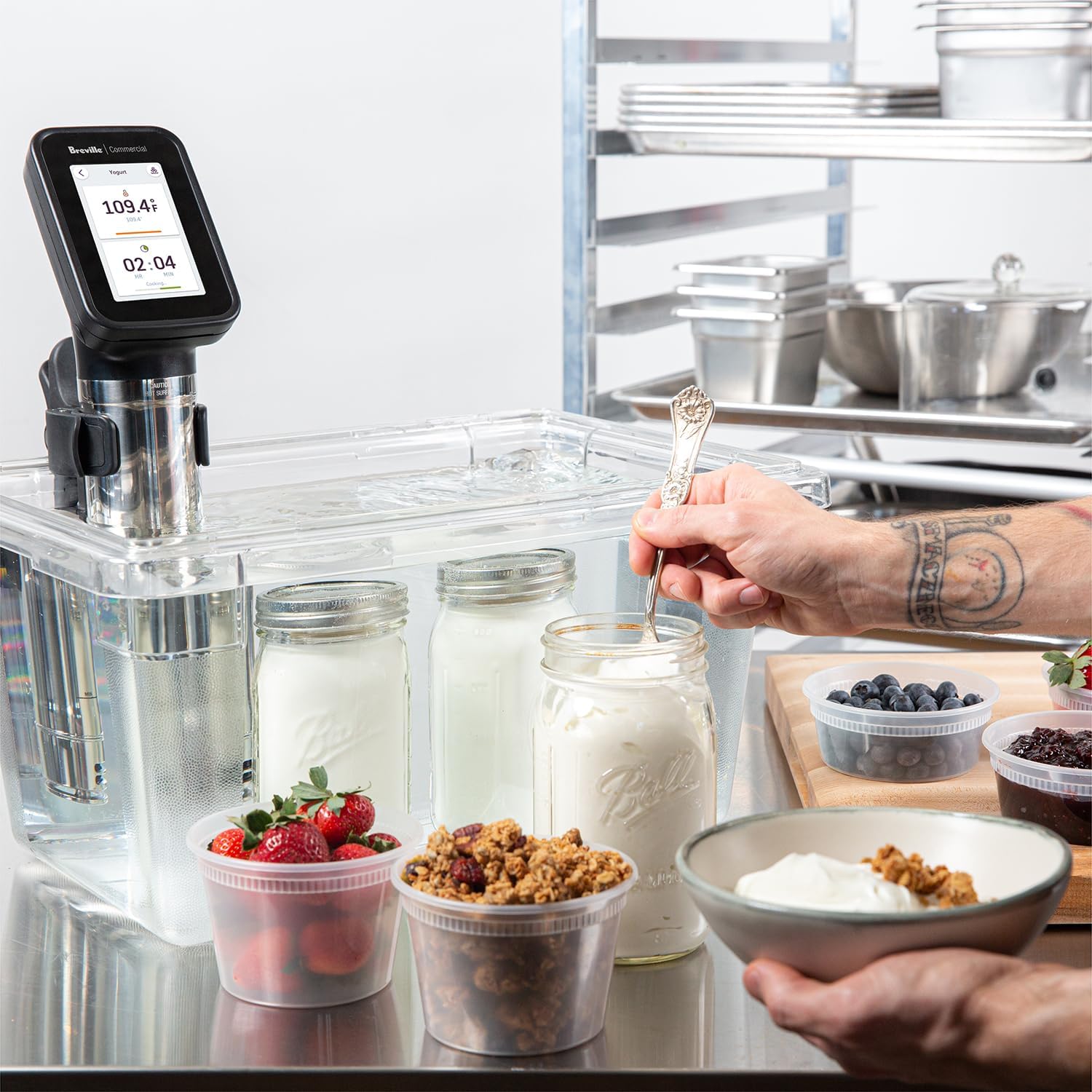
Figure 4: The HydroPro can be used for preparing items like yogurt.

Figure 5: Cooking octopus with the HydroPro for precise results.
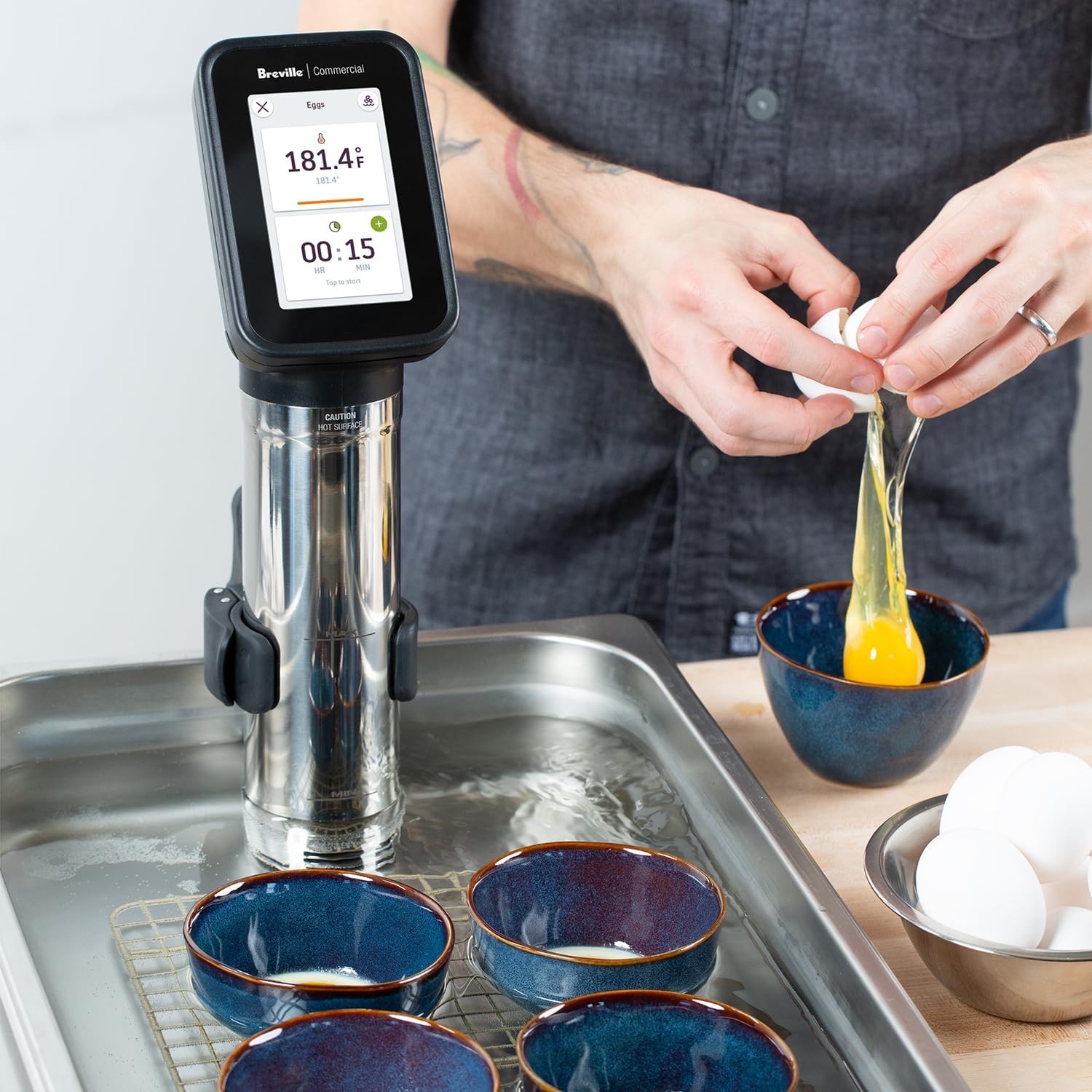
Figure 6: The HydroPro is suitable for cooking delicate items such as eggs.
Maintenance
Regular cleaning and maintenance will ensure the longevity and optimal performance of your HydroPro Immersion Circulator.
Cleaning the Unit
- Always unplug the unit from the power outlet and allow it to cool completely before cleaning.
- The HydroPro features tool-less disassembly for easy cleaning. Remove the quick-release clamp.
- Access the pump assembly by removing the foot and magnetic impeller. These removable parts are commercial dishwasher safe.
- Wipe the exterior of the unit clean with a soft, damp cloth. Do not use abrasive cleaners or scouring pads.
- For descaling, follow the instructions provided in the full product manual or contact Breville Commercial support.

Figure 7: Disassembled components of the HydroPro for thorough cleaning.
Troubleshooting
This section addresses common issues you might encounter with your HydroPro Immersion Circulator.
| Problem | Possible Cause | Solution |
|---|---|---|
| Unit does not power on. | Not plugged in, power outlet issue, or internal fault. | Ensure the unit is securely plugged into a working outlet. Test the outlet with another appliance. If the issue persists, contact customer support. |
| Water not circulating or heating. | Impeller obstructed, water level too low, or heating element issue. | Check water level and add more if necessary. Unplug the unit and inspect the impeller for any obstructions. Clean the impeller if needed. |
| Temperature is inaccurate. | Sensor issue or improper water circulation. | Ensure the unit is properly submerged and water is circulating freely. If using a large container, ensure adequate water volume. If the problem persists, contact support. |
| Loud noise during operation. | Impeller obstruction or wear. | Unplug the unit and check the impeller for any debris or damage. Clean thoroughly. If rattling continues, it may indicate wear and require professional servicing. |
Specifications
| Feature | Detail |
|---|---|
| Product Dimensions | 6.7"D x 3.7"W x 14.6"H |
| Capacity | 45 Liters |
| Wattage | 1450 watts |
| Voltage | 120.0 |
| Item Weight | 4.2 Pounds |
| Brand | Breville PolyScience |
| Material | Plastic, Stainless Steel |
| Color | Stainless |
| Control Method | Touch |
| Lower Temperature Rating | 68 Degrees Fahrenheit |
| Upper Temperature Rating | 194 Degrees Fahrenheit |
| UPC | 021614802330 |
| Manufacturer | Breville Commercial |
| Item model number | CSV700PSS1BUC1 |
| Date First Available | October 31, 2020 |
Warranty and Support
The Breville Commercial HydroPro Immersion Circulator is built to last and is backed by Breville Commercial's commitment to quality. For specific warranty details, please refer to the warranty card included with your product or visit the official Breville Commercial website.
For technical support, service, or to order replacement parts, please contact Breville Commercial customer service. Have your model number (CSV700PSS1BUC1) and purchase date ready when contacting support.
You can find more information and contact details on the Breville Commercial website.
Ask a question about this manual
Ask about setup, troubleshooting, compatibility, parts, safety, or missing instructions. Manuals+ will review the question and use this page’s manual context to help answer it.