Introduction
Thank you for choosing the Battletron Universal Smartphone Controller & Holder. This device is designed to enhance your mobile gaming experience by providing a comfortable and stable grip for your smartphone, along with a convenient built-in stand. Please read this manual carefully to ensure proper use and maintenance of your product.
Product Overview
The Battletron Universal Smartphone Controller & Holder is a versatile accessory that transforms your smartphone into a more ergonomic gaming device. It features two comfortable grips on either side and an adjustable central mechanism to securely hold various smartphone sizes. A foldable stand is integrated into the back for hands-free viewing.

Image: A smartphone is securely held within the Battletron controller, with hands gripping the ergonomic handles. The screen displays a racing game, demonstrating the product in active use for mobile gaming.
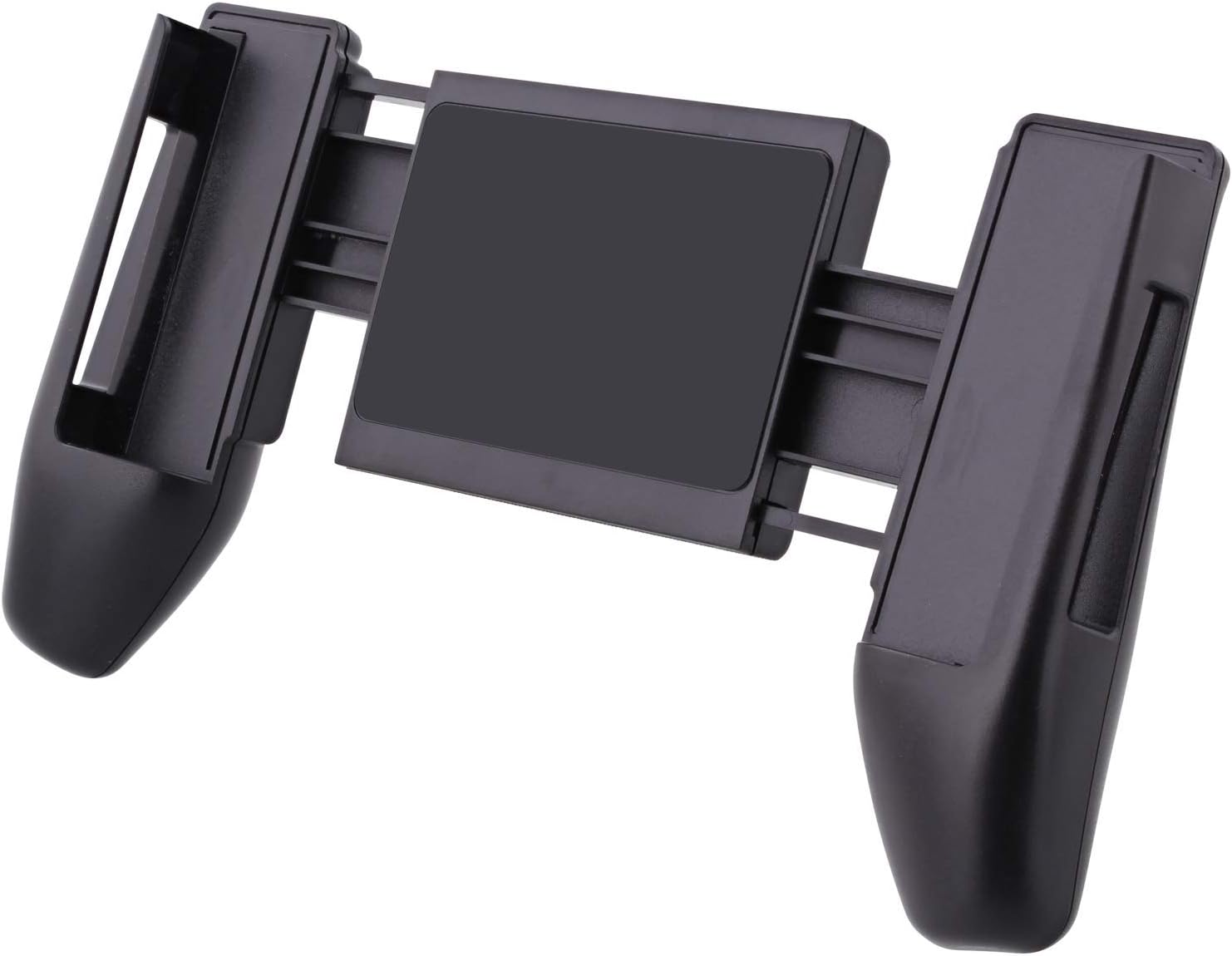
Image: This image shows the back of the Battletron smartphone controller holder. The central adjustable mechanism is visible, along with the integrated foldable stand, highlighting its design for stability and hands-free use.

Image: The retail packaging for the Battletron Universal Smartphone Controller & Holder. The box features product branding, an image of the controller in use, and highlights its universal compatibility.
Setup
- Unpack the Controller: Carefully remove the Battletron Universal Smartphone Controller & Holder from its packaging.
- Adjust the Holder: Gently pull the two sides of the controller apart to extend the central holding mechanism.
- Insert Your Smartphone: Place your smartphone into the extended holder, ensuring it is centered and securely gripped by the rubberized pads. Release the sides slowly to allow them to retract and firmly hold the phone.
- Verify Fit: Ensure your smartphone is stable and does not wobble within the holder. The controller is designed to accommodate most smartphone sizes.
- Using the Stand (Optional): To use the integrated stand, locate the foldable kickstand on the back of the controller and pull it outwards until it locks into place. This allows for hands-free viewing or gaming.
Operating Instructions
Once your smartphone is securely placed in the Battletron controller, you can begin your mobile gaming experience. This holder provides a comfortable grip, reducing hand fatigue during extended play sessions.
- Gaming: Hold the controller firmly with both hands, similar to a traditional game console controller. The ergonomic design provides a natural and comfortable grip for touch-screen gaming.
- Media Viewing: Utilize the integrated stand to prop up your smartphone on a flat surface for hands-free video watching, video calls, or browsing.
- Portability: The compact design allows you to easily carry the controller with your smartphone, making it ideal for gaming on the go.
Maintenance
To ensure the longevity and optimal performance of your Battletron Universal Smartphone Controller & Holder, follow these simple maintenance guidelines:
- Cleaning: Wipe the controller with a soft, dry, or slightly damp cloth. Do not use harsh chemicals, abrasive cleaners, or excessive moisture, as this may damage the material.
- Storage: Store the controller in a cool, dry place away from direct sunlight and extreme temperatures.
- Avoid Force: Do not apply excessive force when inserting or removing your smartphone, or when adjusting the holder. This can damage the spring mechanism or the plastic components.
Troubleshooting
- Smartphone does not fit:
- Ensure you have fully extended the holder before attempting to insert your smartphone. The holder is designed for universal compatibility, but extremely large or small devices may not fit optimally. Refer to the product specifications for compatible dimensions if available.
- Smartphone feels loose:
- Make sure the smartphone is centered within the holder and that the side grips are fully retracted to secure it. If the issue persists, check for any obstructions or damage to the gripping pads.
- Stand is not stable:
- Ensure the kickstand is fully extended and locked into its open position. Place the controller on a flat, stable surface. Avoid placing heavy objects on the stand.
Specifications
- Brand: Redhart
- Hardware Platform: Smartphone
- Number of Items in Package: 1
- First Available Date: October 26, 2020
Warranty and Support
For information regarding warranty coverage or technical support for your Battletron Universal Smartphone Controller & Holder, please refer to the documentation included with your purchase or contact the retailer or manufacturer directly. Keep your proof of purchase for any warranty claims.