
1. Introduction
The BLUEAIR Blue Pure 211+ Auto air purifier is designed to clean the air in large rooms, effectively removing dust, pet dander, smoke, mold, pollen, bacteria, viruses, allergens, and odors. Utilizing HEPASilent™ technology, it combines mechanical filtration with electrostatic charging for efficient air purification with minimal noise. This model features automated one-button control and includes a washable pre-filter.

Image: The Blueair Blue Pure 211+ Auto air purifier, a white and gray cylindrical device, stands on a wooden floor in a modern living room. It is designed to blend seamlessly into home environments while actively purifying the air.
2. Setup
Unpack the air purifier and its components. Ensure all packaging materials are removed. Place the unit on a flat, stable surface in the room where air purification is desired. Connect the power cord to the unit and then plug it into a standard electrical outlet. The unit is designed for immediate use upon plugging in.
Video: A demonstration of how to set up and use the Blueair Air Purifier, including initial power-on and basic controls.
3. Operating Instructions
The Blue Pure 211+ Auto features a single-button control for ease of use.
- Power On/Off: Press the button once to turn the unit on. Press it again to cycle through modes or hold to turn off.
- Auto Mode: Upon initial power-on, the unit defaults to Auto Mode. In this mode, a particle sensor monitors pollutant levels and automatically adjusts the fan speed to maintain optimal air quality.
- Fan Speed Adjustment: Tap the control button to cycle through different fan speeds (low, medium, high) or to activate sleep mode.
- Air Quality Indicator: An LED indicator on the front displays the current air quality status:
- Blue: Excellent air quality.
- Orange: Moderate air quality.
- Red: Polluted air quality.
- Sleep Mode: This mode reduces fan speed and dims LED lights for quiet operation during rest periods.
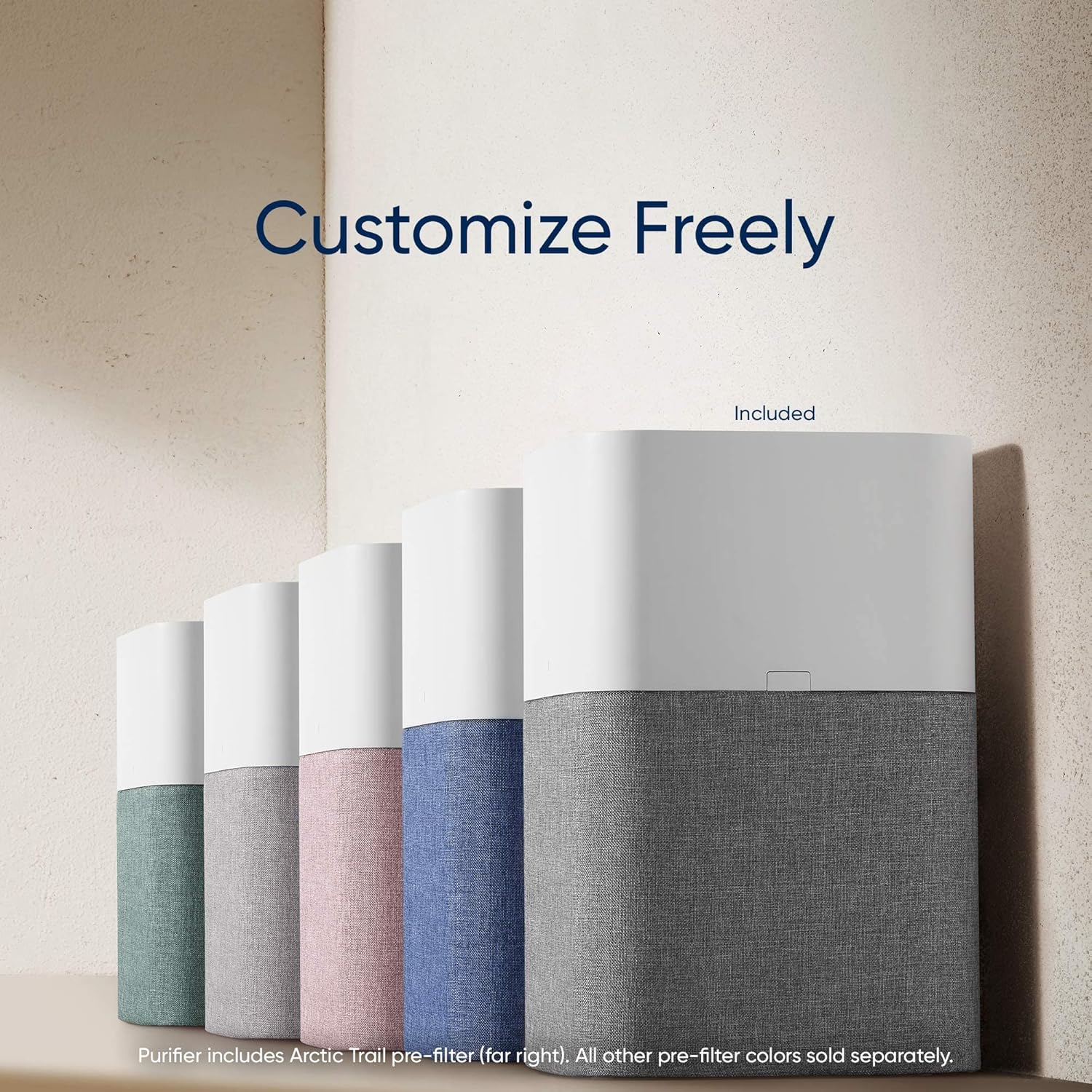
Image: A close-up of the Blueair Blue Pure 211+ Auto air purifier highlighting its LED air quality indicator and the 360-degree air intake design. The LED changes color to reflect air quality levels.
Video: A user demonstrates the quiet operation and automatic adjustment features of the Blueair Air Purifier, noting its effectiveness in reducing dust and pet dander.
4. Maintenance
Regular maintenance ensures optimal performance of your Blueair air purifier.
Filter Replacement
- Frequency: Replace the main filter every 6 months for proper functionality.
- Indicator: The unit will display a red light on the front LED indicator when it's time to replace the filter.
- Procedure:
- Unplug the unit from the power outlet.
- Press the two release buttons on the sides of the top section and lift the top off.
- Remove the old filter by lifting it out of the base.
- Insert the new genuine Blueair filter into the base.
- Replace the top section, ensuring it clicks securely into place.
- Plug the unit back in.
- Reset the filter indicator by pressing and holding the control button for 7 seconds until the red light turns off or changes to blue.
Pre-filter Cleaning
- The fabric pre-filter is washable. It can be vacuumed or removed and hand-washed to remove accumulated dust and debris.
- Ensure the pre-filter is completely dry before reattaching it to the unit.
Video: A user demonstrates the process of changing filters and cleaning the pre-filter on the Blueair Air Purifier, highlighting its ease of maintenance.
Video: A detailed guide on how to maintain the Blueair Air Purifier, including steps for cleaning and replacing filters.
5. Troubleshooting
If your air purifier is not functioning as expected, consider the following:
- Unit not turning on: Ensure the power cord is securely plugged into both the unit and a working electrical outlet.
- Reduced airflow or effectiveness: Check if the main filter needs replacement (indicated by a red LED). Also, clean the fabric pre-filter.
- Unusual noise: Ensure the unit is placed on a flat, stable surface and that no foreign objects are obstructing the fan or air intake/outlet.
- Persistent odors: If odors persist after filter replacement, consider upgrading to a SmokeBlock filter for enhanced odor removal (sold separately).
6. Specifications
| Model Number | 3631101000 |
| Brand | BLUEAIR |
| Color | White (with Arctic Trail gray pre-filter) |
| Product Dimensions | 13"D x 13"W x 20"H |
| Item Weight | 7.33 pounds (3.33 Kilograms) |
| Floor Area Coverage | 550 Square Feet (cleans in ~12.5 min on high) |
| Noise Level | 23 Decibels (on low) |
| Particle Retention Size | 0.1 Micron |
| Controller Type | Button Control |
| Filter Class | Activated Carbon, Particle (HEPASilent™) |
| Power Source | Corded Electric |
| Certifications | AHAM Certified, CARB Certified, Energy Star Certified, Zero Ozone Verified (<5 ppb) by Intertek Sustainability Program |

Image: A table illustrating the Clean Air Delivery Rate (CADR) performance, showing how quickly the Blueair purifier cleans various room sizes, from 550 sq ft in 12.5 minutes to 2640 sq ft in 60 minutes.
7. Warranty & Support
The Blueair Blue Pure 211+ Auto comes with a 1-year limited warranty. You can extend the warranty to up to 2 years by registering your product on Blueair.com.
For further support, please refer to the official Blueair website or contact their customer service.


