
Introduction
Thank you for choosing the MAMBASNAKE USB Powered 2.0 Computer Speakers. This manual provides essential information for the safe and efficient use of your new speakers. Please read it thoroughly before operation and retain it for future reference.

Image: MAMBASNAKE USB Powered 2.0 Computer Speakers with dynamic RGB lighting, showcasing their stereo multimedia capabilities.
Safety Information
- Do not expose the speakers to water or excessive moisture.
- Avoid placing the speakers near heat sources or in direct sunlight.
- Do not attempt to disassemble or repair the speakers yourself. Refer all servicing to qualified personnel.
- Ensure the USB power source is 5V to prevent damage.
- Keep out of reach of children.
Package Contents
Please check the box for the following items:
- 1 x Left Speaker
- 1 x Right Speaker
- 1 x Instruction Manual (this document)
Product Features
- Superb Stereo Sound Quality: Integrated 2 x 5W balanced stereo speakers deliver clear audio without distortion, even at higher volumes.
- Brilliant RGB LED Backlight: Features 6 rainbow color lighting effects, enhancing your music listening or gaming experience. Lighting effects can also be turned off.
- Compact Design: Each speaker measures 86 x 91 x 146 mm, making them suitable for narrow desk spaces.
- Simple Connectivity: USB powered, no additional drivers required. Connects via a 3.5mm audio jack.
- Easy Control: Dedicated switches on the speaker wire for adjusting volume and changing/turning off backlight effects.
- Wide Compatibility: Compatible with most devices featuring a 3.5mm audio output, such as PCs, laptops, tablets, and music players.
Setup Instructions
- Connect Power: Plug the USB cable from the speakers into an available USB port on your computer, laptop, or a 5V USB power adapter.
- Connect Audio: Plug the 3.5mm audio jack into the audio output port of your device (e.g., computer, laptop, tablet, smartphone).
- Position Speakers: Place the left and right speakers on your desk or desired surface, ensuring they are stable.

Image: Diagram illustrating USB power and 3.5mm audio connections for the speakers, compatible with PC, power bank, 5V adapter, CD player, MP3, phone, tablet, and laptop.
Operating Instructions
Volume Control
The speakers feature an inline control on the cable for volume adjustment. Rotate the knob to increase or decrease the audio output.
RGB LED Backlight Control
Use the dedicated button on the inline control to cycle through the 6 available RGB lighting effects. Pressing the button will change the effect, and one of the options allows you to turn the lighting off completely.

Image: MAMBASNAKE USB Powered 2.0 Computer Speakers with RGB lighting active, positioned on a desk next to a monitor, illustrating their aesthetic appeal.
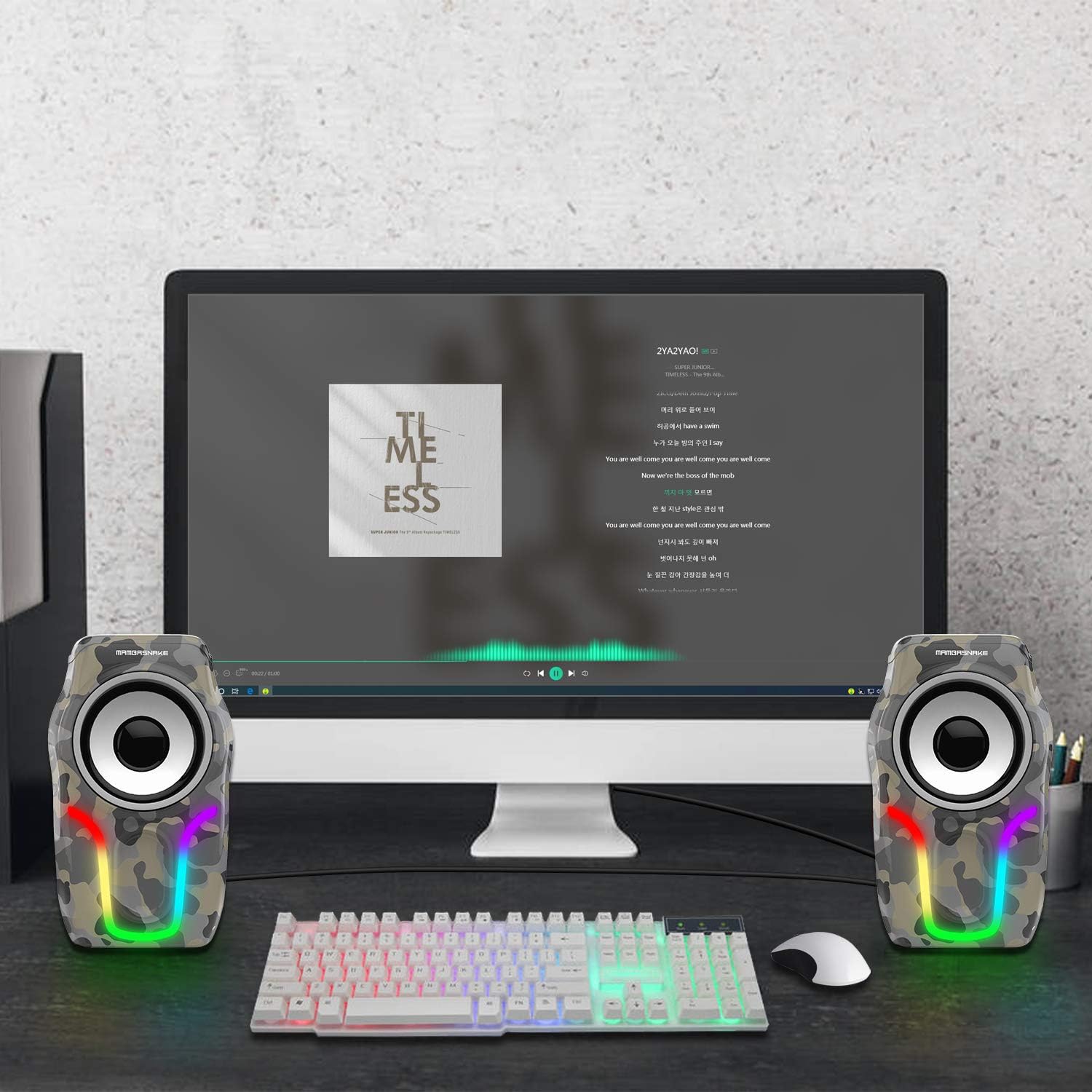
Image: Close-up view of the MAMBASNAKE USB Powered 2.0 Computer Speakers integrated into a gaming setup, highlighting the vibrant RGB backlight effects.
Maintenance
- Cleaning: Use a soft, dry cloth to wipe the speaker surfaces. Do not use liquid cleaners or aerosols.
- Storage: When not in use for extended periods, store the speakers in a cool, dry place away from direct sunlight.
- Cable Care: Avoid bending or crimping the cables excessively to prevent internal damage.
Troubleshooting
| Problem | Possible Cause | Solution |
|---|---|---|
| No sound |
|
|
| RGB lights not working |
|
|
| Distorted sound |
|
|
Specifications
| Model Number | 8314862114402 |
| Brand | MAMBASNAKE |
| Dimensions (L x W x H) | 8.6 x 9.1 x 14.6 cm (per speaker) |
| Weight | 600 grams (total) |
| Max Speaker Output Power | 2 x 5 Watts |
| Connectivity Technology | USB (for power), 3.5mm Audio Jack (for signal) |
| Audio Output Mode | Stereo (2.0 Channels) |
| Input Voltage | 5 Volts (USB) |
| Control Type | Button (Inline control for volume and RGB) |
| Speaker Size | 2.25 Inches |
| Signal-to-Noise Ratio | 75 dB |
| Compatible Devices | Personal Computer, Laptop, Tablet, Smartphones, MP3 Players |
| Material (Internal) | Wood |

Image: Detailed view of the MAMBASNAKE USB Powered 2.0 Computer Speakers, showing their compact dimensions (90mm width, 85mm depth, 146mm height) and the speaker connection and data/power cables.
Warranty and Support
MAMBASNAKE products are designed for reliability and performance. For warranty information or technical support, please refer to the contact details provided on the product packaging or visit the official MAMBASNAKE website. Please have your model number (8314862114402) ready when contacting support.
For additional information, you may visit the MAMBASNAKE Brand Store.