
Introduction
Thank you for purchasing the Divoom Ditoo Pro Bluetooth Speaker. This device combines a powerful 15W speaker with a customizable pixel art display, RGB mechanical keyboard, and various smart functions. This manual will guide you through the setup, operation, and maintenance of your Ditoo Pro speaker to ensure optimal performance and enjoyment.
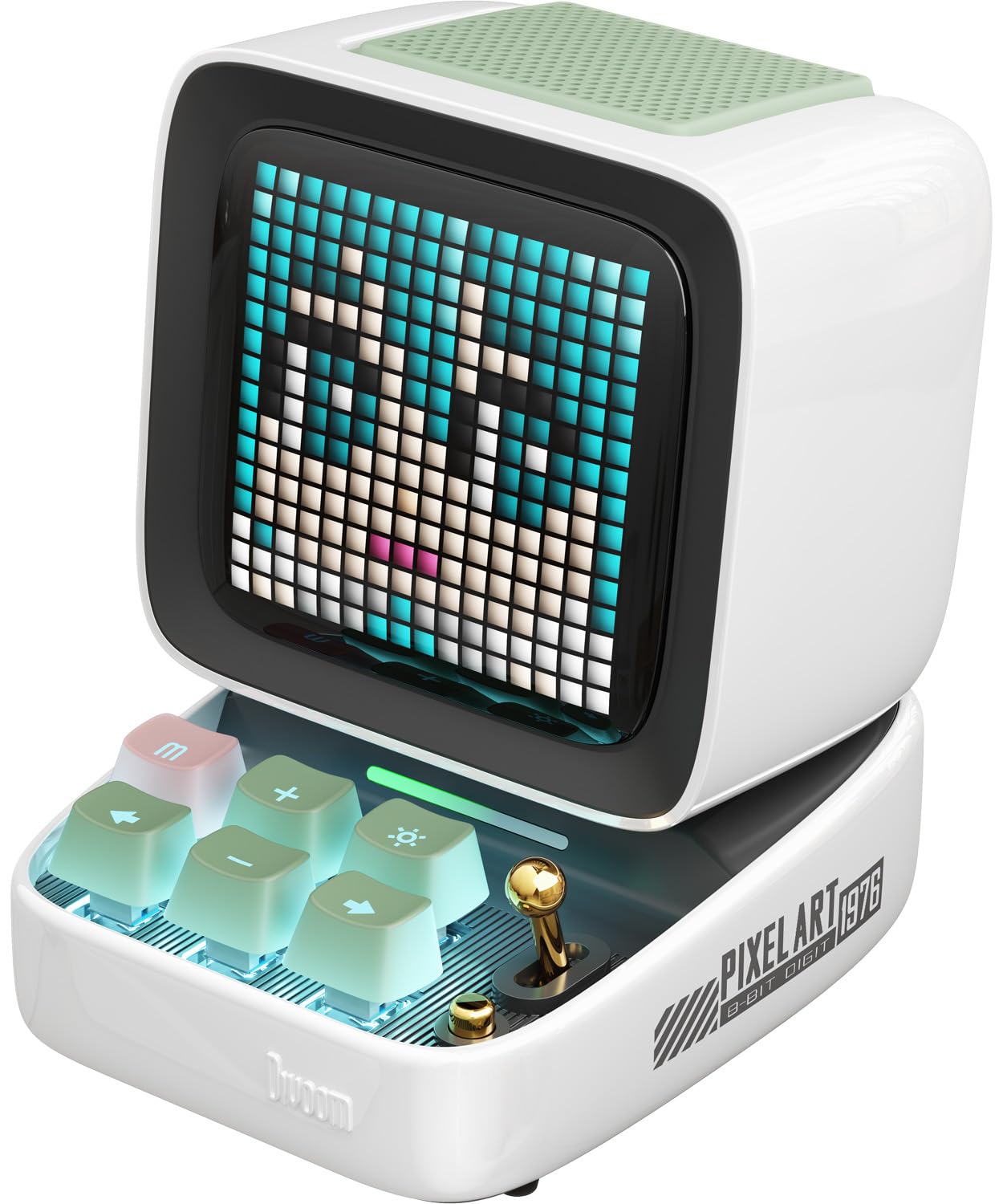
Image: The Divoom Ditoo Pro speaker, showcasing its pixel art display and retro design.
Package Contents
Before you begin, please ensure all items are present in your package:
- Divoom Ditoo Pro Speaker
- USB Type-C Charging Cable
- User Manual (this document)
- Gift Bag (may vary by package)
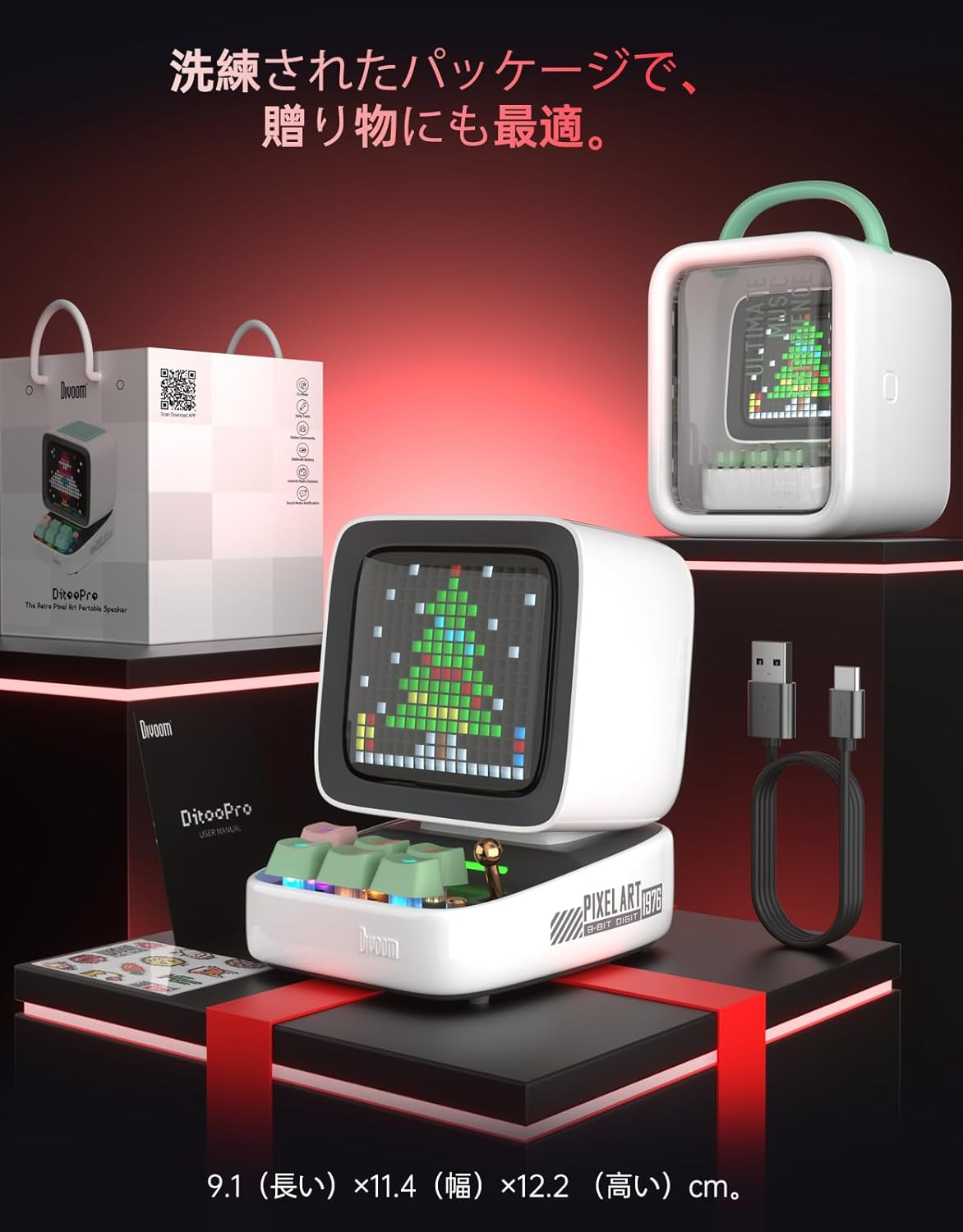
Image: The Divoom Ditoo Pro speaker, USB-C cable, and user manual, indicating typical package contents.
Setup
1. Powering On/Off
- To power on, press and hold the power button (usually located on the side or back) until the display lights up.
- To power off, press and hold the power button again until the display turns off.
2. Bluetooth Pairing
- Ensure the Ditoo Pro is powered on.
- On your mobile device, enable Bluetooth and search for available devices.
- Select "Ditoo Pro" from the list to pair. A confirmation sound will indicate successful pairing.
3. App Installation
For full functionality and customization, download the official Divoom app:
- Scan the QR code provided in the quick start guide or visit the official Divoom app download page: Divoom App Download
- Install the app on your smartphone or tablet.
- Open the app and follow the on-screen instructions to connect to your Ditoo Pro.

Image: A smartphone displaying the Divoom app interface, showing pixel art customization options.
4. PC USB Connection
Connect the Ditoo Pro to your PC using the provided USB Type-C cable for audio playback. The device will be recognized as an audio output device.
5. TF Card Usage
Insert a TF (microSD) card loaded with MP3 audio files into the designated slot for direct music playback without a connected device.

Image: The Divoom Ditoo Pro speaker on a desk, illustrating its PC USB, Bluetooth, and TF card connection capabilities.
Operating Instructions
1. Basic Controls
The Ditoo Pro features a joystick and mechanical keys for intuitive control:
- Joystick: Navigate menus, adjust volume (up/down), change tracks (left/right), and confirm selections (press).
- Mechanical Keys: Specific keys are assigned to functions like mode switching, play/pause, and other shortcuts. Refer to the on-screen prompts or app for detailed key assignments.
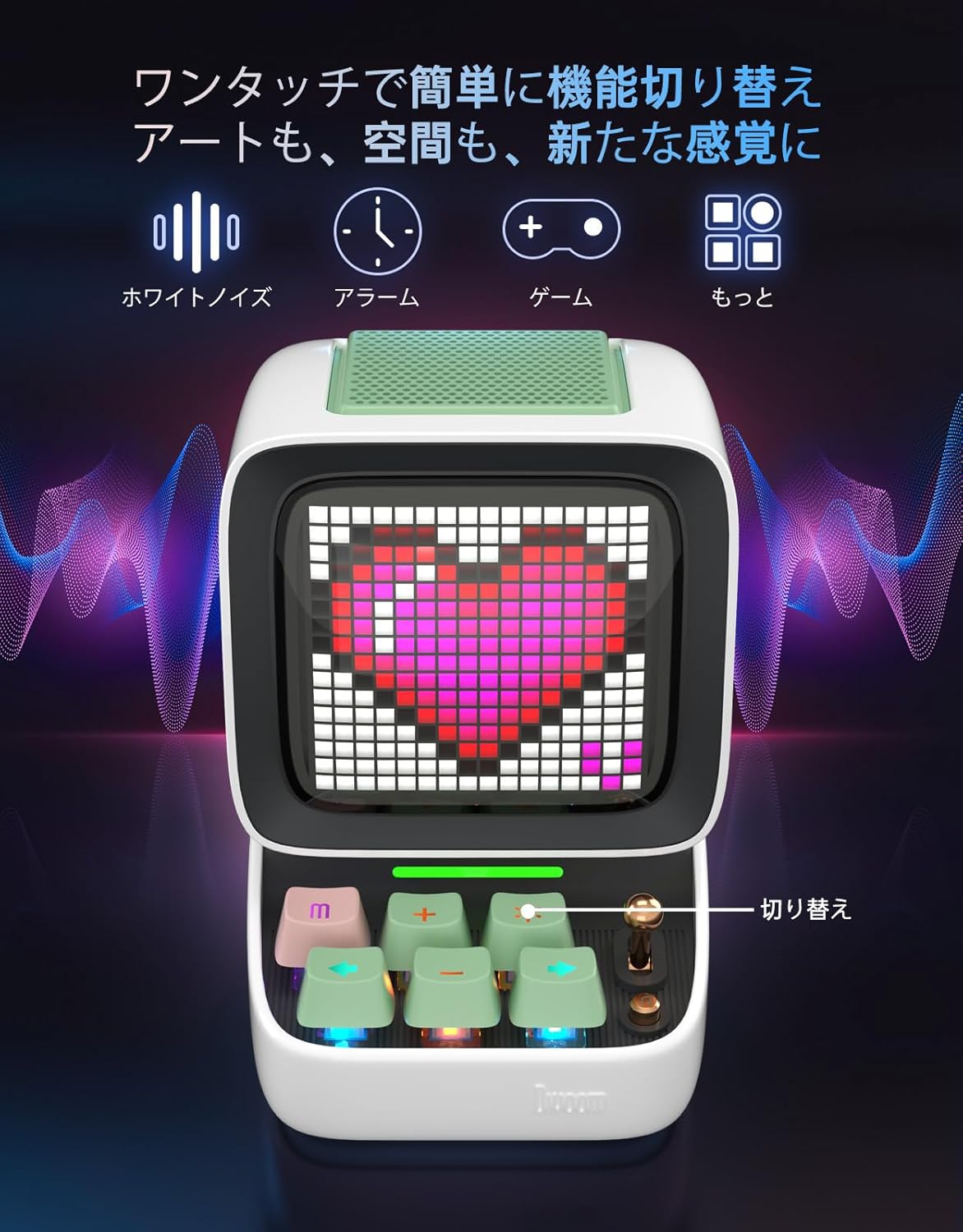
Image: The Divoom Ditoo Pro speaker showing its mechanical keyboard and joystick, with icons for white noise, alarm, and game functions.
2. Pixel Art Display Functions
The Ditoo Pro's pixel art display is highly customizable via the Divoom app:
- Create & Share: Design your own pixel art, animations, and text messages. Share them with the Divoom community.
- Browse Gallery: Access a vast library of user-created pixel art and animations.
- Visualizer: Display dynamic pixel art visualizers that react to your music.
3. Sound Features
Experience rich audio with the Ditoo Pro's 15W speaker and enhanced bass:
- 15W Output: Delivers powerful and clear sound.
- Enhanced Bass: Features a 58mm driver for deep, resonant bass.
- DSP Control: Digital Signal Processing ensures balanced audio across all frequencies.

Image: An internal view of the Divoom Ditoo Pro speaker, highlighting its 58mm driver for powerful bass.
4. Smart Functions
The Ditoo Pro offers several utility functions:
- Clock & Alarm: Set alarms and display time on the pixel screen.
- White Noise: Access various white noise soundscapes for relaxation or focus.
- Mini-Games: Enjoy built-in pixel games directly on the device.
Maintenance
1. Charging
The Ditoo Pro is equipped with a 5000mAh battery, providing up to 8 hours of playback (up to 12 hours in some conditions). Use the provided USB Type-C cable to charge the device. You can use the speaker while it is charging.
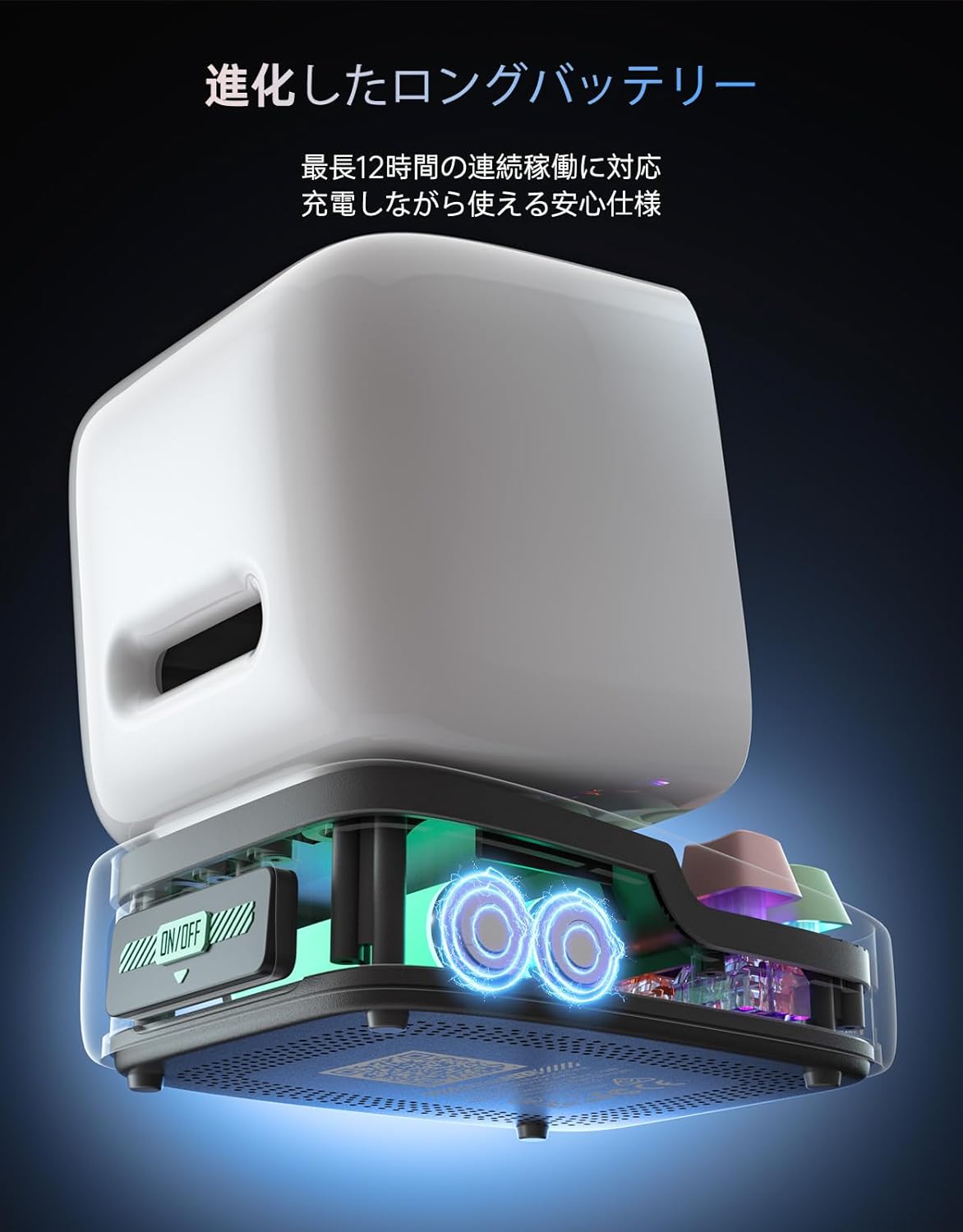
Image: An illustration showing the internal battery and USB-C charging port of the Divoom Ditoo Pro.
2. Cleaning
Wipe the device with a soft, dry cloth. Do not use harsh chemicals or abrasive materials. Avoid exposing the device to water as it is not waterproof.
3. General Care
Store the speaker in a cool, dry place away from direct sunlight and extreme temperatures. Avoid dropping the device or subjecting it to strong impacts.
Troubleshooting
- No Power: Ensure the device is fully charged. Connect it to a power source using the USB-C cable.
- Bluetooth Connectivity Issues:
- Make sure Bluetooth is enabled on your device and the Ditoo Pro is in pairing mode.
- Move your device closer to the speaker (within 10 meters).
- Forget the device in your phone's Bluetooth settings and try pairing again.
- Coil Whine During Charging: Some users have reported a coil whine sound when the pixel art display is active during charging. To mitigate this, you can turn off the display while charging if you are only using the audio functions.
- App Usability: If you experience difficulties with the Divoom app, ensure it is updated to the latest version. For persistent issues, contact customer support via the app.
- Poor Sound Quality:
- Check the audio source quality.
- Adjust the equalizer settings in the Divoom app.
- Ensure the speaker is placed on a stable surface.
Specifications
| Feature | Detail |
|---|---|
| Brand | Divoom |
| Model Name | Ditoo-Pro |
| Speaker Maximum Output | 15 Watts |
| Frequency Response | 20 KHz |
| Connectivity Technology | USB, microSD, Bluetooth |
| Audio Output Mode | Surround |
| Speaker Type | Subwoofer |
| Subwoofer Diameter | 45 millimeters |
| Color | White |
| Waterproof | No |
| Maximum Range (Bluetooth) | 10 meters |
| Control Method | App Control |
| Speaker Size (cm) | 12.2 millimeters (height) |
| Product Use | Pixel art, Clock, Music playback |
| Average Battery Life | 8 hours |
| S/N Ratio (dB) | 80 dB |
| Product Dimensions (D x W x H) | 9.1 x 11.4 x 12.2 cm |
| Product Weight | 505 grams |
| Power Source Type | Battery |
| Included Batteries | 1 Lithium Ion battery |
| UPC | 190372820907 |

Image: A diagram illustrating the dimensions of the Divoom Ditoo Pro speaker (9.1cm depth, 11.4cm width, 12.2cm height).
Warranty and Support
Warranty Information
The Divoom Ditoo Pro comes with a 3-year manufacturer's warranty from the date of purchase. This warranty covers manufacturing defects and malfunctions under normal use. Initial defects or unusable conditions will be addressed with a replacement product or a full refund, as applicable. This warranty applies to purchases made from authorized sellers on Amazon.

Image: Information highlighting the 3-year warranty for the Divoom Ditoo Pro.
Customer Support
For any questions or concerns regarding product use, delivery, or warranty, please do not hesitate to contact Divoom customer support. We are committed to providing prompt assistance.
Contact Methods:
- Amazon Message: Contact the seller "Divoom Direct" through the Amazon product page.
- Divoom App: Utilize the dedicated support feature within the Divoom application.