
1. Introduction
Thank you for purchasing the Divoom Ditoo-Pro Bluetooth Speaker. This manual provides essential information for setting up, operating, and maintaining your device. Please read it thoroughly before use to ensure optimal performance and longevity of your speaker.
The Ditoo-Pro combines a retro aesthetic with modern functionality, featuring a pixel art display, powerful audio, and versatile connectivity options. It is designed to enhance your daily environment, whether for work, relaxation, or gaming.
2. Product Overview
2.1 Package Contents
- Divoom Ditoo-Pro Bluetooth Speaker
- USB Type-C Charging Cable
- Quick Start Guide

Image: Divoom Ditoo-Pro speaker with its packaging and included accessories: USB-C cable and quick start guide.
2.2 Device Layout and Controls
The Ditoo-Pro features a compact design with a pixel art display and mechanical keyboard-style buttons for intuitive control.

Image: Front view of the Divoom Ditoo-Pro speaker in pink, displaying a pixel art image on its screen.

Image: Detailed views of the Divoom Ditoo-Pro speaker, showing the pixel display, side ports, and mechanical keys.
3. Setup
3.1 Powering On/Off
- To power on: Press and hold the power button located on the side/back of the device until the screen illuminates.
- To power off: Press and hold the power button until the screen turns off.
3.2 Charging the Device
Connect the provided USB Type-C cable to the charging port on the Ditoo-Pro and plug the other end into a compatible USB power adapter (not included). The device can be used while charging.

Image: Internal view of the Divoom Ditoo-Pro speaker showing the battery compartment and USB-C charging port.
3.3 Connectivity Options
The Ditoo-Pro supports multiple connection methods:
- Bluetooth: For wireless audio streaming from smartphones or tablets.
- PC USB: For audio playback and data transfer when connected to a computer.
- TF Card: For playing audio files directly from a microSD card.

Image: Divoom Ditoo-Pro speaker displaying a pixel art heart, with icons below indicating PC USB, Bluetooth, and TF card connectivity options.

Image: Divoom Ditoo-Pro speaker with icons representing Bluetooth, PC USB, and TF card connections, emphasizing 3-way connectivity.
4. Operating Instructions
4.1 Audio Playback
The Ditoo-Pro delivers powerful audio with enhanced bass, featuring a 15W output and a 58mm driver. Connect your device via Bluetooth, PC USB, or TF card to enjoy music, videos, or games.

Image: Diagram showing the internal speaker components of the Divoom Ditoo-Pro, highlighting the 58mm tweeter and 53x43mm woofer for 15W audio output.

Image: Divoom Ditoo-Pro speaker in a gaming setup, emphasizing its 15W high-fidelity sound and powerful vibration.
4.2 Pixel Art Display and Customization
The Ditoo-Pro features a customizable pixel art display. You can create your own pixel art, display animations, or choose from a wide range of pre-set designs using the dedicated Divoom app.

Image: Divoom Ditoo-Pro speaker displaying a pixel art bunny on its screen, highlighting its unique pixel art capabilities.
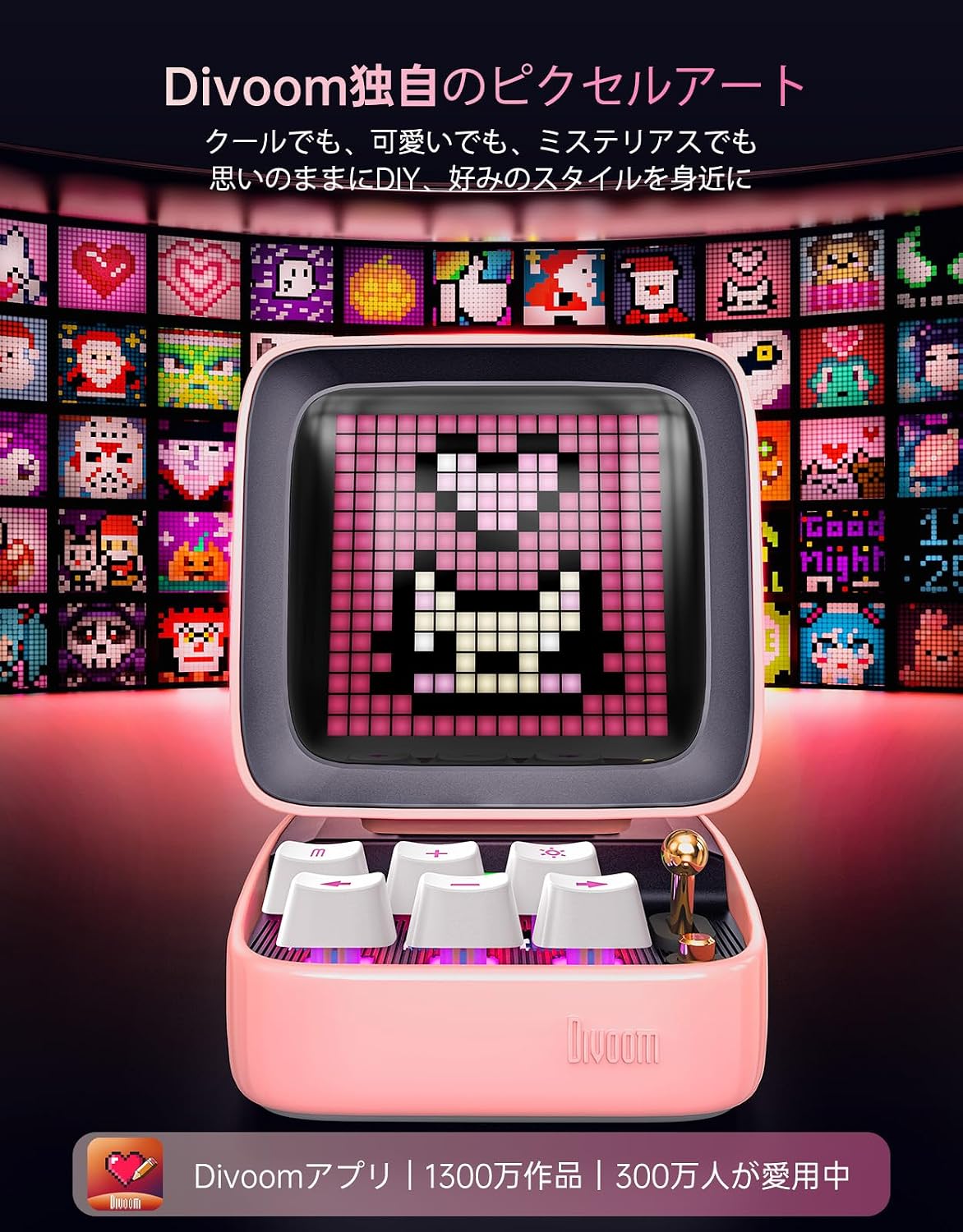
Image: A grid of various pixel art designs displayed on multiple Divoom Ditoo-Pro screens, showcasing the extensive customization options available through the Divoom app.

Image: A person interacting with the Divoom app on a smartphone, browsing through a collection of pixel art designs to be displayed on the Ditoo-Pro speaker.
4.3 Additional Functions
The Ditoo-Pro offers several convenient functions accessible via the device controls or the dedicated app:
- Clock Display: View the current time on the pixel art screen.
- Alarm: Set alarms for waking up or reminders.
- White Noise: Access various white noise sounds for relaxation or focus.
- Mini-Games: Play simple pixel art games directly on the device.

Image: Divoom Ditoo-Pro speaker displaying the time, with icons for white noise, alarm, and games, indicating its multi-functional capabilities.

Image: Divoom Ditoo-Pro speaker showcasing various pixel art functions like pixel art creation, messages, gallery, alarm, Bluetooth, coloring, tools, sound visualizer, and mini-games.
5. Maintenance
- Cleaning: Use a soft, dry cloth to clean the exterior of the speaker. Avoid using abrasive cleaners or solvents.
- Storage: Store the speaker in a cool, dry place away from direct sunlight and extreme temperatures.
- Battery Care: To prolong battery life, avoid fully discharging the battery frequently. Charge the device regularly, even if not in use for extended periods.
- Water Resistance: This product is not waterproof. Avoid exposure to water or high humidity.
6. Troubleshooting
6.1 Common Issues and Solutions
| Issue | Possible Cause | Solution |
|---|---|---|
| Device does not power on | Low battery; Power button not pressed correctly | Charge the device; Press and hold the power button for a few seconds |
| No sound output | Volume too low; Incorrect input source; Bluetooth not connected | Increase volume; Select correct input (Bluetooth/PC/TF card); Re-pair Bluetooth device |
| Bluetooth connection unstable | Device too far from speaker; Interference | Move device closer to speaker; Avoid obstacles; Turn off other Bluetooth devices |
| Pixel art display not working | App not connected; Software glitch | Ensure Divoom app is connected; Restart the speaker and app |
If you encounter issues not listed here or if the problem persists, please contact customer support.
7. Specifications
| Feature | Specification |
|---|---|
| Brand | Divoom |
| Model Name | Ditoo-Pro |
| Speaker Max Output | 10 Watts (15W for enhanced bass) |
| Frequency Response | 20 KHz |
| Connectivity Technology | Bluetooth, USB |
| Audio Output Mode | Surround |
| Material | Acrylonitrile Butadiene Styrene (ABS) |
| Speaker Type | Subwoofer |
| Subwoofer Diameter | 45 mm |
| Color | Pink |
| Waterproof | No |
| Max Range | 32.8 feet |
| Battery Life (Average) | 8 hours (up to 12 hours with optimal usage) |
| Controller Type | App Control |
| Signal-to-Noise Ratio (S/N) | 80 dB |
| Power Source | Battery |
| Battery Type | 1 Lithium Ion battery (included) |
| Item Dimensions (D x W x H) | 9.1 x 11.4 x 12.2 cm |
| Item Weight | 505 grams |
| UPC | 190372820921 |

Image: Side view of the Divoom Ditoo-Pro speaker with dimensions labeled: 9.09cm depth, 11.4cm width, and 12.19cm height.
8. Warranty and Support
8.1 Warranty Information
The Divoom Ditoo-Pro comes with a manufacturer's warranty. While the product specifications indicate a 12-month warranty, promotional materials mention a 3-year warranty. Please refer to your purchase documentation or contact Divoom Direct for the most accurate and up-to-date warranty terms applicable to your region.
The product is PSE certified for safety. In case of initial defects, malfunctions, or unusable conditions, Divoom Direct offers free and prompt support, including product replacement or full refund, subject to Amazon's order terms.

Image: Warranty information graphic showing 'No registration required' and '3-year long-term warranty' in Japanese, along with icons for 24-hour support, lifetime support, and free warranty service.

Image: Divoom quality assurance graphic showing rigorous testing, 21 years of technological evolution, and a 3-year warranty for peace of mind.
8.2 Customer Support
For any questions regarding product use, delivery, or warranty, please do not hesitate to contact Divoom customer support. You can reach them via Amazon message or through the dedicated support section within the Divoom app.