
Maxxima M42223L
Maxxima M42223L Multi-Function LED Light Instruction Manual
Model: M42223L
1. Product Overview
The Maxxima M42223L is a versatile LED lighting unit designed for heavy-duty and commercial vehicle applications. It integrates multiple lighting functions into a single, compact unit, including Stop, Turn, Tail, Back-Up, and License Plate illumination. This unit features a durable construction with an Acrylic Lens and Polycarbonate Housing, ensuring reliability and longevity.
Key Features:
- 42 high-intensity LEDs for optimal visibility.
- Integrated LED license plate light.
- OEM-style 3-Stud box light design for universal mounting.
- Equipped with an OEM 5-Pin MetriPack connector for simplified plug-and-play installation.
- Constructed with an Acrylic Lens and Aluminum Housing for durability.
2. Safety Information
Please read and understand all instructions before installing or operating this product. Failure to do so may result in damage to the product, vehicle, or personal injury.
- Always disconnect the vehicle's battery before performing any electrical work to prevent electrical shock or short circuits.
- Ensure proper wiring connections according to the vehicle's electrical system and the product's specifications. Incorrect wiring can cause malfunction or damage.
- Mount the light securely to prevent vibration and detachment during vehicle operation.
- Verify that the light functions correctly after installation before operating the vehicle.
- This product is designed for 12.8VDC systems. Do not connect to higher voltage systems.
3. Package Contents
Verify that all components are present before beginning installation:
- 1 x Maxxima 3-Stud Box Style Multi-Function LED Light (M42223L)
4. Setup and Installation
The M42223L light is designed for a universal 3-stud mount and features an OE-Style 5-pin MetriPack connector for straightforward installation. Professional installation is recommended.
4.1 Mounting the Light
- Identify a suitable mounting location on the vehicle's rear, typically on the chassis or a dedicated light bracket. Ensure the location provides clear visibility for all light functions (Stop, Turn, Tail, Back-Up, and License Plate).
- Position the light and mark the locations for the three mounting studs.
- Drill pilot holes if necessary, ensuring they are appropriately sized for the studs.
- Secure the light using the three studs and corresponding nuts, ensuring a tight and stable fit.

Image: Maxxima M42223L LED light mounted on a vehicle chassis, showing the rear view of the installation.
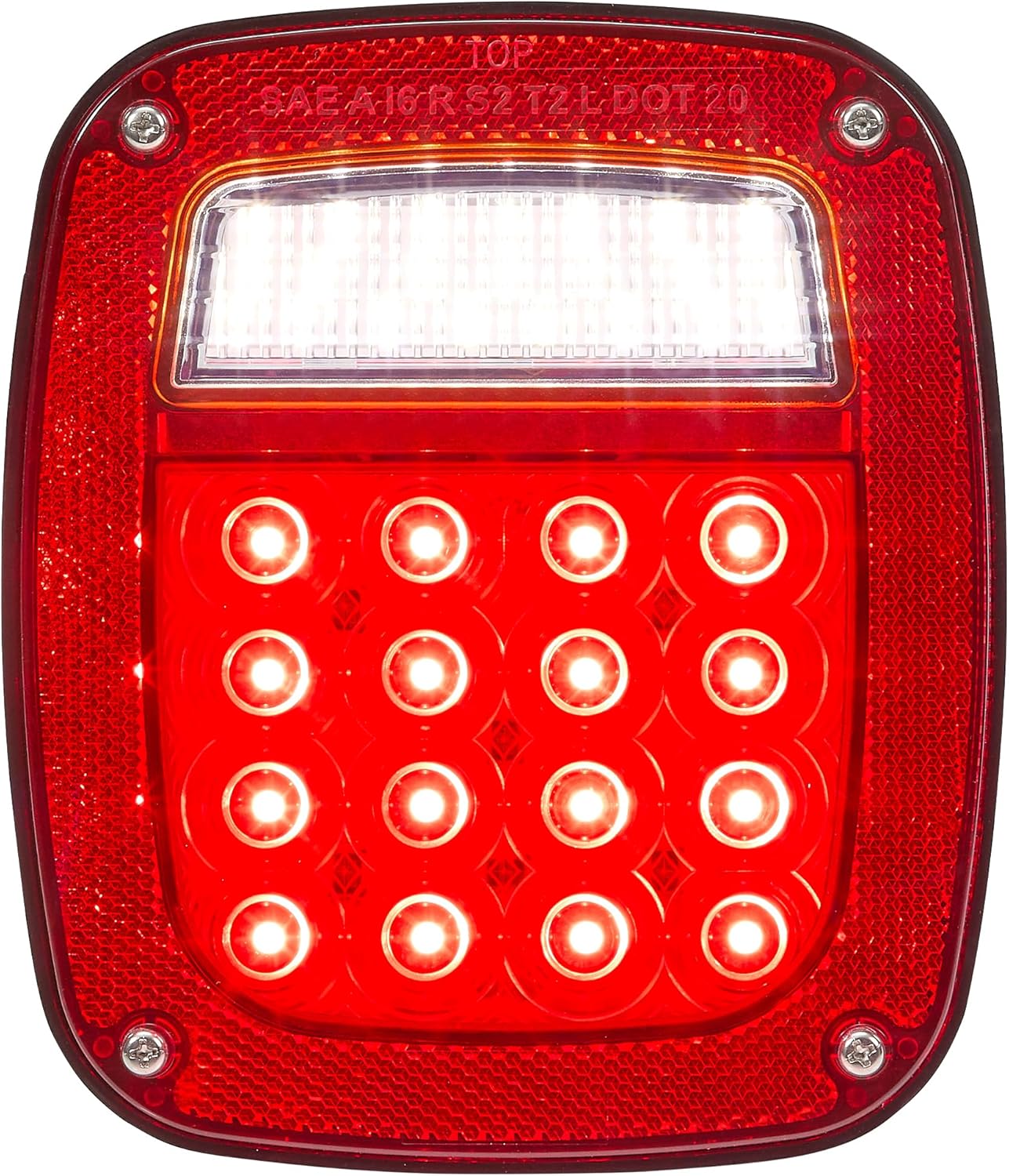
Image: Close-up view of the Maxxima M42223L LED light securely installed on a vehicle bracket, highlighting the 3-stud mounting system.
4.2 Wiring Connections
The M42223L utilizes an OEM 5-pin MetriPack connector for electrical connections. Ensure the vehicle's wiring harness is compatible or use an appropriate adapter.
- Locate the vehicle's existing wiring harness for the rear lighting system.
- Connect the 5-pin MetriPack connector from the M42223L light to the corresponding connector on the vehicle's harness. Ensure the connection is secure and fully seated.
- If an adapter is required, connect the adapter first, then connect the light to the adapter.
- Verify all connections are tight and protected from moisture and abrasion.

Image: Rear view of the Maxxima M42223L LED light, showing the integrated 5-pin MetriPack connector for electrical hookup.

Image: Side view of the Maxxima M42223L LED light, illustrating the profile and the location of the electrical connector.
5. Operating Instructions
The Maxxima M42223L light functions automatically in conjunction with your vehicle's electrical system once properly installed.
- Tail Light: Activates when the vehicle's headlights or parking lights are turned on.
- Stop Light: Activates when the vehicle's brake pedal is pressed.
- Turn Signal: Activates when the vehicle's turn signal lever is engaged (left or right).
- Back-Up Light: Activates when the vehicle is shifted into reverse gear.
- License Plate Light: The integrated LED license plate light illuminates when the tail lights are active, providing visibility for the license plate.
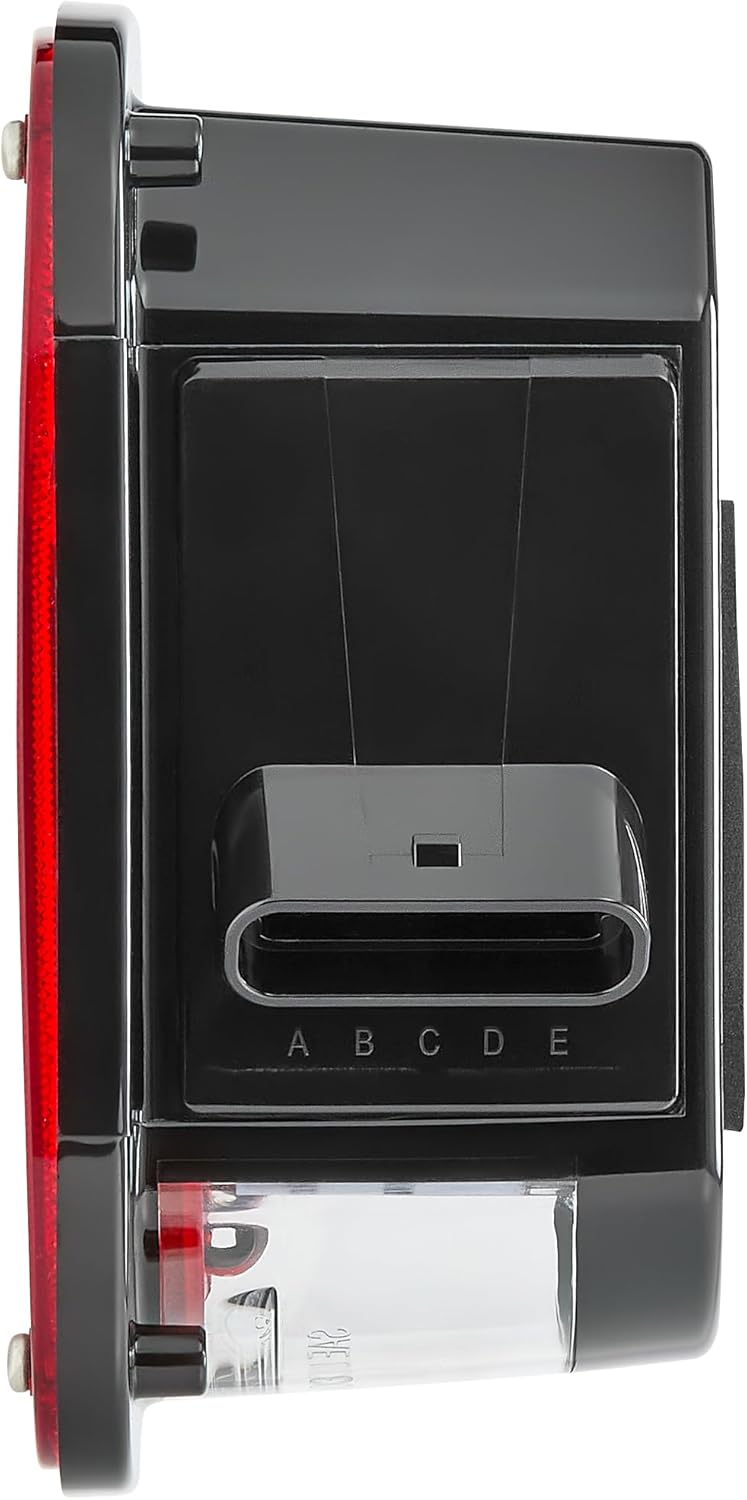
Image: Front view of the Maxxima M42223L LED light with its main red LEDs illuminated, demonstrating the stop/turn/tail function.
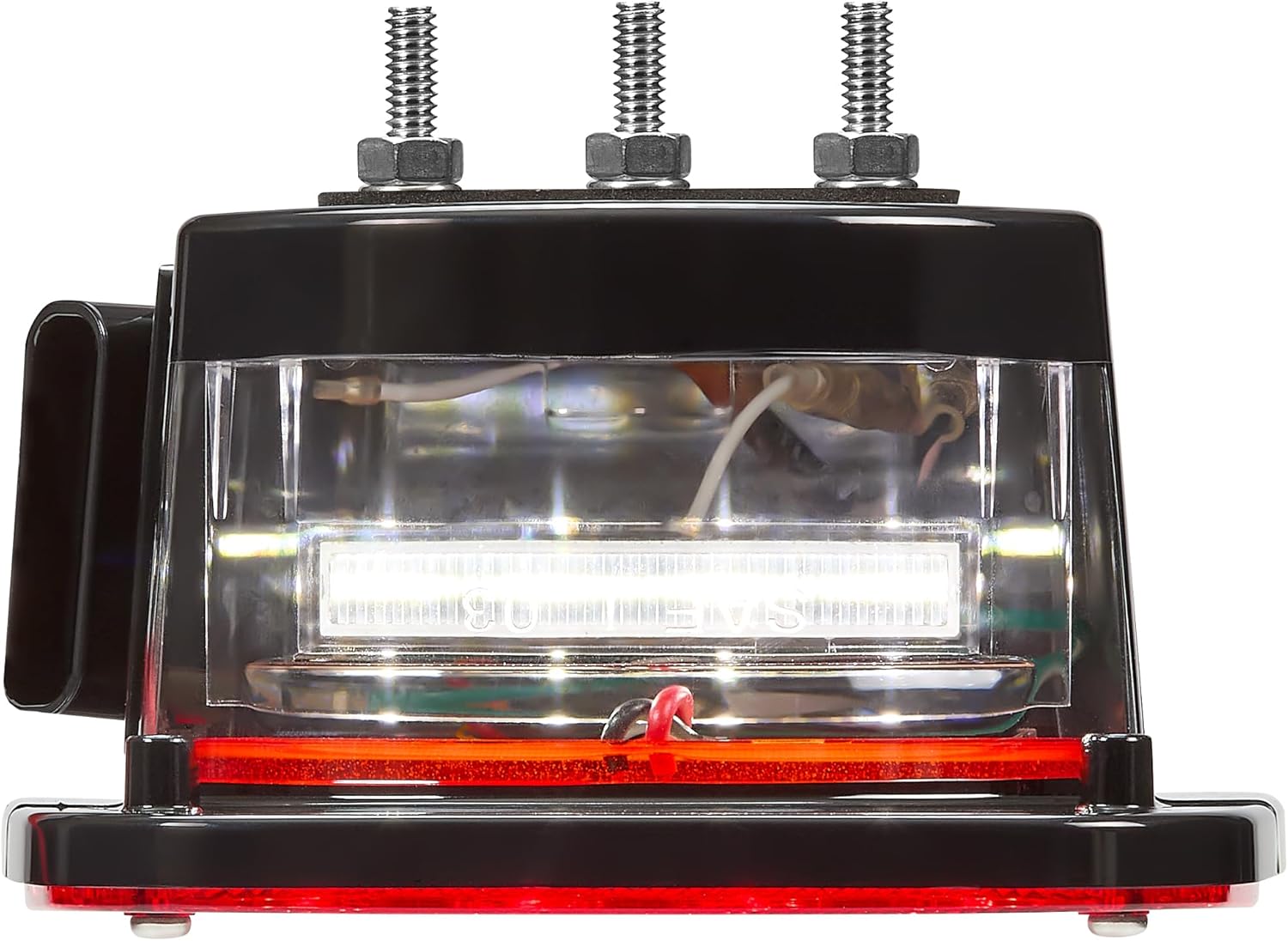
Image: Top view of the Maxxima M42223L LED light, clearly showing the integrated clear lens for the license plate illumination and the three mounting studs.
6. Maintenance
The Maxxima M42223L LED light is designed for minimal maintenance. Regular inspection and cleaning will ensure optimal performance and longevity.
- Cleaning: Periodically clean the lens with a soft cloth and mild soap and water. Avoid abrasive cleaners or solvents that could damage the acrylic lens.
- Inspection: Regularly check the mounting hardware for tightness and ensure all electrical connections are secure and free from corrosion.
- Damage: If the lens or housing becomes cracked or damaged, replace the unit to maintain its waterproof integrity and light output.
7. Troubleshooting
If you experience issues with your Maxxima M42223L LED light, refer to the following common troubleshooting steps:
| Problem | Possible Cause | Solution |
|---|---|---|
| Light does not illuminate. |
|
|
| Light functions intermittently. |
|
|
| License plate light not working. |
|
|
If these steps do not resolve the issue, contact Maxxima customer support or a qualified technician.
8. Specifications
| Feature | Detail |
|---|---|
| Model Number | M42223L |
| Brand | Maxxima |
| Functions | Stop, Turn, Tail, Back-Up, License Plate Light |
| LED Count | 42 LEDs |
| Voltage | 12.8 VDC |
| Current Draw (approx.) | 60mA (License), 290mA (Back-Up), 150mA (Stop) |
| Wattage | 6.39 watts |
| Lens Material | Acrylic |
| Housing Material | Polycarbonate / Aluminum |
| Connector Type | OE-Style 5-Pin MetriPack 280 |
| Mounting | 3-Stud Box Style |
| Dimensions (Item) | 5.8 x 3.1 x 6.8 inches |
| Weight (Item) | 1.2 pounds |
| Special Feature | Waterproof |
| Certifications | J594, J593, J2040, J2261, J587 dot/sae |
9. Warranty Information
The Maxxima M42223L Multi-Function LED Light is backed by a 5-Year Warranty from the date of purchase. This warranty covers defects in materials and workmanship under normal use. For warranty claims or further details, please contact Maxxima customer support.
Note: The warranty does not cover damage caused by improper installation, accident, abuse, modification, or unauthorized repair.
10. Support and Contact
For technical assistance, troubleshooting not covered in this manual, or warranty inquiries, please contact Maxxima customer support.
Maxxima
Visit the Maxxima Store on Amazon
Please have your product model number (M42223L) and date of purchase available when contacting support.
Related documentsM42223L


Ask a question about this manual
Ask about setup, troubleshooting, compatibility, parts, safety, or missing instructions. Manuals+ will review the question and use this page’s manual context to help answer it.