
Introduction
This manual provides detailed instructions for the setup, operation, maintenance, and troubleshooting of your Iseebiz Pet Camera Treat Dispenser. Please read this manual thoroughly before using the device to ensure proper function and safety.

Image: The Iseebiz Pet Camera Treat Dispenser, a white rectangular device with a camera lens and treat dispensing opening.
Setup Guide
Follow these steps to set up your Iseebiz Pet Camera Treat Dispenser:
- Power Connection: Plug the device into a power outlet using the provided USB cord.
- App Download: Download the "Iseefeeder" app from your device's app store (Google Play, Apple App Store, or Amazon Appstore).
- Network Connection: Connect your device to your home's 2.4GHz or 5GHz Wi-Fi network via the app. Ensure your mobile phone is connected to the same network during setup. The device supports both 2.4G and 5G Wi-Fi, with Bluetooth for faster connection.
- Account Creation: Create an account within the "Iseefeeder" app and log in.
- Device Pairing: Follow the in-app instructions to pair your Pet Camera Treat Dispenser. This typically involves scanning a QR code displayed on your phone with the camera lens of the device.
- Alexa Integration (Optional): For voice control, add "Iseebiz" to your Alexa skills and follow the prompts to link your device.
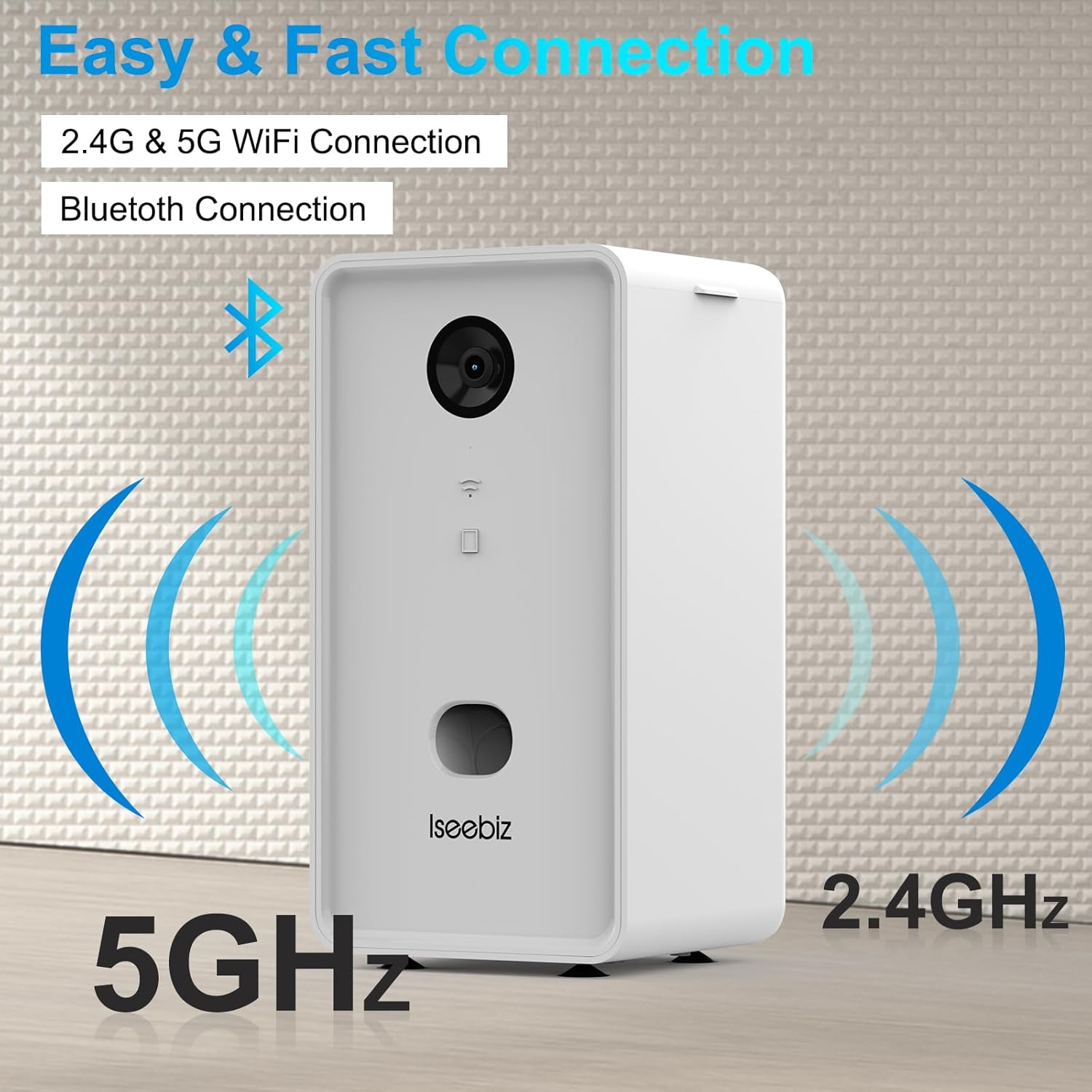
Image: The Iseebiz Pet Camera Treat Dispenser illustrating its 2.4GHz and 5GHz Wi-Fi and Bluetooth connectivity.

Image: Screenshots showing the "Iseefeeder" app available on Google Play, Apple App Store, and Amazon Appstore.
Video: A step-by-step guide on how to connect the Iseebiz Pet Camera Treat Dispenser to the mobile application.
Operating Instructions
Treat Dispensing
The device allows you to remotely dispense treats to your pet. Fill the treat dispenser with your pet's favorite dry treats. Via the "Iseefeeder" app, you can initiate treat tossing. This feature helps you interact with your pet even when you are away from home.

Image: A dog catching a treat dispensed from the Iseebiz Pet Camera Treat Dispenser.
Video: Demonstration of the Iseebiz Pet Camera with Treat Dispenser in action, highlighting its features.
Video: An interactive overview of the pet camera with treat dispenser, showcasing its engaging features.
Live View and Recording
The 1080P camera provides a clear view of your pet day and night, thanks to its night vision capabilities. You can view live footage, take photos, and record videos directly through the app at any time.

Image: A smartphone displaying live video of a dog, with options for recording and sharing.

Image: The Iseebiz Pet Camera highlighting its motion detection capability, showing dogs in a living room.

Image: A woman checking her phone, which displays a "Dog Barking Alert" notification from the pet camera.

Image: The Iseebiz Pet Camera demonstrating its treat tossing function, with a dog looking up expectantly.
Two-Way Audio
The built-in microphone and speaker enable clear two-way audio communication. You can talk to your pet and hear their sounds through the app, providing comfort and interaction when you're not home. The 165° wide-angle view also allows for broader surveillance of your home.

Image: A smartphone screen showing a dog, with icons for two-way audio communication.

Image: A smartphone showing a dog with speech bubbles indicating two-way audio communication.

Image: A smartphone displaying a dog, illustrating the 1080P HD camera with a 165-degree wide-angle view.

Image: A woman viewing her sleeping dog on the pet camera app, demonstrating the night vision feature.
Alerts and Notifications
The device features Advanced Motion Alert and Dog Barking Alert. These notifications are sent to your phone, allowing you to be aware of your pet's activities or potential emergencies in real-time. The app also provides "Out of Stock Notification" for treats.
Maintenance
Cleaning
- Exterior: Wipe the exterior of the device with a soft, dry cloth. Avoid using abrasive cleaners or solvents.
- Treat Compartment: Regularly clean the treat compartment to prevent residue buildup. Ensure the compartment is completely dry before refilling with treats.
- Camera Lens: Gently clean the camera lens with a microfiber cloth to maintain clear image quality.
Placement
The device offers flexible placement options:
- Flat Surface: The device includes suction cups on the base to ensure stability on flat and smooth surfaces, preventing accidental tipping by pets.
- Wall Mount: Hanging holes are provided for wall mounting, allowing you to position the camera at an optimal angle for monitoring your home and pets.
Troubleshooting
| Problem | Possible Cause | Solution |
|---|---|---|
| Device not connecting to Wi-Fi/App | Incorrect Wi-Fi band (5GHz only), weak Wi-Fi signal, incorrect password, device too far from router. |
|
| Treats not dispensing | Treat compartment empty, treats too large, mechanism jammed. |
|
| Poor camera image quality | Dirty lens, insufficient lighting, weak Wi-Fi signal. |
|
| Audio issues (cannot hear pet or pet cannot hear you) | Microphone/speaker obstruction, app volume settings, weak Wi-Fi signal. |
|
Specifications
| Feature | Detail |
|---|---|
| Brand | Iseebiz |
| Model Name | JS-ZZL-T980-BK-US-I |
| Connectivity Technology | Wireless (Wi-Fi, Bluetooth) |
| Wi-Fi Compatibility | 2.4GHz & 5GHz |
| Special Features | Motion Sensor, Night Vision, 2-Way Audio, Treat Dispenser |
| Indoor/Outdoor Usage | Indoor |
| Compatible Devices | Smartphone (Android, iOS) |
| Mount Type | Wall Mount, Flat Surface (with suction cups) |
| Color | White |
| Form Factor | Bullet |
| Enclosure Material | Silicone |
| Alert Type | Motion Only, Dog Barking Alert, Out of Stock Notification |
| Light Source | Infrared |
| Control Method | App |
| Power Source | Corded Electric |
| Batteries Required | No |
| Video Capture Format | AVI |
| Night Vision | Night Color |
| Video Capture Resolution | 1080p |
| Focus Type | Manual Focus |
| Item Dimensions | 11 x 6.4 x 6.4 inches |
| Unit Count | 1.0 Count |
| Included Components | Cable |
Warranty and Support
Customer Support
If you encounter any issues with your Iseebiz Pet Camera Treat Dispenser, please contact Iseebiz customer support. They are committed to assisting you and resolving problems within 24 hours.
Protection Plans
Extended protection plans may be available for your device. These plans offer additional coverage beyond the standard warranty. Please refer to your purchase documentation or retailer for details on available protection plans, such as:
- 2-Year Protection Plan
- 3-Year Protection Plan
- Complete Protect (monthly billing)