
1. Important Safety Information
Please read and understand all instructions before beginning installation. Failure to follow these instructions may result in electric shock, fire, or serious personal injury.
- Ensure power is disconnected at the circuit breaker before installation or maintenance.
- All wiring must be in accordance with national and local electrical codes.
- Consult a qualified electrician if you are unsure about wiring procedures.
- Mounting structure must be capable of supporting the fan's weight (approximately 13.85 lbs).
- Keep hands, feet, and other objects away from rotating fan blades.
2. Package Contents
- 3 × Fan Blades
- DC Motor Assembly
- LED Light Kit and Lampshade
- Remote Control
- User Manual
- Mounting Hardware
3. Specifications
| Brand | Sofucor |
| Model Number | 52144HTM |
| Color | Brown+black |
| Electric Fan Design | Ceiling Fan |
| Power Source | 120V AC input, DC motor |
| Style | With Light |
| Product Dimensions | 52"D x 52"W x 11.81"H |
| Room Type | Bedroom, Dining Room, Farmhouse, Living Room, Patio |
| Noise Level | 30 Decibels |
| Wattage | 35 watts |
| Number of Blades | 3 |
| Air Flow Capacity | 5128 Cubic Feet Per Minute |
| Voltage | 120 Volts |
| Control Method | Remote |
| Installation Type | Flush mount |
| Item Weight | 13.85 pounds |
4. Setup & Installation
This ceiling fan is designed for flush mounting and is suitable for indoor and covered outdoor spaces. It is not suitable for sloped or vaulted ceilings. For detailed wiring diagrams and step-by-step instructions, please refer to the included user manual.
Key Installation Considerations:
- Mounting: Ensure the electrical box is securely mounted and capable of supporting the fan's weight.
- Wiring: Connect the fan's wiring to your household wiring according to the provided diagrams. Always ensure power is off.
- Blade Attachment: Securely attach the three solid wood blades to the motor housing.
- Light Kit: Connect and attach the LED light kit and lampshade.

Image: Sofucor 52-inch ceiling fan showing product dimensions (52-inch diameter, 11.81-inch height) and recommended room sizes (12ft*12ft to 18ft*18ft, 100sq.ft to 300sq.ft).
Video: Official Sofucor video demonstrating the features and installation process of the 52-inch low profile ceiling fan. This video provides a visual guide to the fan's functionality and setup.
5. Operating Instructions
The Sofucor ceiling fan is operated using the included remote control. Ensure the remote has working batteries and is paired with the fan according to the user manual.
Remote Control Functions:
- Power Button: Turns the fan and light on/off.
- Fan Speed: Select from 6 adjustable fan speeds for optimal airflow.
- Reversible DC Motor: Press the reverse button to change blade direction. Downward airflow for cooling in summer, upward airflow for circulating warm air in winter.
- Light Control: Turn the LED light on/off independently from the fan.
- Color Temperature: Cycle through 3 light colors: 3000K (warm yellow), 4500K (bright daylight), and 6000K (cool white).
- Dimming: Adjust light brightness from 0% to 100%.
- Timer Function: Set the fan to automatically turn off after 1, 4, or 8 hours.

Image: The remote control for the Sofucor ceiling fan, highlighting buttons for power, 6 fan speeds, reversible function, 1/4/8 hour timer, and independent light control with dimming and color temperature adjustment.
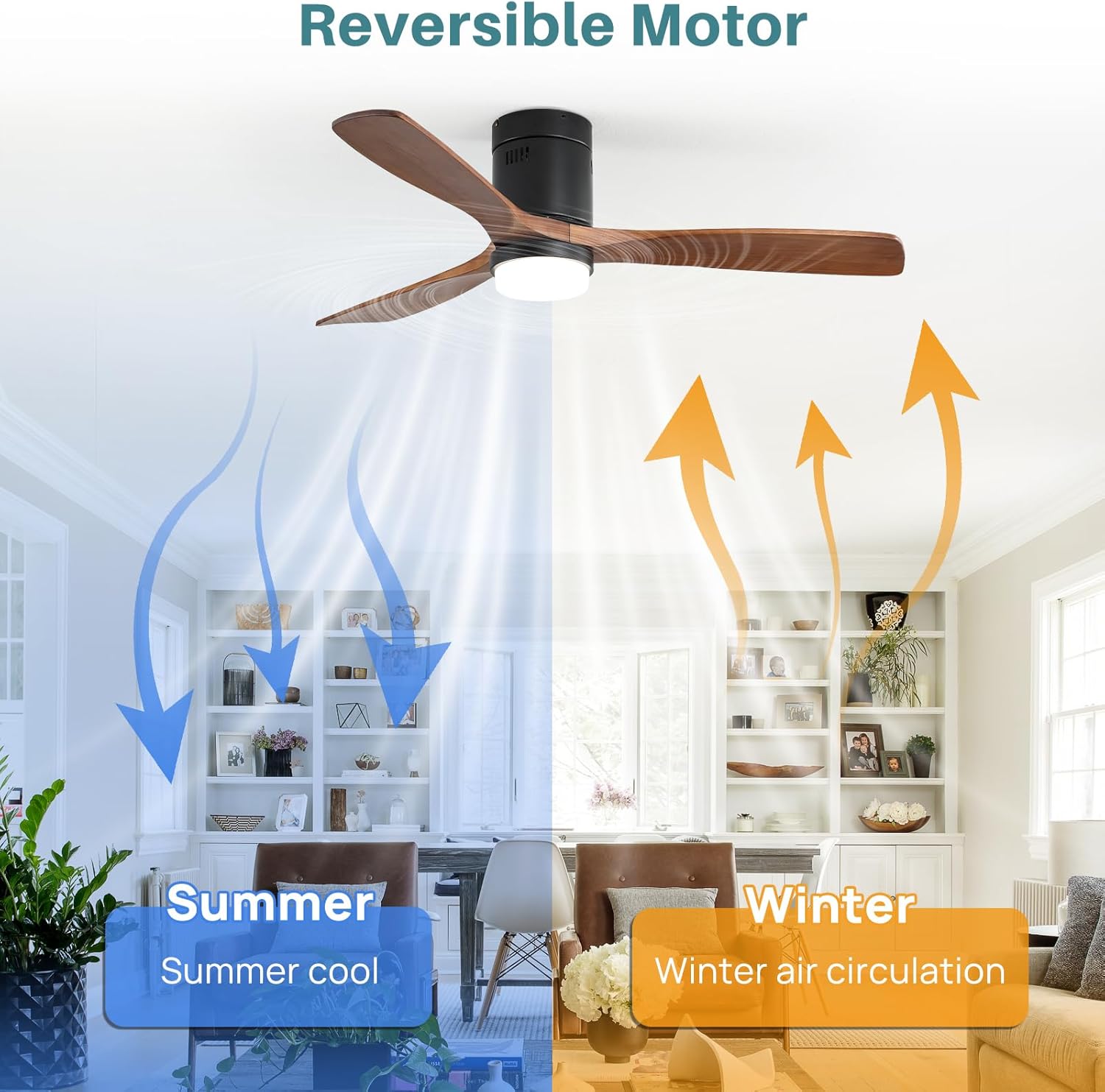
Image: Illustration of the reversible DC motor function, showing downward airflow for summer cooling and upward airflow for winter air circulation to optimize heating efficiency.
6. Maintenance
Regular maintenance ensures optimal performance and longevity of your Sofucor ceiling fan.
- Cleaning: Use a soft, damp cloth to clean the fan blades and motor housing. Do not use abrasive cleaners or solvents.
- Blade Inspection: Periodically check that all blade screws are tight. Loose blades can cause wobbling and noise.
- LED Light Kit: The integrated LED light kit is designed for long-term use. If replacement is ever needed, a replaceable LED light board is available.
- Motor: The high-quality DC motor is designed for durability and quiet operation. No lubrication is required.

Image: A close-up view of the replaceable LED light board, indicating that replacements are available for continued bright and uniform lighting.
7. Troubleshooting
If you experience issues with your Sofucor ceiling fan, consult the following common solutions:
- Fan Not Operating: Check that the circuit breaker is on and all wiring connections are secure. Ensure the remote control batteries are fresh and correctly inserted.
- Light Not Working: Verify the light is turned on via the remote. Check wiring connections to the LED light kit.
- Excessive Wobbling: Ensure all blade screws are tightened. Check that the mounting bracket is securely fastened to the ceiling.
- Remote Not Responding: Replace remote batteries. Re-pair the remote control with the fan according to the user manual instructions.
8. Warranty & Support
Sofucor stands by the quality of its products. This ceiling fan comes with a lifetime free replacement warranty for the DC motor.
- Motor Warranty: Enjoy a lifetime free replacement for the DC motor.
- Component Replacement: If your LED light board or remote control are damaged or lost, please contact Sofucor customer service for a free replacement.
- Customer Service: For any questions, support, or warranty claims, please refer to the contact information provided in your original product packaging or visit the official Sofucor website.

Image: Illustration of the Sofucor DC motor, emphasizing its high quality and the lifetime free replacement warranty.


