
Audizio Milan
Audizio Milan Portable DAB+ / FM Radio with Bluetooth User Manual
Model: Milan
1. Introduction
Thank you for purchasing the Audizio Milan Portable DAB+ / FM Radio with Bluetooth. This compact and versatile radio offers high-quality digital radio reception (DAB/DAB+), traditional FM radio, and seamless audio streaming via Bluetooth. With its built-in rechargeable battery, headphone output, and line output, the Milan is designed for convenience and excellent sound experience wherever you go. Please read this manual carefully to ensure proper use and optimal performance of your device.
2. Safety Instructions
- Do not expose the unit to rain or moisture to prevent fire or electric shock.
- Ensure proper ventilation around the unit. Do not block ventilation openings.
- Avoid placing the unit near heat sources such as radiators, heat registers, stoves, or other apparatus (including amplifiers) that produce heat.
- Use only attachments/accessories specified by the manufacturer.
- Unplug the unit during lightning storms or when unused for long periods.
- Do not attempt to service the unit yourself. Refer all servicing to qualified service personnel.
- Dispose of batteries properly, following local regulations. Do not expose batteries to excessive heat.
3. Product Overview
Familiarize yourself with the main components and controls of your Audizio Milan radio.
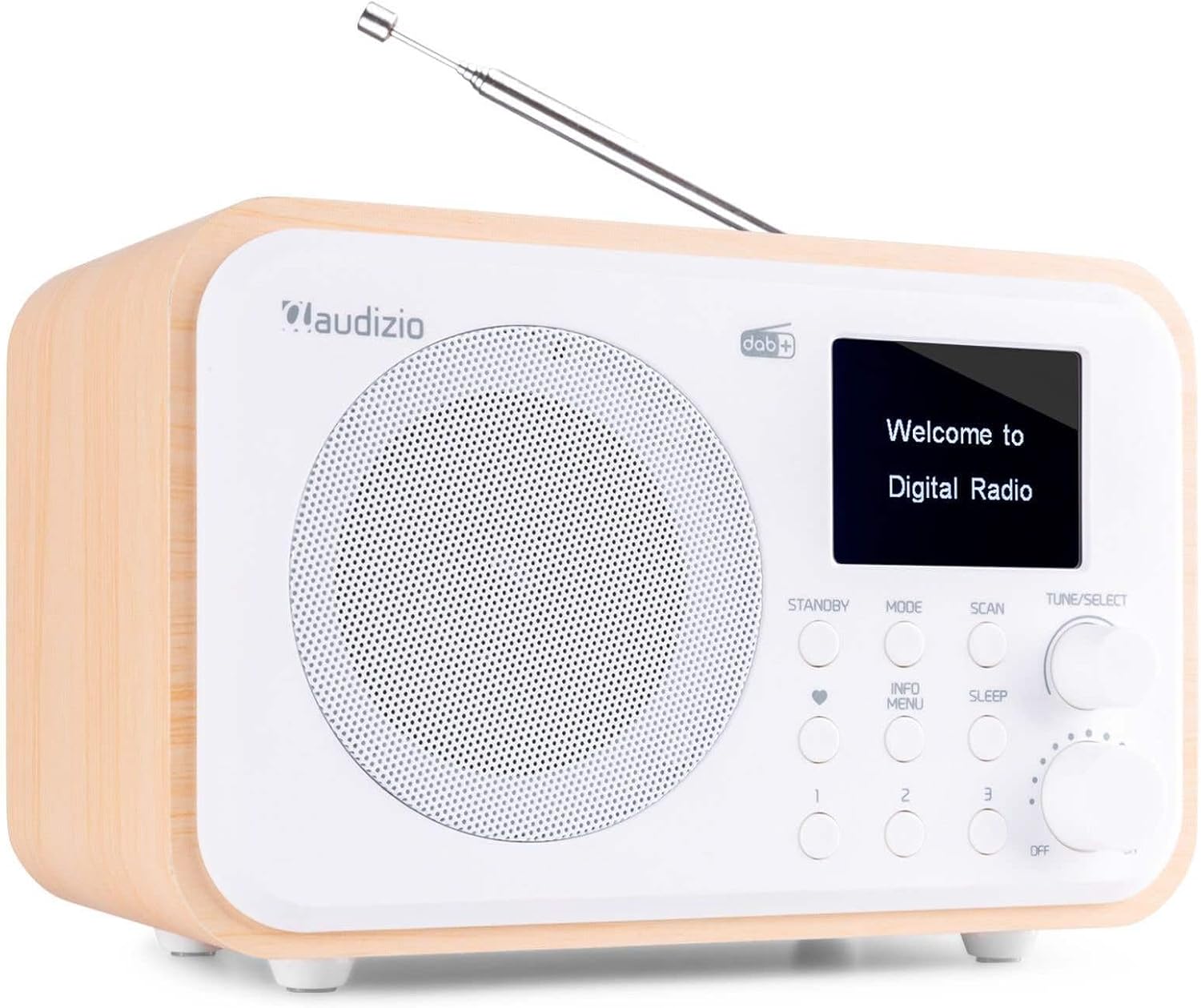
Figure 3.1: Front View of Audizio Milan Radio. This image shows the front of the Audizio Milan radio, featuring the speaker grille on the left, a color TFT display on the right, and various control buttons and knobs below the display. An extendable telescopic antenna is visible at the top.

Figure 3.2: Rear View with Connectivity Ports. This image highlights the rear connectivity options of the Audizio Milan radio, including the USB charging port, 3.5mm line output, and 3.5mm headphone output.
4. Setup
4.1 Unpacking
Carefully remove the radio from its packaging. Ensure all components are present: the Audizio Milan radio unit and a USB charging cable. Retain the packaging for future transport or storage.
4.2 Charging the Battery
The Audizio Milan features a built-in rechargeable battery, allowing for portable use.
- Connect the supplied USB charging cable to the USB charging port on the back of the radio (refer to Figure 3.2).
- Connect the other end of the USB cable to a compatible USB power adapter (not supplied) or a powered USB port (e.g., on a computer).
- The charging indicator on the display will show the charging status. The battery icon will typically animate or show increasing bars.
- Once fully charged, the indicator will show a full battery. Disconnect the charging cable.

Figure 4.1: Portability with Built-in Battery. This image illustrates the Audizio Milan radio being used outdoors on a patio table, emphasizing its portability thanks to the built-in rechargeable battery.
4.3 Antenna Setup
For optimal radio reception, fully extend the telescopic antenna located on the top of the unit. Adjust its position for the best signal quality.
5. Operating Instructions
5.1 Power On/Off
- To turn on the radio, rotate the ON/OFF/VOLUME knob clockwise until you hear a click and the display illuminates.
- To turn off the radio, rotate the ON/OFF/VOLUME knob counter-clockwise until you hear a click.
- Adjust the volume by rotating the ON/OFF/VOLUME knob.
5.2 DAB/DAB+ Radio Operation
The Audizio Milan supports both DAB and DAB+ digital radio broadcasts, offering clear, high-quality audio.
- Press the MODE button repeatedly until "DAB Radio" or "DAB+" appears on the display.
- Upon first use or if the station list is empty, the radio will automatically perform a full scan for available DAB/DAB+ stations. This may take a few minutes.
- To manually initiate a scan, press the SCAN button.
- Once the scan is complete, use the TUNE/SELECT knob to scroll through the list of available stations.
- Press the TUNE/SELECT knob to select and play a station.
- Press the INFO/MENU button to cycle through different information displays (e.g., program type, signal strength, bit rate).

Figure 5.1: DAB Display Information. This image provides a close-up view of the radio's color display, showing details of a currently playing DAB station, including station name and song title.
5.3 FM Radio Operation
In addition to digital radio, the Milan also supports traditional FM radio.
- Press the MODE button repeatedly until "FM Radio" appears on the display.
- To auto-scan for FM stations, press and hold the SCAN button. The radio will scan and stop at the next strong station.
- To manually tune, rotate the TUNE/SELECT knob to adjust the frequency.
5.4 Bluetooth Streaming
Connect your smartphone, tablet, or other Bluetooth-enabled device to the Audizio Milan for wireless audio playback.
- Press the MODE button repeatedly until "Bluetooth" appears on the display. The radio will enter pairing mode, indicated by a flashing Bluetooth icon or "Pairing..." message.
- On your Bluetooth device, enable Bluetooth and search for available devices.
- Select "Audizio Milan" from the list of found devices.
- Once connected, the radio will confirm the connection, and you can now play audio from your device through the Milan radio.

Figure 5.2: Bluetooth Streaming in Use. This image depicts the Audizio Milan radio on a table, with a person in the background holding a smartphone, illustrating the wireless Bluetooth streaming capability.
5.5 Headphone and Line Out Usage
- Headphone Output: Connect standard 3.5mm headphones to the "Headphone Out" jack on the back of the unit (refer to Figure 3.2) for private listening. The internal speaker will be muted when headphones are connected.
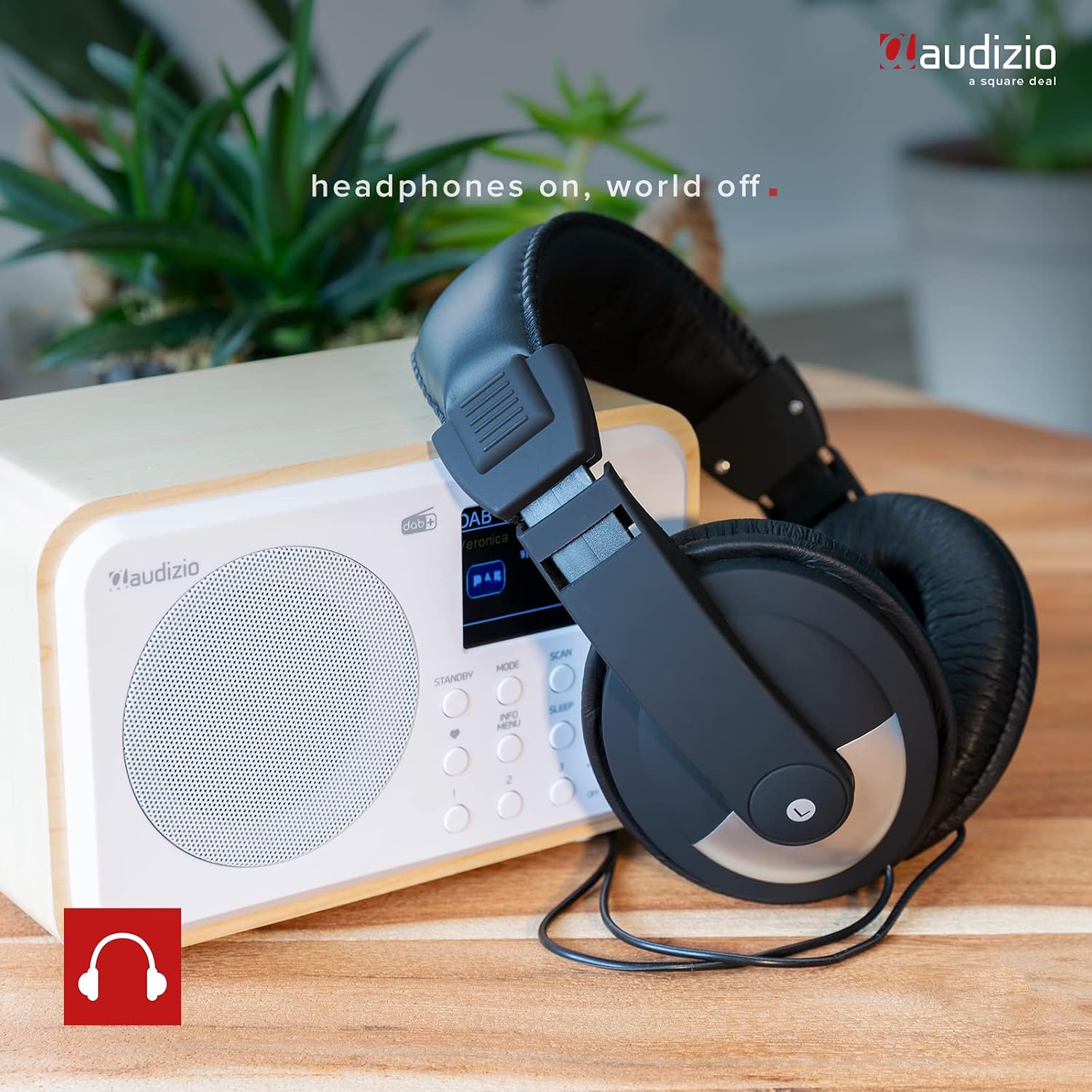
Figure 5.3: Headphone Connectivity. This image shows the Audizio Milan radio with a pair of over-ear headphones, indicating the radio's headphone output feature for personal listening.
- Line Output: Use the "Line Out" jack (refer to Figure 3.2) to connect the radio to an external audio system, amplifier, or powered speakers. This provides an unamplified audio signal from the radio.
5.6 Sleep Timer Function
The sleep timer allows the radio to automatically turn off after a set period.
- Press the SLEEP button.
- Rotate the TUNE/SELECT knob to choose the desired sleep timer duration (e.g., 15, 30, 45, 60, 90, 120 minutes, or OFF).
- Press the TUNE/SELECT knob to confirm your selection. The radio will automatically switch to standby mode after the set time.

Figure 5.4: Sleep Timer Setting. This image focuses on the radio's display, showing the "Set sleep time" option with "90 minutes" selected, demonstrating the sleep timer functionality.
5.7 Presets (DAB/FM)
The Audizio Milan allows you to save up to 40 preset stations for quick access.
- To Save a Preset:
- Tune to the desired DAB or FM station.
- Press and hold one of the numbered preset buttons (1, 2, 3, etc.) until "Preset Saved" or similar message appears on the display.
- To Recall a Preset:
- Briefly press the corresponding numbered preset button (1, 2, 3, etc.) to recall the saved station.
6. Maintenance
- Cleaning: Use a soft, dry cloth to clean the exterior of the radio. Do not use abrasive cleaners, waxes, or solvents as they may damage the finish.
- Storage: If storing the radio for an extended period, ensure the battery is partially charged (around 50%) and store it in a cool, dry place away from direct sunlight and extreme temperatures.
- Antenna Care: Handle the telescopic antenna carefully to avoid bending or breaking it.
7. Troubleshooting
If you encounter any issues with your Audizio Milan radio, please refer to the following common problems and solutions.
| Problem | Possible Cause | Solution |
|---|---|---|
| No power / Unit does not turn on. | Battery is depleted. | Connect the USB charging cable and allow the battery to charge. |
| Poor DAB/FM reception. | Antenna not extended or poor signal area. | Fully extend the telescopic antenna and try repositioning the radio. Perform a new scan. |
| Bluetooth device cannot connect. | Radio not in Bluetooth pairing mode; device too far; previously paired device connected. | Ensure the radio is in Bluetooth mode and "Pairing..." is displayed. Move device closer. Disconnect from other Bluetooth devices. |
| No sound from speaker/headphones. | Volume too low; headphones not fully inserted; line out connected. | Increase volume. Ensure headphones are fully inserted. If using line out, disconnect it to enable internal speaker. |
| Display is blank or frozen. | Temporary software glitch. | Turn the unit off and then on again. If problem persists, allow battery to fully drain and then recharge. |
8. Specifications
Key technical specifications for the Audizio Milan radio.
- Brand: Audizio
- Model Number: Milan
- Color: White
- Connectivity Technology: Bluetooth
- Special Feature: Portable, Built-in Rechargeable Battery
- Tuner Technology: DAB, DAB+, FM
- Power Source: Battery Powered (Built-in)
- Display Technology: TFT (2.4-inch color display)
- Product Dimensions: 18.6L x 12W x 11.5H centimeters (approx. 7.3 x 4.7 x 4.5 inches)
- Included Components: Charging cable, Battery (built-in)
9. Warranty and Support
For information regarding warranty coverage and technical support, please refer to the documentation provided at the time of purchase or contact your retailer. Specific warranty details and support channels may vary by region.
Related documentsMilan


Ask a question about this manual
Ask about setup, troubleshooting, compatibility, parts, safety, or missing instructions. Manuals+ will review the question and use this page’s manual context to help answer it.