
Introduction
The Steelcase Gesture chair is designed to adapt to various body types and work postures, providing ergonomic support for extended periods of use. This manual provides essential information for the setup, operation, maintenance, and specifications of your chair.
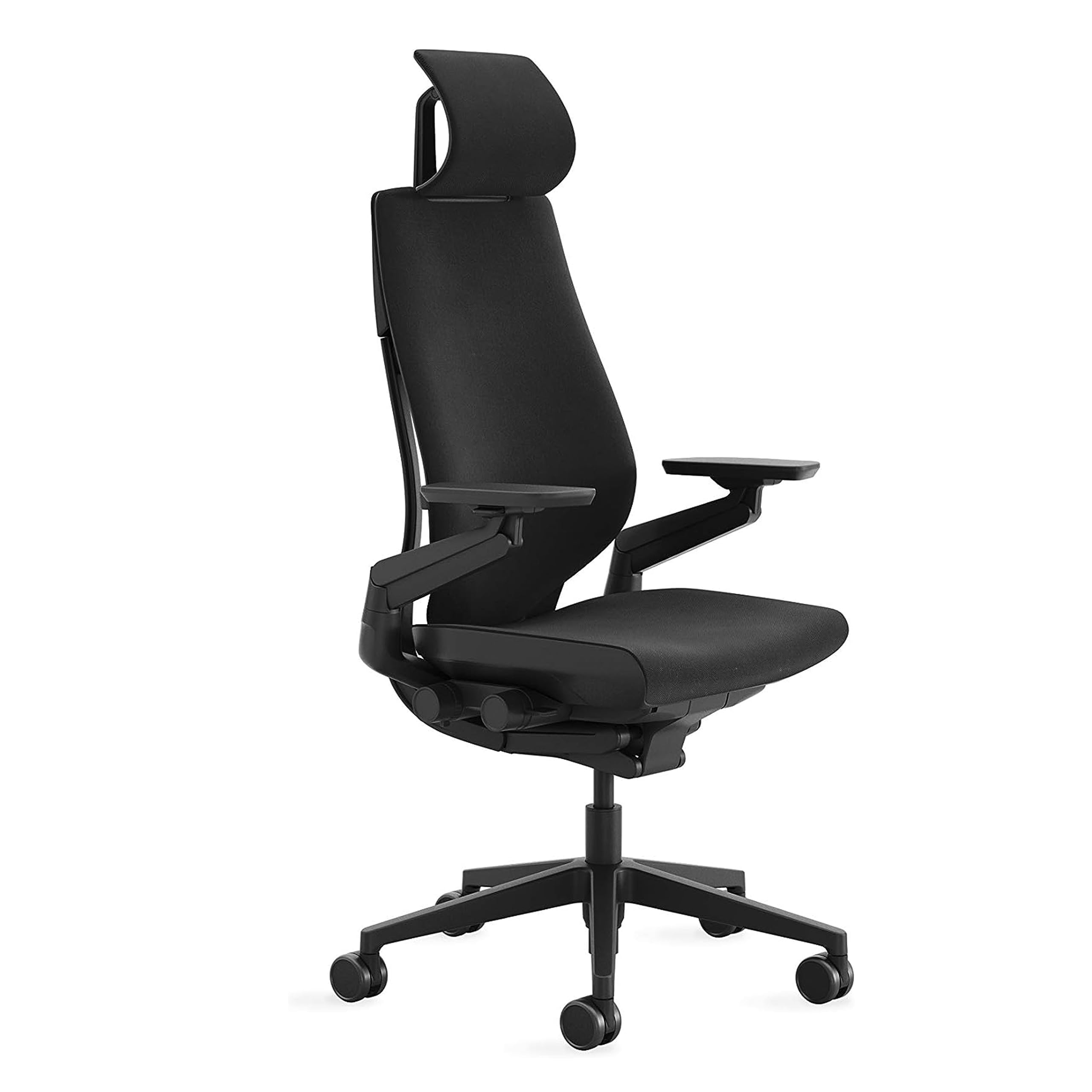
Image: The Steelcase Gesture Office Chair with Head Rest, featuring Licorice Fabric and carpet casters, shown in an office setting.
Setup
The Steelcase Gesture Office Chair with Head Rest arrives fully assembled. No additional tools or assembly steps are required before use.

Image: A close-up of the Steelcase Gesture chair's back, with text indicating that assembly is quick and tool-free.
Operating the Chair
The Gesture chair is designed with intuitive adjustments to support various postures and activities. All primary adjustments are conveniently located on the right side of the chair, within easy reach.
Key Adjustments:
- Seat Height: Adjust the seat height to ensure your feet are flat on the floor or a footrest, and your thighs are parallel to the floor.
- Seat Depth: Easily adjust the seat depth to provide proper support for your thighs, leaving a small gap between the seat edge and the back of your knees.
- Recline and Back Lock: The chair offers a full recline range with three settings. An upright back lock feature allows you to secure the backrest in a preferred position.
- Arm Rests: The 360-degree arms provide a full range of motion, allowing you to position them for optimal support during various tasks. Adjust them to support your forearms and reduce strain on your shoulders and neck.
- Head Rest: The integrated head rest can be adjusted to support your head and neck, promoting comfort during recline or focused work.

Image: A collage highlighting key adjustment features of the Gesture chair, including seat depth, 360-degree arm rotation, LiveBack technology, and the flexible seat edge.
Ergonomic Design Principles:
The Gesture chair incorporates Steelcase's LiveBack technology, which flexes and contours to mimic the natural movement of your spine, encouraging healthy posture throughout the day. The flexible seat edge reduces pressure on the back of your legs, promoting circulation and comfort.

Image: A person seated comfortably in a Steelcase Gesture chair at a desk, demonstrating proper ergonomic posture.
Official Product Video:
Video: An official Steelcase video demonstrating the features and adjustments of the Gesture chair.
Maintenance
To maintain the appearance and longevity of your Steelcase Gesture chair, follow these care instructions:
- Fabric Care: For the Licorice Fabric, spot wash as needed. Use a mild soap and water solution, gently dabbing the affected area. Avoid harsh chemicals or abrasive cleaners.
- Frame and Components: Wipe down the plastic and metal components with a soft, damp cloth.
- Casters: Periodically check and clean the carpet casters to ensure smooth movement and prevent debris buildup.
Troubleshooting
If you encounter any issues with your Steelcase Gesture chair, consider the following general troubleshooting steps:
- Adjustment Issues: Ensure all adjustment levers and knobs are fully engaged or disengaged as intended. Refer to the "Operating the Chair" section for proper adjustment techniques.
- Unusual Noises: Check for any loose components or obstructions around the base and moving parts. If noises persist, contact Steelcase customer support.
- Stability Concerns: Verify that the chair is on a flat, stable surface. Ensure all casters are functioning correctly.
Specifications
| Brand | Steelcase |
| Model Name | Gesture |
| Item Model Number | 442A50-B/B-5S26-5S26-4ARM-LUM-HEAD-CC |
| UPC | 724274002644 |
| Color | Licorice Fabric |
| Product Dimensions (D x W x H) | 32.5"D x 27.5"W x 21.25"H |
| Item Weight | 14.76 pounds |
| Maximum Weight Recommendation | 400 Pounds |
| Back Style | Solid Back |
| Special Features | Adjustable Height, Arm Rest, Ergonomic, Head Support, Seat Lock |
| Surface Recommendation | Carpet (Carpet Casters) |
| Reclining Position Count | 3 |
| Tilting | Yes |

Image: A diagram showing the key dimensions of the Steelcase Gesture chair.
Safety Information
Please observe the following safety guidelines to ensure safe operation and prevent injury:
- Weight Capacity: Do not exceed the chair's maximum weight recommendation of 400 pounds.
- Inspection: Before each use, inspect the chair for any damaged or missing parts. Do not use the chair if any components are compromised.
- Proper Use: Always follow the manufacturer's instructions for proper use and adjustments. Avoid standing on the chair or using it for purposes other than its intended design.
Warranty and Support
The Steelcase Gesture Office Chair is backed by a manufacturer's warranty. For specific warranty details, claims, or technical support, please refer to the official Steelcase website or contact their customer service directly. Keep your purchase receipt for warranty validation.


