
CATIGA CS-229-Blue
CATIGA CS229 Scientific Calculator User Manual
Model: CS-229-Blue
Introduction
The CATIGA CS229 Scientific Calculator is an advanced graphing calculator designed for students and professionals in various scientific and mathematical fields. It combines powerful graphic capabilities with a wide array of functions, making complex calculations and data visualization accessible and efficient. This manual provides essential information for setting up, operating, maintaining, and troubleshooting your calculator.
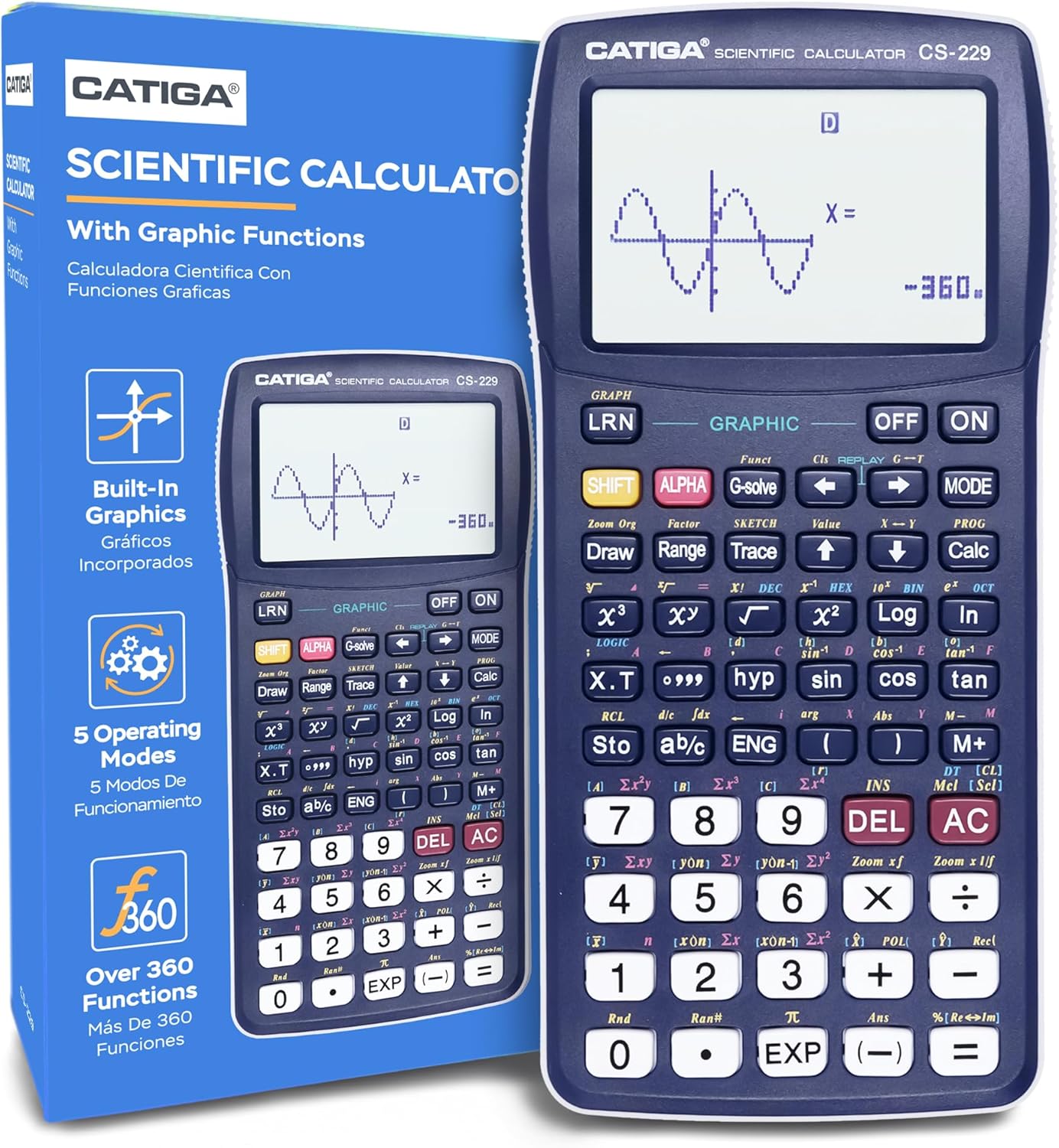
Image: The CATIGA CS229 Scientific Calculator, showcasing its large display and key layout, alongside its product packaging.
Setup
Battery Installation
Your CATIGA CS229 calculator requires 1 LR44 battery, which is included. To install or replace the battery:
- Locate the battery compartment on the back of the calculator.
- Carefully slide open the battery cover.
- Insert the LR44 battery, ensuring the correct polarity (+/-) as indicated inside the compartment.
- Close the battery cover securely.
Initial Power On
Press the ON button to power on the calculator. If the calculator does not turn on, ensure the battery is correctly installed. If issues persist, press the reset button located on the back of the unit using a thin, pointed object (e.g., a paperclip).

Image: The CATIGA CS229 Scientific Calculator shown with its included protective cover, which slides over the front of the calculator for protection.
Operating Instructions
The CATIGA CS229 offers a comprehensive set of features and multiple operating modes to handle a wide range of mathematical and scientific problems.
Key Features and Functions
This calculator includes over 280 functions, covering:
- Fractions: Perform calculations with fractions, improper fractions, and convert to decimal equivalents.
- Statistics: Calculate standard deviation, linear regression, permutations, and combinations.
- Complex Numbers: Handle calculations involving complex numbers.
- Variable Solution: Solve for variables in equations.
- Instant Replay: Easily correct or replay previous problems.

Image: A visual representation of the calculator's core features, highlighting its graphic capabilities, fraction calculations, instant replay, and statistical functions.
Multiple Operating Modes
The calculator offers three primary operating modes:
- Angle Measurement Mode: Switch between Degrees, Radians, and Grads for angular calculations.
- Calculation Mode: Perform computations including complex numbers, standard deviation, regression, and Base-n calculations.
- Display Mode: Adjust display settings for Normal, Fixed Decimals, or Significant Digits.
To switch between modes, press the MODE button and select the desired option from the menu.

Image: An illustration detailing the three main operating modes of the calculator, providing examples for each.
Graphic Functions
The CS229 features a graphic function that allows you to display diagrams of formulas. The large screen enables simultaneous viewing of charts and equations, facilitating detailed analysis and corrections. Graphic functions include:
- 20 Built-In Graphs
- Graph Composition
- Trace and Plot functions
- Line Scroll, Zoom-In, Zoom-Out
- Overwrite and Statistical Graph capabilities

Image: A comprehensive overview of the calculator's versatile function capabilities, categorized by mathematical discipline.
Detailed Instruction Manual
For in-depth instructions on all functions and advanced operations, please refer to the official User Manual (PDF) available for download. This manual provides detailed examples and step-by-step guides for maximizing your calculator's potential.

Image: The detailed instruction manual booklet, providing comprehensive guidance for all calculator functions.
Maintenance
To ensure the longevity and optimal performance of your CATIGA CS229 calculator, follow these maintenance guidelines:
- Cleaning: Wipe the calculator with a soft, dry cloth. Do not use abrasive cleaners or solvents.
- Storage: Store the calculator in a cool, dry place away from direct sunlight and extreme temperatures. Use the provided protective cover when not in use.
- Battery Care: If the calculator will not be used for an extended period, remove the battery to prevent leakage.
Troubleshooting
If you encounter issues with your CATIGA CS229 calculator, try the following solutions:
- Calculator does not turn on: Ensure the battery is correctly installed. If it still doesn't turn on, press the reset button on the back of the unit.
- Display is blank or dim: Check battery level and replace if necessary.
- Incorrect calculations: Verify that you are in the correct operating mode (e.g., Degrees vs. Radians). Refer to the detailed user manual for specific function usage.
- Calculator freezes: Press the reset button on the back of the unit. Note that this may clear any unsaved data.
For persistent issues, please contact customer support.
Specifications
| Specification | Detail |
|---|---|
| Product Dimensions | 7.12 x 4.5 x 0.1 inches |
| Item Weight | 4.8 ounces |
| Item Model Number | CS-229-Blue |
| Batteries | 1 LR44 batteries required (included) |
| Brand | CATIGA |
| Color | Blue |
| Calculator Type | Graphing, Business |
| Power Source | Battery Powered |
| Screen Size | 3 Inches |
| Visible Screen Diagonal | 3" / 8 cm |
| Date First Available | October 21, 2020 |
Warranty and Support
CATIGA stands behind the quality of its products. The CS229 Scientific Calculator comes with a limited warranty of 365 days from the date of purchase. If you experience any issues or have questions, our customer support team is ready to assist you.
- Customer Support: We offer 24/7 customer support.
- Phone Support: Lifetime support by phone, available 9am - 5pm PST.
- Return Guarantee: Enjoy a 30-day unconditional return guarantee.
Please contact us, and we will provide a reply within 24 hours.

Image: Overview of CATIGA's customer support and warranty commitments.
Related documentsCS-229-Blue


Ask a question about this manual
Ask about setup, troubleshooting, compatibility, parts, safety, or missing instructions. Manuals+ will review the question and use this page’s manual context to help answer it.