
1. Introduction and Overview
The DJI Mini 2 Two-Way Charging Hub is designed to efficiently charge up to three intelligent flight batteries for compatible DJI Mini series drones. Beyond its primary charging function, it also serves as a power bank, allowing you to charge external mobile devices. This hub optimizes the charging process by prioritizing batteries with higher remaining power, ensuring you have a ready-to-use battery as quickly as possible.
Key Features:
- Bidirectional Charging: Charges up to three batteries sequentially and can also function as a power bank.
- Efficient Performance: Recharges three batteries in approximately 270 minutes.
- Versatile Connectivity: Equipped with USB and micro USB sockets.
- Compatibility: Supports DJI Mini 4K, DJI Mini 2 SE, DJI Mini 2, and DJI Mini SE intelligent flight batteries.

Figure 1: The DJI Mini 2 Two-Way Charging Hub, a compact device for charging drone batteries and mobile devices.
2. Setup
To set up your DJI Mini 2 Two-Way Charging Hub, follow these steps:
- Power Source: Connect the charging hub to a suitable power adapter (not included). For optimal charging speed, a power adapter supporting 18W-30W with Quick Charge (QC) or USB Power Delivery (PD) protocols is recommended.
- Cable Connection: Use a USB-C cable (not included) to connect the power adapter to the 'IN' port on the charging hub.
- Insert Batteries: Carefully insert up to three DJI Mini series intelligent flight batteries into the designated slots on the charging hub. Ensure they are securely seated.

Figure 2: Side view of the charging hub, highlighting the 'IN' (input) and 'OUT' (output) ports for power and device charging.
3. Operating Instructions
3.1 Charging Drone Batteries
Once connected to a power source and with batteries inserted, the hub will automatically begin charging. The hub employs a sequential charging logic:
- The hub analyzes the charge level of all inserted batteries.
- It prioritizes charging the battery with the highest remaining power first to 100%.
- Once the first battery is fully charged, it proceeds to charge the next battery with the highest remaining power, and so on.
LED indicators on the hub will display the charging status of each battery. A full charge for three batteries takes approximately 270 minutes.
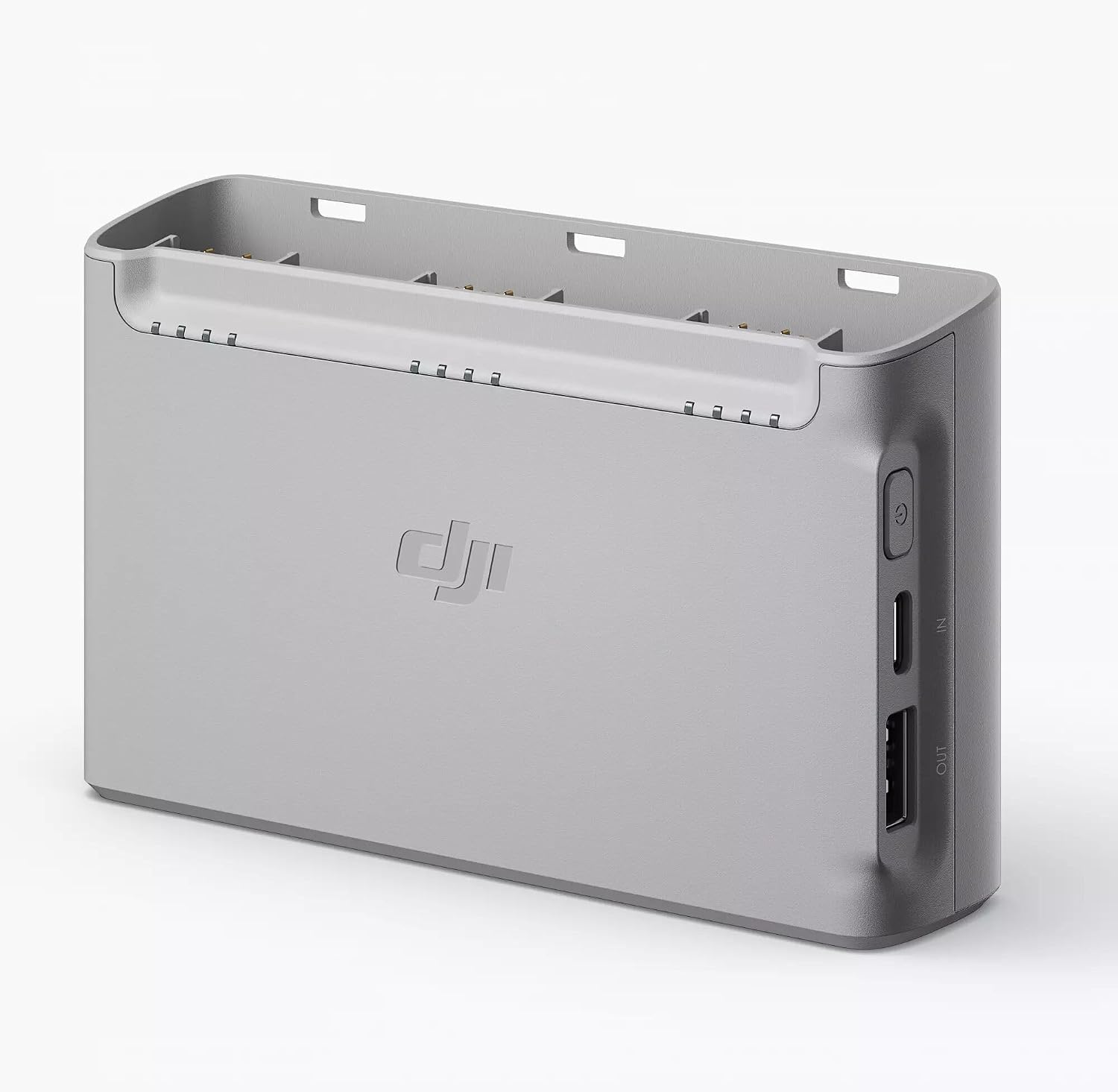
Figure 3: The charging hub with three DJI Mini series batteries inserted, indicating the charging process.
3.2 Using as a Power Bank
The charging hub can also function as a power bank to charge external devices such as smartphones or remote controllers. To use this feature:
- Ensure at least one intelligent flight battery is inserted into the hub.
- Connect your mobile device or remote controller to the 'OUT' USB-A port on the charging hub using an appropriate USB cable.
- The hub will draw power from the inserted drone batteries to charge your external device.
Note: When the hub is connected to an external power source, it prioritizes charging drone batteries. The USB-A output for external devices will only activate once the drone batteries are fully charged.
Video 1: Demonstration of how to use the DJI Mini 2 Two-Way Charging Hub to charge an iPhone, showcasing its power bank functionality.
Video 2: Overview of the DJI Mini 2 Two-Way Charging Hub functioning as a power bank for various devices.
4. Maintenance
Proper maintenance ensures the longevity and optimal performance of your charging hub:
- Cleaning: Use a soft, dry cloth to clean the exterior of the charging hub. Avoid using liquid cleaners or solvents. Ensure no dust or debris accumulates in the charging ports or battery slots.
- Storage: Store the charging hub in a cool, dry place away from direct sunlight and extreme temperatures.
- Battery Storage: Do not store fully charged batteries in the charging hub for extended periods. Over time, this can lead to battery swelling and degradation. It is recommended to discharge batteries to approximately 60% for long-term storage.
- Handling: Handle the hub with care. Avoid dropping it or subjecting it to strong impacts.
5. Troubleshooting
If you encounter issues with your DJI Mini 2 Two-Way Charging Hub, consider the following:
- Hub Not Powering On: Ensure the charging cable is securely connected to both the power adapter and the 'IN' port of the hub. Verify that the power adapter is functioning correctly and plugged into a live outlet.
- Batteries Not Charging: Check that batteries are correctly inserted into their slots. Confirm the power source meets the recommended specifications (e.g., 18W-30W adapter). If only one battery is charging, remember the hub charges sequentially.
- Slow Charging: Ensure you are using a power adapter that supports fast charging protocols (QC or PD) and a high-quality USB-C cable. Lower wattage adapters will result in longer charging times.
- External Device Not Charging: Verify that the hub is not actively charging drone batteries, as this takes priority. Ensure your device is connected to the 'OUT' USB-A port and the cable is functional.
- Battery Swelling: If you observe any battery swelling, immediately remove the affected battery from the hub and discontinue use. Dispose of swollen batteries according to local regulations. This can be caused by storing fully charged batteries for too long.
If problems persist, please refer to the official DJI support resources.
6. Specifications
| Model Number | DJIMINI2CHAHUB |
| Brand | DJI |
| Input Voltage | 12 volts |
| Output Voltage | 12 volts |
| Battery Charge Time | 270 minutes (for three batteries) |
| Compatible Devices | DJI Mini 4K, DJI Mini 2 SE, DJI Mini 2, DJI Mini SE |
| Connector Type (Input) | micro_usb (USB-C recommended for fast charging) |
| Number of Ports | 2 (1x Input, 1x Output) |
| Item Weight | 30 g |
| Item Dimensions (D x W x H) | 5.12"D x 3.94"W x 1.57"H |
| Color | Grey |
7. Warranty Information
Warranty coverage for the DJI Mini 2 Two-Way Charging Hub is provided by DJI. For detailed information regarding warranty terms, conditions, and duration, please refer to the official warranty card included with your product or visit the official DJI website. Keep your proof of purchase for warranty claims.
8. Support
For further assistance, technical support, or service inquiries, please contact DJI customer support through their official website. You can typically find contact information, FAQs, and additional resources on the DJI support page.
Video 3: A brief overview demonstrating the portability and ease of use of the DJI Mini 2 Two-Way Charging Hub.
Video 4: A review highlighting the charging capabilities and a useful feature of the DJI Mini 2 Two-Way Charging Hub.


