
Introduction
This manual provides detailed instructions for the installation, operation, and maintenance of your KYODOLED 40-Key Electronic Wall-Mounted Key Cabinet. Designed for secure key storage, this cabinet features a robust steel construction and a programmable digital lock, making it suitable for both home and commercial use. Please read this manual thoroughly before using the product to ensure proper function and safety.
Safety Information
- Always keep the override keys in a secure location separate from the key cabinet.
- Do not expose the key cabinet to extreme temperatures or humidity.
- Ensure the cabinet is securely mounted to a sturdy wall to prevent accidental falls.
- Keep batteries out of reach of children.
- Do not attempt to force the lock if it is not opening. Refer to the troubleshooting section.
Package Contents
Verify that all items listed below are included in your package:
- KYODOLED 40-Key Electronic Wall-Mounted Key Cabinet
- 4 x 1.5V AA Batteries
- 2 x Override Keys
- 4 x Anchor Bolts for mounting
- 40 x Key Tags (various colors)
- User Manual (this document)
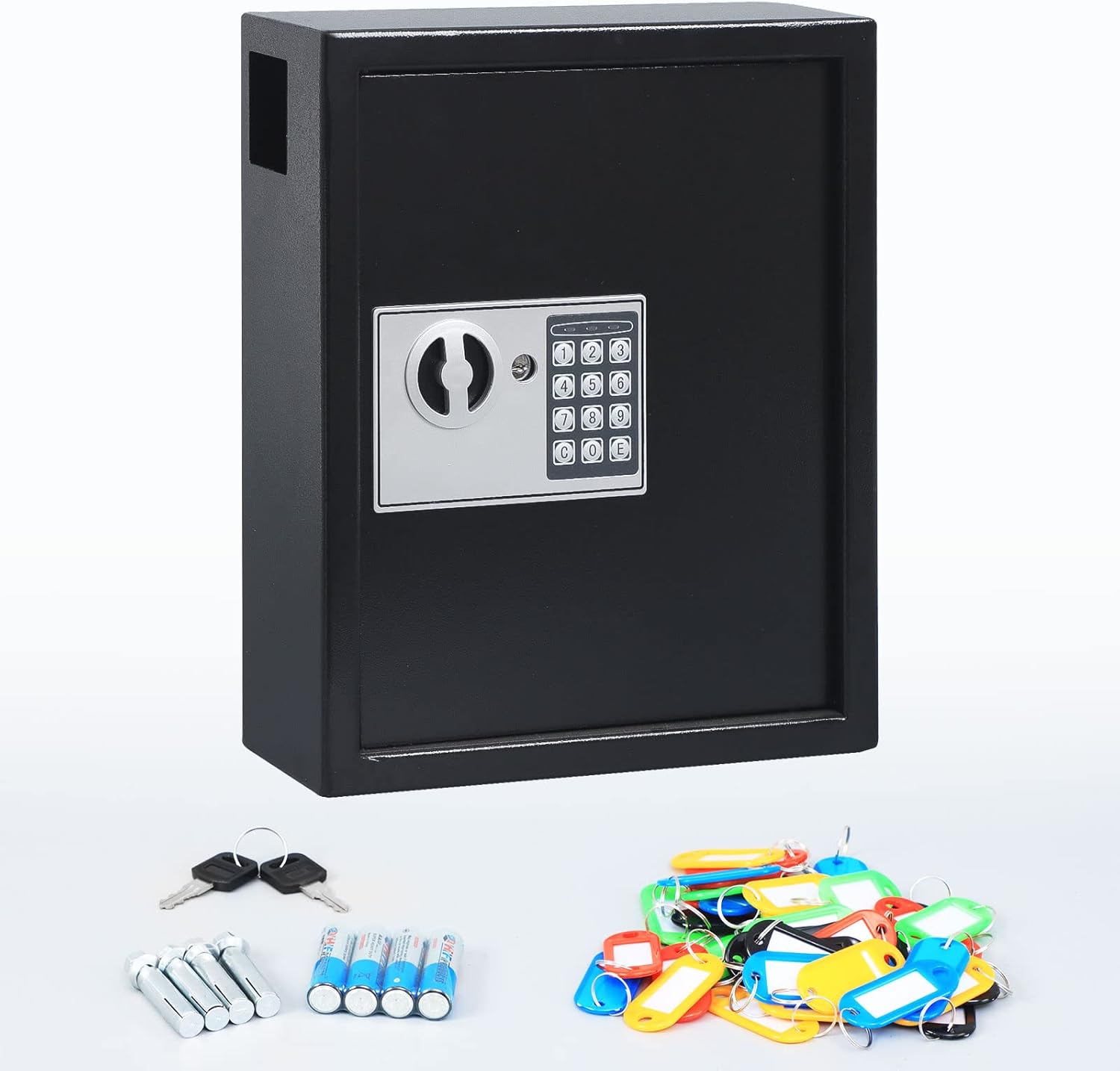
Figure 1: Key cabinet and included accessories.
Setup
1. Wall Mounting
The key cabinet is designed for surface mounting on a wall. Ensure the chosen wall can support the weight of the cabinet and its contents.
- Choose a suitable location on a sturdy wall.
- Hold the cabinet against the wall at the desired height and mark the positions for the four mounting holes. Use a level to ensure it is straight.
- Drill pilot holes at the marked positions using an appropriate drill bit for your wall type (e.g., masonry bit for concrete, wood bit for studs).
- Insert the anchor bolts into the drilled holes.
- Align the cabinet's mounting holes with the anchor bolts and secure the cabinet tightly to the wall using a wrench or screwdriver.
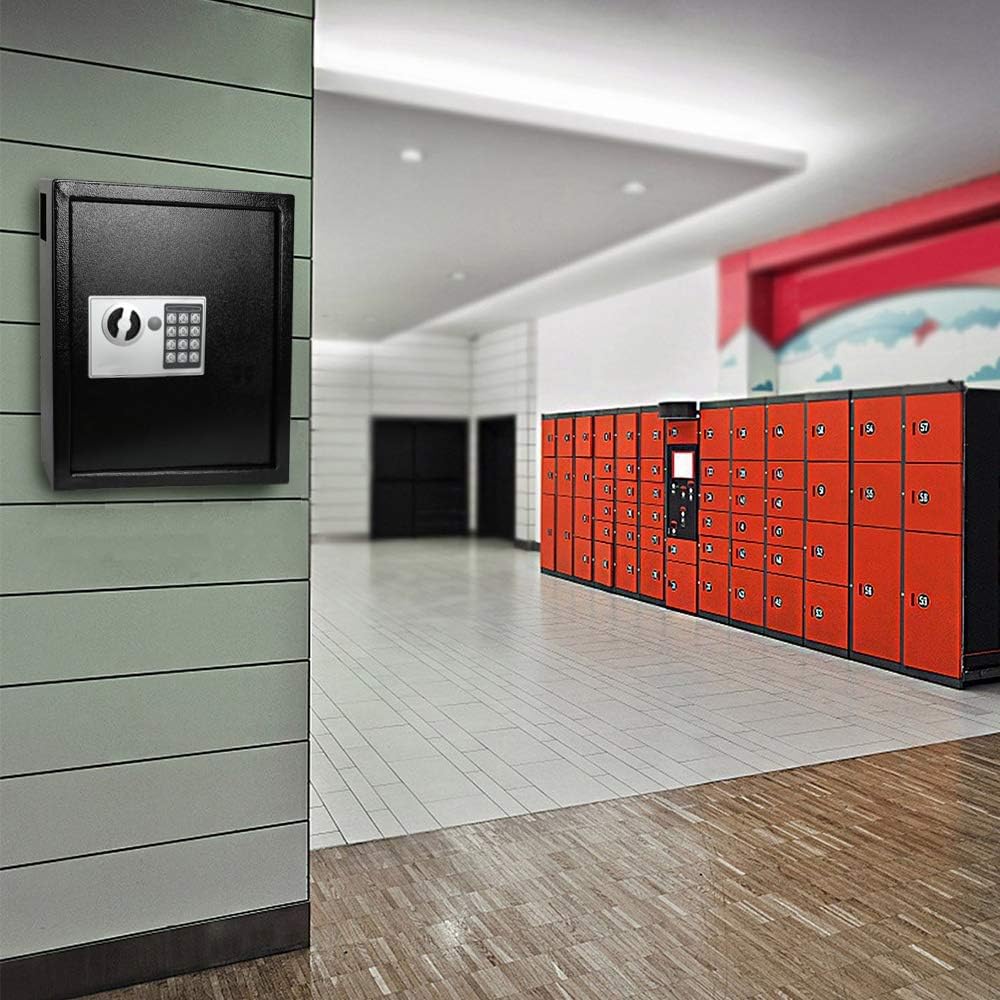
Figure 2: Key cabinet mounted on a wall.
2. Battery Installation
The digital lock requires four AA batteries for operation.
- Open the key cabinet using one of the override keys (refer to 'Using Override Keys' if needed).
- Locate the battery compartment on the inside of the door panel.
- Insert the four 1.5V AA batteries, ensuring correct polarity (+/-).
- Close the battery compartment cover. A beep sound indicates successful battery installation.
Operating Instructions
1. Initial Code Setup
The key cabinet comes with a default code. It is recommended to change this to a personal code immediately.
- With the cabinet door open, locate the red reset button on the inside of the door, near the hinge.
- Press the red reset button. The yellow indicator light on the keypad will illuminate.
- Enter your desired 3 to 8 digit personal code on the keypad.
- Press the 'E' button to confirm your new code. The yellow light will turn off, and a beep will confirm the code has been set.
- Test your new code with the door open before closing it.

Figure 3: Interior view with digital lock detail and key deposit slot.
2. Opening the Cabinet with Digital Code
- Enter your 3 to 8 digit personal code on the keypad.
- Press the 'E' button. The green indicator light will illuminate, and you will hear a beep.
- Within 5 seconds, turn the knob clockwise to open the door.
3. Using Override Keys
In case of forgotten code or dead batteries, the cabinet can be opened using the override keys.
- Locate the keyhole cover on the digital lock panel.
- Remove the cover to expose the keyhole.
- Insert one of the override keys and turn it counter-clockwise while simultaneously turning the knob clockwise to open the door.
- Remember to store override keys in a safe, accessible location away from the cabinet.

Figure 4: Front view of the key cabinet with digital lock.
4. Key Organization
The cabinet includes 40 colorful key tags to help organize your keys efficiently.
- Attach each key to a key tag.
- Label the key tags for easy identification.
- Hang the key tags on the numbered hooks inside the cabinet.

Figure 5: Organized interior of the key cabinet.
5. Key Deposit Slot
The cabinet features a convenient key deposit slot on the side, allowing keys to be dropped into the cabinet without opening the main door.

Figure 6: Side view showing the key deposit slot.
Maintenance
- Cleaning: Wipe the exterior of the cabinet with a soft, damp cloth. Avoid abrasive cleaners or solvents.
- Battery Replacement: When the red indicator light on the keypad flashes or the buzzer sounds weakly during operation, it indicates low battery power. Replace all four AA batteries promptly to ensure continuous operation.
- Inspection: Periodically check the mounting bolts to ensure the cabinet remains securely fastened to the wall.
Troubleshooting
- Cabinet does not open with code:
- Ensure you are entering the correct 3-8 digit code followed by 'E'.
- Check battery level. If batteries are low, replace them.
- If the code is forgotten, use the override keys to open the cabinet and reset the code.
- Keypad is unresponsive:
- Check battery installation and ensure batteries are not depleted. Replace if necessary.
- Door does not close properly:
- Ensure no keys or objects are obstructing the door mechanism.
- Check if the cabinet is mounted evenly and not warped.
Specifications
| Feature | Detail |
|---|---|
| Brand | KYODOLED |
| Model Number | GT-KB-40-Digital Black2 |
| Color | Digital Lock Black |
| Dimensions (H x W x D) | 36.5 cm x 30 cm x 10 cm (14.37" x 11.8" x 3.93") |
| Item Weight | 7.23 Kilograms |
| Material | Metal (High-quality steel with powder coating) |
| Lock Type | Electronic Digital Lock with Override Keys |
| Key Capacity | 40 Keys |
| Power Source | 4 x AA Batteries (included) |
| Mounting Type | Surface Mount |
| Included Components | Key Cabinet, 2 Override Keys, 4 AA Batteries, 4 Anchor Bolts, 40 Key Tags |

Figure 7: Key cabinet dimensions.
Warranty and Support
KYODOLED products are manufactured to high-quality standards. For specific warranty information or technical support, please refer to the documentation provided at the time of purchase or contact your retailer. Keep your purchase receipt as proof of purchase.